コンテンツにスキップ
米国/EU/日本への送料無料 | 1 年間の保証 & 30 日間のリスクフリートライアル
Mini PC vs Desktop: Which One Should You Buy in 2026?

Mini PC vs Desktop: Which One Should You Buy in 2026?

Mini PC vs Desktop: Which One Should You Actually Buy in 2026?

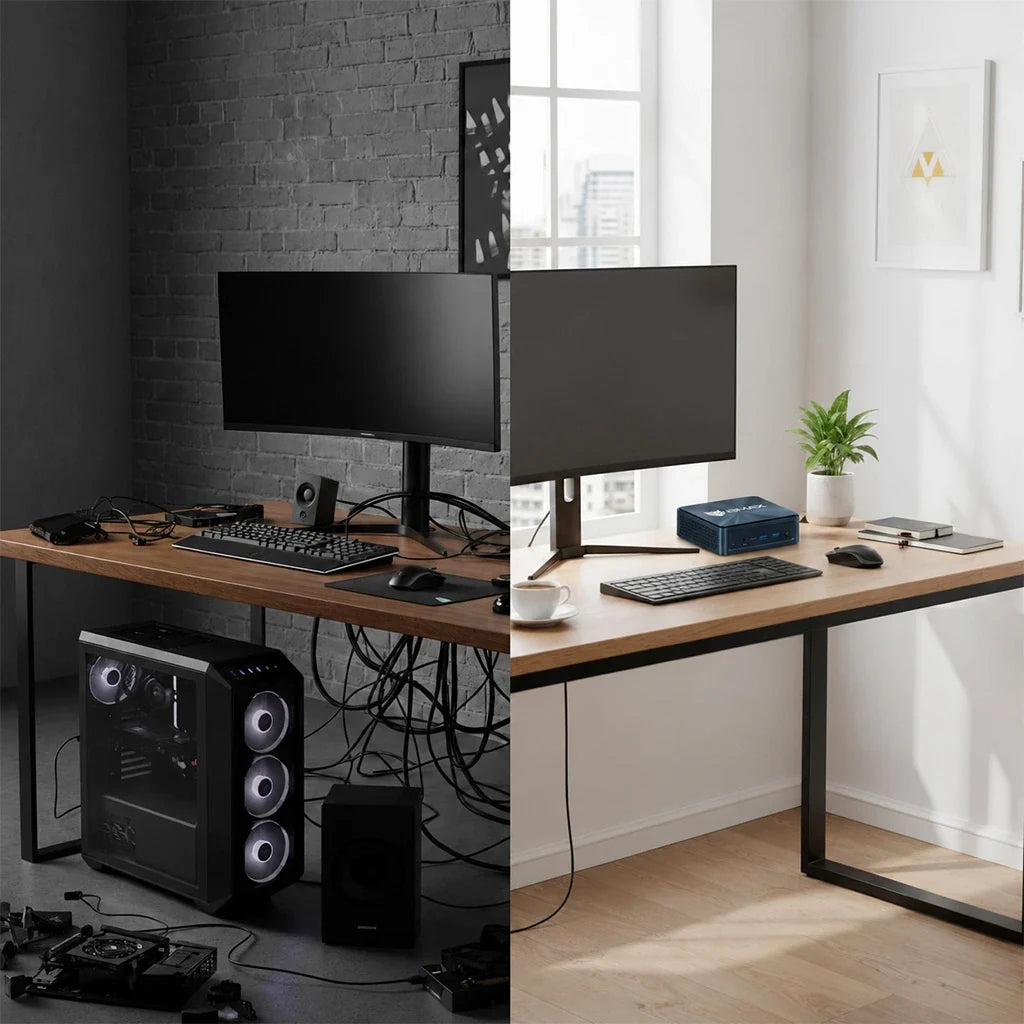
Mini PC vs Desktop computer comparison in 2026

Let’s be honest: buying a computer in 2026 isn't as simple as just picking the most powerful specs on the page. Most of us are juggling desk space, energy bills, and the need for a machine that won't feel sluggish the second we open 50 browser tabs and a Zoom call.

For decades, the traditional tower desktop was the default answer. Need power? Get a big box. Need to upgrade later? Get a bigger box.

But things have changed.

Mini PCs have quietly evolved from underpowered little boxes into absolute powerhouses. Today’s models aren't just for checking emails—they’re handling heavy workloads, local AI tasks, and creative apps that used to require a bulky desktop taking up half your legroom.

So, are traditional desktops officially dead? Or is the Mini PC just a trendy fad? Let’s break down how they actually compare in 2026, and which one fits your real life.


What Is a Mini PC, Anyway?

compact Mini PC computer setup

Think of a Mini PC as a fully functional desktop computer squeezed down to the size of a paperback book (or sometimes just a thick coaster).

Unlike a laptop, it doesn't come with a built-in screen, keyboard, or battery. You plug it into your own monitor, hook up your favorite peripherals, and you’re good to go.

Because manufacturers have gotten so good at packing serious hardware into tiny spaces, modern Mini PCs effortlessly handle:

  • Heavy office productivity & multi-tasking

  • Remote learning and video conferencing

  • Software programming and web development

  • Local AI-assisted apps and workflows

  • 4K entertainment and casual gaming

Curious about what’s under the hood of these tiny machines? Check out our complete 2026 Mini PC Buying Guide for a deep dive into processors, RAM, and cooling tech.


Mini PC vs. Desktop: The Showdown

1. Size & Workspace (Winner: Mini PC)

Let’s talk about desk real estate. Traditional towers are huge, heavy, and a nightmare to manage when you hate tangled cables.

Mini PCs, on the other hand, practically disappear on your desk. You can mount them to the back of a monitor, tuck them under a shelf, or slide them into a backpack. If you love a clean, minimalist setup for your home office, bedroom, or small apartment, a Mini PC is a massive upgrade in lifestyle.

2. Performance: Can a Tiny Box Replace a Big Tower? (It’s a Tie)


A few years ago, desktops easily crushed Mini PCs in performance simply because they had more room for airflow and giant graphics cards.

Not anymore. Modern high-performance Mini PCs are now packing:

  • Intel Core Ultra or AMD Ryzen processors

  • Fast DDR5 memory

  • Blazing-fast NVMe SSDs

  • Dedicated AI acceleration hardware

For 90% of users—including office workers, developers, students, and content creators—a modern Mini PC has more than enough horsepower to completely replace a traditional desktop.

(Of course, if you’re a hardcore gamer needing custom, liquid-cooled graphics cards for 4K ray-tracing, a massive custom desktop is still your best bet).

3. The AI Factor: The 2026 Game Changer

AI isn't just a buzzword anymore; it’s baked into our daily tools.

Instead of relying purely on the cloud, today’s best Mini PCs feature built-in NPUs (Neural Processing Units) to handle AI tasks locally. That means faster responses, better data privacy, and smoother AI-assisted productivity right on your machine.

Take the BMAX B11 Pro, for example. Powered by the Intel Core Ultra 5 115U, it bridges the gap between ultra-compact design and AI-ready performance—making it a smart, future-proof pick for professional workflows without the clutter.

4. The Heat Problem: Why Cooling Matters

BMAX Space Capsule Cooling System thermal design

Here’s the golden rule of small computers: Performance means heat.

Because Mini PCs have zero wasted space, thermal management is everything. Without proper cooling, a high-end processor will throttle itself and slow down the second you push it.

This is why BMAX engineered the Space Capsule Cooling System. By optimizing internal airflow and heat dissipation, this system keeps things running smoothly when you're knee-deep in video editing or coding. It means:

  • Stable Performance: No sudden slowdowns during heavy tasks.

  • Quieter Workdays: Fans don’t sound like a jet engine taking off.

  • Longer Lifespan: Better temperature control protects your hardware over the years.


Which One Should You Choose?

Mini PC usage scenarios for different users

🎓 For Students

You need something reliable for research, essays, Zoom classes, and late-night coding. You also probably don't have a massive dorm desk.

🏠 For Remote Workers & Home Offices

Say goodbye to the ugly tower humming under your feet. A Mini PC gives you a clean, distraction-free workspace that handles multiple displays, heavy spreadsheets, and endless video calls without breaking a sweat.

💻 For Developers & Professionals

You need snappy multitasking, fast compiling, and reliability. Mid-to-high-tier Mini PCs hit that sweet spot of raw performance and desk efficiency.

  • Our pick: Check out the BMAX B6 Plus, built specifically for heavy multitasking and serious productivity.

🎨 For Creators & Power Users

If you’re rendering massive 8K video files or training local AI models, you’ll still want a heavy-duty workstation or a custom desktop built for endless hardware upgrades.


Mini PC vs. Laptop: Quick Reality Check

Can't decide between a Mini PC and a laptop? Here's the short version:

  • Go with a Mini PC if: You work from one main spot, want a comfortable multi-monitor setup, hate cramped laptop keyboards, and want better specs for your money.

  • Go with a laptop if: You are constantly on the move, working from coffee shops, or traveling between classes.


Why Choose BMAX?

At BMAX, we believe powerful technology doesn't have to be bulky or complicated. From our space-saving Mini PCs designed for everyday productivity and AI workflows, to our versatile laptops and lightweight tablets, we focus on practical design, reliable cooling, and modern performance that fits your life—not the other way around.


Frequently Asked Questions

Is a Mini PC better than a desktop in 2026?
It depends on what you value. Mini PCs win on size, energy efficiency, and desk aesthetics. Desktops still win if you want endless hardware customization and high-end gaming GPUs.

Can a Mini PC really replace my old desktop?
Yes. For office work, programming, content creation, and everyday multitasking, modern Mini PCs are more than capable of taking over your old tower.

Are AI Mini PCs worth it?
Definitely. If you plan to keep your computer for the next 3 to 5 years, an AI-ready Mini PC ensures your system won’t feel outdated as local AI apps become the industry standard.

Why is cooling such a big deal in a Mini PC?
Because small spaces trap heat. Effective thermal design (like BMAX’s Space Capsule system) prevents your computer from slowing down under pressure and keeps the hardware healthy for years to come.

コメントを残す

コメントは公開される前に承認される必要があることに注意してください。


