

News

How Do I Pick The Right Laptop for Me?
Ultimate Laptop Buying Guide 2026: How to Choose the Right Laptop Choosing the right laptop can feel like a daunting task. With so many different models, configurations, and specifications available, it's easy to get overwhelmed. Whether you're a student, a professional, or someone who simply needs a reliable device for day-to-day tasks, understanding what you need and how to match those requirements with the right laptop can save you time and money. At BMAX, we understand that choosing a laptop is a big decision, and we're here to guide you through the process. In this article, we will break down the key factors to consider when picking a laptop that's perfect for you. By the end of this guide, you'll have a clear understanding of how to choose a laptop based on your specific needs, preferences, and budget. Key Considerations When Picking a Laptop Before you begin browsing through the endless list of laptops, there are a few critical factors to consider. These factors will help you identify the right laptop that matches your needs, whether it's for work, study, or entertainment. 1. Purpose: What Will You Use Your Laptop For? The first and most important question to ask is: What will I use my laptop for? Understanding how you plan to use your laptop is crucial because it will help you determine the specifications you need. For Basic Use: If you're just browsing the web, checking emails, or using word processing software, you don't need an overly powerful laptop. Look for something with a basic processor (like an Intel N95, N100, or N150), 12GB of RAM, and a 512GB SSD for faster boot times. For Work/Professional Use: If you plan to use your laptop for business, working with documents, spreadsheets, presentations, and light photo editing, you should focus on a laptop with a mid-range processor (Intel Core i3, Core i5, or Ultra 5), 16GB or more of RAM, and 512GB SSD storage. For Gaming or Heavy Use: If you're a gamer or need a laptop for tasks like video editing, 3D modeling, or running demanding software, you'll need a high-end processor (Intel Core i7, Ultra 7, Core i9, or AMD Ryzen 7), 24GB to 32GB of RAM, and a 1TB NVMe SSD. 2. Budget: How Much Are You Willing to Spend? Your budget will play a significant role in determining the laptop you choose. Affordable laptops offer great value for everyday tasks, but if you need more power for work or gaming, you may need to stretch your budget. Under $500: You can find budget laptops that are suitable for basic tasks such as web browsing, word processing, and watching videos. These usually come with lower-end processors (Intel N95, N100, or N150), 12GB of RAM, and 512GB SSD storage. $500 to $1,000: Mid-range laptops in this category typically have Intel Core i3, Core i5, or Ultra 5 processors, 16GB of RAM, and 512GB SSD storage. These are ideal for professionals who need more performance without going over budget. Above $1,000: High-end laptops with Intel Core i7, Ultra 7, Core i9, or AMD Ryzen 7, 32GB of RAM, 1TB SSD storage, and dedicated graphics cards are available in this range. These laptops are designed for users who need superior performance for gaming, content creation, or professional-grade tasks. Key Specifications to Look for in a Laptop Once you've defined the purpose and budget, the next step is to focus on the laptop's specifications. Let's break down the most important components you should pay attention to. Processor (CPU) The processor is the heart of any laptop, and it plays a key role in determining the overall speed and performance of your device. Processor Type Best For Intel Processor N-series (N95/N100/N150) Basic tasks like web browsing, word processing, and online learning Intel Core i3 / Core i5 / Ultra 5 General productivity, light multitasking, and media consumption Intel Core i7 / Ultra 7 / Core i9 / AMD Ryzen 7 Heavy multitasking, gaming, video editing, and demanding professional tasks RAM (Memory) For most users, 16GB of RAM is the sweet spot for a balance between performance and price. However, if you plan to run multiple applications simultaneously, or if you need a laptop for gaming or creative work, consider 24GB to 32GB. RAM Size Best For 12GB Basic tasks like web browsing and document editing General use, light multitasking, and streaming General use, light multitasking, and streaming 24GB to 32GB Gaming, video editing, and heavy multitasking Storage: SATA SSD vs. NVMe SSD When it comes to choosing the right storage for your laptop, both SATA SSD and NVMe SSD deliver fast and reliable solid-state performance. Since our laptops are equipped with SSD storage, the key difference lies in the underlying technology: Speed and Performance: Both options outperform traditional mechanical hard drives. A SATA SSD provides stable performance for everyday computing, while an NVMe SSD utilizes the PCIe interface to deliver much higher data transfer speeds and lower latency—resulting in quicker boot times and lightning-fast file transfers. Durability & Power Efficiency: With no moving parts, both SSD types are highly durable and shock-resistant. They are also energy-efficient, ensuring great battery life for travelers and students. Storage Capacity: 512GB SSD: Sufficient for web browsing, office documents, online courses, video streaming, and emails. 1TB SSD: Ideal for storing large files, software apps, high-res videos, and games without compromising speed. Display Quality & Battery Life Display: Look for a 1080p Full HD display for clear images and sharp text. Screen sizes typically range from 11 inches to 17 inches, with 15.6 inches being the most popular balance of portability and screen space. Battery Life: A good rule of thumb is to look for laptops offering 6–8 hours of battery life. Models designed for extended mobile use can stretch up to 10–12 hours on a single charge. Conclusion Choosing the right laptop doesn’t have to be overwhelming. By understanding your specific needs, defining your budget, and focusing on key specifications, you can select the perfect machine for your lifestyle. At BMAX, we are committed to providing a range of laptops that offer reliable performance, excellent value, and tailored solutions for all types of users. If you’re ready to discover more or need expert guidance, we invite you to contact us for personalized recommendations. Frequently Asked Questions 1. What is the difference between an Intel Core i5 and Intel Core i7 processor?The Intel Core i7 is more powerful and better suited for heavy tasks like gaming and video editing, while the Intel Core i5 is fully sufficient for everyday office work and moderate multitasking. 2. Do I need more than 12GB of RAM for general use?For basic tasks like web browsing and document editing, 12GB is plenty. However, if you plan on doing intensive work like heavy multitasking or content creation, 16GB or more is recommended. 3. What are the advantages of NVMe SSD compared to SATA SSD?NVMe SSDs offer significantly higher data transfer speeds and lower latency because they use the PCIe interface. This results in faster boot times and quicker application loading compared to SATA SSDs. 4. How long should my laptop battery last on a single charge?Ideally, a good laptop should last between 6 to 8 hours on a single charge, with some mobile-optimized models lasting up to 10–12 hours depending on usage.

Japanese tech blogger test and highly recommend it! The BMAX MaxPad I13 3-in-1 Tablet excels in all aspects, its strength is truly amazing!
BMAX MaxPad I13 Review: The Ultimate 3-in-1 Tablet with Keyboard & Stylus BMAX, a brand deeply established in the global consumer electronics market, continues to garner acclaim overseas for its tablets, which are prized for their powerful specifications and versatile usage modes. Recently, a prominent Japanese tech influencer conducted an in-depth, hands-on review of the BMAX MaxPad I13 3-in-1 tablet, covering everything from design details and display quality to keyboard-based productivity and creative handwriting. Within less than a day of its release, the video racked up over 4,200 views and drew a stream of positive comments, further validating the impressive capabilities of this high-value, all-around tablet. Stunning from the Start: Exquisite Craftsmanship Meets Minimalist Packaging The review began with the influencer taking a keen interest in the product's distinctive packaging: a custom-made, pure white box featuring BMAX’s signature mecha-style IP logo. The design offered high brand recognition and made a striking first impression. Upon taking the device out, the blogger immediately felt the elegance and sophistication of the MaxPad I13. It features a sleek, unibody metal design in Space Gray, characterized by a slim profile and rounded edges that ensure a comfortable grip. A striking red power button on the side serves as a visual highlight, balancing aesthetics with ease of identification for touch-based operation; symmetrically arranged speaker grilles on both sides provide a solid hardware foundation for audio playback. During the "Accessories and Main Unit Inspection" section, the blogger repeatedly examined the body of the tablet and expressed high praise for its overall build quality and premium feel. Massive 2TB Expansion + Dual SIM Dual Standby: Storage & Connectivity Freedom In a hands-on review of the device's features, the reviewer highlighted the MaxPad I13’s dual-slot design—a highly competitive selling point for a tablet in this price range: SIM Card Support: Insert a SIM card to access cellular networks, ensuring you stay connected even without Wi-Fi—perfect for commuting and business travel. Up to 2TB TF Card Expansion: A standout feature highly appreciated by the reviewer. You can save a huge amount of movies, TV series, office documents, study materials, and hand-drawn works at will, and say goodbye to storage space anxiety. Screen Test: Anti-Reflective Performance Surpasses Competitors The screen is the aspect that the blogger praised the most in this review. To directly assess screen quality, the reviewer placed the MaxPad I13 side-by-side with another tablet for a comparison, testing visibility under ambient lighting conditions. The results were immediately apparent: even with reflections present, icons and text on the MaxPad I13 remained sharp and clear. The reviewer remarked that such outstanding anti-reflective performance is a rarity among products in this price range. Subsequent testing with web browsing yielded equally impressive results; pages rendered in Chrome appeared detailed and vibrant. Whether researching information, reading the news, or watching short videos, the screen delivered a comfortable and crystal-clear viewing experience. The reviewer commented, "The visuals are so stunning—it’s the kind of experience that really gets you hooked!" Android Split-Screen Multitasking: Balance Entertainment & Productivity The advantage of a large screen lies in its ability to handle multiple tasks simultaneously. The blogger tested the MaxPad I13’s native Android split-screen feature: playing a YouTube video in the left window while browsing for information in Chrome on the right. Both apps ran independently without interference, and switching between them was smooth and lag-free. Watching your favorite shows while catching up on news or research—effectively doubling productivity during spare moments—is precisely the key experiential advantage a large-screen tablet offers over a smartphone. Seamlessly Switch Between Three-in-One Form Factors Unlike traditional single-function entertainment tablets, the MaxPad I13 boasts a versatile three-in-one form factor: tablet + laptop + drawing board. The blogger also conducted hands-on tests using two exclusive accessories—a magnetic keyboard case and a stylus: Magnetic Keyboard: Instantly Transforms into a Laptop When the I13 is fitted with the exclusive magnetic keyboard case, it instantly transforms into a portable and lightweight laptop. Its keyboard features a full layout and comfortable key travel. The blogger placed both hands on the keyboard to type and praised the smooth text input experience. In his view, the tablet easily handles daily tasks such as document editing, email replies, copywriting, and online classes; it serves as a perfect substitute for bulky laptops, making it effortless to carry while traveling. Active Stylus: Responsive Writing for a Paperless Experience In the following writing section, the blogger conducted two tests: writing Japanese kana and drawing free-form curves. When writing, the pen strokes were smooth and responsive with natural line thickness; when drawing, the blue curves could be drawn continuously and smoothly without any breaks or drift. Clearly, whether for students taking class notes, professionals annotating documents on the fly, or art enthusiasts sketching spontaneously, this stylus delivers a realistic, pen-on-paper feel, making paperless study and work effortless. Hardcore Strength: The Key to Sustained Fan Acclaim At the end of the review, the blogger presented the MaxPad I13, magnetic keyboard case, and stylus on the desktop, giving it a thumbs up and high praise. This serves as an endorsement not only of the product's solid performance but also of BMAX's powerful brand strength—a strength rooted in the company's unwavering pursuit of excellence. As a global brand specializing in a full range of portable digital devices—including thin-and-light laptops, tablets, and mini PCs—BMAX upholds the philosophy of "making high-quality technology accessible." The company is dedicated to providing consumers worldwide with digital products that offer robust specifications and an outstanding user experience at an affordable price point. Every product undergoes rigorous quality control throughout the entire process, from R&D and design to manufacturing and inspection, ensuring that what reaches the user is a product of genuine quality that stands up to real-world testing. BMAX understands that solid, core capabilities are the true key to winning and retaining loyal customers. Thanks to consistent quality, attentive localized service, and excellent value for money, BMAX products are currently sold in numerous countries and regions across Japan, Europe, North America, and Southeast Asia, earning the favor of consumers everywhere. In the future, BMAX will continue to focus on real user needs, continuously iterate product experiences, and repay the trust and support of global consumers with more innovative and competitive digital products.

Best Mini PCs for Small Businesses in 2026: Compact, Reliable Computers for Business
Stop wasting budget on oversized desktop towers. Discover why forward-thinking small businesses in 2026 are switching to reliable, space-saving Mini PCs for everyday office productivity, retail, and remote work.

Best Mini PCs for Home Entertainment in 2026: Streaming, 4K Media, and Everyday Use
Turn your living room TV into a powerful 4K media center. Discover why a modern Mini PC beats locked-down smart TVs and streaming sticks for streaming, local media libraries, and everyday family computing.

Can a Mini PC Replace a Desktop Computer in 2026? What You Need to Know
Are traditional desktop towers becoming obsolete? Find out how modern Mini PCs stack up against classic desktops in 2026 regarding performance, gaming, AI workloads, and desk space.

Best Mini PCs for Home Entertainment in 2026: Build the Ultimate Compact Media Center
Looking for the ultimate home entertainment upgrade in 2026? Ditch the clunky smart TV interface and discover why a compact Mini PC is the best way to handle 4K streaming, web browsing, media libraries, and casual gaming right from your living room sofa.

Best Mini PCs for Programmers and Developers in 2026 | Compact Coding Workstations
Best Mini PCs for Programmers and Developers in 2026: Compact Coding Workstations Let’s be real: coding isn't just about writing text on a screen. By the time you've spun up VS Code, launched a couple of Docker containers, booted up a local database, and opened 40 tabs of Stack Overflow and documentation, your computer is screaming for mercy. For the longest time, developers thought they were chained to massive, humming desktop towers or high-end, overpriced laptops just to get a decent compile time. Not anymore. In 2026, the modern Mini PC has quietly evolved into a legitimate developer workstation. If you want to understand how different Mini PCs compare for performance, memory, storage, and cooling, check out our 2026 Mini PC Buying Guide.They offer serious multi-core processing power, plenty of RAM, blazing-fast NVMe storage, and efficient cooling—all in a package that takes up less space than a hardcover book. If you want to clear the clutter off your desk without sacrificing your compilation speeds, here is why a Mini PC might just be your next favorite coding rig. Why Developers Are Ditching Towers for Mini PCs Developers love efficiency—not just in their code, but in their hardware. Here is why compact PCs are taking over developer desks: 1. A Clean, Distraction-Free Workspace Your mind is busy enough tracking variables and debugging logic. You don’t need a giant metal tower taking up half your desk and creating a tangled mess of power cords. Mini PCs can be tucked discreetly under a shelf, slid onto a desktop corner, or mounted cleanly right behind your monitor. 2. Serious Muscle for Heavy Workloads Don't let the size fool you. Modern Mini PCs aren't just for casual web browsing. With modern multi-core processors, high-speed RAM, and fast SSDs, they can easily handle: Heavy IDEs (Visual Studio, IntelliJ, Android Studio) Local development servers and databases Docker containers and lightweight virtual machines Rapid code compilation and software builds What Should Programmers Look for in a Mini PC? Before you pull the trigger on a compact coding rig, make sure you check these three specs: The Processor (CPU): Compilation speed is king. You want a robust multi-core processor that can chew through multi-threaded builds without breaking a sweat.For users exploring AI-assisted development and next-generation workflows, AI-ready Mini PCs with dedicated NPU acceleration are becoming increasingly important. RAM (Memory): 16GB is the bare minimum for web development and moderate multitasking. If you plan on running heavy VMs, Kubernetes clusters, or Android emulators, 32GB+ is a must. Storage (Speed & Size): A fast NVMe SSD is non-negotiable. It drastically cuts down project file access times, system boot-ups, and build times. Look for 512GB minimum, though 1TB is safer for heavy projects. Can Mini PCs Handle Docker and Virtual Machines? Yes, absolutely. As long as you spec your Mini PC with enough RAM (16GB to 32GB) and a capable multi-core CPU, running Docker containers, local test servers, and lightweight virtual machines is an absolute breeze. The Heat Factor: Why Cooling is Critical for Coders When you're running a massive build loop or compiling a heavy project, your CPU is going to run hot. In a small chassis, heat management is everything. If a Mini PC lacks proper cooling, it will thermal-throttle, slowing down your compiles right when you need speed the most. This is why BMAX engineered the Space Capsule Cooling System.Learn more about how thermal design impacts high-performance Mini PCs in our guide to high-performance Mini PCs. It optimizes internal airflow to keep temperatures low and performance stable during those hours-long coding marathons—all while keeping fan noise to an absolute whisper. Best BMAX Mini PCs for Programmers in 2026 BMAX offers a lineup of compact workstations designed to match different coding workflows: 💻 The Balanced All-Rounder: BMAX B6 Plus Best for: Web developers, students learning to code, and everyday programming tasks. Why it rocks: It hits the sweet spot between efficiency and performance, easily handling IDEs, multiple browser windows, and standard backend tools without breaking your budget. ⚡ The AMD-Powered Workhorse: BMAX B8A Pro Best for: Developers needing stronger multi-threaded performance. Why it rocks: Powered by robust AMD Ryzen tech, the B8A Pro handles heavier workloads, data processing, and multi-tasking environments like a champ in a tiny form factor. 🔥 The Heavy-Duty Powerhouse: BMAX B9 Power Best for: Advanced developers, heavy multi-taskers, and complex software projects. Why it rocks: Built for serious computing power. Combined with efficient thermal management, the B9 Power stays stable when you're pushing your machine to its limits. 🤖 The AI-Ready Coder: BMAX B11 Pro Best for: Developers working with AI-assisted coding tools and local AI workflows. Why it rocks: Powered by the Intel Core Ultra 5 115U processor with built-in AI acceleration, the B11 Pro is future-proofed for the next wave of AI-driven development tools and local machine learning models. Mini PC vs. Desktop for Programming Feature Mini PC Traditional Desktop Tower Desk Space Minimal / Mountable Large Power Consumption Low High Compilation Speed Fast (Great for most devs) Maximum (Custom builds) Hardware Upgrades Limited (RAM/SSD) Extensive (GPUs, PSU, etc.) Choose a Mini PC if: You want a clean desk, write code, run standard development stacks, and value a quiet, energy-efficient workspace. Choose a Desktop if: You are training massive LLMs locally, need multiple high-end discrete GPUs, or love swapping out hardware components every year. Explore the complete BMAX Mini PC lineup and find the right compact workstation for your workflow. Frequently Asked Questions Is a Mini PC actually good for programming?Yes. Modern Mini PCs have enough CPU power and memory to run complex IDEs, local servers, databases, and containerized apps smoothly. How much RAM do I need as a developer?Go with 16GB for web development and general coding. If you heavily rely on Docker, virtual machines, or Android Studio, step it up to 32GB. Can Mini PCs run Docker?Definitely. As long as your Mini PC has virtualization enabled in the BIOS and enough RAM allocated, Docker runs smoothly and reliably. Are AI Mini PCs useful for programmers?Very. With the rise of AI-assisted coding tools and local language models, having an AI-ready chip (like in the BMAX B11 Pro) means your hardware won't bottleneck future developer workflows.

Best Mini PCs for Work From Home in 2026: Compact Computers for Remote Professionals
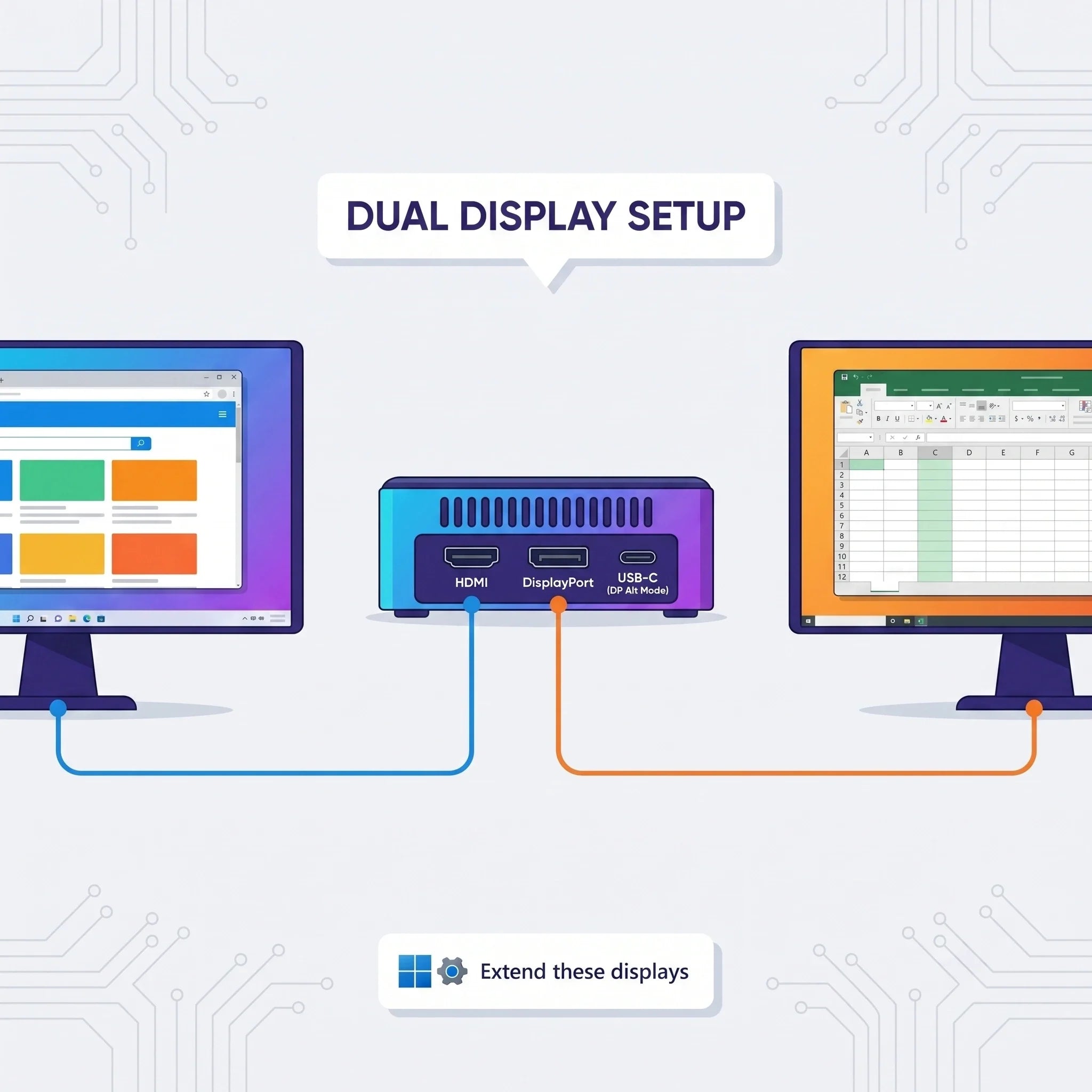
Best Mini PCs for Work From Home in 2026: Ditch the Tower, Save Your Desk Let’s face it: working from home in 2026 comes with its own unique set of challenges. One minute you're deep in a 50-tab browser research session, the next you're jumping onto a sudden video call, all while trying to keep your kitchen table or spare bedroom from looking like an electronics graveyard. If you’re still using a massive, humming desktop tower just to handle spreadsheets and Zoom meetings, or squinting at a cramped laptop screen for 8 hours straight, it’s time for an upgrade. Enter the Mini PC—the remote worker’s secret weapon. Modern Mini PCs have evolved past basic web-browsing boxes.Learn more about choosing the right model in our 2026 Mini PC Buying Guide. They pack serious processing power, lightning-fast storage, and smart thermal tech into something the size of a paperback book. Let’s look at why remote professionals are ditching bulky towers for compact computers, and which ones are actually worth your desk space in 2026. Why a Mini PC is a Game-Changer for Remote Work Your home office computer needs to do two things exceptionally well: stay out of your way, and never lag when you have a dozen apps open. Here is why a Mini PC fits right in. 1. Reclaim Your Desk Space Working from a bedroom, a shared apartment, or a cozy home office means every square inch counts. Traditional desktop towers eat up valuable legroom and trap dust bunnies. Mini PCs, however, are practically invisible. You can slide one right next to your monitor, mount it cleanly behind the screen using a VESA bracket, or tuck it out of sight completely. Suddenly, your workspace looks like a minimalist oasis instead of a server room. (Want to compare sizes and specs? Our Mini PC Buying Guide 2026 breaks down everything you need to know.) 2. Smooth Performance for Real-World Multitasking Remote work isn't just about opening Word documents anymore. You're probably running Slack, a dozen Chrome tabs, a project management tool, Spotify, and a video conference all at once. Today’s Mini PCs are built for this exact chaos. Equipped with modern multi-core processors and speedy NVMe SSDs, they boot up in seconds and breeze through daily professional workflows without breaking a sweat. 3. Lower Power Bills & Whisper-Quiet Operation If you’re chained to your desk all day, power consumption actually matters. Mini PCs draw a fraction of the electricity that a massive gaming desktop uses. Plus, because they consume less power, they generate less heat—meaning you won't have to listen to a jet-engine fan while trying to concentrate on an important client call. What to Look For in a Remote Work Mini PC Not all mini computers are built the same. Here is a quick cheat sheet for what specs you actually need: The Processor (CPU): Don't settle for ancient chips. Look for something that balances efficiency and power so your video calls don't stutter when your spreadsheet recalculates. RAM (Memory): For basic office work, 8GB gets the job done. But if you're a true remote multitasker, 16GB is the sweet spot for 2026. (Power users might even want to look at 32GB). Storage (SSD): Never buy a PC with a mechanical hard drive. A 512GB SSD is the gold standard for most professionals, giving you plenty of room for files without constantly deleting things. Can a Mini PC Handle Video Meetings and Dual Monitors? Short answer: Absolutely. Modern remote setups practically demand dual monitors—one screen for the Zoom call, and another for your actual work. A capable Mini PC easily supports dual or even triple display outputs, letting you snap windows side-by-side and boost your daily productivity. Why Cooling Matters (The Unsung Hero) If your computer overheats during a critical presentation, your workday is ruined. Because Mini PCs are so small, thermal design is everything. BMAX solved this by developing the Space Capsule Cooling System. For users looking for maximum performance, explore our guide to the Best High-Performance Mini PCs of 2026. It optimizes internal airflow so your machine stays ice-cold and dead-quiet, even when you're running heavy background tasks or back-to-back meetings. Stable temperatures mean longer hardware life and zero annoying slowdowns. Best BMAX Mini PCs for Remote Work in 2026 Depending on your budget and workload, BMAX has a compact solution tailored for your home office: 💼 The Budget-Friendly Pick: BMAX B1 Plus If your daily routine revolves around emails, web research, Google Docs, and virtual meetings, you don't need to overpay for overkill specs. The BMAX B1 Plus is an affordable, ultra-compact champ designed to handle everyday productivity tasks smoothly and quietly. (Check out our guide on The Best Mini PCs for Students in 2026 for more budget ideas). 🚀 The Balanced Pro: BMAX B6 Plus Need to juggle heavier multitasking, coding environments, or data-heavy apps? The BMAX B6 Plus steps up the performance game. It hits the sweet spot for remote professionals and small business owners who need extra muscle without upgrading to a massive tower. 🧠 The Future-Proof Powerhouse: BMAX B11 Pro If you want a machine that’s ready for the future of work, look at the BMAX B11 Pro. Powered by the Intel Core Ultra 5 115U processor, it brings AI-ready computing straight to your home office.You can also learn more about AI-ready computers in our Best AI Mini PCs of 2026 guide. Local AI acceleration helps speed up workflow tools and intelligent productivity apps—making it a brilliant long-term investment for forward-thinking professionals. Mini PC vs. Laptop for Working From Home Wondering if you should just buy a laptop instead? Here is the honest truth: Get a Mini PC if: You mostly work from home, want to plug into a giant monitor (or two), prefer a full-sized ergonomic keyboard, and want better specs for a lower price tag. Get a laptop if: You are a digital nomad who works from coffee shops, planes, and client offices every single day. Frequently Asked Questions Is a Mini PC actually good for working from home?100%. For video calls, spreadsheets, browser-heavy workloads, and general multitasking, a modern Mini PC performs just as well as a traditional desktop while saving massive amounts of space. How much RAM do I need for remote work in 2026?Go with 16GB if you want a buttery-smooth experience with dozens of browser tabs open. If you're a casual user who only checks emails and types light documents, 8GB can work too. Can a Mini PC replace my old desktop?Yes, easily. Unless you are doing hardcore 4K video editing or heavy AAA gaming, a modern Mini PC will handle your office work without breaking a sweat—while slashing your desk clutter. Are AI Mini PCs worth buying for remote workers?If you want your computer to stay relevant over the next few years as AI-driven productivity tools become standard, buying an AI-ready machine like the BMAX B11 Pro is a very smart move.

Mini PC vs Desktop: Which One Should You Buy in 2026?
Mini PC vs Desktop: Which One Should You Actually Buy in 2026? Let’s be honest: buying a computer in 2026 isn't as simple as just picking the most powerful specs on the page. Most of us are juggling desk space, energy bills, and the need for a machine that won't feel sluggish the second we open 50 browser tabs and a Zoom call. For decades, the traditional tower desktop was the default answer. Need power? Get a big box. Need to upgrade later? Get a bigger box. But things have changed. Mini PCs have quietly evolved from underpowered little boxes into absolute powerhouses. Today’s models aren't just for checking emails—they’re handling heavy workloads, local AI tasks, and creative apps that used to require a bulky desktop taking up half your legroom. So, are traditional desktops officially dead? Or is the Mini PC just a trendy fad? Let’s break down how they actually compare in 2026, and which one fits your real life. What Is a Mini PC, Anyway? Think of a Mini PC as a fully functional desktop computer squeezed down to the size of a paperback book (or sometimes just a thick coaster). Unlike a laptop, it doesn't come with a built-in screen, keyboard, or battery. You plug it into your own monitor, hook up your favorite peripherals, and you’re good to go. Because manufacturers have gotten so good at packing serious hardware into tiny spaces, modern Mini PCs effortlessly handle: Heavy office productivity & multi-tasking Remote learning and video conferencing Software programming and web development Local AI-assisted apps and workflows 4K entertainment and casual gaming Curious about what’s under the hood of these tiny machines? Check out our complete 2026 Mini PC Buying Guide for a deep dive into processors, RAM, and cooling tech. Mini PC vs. Desktop: The Showdown 1. Size & Workspace (Winner: Mini PC) Let’s talk about desk real estate. Traditional towers are huge, heavy, and a nightmare to manage when you hate tangled cables. Mini PCs, on the other hand, practically disappear on your desk. You can mount them to the back of a monitor, tuck them under a shelf, or slide them into a backpack. If you love a clean, minimalist setup for your home office, bedroom, or small apartment, a Mini PC is a massive upgrade in lifestyle. 2. Performance: Can a Tiny Box Replace a Big Tower? (It’s a Tie) A few years ago, desktops easily crushed Mini PCs in performance simply because they had more room for airflow and giant graphics cards. Not anymore. Modern high-performance Mini PCs are now packing: Intel Core Ultra or AMD Ryzen processors Fast DDR5 memory Blazing-fast NVMe SSDs Dedicated AI acceleration hardware For 90% of users—including office workers, developers, students, and content creators—a modern Mini PC has more than enough horsepower to completely replace a traditional desktop. (Of course, if you’re a hardcore gamer needing custom, liquid-cooled graphics cards for 4K ray-tracing, a massive custom desktop is still your best bet). 3. The AI Factor: The 2026 Game Changer AI isn't just a buzzword anymore; it’s baked into our daily tools. Instead of relying purely on the cloud, today’s best Mini PCs feature built-in NPUs (Neural Processing Units) to handle AI tasks locally. That means faster responses, better data privacy, and smoother AI-assisted productivity right on your machine. Take the BMAX B11 Pro, for example. Powered by the Intel Core Ultra 5 115U, it bridges the gap between ultra-compact design and AI-ready performance—making it a smart, future-proof pick for professional workflows without the clutter. 4. The Heat Problem: Why Cooling Matters Here’s the golden rule of small computers: Performance means heat. Because Mini PCs have zero wasted space, thermal management is everything. Without proper cooling, a high-end processor will throttle itself and slow down the second you push it. This is why BMAX engineered the Space Capsule Cooling System. By optimizing internal airflow and heat dissipation, this system keeps things running smoothly when you're knee-deep in video editing or coding. It means: Stable Performance: No sudden slowdowns during heavy tasks. Quieter Workdays: Fans don’t sound like a jet engine taking off. Longer Lifespan: Better temperature control protects your hardware over the years. Which One Should You Choose? 🎓 For Students You need something reliable for research, essays, Zoom classes, and late-night coding. You also probably don't have a massive dorm desk. Our pick: The budget-friendly BMAX B1 Plus handles daily study tasks effortlessly while leaving plenty of room for your textbooks. (Read our guide on The Best Mini PCs for Students in 2026) 🏠 For Remote Workers & Home Offices Say goodbye to the ugly tower humming under your feet. A Mini PC gives you a clean, distraction-free workspace that handles multiple displays, heavy spreadsheets, and endless video calls without breaking a sweat. 💻 For Developers & Professionals You need snappy multitasking, fast compiling, and reliability. Mid-to-high-tier Mini PCs hit that sweet spot of raw performance and desk efficiency. Our pick: Check out the BMAX B6 Plus, built specifically for heavy multitasking and serious productivity. 🎨 For Creators & Power Users If you’re rendering massive 8K video files or training local AI models, you’ll still want a heavy-duty workstation or a custom desktop built for endless hardware upgrades. Mini PC vs. Laptop: Quick Reality Check Can't decide between a Mini PC and a laptop? Here's the short version: Go with a Mini PC if: You work from one main spot, want a comfortable multi-monitor setup, hate cramped laptop keyboards, and want better specs for your money. Go with a laptop if: You are constantly on the move, working from coffee shops, or traveling between classes. Why Choose BMAX? At BMAX, we believe powerful technology doesn't have to be bulky or complicated. From our space-saving Mini PCs designed for everyday productivity and AI workflows, to our versatile laptops and lightweight tablets, we focus on practical design, reliable cooling, and modern performance that fits your life—not the other way around. Frequently Asked Questions Is a Mini PC better than a desktop in 2026?It depends on what you value. Mini PCs win on size, energy efficiency, and desk aesthetics. Desktops still win if you want endless hardware customization and high-end gaming GPUs. Can a Mini PC really replace my old desktop?Yes. For office work, programming, content creation, and everyday multitasking, modern Mini PCs are more than capable of taking over your old tower. Are AI Mini PCs worth it?Definitely. If you plan to keep your computer for the next 3 to 5 years, an AI-ready Mini PC ensures your system won’t feel outdated as local AI apps become the industry standard. Why is cooling such a big deal in a Mini PC?Because small spaces trap heat. Effective thermal design (like BMAX’s Space Capsule system) prevents your computer from slowing down under pressure and keeps the hardware healthy for years to come.

Mini PC Buying Guide 2026: How to Choose the Right Mini Computer
Mini PC Buying Guide 2026: How to Choose the Right Mini PC Choosing the right computer in 2026 can be a challenging task. Faced with a wide array of options—ranging from traditional desktops and laptops to compact computers—many users are looking for a device that strikes the right balance between performance, price, and convenience. Mini PCs are becoming increasingly popular because they deliver desktop-class performance within an incredibly compact form factor, making them suitable for a diverse range of users, including students, professionals, home users, developers, and creators. However, selecting a Mini PC involves more than just picking the most powerful processor or the lowest-priced model. The best Mini PC for you depends on your specific needs, including your intended use cases, required performance levels, and considerations regarding future upgrades. This buying guide breaks down the key factors to consider when purchasing a Mini PC in 2026, helping you select the model that best meets your requirements. What Is a Mini PC? A Mini PC is a compact desktop computer that offers the core functionality of a traditional desktop while utilizing a smaller chassis. Unlike laptops, Mini PCs typically require an external monitor, keyboard, and mouse. However, this design allows manufacturers to focus on delivering efficient performance while reducing both physical size and power consumption. Modern Mini PCs are capable of handling many tasks that previously required large desktop computers, including: Office productivity Online learning Web browsing Programming Content creation Entertainment Professional applications With advancements in processor technology, memory, storage, and cooling systems, mini PCs have evolved from simple office computers into powerful computing solutions. Why should you choose a mini PC in 2026? Compared to traditional desktop computers, mini PCs offer several advantages. Compact Design One of the biggest advantages of mini PCs is their compact size. These compact computers can easily fit into: Home offices Bedrooms Dorm rooms Small workspaces Professional environments For users who want a clean and organized desk setup, a Mini PC is an excellent choice. Lower Power Consumption Compared to many traditional desktop computers, mini PCs are designed for high-efficiency operation. Their low power consumption makes them suitable for: Long working hours Home offices Everyday computing Energy-conscious users Excellent Value Mini PCs allow users to focus their budget on important components such as: Processor performance RAM capacity SSD storage Instead of paying for large desktop cases and unnecessary components, users can invest their funds in the hardware they truly need. How to Choose a Mini PC in 2026? Choosing the right mini PC depends on several important factors, including processor performance, memory, storage, thermal management, and intended use. 1. Choose the Right Processor When choosing a mini PC, the processor is the most important component. Different users have varying requirements for performance levels. Entry-level mini PC Entry-level Mini PCs are suitable for: Web browsing Online classes Office applications Email Basic entertainment Processors in this category focus on efficiency and affordability. For instance, the BMAX B1 Plus mini PC offers a practical solution for users who need a reliable computer to handle everyday tasks. Mid-range mini PC Mid-range mini PCs offer superior performance for users who require enhanced multitasking capabilities. They are suitable for: Office productivity Multiple applications Programming learning Professional daily use Models like the BMAX B6 Plus strike a balance between performance, energy efficiency, and value for money. High-performance mini PC High-performance mini PCs are designed for demanding users who require greater computing power. They are suitable for: AI applications Programming Content creation Advanced multitasking Professional workloads Mini PCs equipped with modern processors, such as the Intel Core Ultra or AMD Ryzen, offer not only superior performance but also excellent future-proofing. The BMAX B11 Pro features the Intel Core Ultra 5 115U processor and is designed for users who need AI-ready performance in a compact form factor. 2. How Much RAM Does a Mini PC Need? Memory (RAM) determines how smoothly a computer runs multiple applications. The appropriate amount of memory depends on your usage needs. Usage Scenario Recommended RAM Basic browsing and office work 8GB Online learning and productivity 8GB-16GB Programming and multitasking 16GB Professional applications and creative work 16GB-32GB+ For most users in 2026, 16GB of RAM will provide a comfortable, long-term daily usage experience. 3. Choose the Right Storage Storage devices affect system speed and the overall user experience. Modern mini PCs should use solid-state drives (SSDs) rather than traditional mechanical hard drives. The advantages of SSDs include: Faster system startup Faster application loading Faster file transfers Better overall responsiveness For most users: 256GB SSD is suitable for basic tasks 512GB SSD is recommended for everyday productivity 1TB SSD is ideal for professional users and large files 4. Pay Attention to Thermal Performance As the performance of mini-PCs continues to improve, thermal management technology is becoming increasingly important. Compact chassis designs present a challenge, as high-performance processors generate more heat within a limited space. Effective thermal management helps maintain: Stable performance Lower operating temperatures Reduced fan noise Longer component lifespan BMAX has developed the Space Capsule cooling system, designed to enhance airflow efficiency and thermal management performance in compact computers. For users who need to maintain sustained performance in high-load applications, thermal design is just as important as processor specifications. 5. Consider connectivity and expansion options. Before purchasing a mini PC, consider the ports and expansion options you require. Key features include: USB ports HDMI or DisplayPort Ethernet connection Wi-Fi capability Bluetooth support SSD expansion options Memory upgrade options Mini PCs with flexible connectivity capabilities are better equipped to meet future needs. Mini PCs vs. Laptops: Which Should You Choose? Both Mini PCs and laptops have their advantages. Feature Mini PC Laptop Size Very compact Portable Display Requires monitor Built-in Price Usually more affordable Usually higher Workspace Excellent Flexible Upgrade options Better Limited Travel use Limited Excellent Choose a Mini PC if you: Mainly work at a fixed location Want better value Prefer a larger monitor setup Need a clean workspace Choose a laptop if you: Frequently travel Need mobile computing Move between classrooms or offices Which Mini PC Is Suitable for Different Types of Users? Best Mini PC for Students Students usually need a computer for: Online classes Homework Research Office applications Compact and affordable mini PCs like the BMAX B1 Plus are perfect for daily study use. Best Mini PCs for Home and Office Users who work from home need: Smooth multitasking Video meetings Documents Web applications Mid-range mini PCs like the BMAX B6 Plus can deliver stronger productivity performance. Best Mini PCs for AI and Professional Use Professionals and advanced users may need: AI applications Programming Advanced workflows Professional software Powered by the Intel Core Ultra 5 115U processor, the BMAX B11 Pro features a compact design and delivers AI-enabled performance. Best Mini PCs for High-Performance Computing Users working with: Creative applications Heavy multitasking Advanced computing tasks Consider a high-performance mini PC equipped with a high-performance processor and an advanced cooling solution. Why Choose BMAX Mini PCs? BMAX offers compact computing solutions designed for various users, including: Mini PCs: Compact desktop solutions suitable for productivity, professional applications, entertainment, and high-performance computing. Laptops: Portable computers designed for users who require flexible solutions for work and study. Tablets: Lightweight devices designed for mobile learning, entertainment, and everyday use. By combining modern processors, practical designs, efficient cooling systems, and rigorous quality control processes, BMAX is dedicated to providing reliable computing solutions to users worldwide. Frequently Asked Questions Are Mini PCs worth buying in 2026? Yes. Modern mini PCs offer powerful performance, a compact design, and excellent value to many users, including students, professionals, and home users. What is the best Mini PC for everyday use? Choosing the best mini PC depends on your specific needs. Entry-level models are suitable for basic tasks, while high-performance models are better suited for multitasking, programming, and professional-grade workloads. How long does a Mini PC last? A well-designed Mini PC with reliable hardware can deliver stable performance for daily computing tasks for several years. Is a Mini PC better than a desktop computer? Mini PCs deliver excellent performance while saving space and reducing energy consumption. However, for users who prioritize ultimate customization and upgrade flexibility, traditional desktop computers remain the better choice. Related Articles: Best Budget Mini PCs Under $300 for 2026 Best AI Mini PCs of 2026 Best High-Performance Mini PCs of 2026

Best AI Mini PCs in 2026: What to Know Before Buying an AI Computer
Best AI Mini PCs of 2026: What to Know Before Buying an AI Computer Artificial intelligence is emerging as a key trend shaping the future of personal computing. By 2026, AI technology has moved beyond cloud-based services; a new generation of processors with built-in AI acceleration is bringing smarter computing capabilities directly to personal computers. At the same time, Mini PCs are becoming increasingly powerful and feature-rich. Thanks to advanced processors, faster memory, high-speed SSD storage, and optimized thermal designs, modern Mini PCs can handle professional-grade workloads that previously required large desktop computers. For professionals, developers, creators, and power users, AI-enabled Mini PCs offer a compact computing solution that perfectly blends robust performance, intelligent processing capabilities, and space-efficient design. BMAX offers compact computing solutions for a wide range of users, including AI-enabled mini PCs designed for productivity, professional applications, and high-performance daily computing tasks. What Is an AI Mini PC? An AI mini PC is a compact computer specifically designed to support artificial intelligence workloads by combining high-performance processors, AI acceleration technology, and optimized hardware design. While traditional computers rely primarily on CPUs and GPUs to handle tasks, modern AI PCs incorporate dedicated Neural Processing Units (NPUs) specifically designed for AI-related workloads. A modern AI Mini PC typically includes: CPU for general computing tasks GPU for graphics processing and parallel workloads NPU for AI acceleration By integrating these components, AI mini-PCs can improve the efficiency of AI-assisted applications, intelligent workflows, and future AI software., intelligent workflows, and future AI software. Why Are AI Mini PCs Becoming Important in 2026? The way people use computers is changing. While traditional computers primarily execute user commands, computers equipped with artificial intelligence capabilities are increasingly able to assist with daily tasks. AI mini-PCs support a wide range of application scenarios, including: AI-Assisted Productivity AI features can help improve efficiency in areas such as: Document processing Information organization Meeting assistance Workflow automation Content Creation Modern creators increasingly use AI tools for: Image editing Video production assistance Digital design Creative workflows Local AI Processing AI processing directly on the computer provides several potential advantages: Faster response times Better privacy protection Reduced dependence on cloud services As AI applications continue to develop, AI-ready hardware will become an increasingly important factor when choosing a computer. What factors should you consider when buying an AI mini PC? Choosing an AI mini PC involves more than just having an AI-capable processor; a balanced hardware configuration is crucial for ensuring a smooth experience. Processors: The Cornerstone of AI Computing The processor remains one of the most important components of any computer. Modern AI mini PCs powered by Intel Core Ultra processors integrate: High-performance CPU cores Integrated graphics capability Dedicated AI acceleration through NPU technology This architecture enables users to handle high-load applications while also preparing their systems for future AI-driven software. For users planning long-term use of their computers, choosing a modern, AI-enabled processor offers better long-term compatibility. Memory and Storage: Supporting Modern Workloads AI applications, creative software, and professional-grade workloads often require substantial system resources. RAM Memory affects the smoothness of running multiple applications simultaneously. To meet modern computing needs: 16GB RAM is a practical choice for productivity and professional use Higher memory configurations are recommended for heavier multitasking and demanding applications SSD Storage Fast SSD storage improves: System startup speed Application loading times File transfer performance Overall system responsiveness For users who work with large files or professional software, high-speed storage can significantly boost efficiency. Why Heat Dissipation Is Crucial for High-Performance Mini PCs As the performance of mini PCs continues to improve, thermal management has become an increasingly important consideration. Compared to traditional desktop computers, mini PCs have extremely limited internal space. When equipped with high-performance processors, these compact systems require efficient cooling solutions to ensure stable performance. During demanding workloads such as: AI applications Video editing Programming 3D rendering Professional multitasking Processors generate significant heat. Without effective thermal management, performance may drop as the system throttles to maintain safe operating temperatures. Therefore, when selecting a high-performance mini PC, one should not focus solely on processor specifications. Thermal design is equally critical for maintaining stable performance and ensuring long-term reliability. BMAX Space Capsule Cooling System To improve thermal performance in compact computers, BMAX developed the Space Capsule Cooling System. This thermal design focuses on enhancing airflow efficiency and thermal management performance within compact mini-PC chassis. A well-designed thermal system helps achieve: Stable Performance Efficient thermal management helps maintain stable performance during prolonged, high-load operation. Better Temperature Control Optimized airflow helps dissipate heat from critical internal components. Quieter Operation Efficient heat dissipation can reduce unnecessary increases in fan speed during daily use. Long-term reliability Maintaining an optimal operating temperature helps protect internal components and ensures the device's long-term, reliable operation. For high-performance mini PCs, thermal management technology and processor performance complement each other, combining to deliver a superior overall computing experience. BMAX AI-Ready Mini PC Solutions BMAX B11 Pro — An AI-enabled mini PC built for productivity. The BMAX B11 Pro is designed for users who seek modern computing performance, AI capabilities, and a compact design. Powered by the Intel Core Ultra 5 115U processor with integrated AI acceleration, the B11 Pro delivers efficient performance for productivity, multitasking, and AI-assisted applications. The BMAX B11 Pro is suitable for: Business productivity AI-assisted applications Programming Office multitasking Remote work Professional workflows With its compact design and efficient thermal management, the B11 Pro offers a balanced solution for users who require reliable performance while also wanting to save workspace. AI Mini PC vs Traditional Desktop Computer Feature AI Mini PC Traditional Desktop Size Compact Larger AI acceleration Available on supported models Depends on hardware Power consumption Lower Usually higher Workspace Space-saving Requires more space Upgrade flexibility Limited Higher For users requiring extensive hardware customization capabilities, traditional desktop PCs remain a solid choice. However, for professionals, creators, and general users who seek powerful performance while wanting to save space, AI mini PCs offer a highly attractive alternative. Who should consider buying an AI mini PC? Professionals AI Mini PCs are suitable for users who need: Efficient workflows Multiple applications running simultaneously Reliable business computing Developers Developers can benefit from: Faster development environments AI-assisted programming tools Local AI testing capabilities Content Creators Creators working with: Images Videos Digital design Creative software can benefit from compact computers with strong processing performance. Why Choose BMAX Mini PCs? BMAX offers a range of products designed for various computing needs, including: Mini PCs: A compact computer designed for productivity, professional-grade workloads, entertainment, and high-performance computing. Laptops: Provides a portable solution for users who need to perform flexible calculations for work and study. Tablets: A lightweight device suitable for mobile learning, entertainment, and daily use. By combining modern processors, practical designs, thermal solutions, and quality control processes, BMAX creates reliable computing solutions for users worldwide. Frequently Asked Questions What is the best AI Mini PC in 2026? The best AI mini PC depends on the user's specific needs. Users seeking a computer that combines a compact form factor with AI computing capabilities might consider models equipped with Intel Core Ultra processors, such as the BMAX B11 Pro. Are AI Mini PCs worth buying in 2026? For users planning to utilize AI applications or professional software, or intending to use their computer over the long term, AI-enabled mini PCs offer better future compatibility. Can an AI Mini PC replace a desktop computer? For many workloads involving productivity, business, development, and creative tasks, modern AI mini PCs can replace traditional desktop computers while saving space and reducing energy consumption. Why is cooling important in an AI Mini PC? AI workloads and high-performance processors generate more heat. An efficient cooling system helps maintain stable performance and enhances long-term reliability.

Best High Performance Mini PCs in 2026 | Powerful Compact Computers
Best High-Performance Mini PCs in 2026: Powerful Compact Computers for Professionals and Creators By 2026, driven by advanced processors, revolutionary cooling solutions, and the integration of AI computing technologies, mini PCs have evolved into powerful workstations. Modern compact computers have gone beyond basic office tasks. With top-tier CPUs, high-speed memory, ultra-fast SSD storage, and advanced cooling architectures, today’s high-end mini PCs can easily handle the demanding professional workloads that once required bulky desktop cases. At the same time, the AI PC trend is reshaping the world of personal computing. A new generation of processors with built-in AI acceleration is enabling smarter workflows, faster content creation, and highly responsive user experiences. For professionals, developers, creators, and power users, choosing a high-performance mini PC means gaining uncompromising desktop-class computing power in an elegant, space-saving design. BMAX meticulously crafts high-end, professional-grade mini PCs tailored for intensive productivity, programming, content creation, and advanced computing scenarios. What kind of mini PC can be considered a high-end, high-performance mini PC? A truly powerful compact computer relies on the perfect synergy between top-tier components and uncompromising engineering design. 1. The Future of Computing Lies in Artificial Intelligence Artificial intelligence is rapidly becoming the new standard in modern computing. The latest generation of processors is equipped with dedicated AI accelerators (NPUs), enabling computers to process intelligent tasks locally rather than relying entirely on cloud-based processing. While not all systems require AI-centric processors, this widespread industry transformation means that AI-enabled computing power has become a key consideration for ensuring the future adaptability of the workplace. Devices equipped with this technology can seamlessly support AI-enhanced productivity, automated creative workflows, and secure, low-latency on-premises AI applications. 2. Powerful processors designed for professional workloads The CPU is the command center of any workstation. Modern, high-performance mini-PCs equipped with cutting-edge Intel Core Ultra and AMD Ryzen processors deliver exceptional computing power, enabling users to: Execute complex, data-heavy applications smoothly Compile code and render digital media rapidly Power through demanding multitasking without system lag 3. Large-capacity memory and ultra-fast SSD storage Professional workflows—such as running complex programming environments, large creative suites, and multiple virtual machines—require high-performance memory and storage configurations. RAM: 16GB is the baseline for professional productivity, with 32GB or higher recommended for elite multitasking and rendering. SSD Storage: NVMe solid-state drives drastically reduce system boot times, accelerate heavy application loading, and ensure instant access to large project files. BMAX Space Capsule Cooling System: Cutting-Edge Thermal Management Innovation Without excellent thermal management, raw performance is meaningless. In the field of compact computing, heat is the greatest enemy of speed. To address the thermal management challenges faced by high-end compact computers, BMAX engineers have developed a proprietary “Space Capsule Cooling System.” This proprietary cooling solution inspired by aerospace thermal management concepts and has been meticulously designed to maximize internal airflow and enables efficient heat dissipation. Key Advantages of the Space Capsule Cooling System: Maximum Heat Dissipation: Rapidly moves heat away from critical components, preventing thermal throttling. Sustained Peak Performance: Helps maintain stable system performance even during hours of intensive computing or 4K rendering. Acoustic Excellence: Operates with whisper-quiet efficiency, ensuring a distraction-free professional environment. Extended Hardware Lifespan: Protects internal components by maintaining optimal operating temperatures. For users who want to push their hardware to the absolute limit, the BMAX Space Capsule cooling system ensures that your mini PC delivers uncompromising, powerful performance at all times. Who needs a high-performance mini PC? Professionals & Enterprise Users: Ideal for heavy data processing, executive multitasking, and complex business applications. The compact footprint maintains a premium, minimalist workspace. Software Developers: Provides a highly efficient, robust platform for resource-intensive programming tools, virtual environments, database management, and fast code compilation. Content Creators & Designers: Delivers stable, sustained power for high-resolution photo editing, video rendering, and digital graphic design without the bulk of a traditional PC tower. BMAX High-End Mini PC Product Series (2026) 1. BMAX B11 Pro — AI-Ready Mini PC Designed for forward-thinking professionals, the BMAX B11 Pro represents the future of smart computing. Powered by the Intel Core Ultra 5 115U processor, it delivers exceptional performance thanks to its built-in AI acceleration capabilities. Combined with the “Space Capsule Cooling System”, the B11 Pro is the ultimate solution for AI-assisted workflows, next-generation programming, and advanced business applications. 2. BMAX B9 Power — High Performance Mini PC Designed to deliver powerful computing performance, the BMAX B9 Power is built for professional users who require strong multitasking capability, reliable operation, and efficient performance for demanding workloads. 3. BMAX B8A Pro — AMD Ryzen High Performance Mini PC With AMD Ryzen processing power, the BMAX B8A Pro provides excellent multi-core performance for content creation, productivity applications, programming, and advanced everyday computing. Why Choose the BMAX High-End Mini PC? BMAX is committed to pushing the boundaries of compact technology. We focus on developing high-end, professional-grade computing solutions without compromising on performance, reliability, or design. Every BMAX device undergoes rigorous industrial-grade quality control testing before leaving the factory. By combining cutting-edge processors, our proprietary “Space Capsule cooling system”, and premium manufacturing materials, BMAX delivers workstation-level performance in a chassis designed specifically for modern professionals. Frequently Asked Questions What is the best high-performance Mini PC in 2026? The ideal Mini PC depends on your exact professional requirements. For maximum multitasking and creative power, look for models featuring top-tier AMD Ryzen or Intel processors, ample high-speed RAM, and a sophisticated thermal solution like the BMAX Space Capsule Cooling System (such as the BMAX B11 Pro with Intel Core Ultra, or high-performance models like the B9 Power and B8A Pro for demanding professional workloads.). Are high-performance Mini PCs suitable for AI applications? Yes. The industry is shifting toward AI-integrated hardware. Choosing an AI-Ready Mini PC, like the BMAX B11 Pro equipped with Intel Core Ultra, ensures your system has the dedicated NPU acceleration required for modern, intelligent workflows. Can a high-performance Mini PC truly replace a desktop computer? Absolutely. For the vast majority of professional developers, enterprise users, and creators, today’s premium Mini PCs deliver matching computational power while drastically reducing workspace clutter and energy consumption. Is a high-performance Mini PC good for heavy content creation? Yes. Equipped with premium processors, high-capacity RAM, ultra-fast SSDs, and advanced cooling architecture, BMAX Mini PCs effortlessly sustain the performance needed for 4K video editing, large-scale graphic design, and complex digital rendering. Related Articles: 1.Best Budget Mini PCs Under $300 for 2026 2.The Best Mini PCs for Students in 2026



