

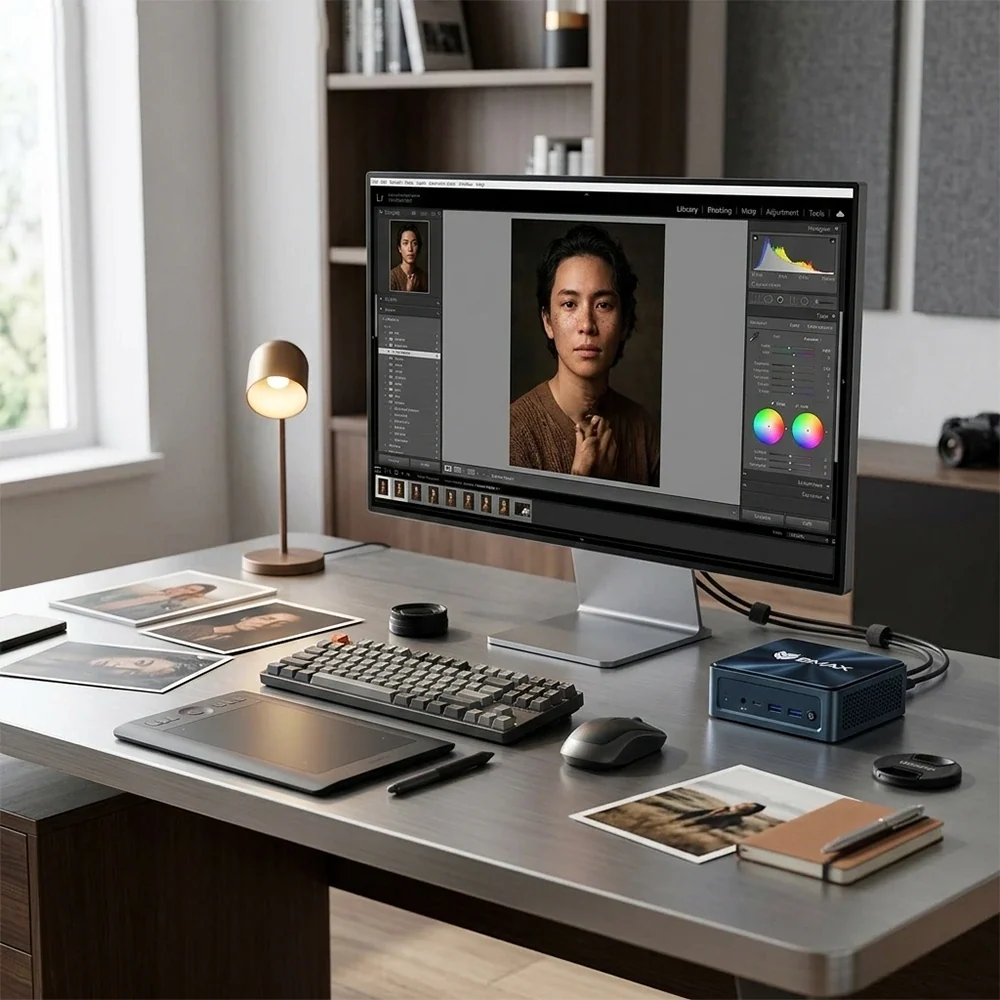
Adobe Photoshop is no longer limited to traditional desktop towers and large workstations.
For many photographers, graphic designers, students and content creators, a compact Mini PC can provide enough performance for everyday Photoshop work while taking up significantly less desk space than a conventional desktop.
But there is an important distinction between “can run Photoshop” and “is suitable for your workflow.”
Opening Photoshop and making occasional adjustments is relatively easy for modern computers. Working with large RAW photographs, hundreds of layers, complex filters and multiple applications at the same time requires considerably more hardware.
So, can a Mini PC run Photoshop in 2026?
Yes. The more useful question is what kind of Mini PC you actually need.

Can a Mini PC Run Photoshop?
Yes, a modern Mini PC can run Photoshop for many common creative tasks.
Typical workloads include:
- Photo retouching
- RAW photo editing
- Social media graphics
- Web design assets
- Product photography
- Posters and marketing materials
- Layer-based image editing
- Basic illustration
- Image resizing and export
- Creative projects for school or work
Photoshop performance depends on more than the processor.
RAM, storage speed, graphics capability and display quality all affect the experience.
For example, a Mini PC with a fast processor but insufficient RAM may struggle when working with large documents and several applications simultaneously.
Likewise, a powerful computer paired with a slow or low-quality monitor may still provide a poor experience for color-sensitive photography.
The goal is therefore to build a balanced system rather than simply buying the highest CPU specification available.
What CPU Do You Need for Photoshop?
The processor remains an important component for Photoshop, particularly when applying certain filters, processing images and performing CPU-dependent operations.
For general photo editing, you do not necessarily need a high-end desktop processor.
A modern multi-core Intel or AMD processor can handle many everyday Photoshop workloads.
The processor becomes more important when your workflow includes:
- Large high-resolution photographs
- Batch processing
- Multiple applications
- Complex filters
- Large layered documents
- Frequent exports
- Heavy multitasking
For example, someone editing a few JPEG images for social media has very different requirements from a photographer working with large RAW files throughout the day.
This is why processor selection should start with your actual workflow.
If you are comparing Intel and AMD processors more broadly, our Intel vs. AMD in Mini PCs guide provides additional context.
How Much RAM Does Photoshop Need?
RAM is one of the most important specifications when choosing a Mini PC for Photoshop.
Photoshop can use substantial amounts of memory when working with large images, multiple layers and multiple documents.
For basic photo editing, 8GB may be usable, particularly for relatively small projects.
However, 16GB is a more comfortable starting point for many users who expect to use Photoshop regularly.
32GB becomes more attractive for professional workflows involving large RAW files, complex layered documents, multiple Adobe applications or heavy multitasking.
For example, you may have Photoshop open alongside Lightroom, a web browser, cloud storage software and communication applications.
In that situation, additional RAM can help keep the overall system responsive.
The important thing is to avoid choosing RAM based purely on a single number.
A user editing occasional product images does not necessarily need the same configuration as a professional photographer working with hundreds of high-resolution files.
For a detailed breakdown of different memory configurations, see How Much RAM Do You Really Need in a Mini PC in 2026?.

Does Photoshop Need a Dedicated GPU?
Not necessarily.
This is one of the reasons a Mini PC can be practical for Photoshop.
Photoshop can use GPU acceleration for certain features and operations, but not every Photoshop workflow requires a dedicated high-end graphics card.
Integrated graphics can be sufficient for many everyday editing tasks.
The situation changes when your workflow becomes more demanding.
A stronger graphics solution can be useful when working with:
- Large high-resolution documents
- GPU-accelerated filters
- Multiple displays
- Advanced visual effects
- Other creative applications
- 3D-related workloads
It is therefore important to distinguish Photoshop from gaming.
A Mini PC does not need a gaming-class GPU simply because you want to edit photographs.
For many users, spending more on a balanced CPU, sufficient RAM, fast storage and a good monitor can make more practical sense than focusing entirely on graphics performance.
Is an SSD Important for Photoshop?
Yes.
Photoshop constantly works with files, temporary data and cache information, so storage performance can affect the overall responsiveness of the system.
An NVMe SSD is a strong choice for the operating system and applications because of its high throughput and low latency.
It is particularly useful when working with large project files and moving substantial amounts of data.
However, storage capacity matters too.
High-resolution photographs can consume storage quickly, especially when working with RAW files.
A practical setup might therefore use:
Fast internal SSD + additional storage for photo libraries + external backup
This separates application performance from long-term storage requirements.
For a detailed comparison of SSD technologies, see NVMe vs. SATA SSD for Mini PCs: Which Storage is Best?.
What About Large Photoshop Files?
The size of your Photoshop documents can dramatically change the hardware requirements.
A simple 2000 × 2000 pixel graphic with a few layers is not particularly demanding.
A large professional document containing dozens of high-resolution layers, masks, smart objects and adjustment layers is a completely different workload.
As document complexity increases, RAM becomes increasingly important.
Storage can matter as well because Photoshop may use temporary disk space when working with large projects.
This means that users working with large files should consider three things together:
RAM: enough memory to keep complex projects responsive.
SSD: fast storage for applications and temporary data.
Capacity: enough free space for projects, cache and the growing photo library.
Buying a Mini PC with a fast processor but very limited storage can create a bottleneck later.
Can a Mini PC Handle RAW Photo Editing?
Yes, provided the hardware is appropriately configured.
RAW editing can involve larger files and more intensive image processing than simple JPEG adjustments.
Photographers should therefore pay particular attention to RAM, CPU performance and SSD storage.
A Mini PC with 16GB of RAM and a modern processor can be a reasonable configuration for many photographers, while users handling very large professional libraries may benefit from more memory and storage.
The monitor also becomes extremely important.
A computer can process a photograph correctly, but the display determines what you actually see while editing.
For photographers, screen resolution, color coverage, calibration and viewing conditions can be just as important as raw computer performance.
What Monitor Should You Use With a Mini PC for Photoshop?
A Mini PC and monitor should be considered as one workstation.
For general graphic design, a high-resolution display can provide a more comfortable workspace and make fine image details easier to inspect.
For photography, color accuracy becomes more important.
Important monitor characteristics can include:
- Resolution
- Panel quality
- Color coverage
- Factory calibration
- Brightness
- Viewing angles
- Connectivity
- Screen size
A 27-inch 4K monitor, for example, can provide a large workspace while maintaining high pixel density.
However, there is no single monitor size that works for everyone.
Your desk depth, viewing distance and type of creative work all matter.
For more detailed guidance, see How to Choose the Best Monitor for a Mini PC in 2026.

Can a Mini PC Handle Graphic Design?
Yes.
Photoshop is only one part of many graphic-design workflows.
A designer may also use applications for vector graphics, page layout, UI design, illustration or video.
The advantage of a Mini PC is that it can function as a compact central workstation for these different applications.
For everyday design work, a balanced configuration with a modern CPU, 16GB or more RAM, fast SSD storage and suitable graphics capability can be enough.
The exact requirements increase with project complexity.
A designer working mainly on web banners and social media graphics has very different needs from someone creating extremely large print documents or combining several professional applications simultaneously.
The same principle applies to display selection.
If the work involves detailed typography, photography or color-sensitive design, investing in a suitable monitor can have a greater practical impact than simply moving to a more powerful processor.
Mini PC for Photoshop vs. Traditional Desktop
The main difference is physical design and expandability.
A traditional desktop generally offers more internal space for large graphics cards, multiple drives and additional cooling hardware.
A Mini PC sacrifices some of that flexibility in exchange for a much smaller footprint.
For Photoshop, however, you may not need the expandability of a large desktop.
A compact system can sit behind a monitor, underneath a display or on a small section of the desk.
This can be particularly useful for home offices, small studios and shared workspaces.
The trade-off is that Mini PCs can have more limited upgrade options depending on the model.
Before buying, check whether RAM is replaceable, what storage interfaces are available and whether the system supports the number of displays you plan to use.
Our Mini PC Buying Guide 2026 covers these considerations in more detail.
Mini PC or Laptop for Photoshop?
A laptop can be the better fit when portability is important.
You can take the entire workstation with you and work without connecting a separate monitor.
A Mini PC is different.
It is designed to remain at a desk and use external peripherals.
That can actually be an advantage for a fixed creative workspace.
You can choose your own monitor, keyboard, mouse, drawing tablet and other peripherals without replacing the computer itself.
A Mini PC also avoids paying for a built-in laptop display and battery when those features are not necessary.
The right choice therefore depends on whether you value portability or a permanent, customizable workstation.
Our Mini PC vs. Laptop in 2026 comparison looks at the broader differences between the two formats.
What Is a Good Mini PC Configuration for Photoshop?
There is no universal specification because Photoshop workloads vary significantly.
However, a practical starting point for many users could look like this:
| Component | Basic Photo Editing | More Demanding Creative Work |
|---|---|---|
| CPU | Modern multi-core processor | Higher-performance modern CPU |
| RAM | 8GB–16GB | 16GB–32GB+ |
| Storage | 512GB SSD | 1TB+ NVMe SSD |
| Graphics | Modern integrated graphics | Stronger integrated or dedicated graphics |
| Display | Full HD / QHD | QHD / 4K color-focused display |
| Network | Wi-Fi or Ethernet | Ethernet or fast Wi-Fi |
These are practical guidelines rather than strict Photoshop requirements.
Your actual files, software and multitasking habits should determine the final configuration.
Is a Mini PC Good Enough for Professional Photoshop Work?
For some professional workflows, yes.
The important question is what kind of professional work you do.
A photographer editing standard commercial images may have very different requirements from a creative professional working with extremely large layered documents, advanced effects and several demanding applications simultaneously.
For demanding professional workloads, workstation-class hardware may still make sense.
For many photographers, designers, freelancers and small businesses, however, a well-configured Mini PC can provide enough performance while keeping the workstation compact.
The form factor itself does not determine whether a computer is suitable for creative work.
The hardware inside it does.
Final Thoughts
A Mini PC can absolutely be a practical Photoshop computer in 2026.
For many users, the most important specifications are not simply the highest CPU clock speed or the largest number of processor cores.
A balanced configuration matters more.
Start with the size and complexity of your Photoshop projects. Then consider RAM, CPU performance, SSD speed and capacity, graphics capability and monitor quality.
For basic photo editing, a compact Mini PC with 16GB of RAM and a fast SSD can already provide a comfortable foundation.
For professional photography and more demanding graphic-design workflows, 32GB of RAM, larger storage and stronger graphics capability may make more sense.
If you are ready to compare different compact systems, explore the BMAX Mini PC collection and match the hardware configuration to your actual creative workflow rather than buying specifications you may never use.
FAQ
Can a Mini PC run Photoshop?
Yes. Modern Mini PCs can run Photoshop for many photo-editing and graphic-design workloads. The required hardware depends on image size, document complexity, RAM usage and multitasking.
Is 16GB RAM enough for Photoshop?
16GB can be a practical starting point for many Photoshop users. Users working with very large files, multiple applications or complex layered documents may benefit from 32GB or more.
Does Photoshop require a dedicated GPU?
No. Many Photoshop workflows can run on integrated graphics. A stronger GPU can become more useful for GPU-accelerated features, demanding creative applications and multiple high-resolution displays.
Is an NVMe SSD good for Photoshop?
Yes. An NVMe SSD provides fast storage performance and is well suited to the operating system, applications and Photoshop workflows involving large files and temporary data.
Is a Mini PC good for photo editing?
A Mini PC can be suitable for photo editing when configured with sufficient RAM, a modern processor, fast storage and an appropriate monitor. The best configuration depends on the size and complexity of the photos being edited.
Can a Mini PC replace a desktop for graphic design?
For many graphic-design workflows, yes. A Mini PC can provide desktop-class functionality in a much smaller form factor. Very demanding 3D, GPU-heavy or highly expandable workflows may still benefit from a traditional workstation.
Should photographers choose a Mini PC or laptop?
A laptop is more suitable when portability is important. A Mini PC is better suited to a permanent workstation where you want to choose a separate monitor and peripherals.







