

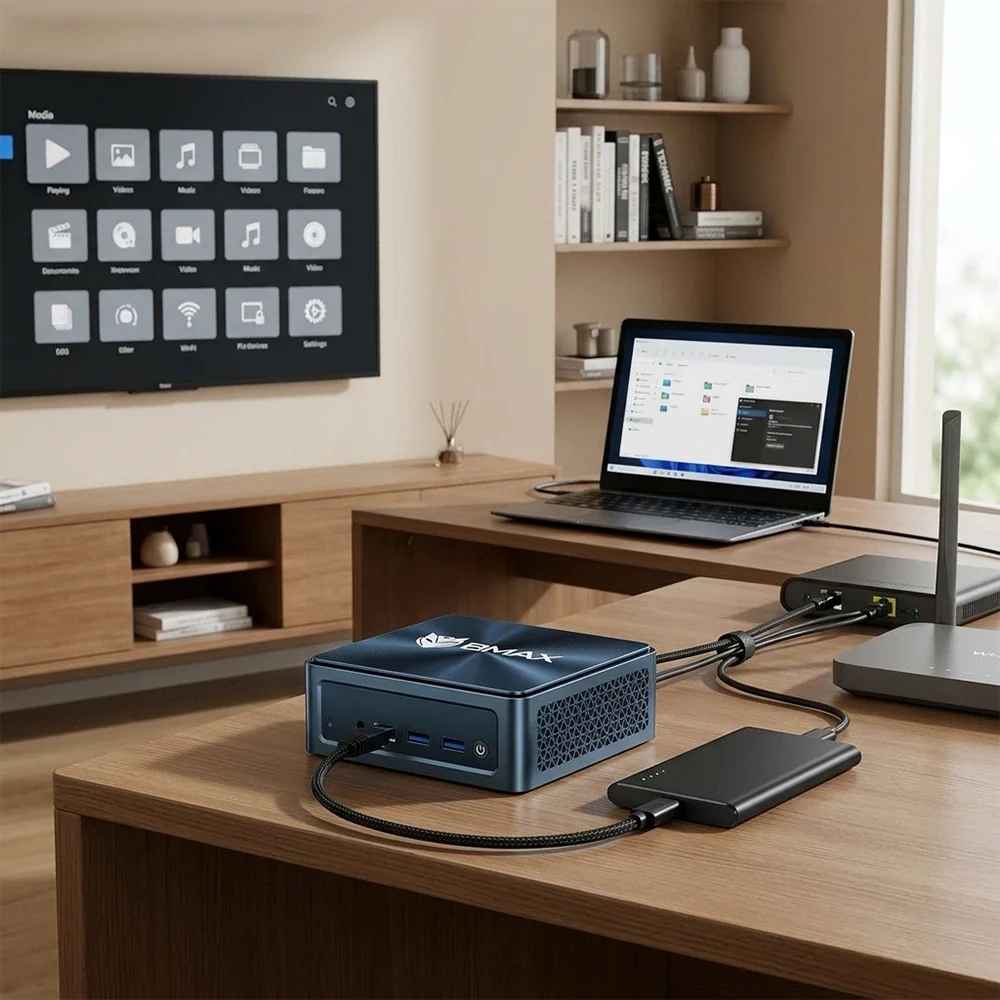
A Mini PC is usually thought of as a small desktop computer for work, browsing, streaming or light gaming. But its compact size, relatively low power requirements and standard networking connections also make it useful for another role: a home server.
A properly configured Mini PC can handle shared files, automatic backups, media streaming, local services, remote access and other tasks that would otherwise require a separate computer.
That does not mean every Mini PC is automatically a good server. The right choice depends on how many people will use it, how much storage you need, whether you plan to run Plex or similar media software, and whether the system will stay powered on around the clock.
So, can a Mini PC really replace a dedicated home server or NAS?
For many home users, yes. But there are some important hardware and storage considerations.

Can a Mini PC Be Used as a Home Server?
Yes. A Mini PC can operate as a small home server as long as its hardware and operating system support the services you want to run.
Common home-server applications include:
- Centralized file storage
- Automatic PC backups
- Photo and document storage
- Local media streaming
- Plex-style media servers
- Network file sharing
- Remote desktop access
- Home automation services
- Lightweight websites and applications
- Personal cloud storage
The main advantage is flexibility. Unlike a basic storage appliance, a Mini PC is a general-purpose computer. You can install different operating systems and software depending on your needs.
For example, a Mini PC can run Windows for familiar desktop-based applications, while Linux distributions are commonly used for more server-oriented configurations.
The important point is that the Mini PC itself is only the hardware. What it becomes depends largely on the software and storage configuration.
Mini PC vs. NAS: Which Is Better for a Home Server?
A dedicated NAS and a Mini PC solve some of the same problems, but they are designed around different priorities.
A NAS is primarily built for centralized storage. It often provides multiple drive bays, RAID support, storage management tools and backup features in one appliance.
A Mini PC is more flexible. You can use it as a file server, media server or general-purpose server and connect additional storage separately.
If your main requirement is simply storing large amounts of data across several hard drives, a dedicated NAS may be more convenient.
If you want to run multiple applications and services on one small computer, a Mini PC can be more versatile.
This is particularly useful if you already have external SSDs or other storage devices and do not need a multi-drive NAS enclosure.
The decision therefore comes down less to which device is universally better and more to what you actually want the server to do.
What CPU Do You Need for a Mini PC Home Server?
Home-server workloads are usually less demanding than gaming or professional video editing.
For basic file sharing, backups and remote access, you generally do not need a high-end desktop processor.
A modern low-power Intel or AMD processor can be sufficient for tasks such as:
- File sharing
- Backup software
- Remote access
- Network storage
- Lightweight web services
- Home automation
CPU requirements increase when you start running multiple services simultaneously or perform media transcoding.
For example, streaming an already compatible video file is relatively straightforward. Converting a high-resolution video into another format in real time requires significantly more processing power.
This is why choosing a Mini PC for Plex or another media server requires more consideration than choosing one purely for file sharing.
If you want to understand how processor architecture affects different Mini PC workloads, the Mini PC Buying Guide 2026 provides a broader hardware overview.
How Much RAM Does a Home Server Mini PC Need?
RAM requirements depend on the number of services and users.
For a simple home server, 8GB may be enough. A system running file sharing, backups and a few lightweight applications can operate comfortably without large amounts of memory.
16GB is a more flexible starting point if you expect to run several services simultaneously.
More RAM becomes useful when you run virtual machines, containers, databases or multiple demanding applications.
The key is not simply buying as much RAM as possible. Think about the actual workload.
A basic file server does not suddenly become better because it has 64GB of memory if most of that RAM remains unused.
For a more detailed explanation of memory requirements, see How Much RAM Do You Really Need in a Mini PC in 2026?.
Storage: SSD or External Drives?
Storage is one of the biggest considerations when turning a Mini PC into a home server.
The operating system and applications can run from an internal SSD, while additional storage can be connected through available ports or network storage.
An NVMe SSD is particularly useful as a system drive because it provides fast application and operating-system performance with a compact physical design.
However, speed is not the only consideration for server storage.
If the server will store large collections of photos, videos or backups, capacity becomes more important than having the fastest possible SSD.
You should also consider how important redundancy is. A single drive should not be treated as a complete backup strategy.
For example, if a Mini PC contains the only copy of your family photos and that drive fails, the server does not protect the data.
A practical setup might therefore use:
Mini PC + internal SSD for the operating system + additional storage for files + separate backup
The difference between NVMe and SATA storage is explained in more detail in NVMe vs. SATA SSD for Mini PCs: Which Storage is Best?.
Can a Mini PC Run Plex?
A Mini PC can be used as a Plex media server, but the required hardware depends heavily on how you use it.
There is an important difference between direct playback and transcoding.
With direct playback, the client device can play the stored video in its original format. The server mainly needs to deliver the data across the network.
Transcoding is different. The server converts the video into another format or resolution that the client device can handle.
4K video transcoding can be significantly more demanding than simply serving a compatible file.
If you expect several people to stream different videos simultaneously, pay closer attention to:
- CPU performance
- Hardware video encoding and decoding support
- RAM
- Network bandwidth
- Storage speed
- The number of simultaneous streams
For a single-user home media library where most devices support the original video formats, the requirements can be much more modest.
This is one reason why a Mini PC can be attractive for home media servers: you can choose hardware based on the actual workload rather than buying a large desktop computer.
Ethernet or Wi-Fi for a Home Server?
For a server that stays in one location, Ethernet is generally the more straightforward choice.
A wired connection provides a stable link between the Mini PC and router and avoids many of the variables associated with wireless networking.
This becomes particularly relevant when transferring large video files or backing up multiple computers.
For example, copying hundreds of gigabytes of data between a workstation and a home server can put much more pressure on the network than ordinary web browsing.
Wi-Fi can still work for lighter workloads, especially when running a small file server in a location where Ethernet is inconvenient.
However, if you are building the setup specifically for large file transfers, media streaming or regular backups, a wired Ethernet connection is worth considering.
For a deeper look at the differences, see Ethernet vs. Wi-Fi for Mini PCs: Which Should You Use for Work and Gaming?.

Can a Mini PC Be Used for Automatic Backups?
Yes, and this is one of the most practical home-server applications.
Instead of manually copying important files to an external drive, you can configure computers on your network to back up selected folders to the server automatically.
For example, a home server could store:
- Documents
- Photos
- Project files
- School work
- Personal videos
- Device backups
The advantage is convenience. Once configured correctly, the backup process can happen in the background.
But there is an important distinction between centralized storage and backup.
If your Mini PC and its storage are destroyed, stolen or damaged, the files stored only on that server may be lost.
For important data, consider maintaining another copy on a separate physical drive or another location.
A good home-server setup should therefore be viewed as one part of a backup strategy rather than the entire strategy.
Remote Access: Can You Access a Mini PC Server Away From Home?
A home server does not have to be accessible only from inside your home network.
Depending on the operating system and software, you can configure secure remote access so that you can reach selected files or services while traveling.
This can be useful when you need to:
- Access a document from another location
- Download a file stored at home
- Check server status
- Manage applications remotely
- Access a personal media library
Security becomes especially important when exposing services to the internet.
Use strong passwords, keep software updated and avoid exposing unnecessary services directly to the public internet.
For many users, a VPN-based approach can provide a more controlled method of accessing a home network remotely.
The exact setup depends on your operating system, router and chosen software, so remote access should be treated as a security configuration rather than simply turning on a feature.
What About Running a Mini PC 24/7?
A home server is often expected to run continuously, which makes power consumption, heat and noise more important than they are on a normal desktop.
A Mini PC can be well suited to this type of environment because of its compact design and relatively modest power requirements.
However, small does not automatically mean cool or silent.
A system running continuously under a sustained workload can generate heat, and its cooling system has to dissipate that heat effectively.
Placement matters as well.
Do not put the Mini PC inside a closed cabinet where warm air cannot escape. Leave sufficient space around ventilation openings and keep dust under control.
If noise is an important consideration, our guide to Mini PC noise levels and cooling explains why fan behavior and workload matter.

What Should You Look for When Buying a Mini PC for a Home Server?
Before buying a Mini PC specifically for server use, consider the following questions.
How many users will access it?
One person accessing files occasionally is very different from a household where several devices stream media and perform backups simultaneously.
How much storage do you need?
Calculate the size of your existing data and estimate how quickly it will grow. Photos and especially video files can consume storage surprisingly quickly.
Do you need transcoding?
If the Mini PC will primarily serve files, CPU requirements can be modest. Media transcoding can increase hardware requirements considerably.
How will storage be connected?
Check the available M.2, SATA, USB and networking options before purchasing.
Does it have Ethernet?
If you plan to transfer large files regularly, a wired network connection can make the setup more predictable.
Will it run continuously?
If the Mini PC will operate 24/7, consider cooling, ventilation, power consumption and long-term reliability.
Do you need a dedicated NAS instead?
If your priority is multiple internal hard drives, RAID and centralized storage management, compare the Mini PC approach with dedicated NAS hardware before deciding.
Is a Mini PC a Good Home Server in 2026?
For many home users, a Mini PC can be a practical way to build a compact home server without dedicating a full-size desktop computer to the job.
It can provide file sharing, backups, media streaming and remote access from a relatively small footprint.
The important part is matching the hardware to the workload.
A basic file server does not need the same processor as a multi-user 4K media server. Likewise, a server used mainly for backups may benefit more from reliable storage capacity and networking than from a high-end CPU.
If you are still comparing different types of Mini PCs, start with the Mini PC Buying Guide 2026 and then work backward from your actual server requirements.
For users who want a compact computer that can handle both everyday desktop tasks and occasional server workloads, browsing the BMAX Mini PC collection is a practical next step.
FAQ
Can a Mini PC be used as a NAS?
Yes. A Mini PC can provide network storage when combined with suitable storage devices and file-sharing software. However, a dedicated NAS may be more convenient if you need multiple internal drive bays, RAID or built-in NAS management features.
Is 8GB RAM enough for a Mini PC home server?
It can be enough for basic file sharing, backups and lightweight services. If you plan to run multiple applications, containers or virtual machines, 16GB or more may provide greater flexibility.
Can a Mini PC run Plex?
Yes. The required hardware depends on the number of users, video resolution and whether the server needs to transcode media. Direct playback generally requires less processing than real-time transcoding.
Should a home server use Ethernet or Wi-Fi?
Ethernet is generally preferable for a stationary home server, particularly when transferring large files, performing backups or streaming high-bitrate media. Wi-Fi can work for lighter workloads.
Can a Mini PC run 24/7?
A Mini PC can be configured for continuous operation, but cooling, ventilation, workload and power consumption should be considered. Avoid blocking the system's ventilation openings.
Is a Mini PC better than a NAS?
They serve different priorities. A NAS is designed primarily around storage and data management, while a Mini PC provides more general-purpose computing flexibility. The better fit depends on whether your priority is storage management or running a wider range of applications.







