Yes, a mini PC can be your router. No, it will not drop in where your old one sat. You need two network ports, and almost every mini PC has one.
With a single port you have two options. Add a managed switch and run both networks over one cable, or add a USB Ethernet adapter. Both work. Neither is as simple as plugging in a box.
Here is what the job actually requires, what our machines can do, and when a $120 router is the better answer.
Key takeaways
- Two ports are the minimum for WAN and LAN. One port needs a VLAN switch or a USB adapter.
- Any x86 mini PC works. pfSense, OPNsense and OpenWrt all run on these machines.
- Wi-Fi is separate. A mini PC router needs an access point, which is a second box.
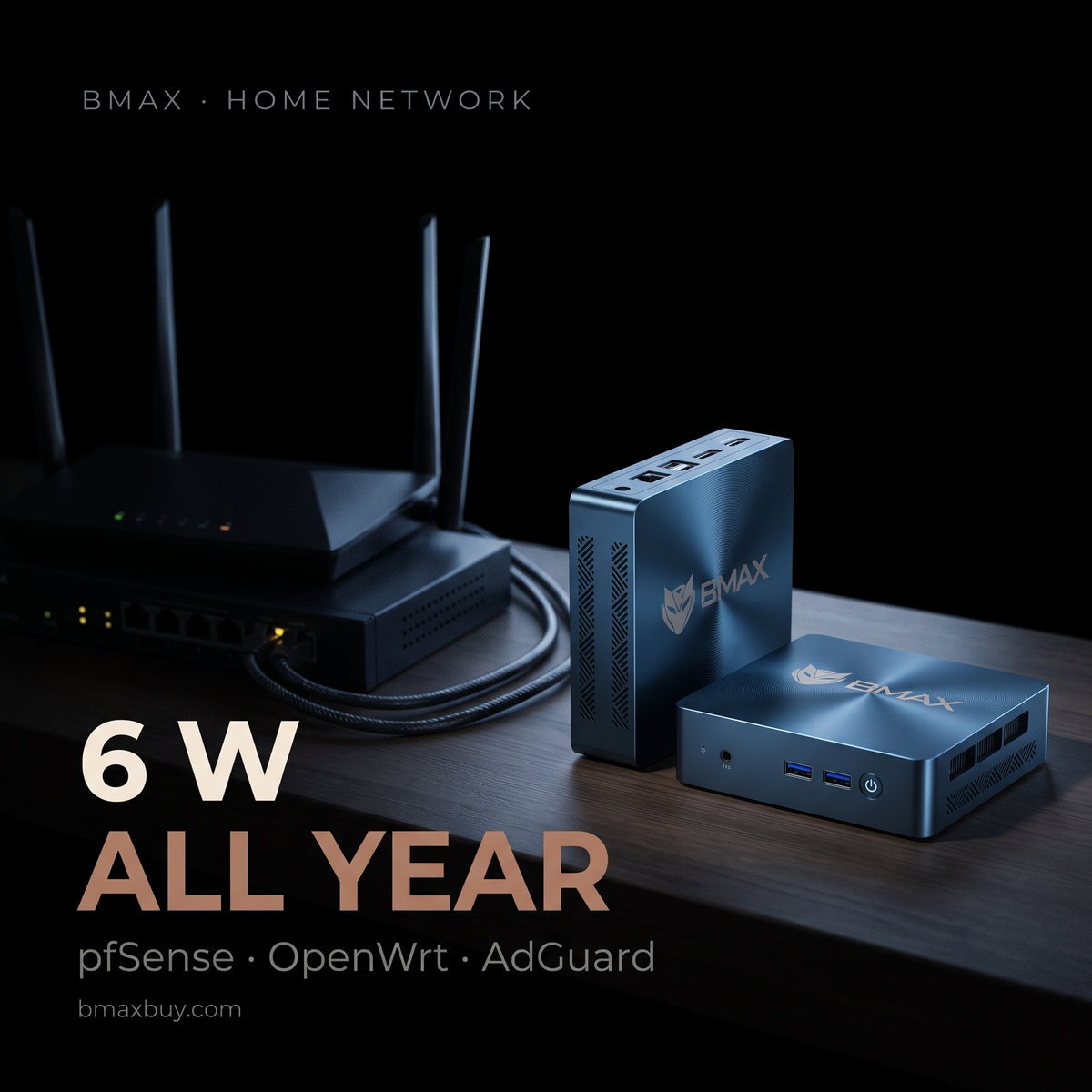
- Running it costs $9.20 a year at 6 W, cheaper than a consumer router.
- None of our models has two ports. Buy for the software, then solve the ports.
What does a mini PC need to be a router?
| Requirement | What it means | BMAX reality |
|---|---|---|
| Two network ports | One for the modem, one for the LAN | Single port on every model |
| Low idle power | It runs 24/7 | 5.8 W to 9.8 W |
| x86 processor | pfSense and OPNsense need it | All models |
| No Wi-Fi requirement | Access point handles wireless | Not included, which is fine |
| Small storage | 128 GB is plenty | 256 GB and up |
The first row is the problem. A router separates two networks, so it needs an interface on each side. One port means one network.
Can one Ethernet port work?
It can, with a managed switch that supports 802.1Q VLAN tagging. This is called router-on-a-stick.
You configure two VLANs on the switch, one for WAN and one for LAN. Both travel to the mini PC over a single cable as tagged frames. The router software reads the tags and treats them as separate interfaces.
One practical detail: the switch must be managed, not unmanaged. An unmanaged switch will not tag frames, and the router will see a single flat network. A five-port managed switch costs about $40.
The cost is bandwidth. A 1 GbE link carries roughly 940 Mbps in total, shared between download and upload and between both networks. On a gigabit connection that is a real ceiling.
The alternative is a USB 3.0 Ethernet adapter. A 2.5 GbE adapter costs about $30, and most work with OPNsense. Check that the chipset is supported before you buy, because Realtek adapters need an extra driver on FreeBSD.
The honest version: if you want a router with two ports and no workarounds, buy a device built for it. A mini PC makes sense when you want pfSense features, a specific firewall, or a machine that also runs DNS filtering and a VPN.
Which BMAX is suitable?
| Model | Port | Fit for routing |
|---|---|---|
| B2 Power — $209.99 | 1 GbE | Best value for a firewall. 5205U, low power, 269 in stock. |
| B3 Pro — $199.99 | 1 GbE | Cheapest option. Fine for a 500 Mbps line. |
| B11 Pro — $459.99 | 2.5 GbE | Only worth it for multi-gig internet or IDS at high throughput. |
For most home networks the B2 Power is enough. A 5205U saturates a gigabit line with NAT and a modest rule set, and it idles at about 6 W.
Buy the B11 Pro only if your internet is faster than 1 Gbps. Its 2.5 GbE port is the only way to use that bandwidth.
What does it cost to run 24/7?

A router never sleeps, so power is the entire running cost. At 6 W a mini PC costs about $9.20 a year. A consumer Wi-Fi router at 8 W costs $12.20, and an ISP gateway at 12 W costs $18.30.
The difference is small in absolute terms. It matters when you compare a mini PC against a $300 firewall appliance that draws 15 W.
When should you keep the old router?
- You want Wi-Fi from one box. A mini PC needs a separate access point.
- You are not comfortable with VLANs. Router-on-a-stick is not a beginner configuration.
- Your connection is under 500 Mbps. A $120 router does the job and uses less space.
- You need it to just work after a power cut. Consumer routers boot in 30 seconds. A PC takes two minutes.
Back up the configuration once it works. pfSense exports a single XML file, and restoring it on a fresh install takes ten minutes. Without that file, a failed drive means rebuilding every rule by hand.
There is also a recovery question. A router is the one device you cannot fix by searching the internet, because it is the internet. Keep a USB keyboard and a monitor nearby for the first month, and write down the LAN address before you change anything.
Where a mini PC wins is control. AdGuard Home, Unbound and a WireGuard server all run better on a machine you own. A router with 64 MB of RAM cannot hold them.
FAQ
Can a mini PC replace my router?
Yes, with two network ports. With one port you need a managed switch that supports VLANs, or a USB Ethernet adapter. Wi-Fi always needs a separate access point.
How many Ethernet ports does a router need?
Two, minimum: one for the internet connection and one for the local network. Four is common on consumer routers because it adds a built-in switch.
Does a mini PC router need Wi-Fi?
No, and it usually should not have it. A separate access point placed for coverage works better than an antenna inside a metal case.
What software runs on a mini PC router?
pfSense and OPNsense on FreeBSD, OpenWrt on Linux, or a plain Linux distribution with nftables. All three run on our x86 machines.
Is a mini PC router faster than a consumer router?
For routing and firewall rules, yes, often by a wide margin. For Wi-Fi, the access point decides, not the router.
Which BMAX should I use as a router?
The B2 Power at $209.99 for a gigabit connection. The B11 Pro at $459.99 only if you have multi-gig internet.
Related reading
- Running Linux on a mini PC
- Do mini PCs come with Windows 11?
- Using a mini PC as a home server
- The BMAX buying guide
$209.99, 6 W, runs pfSense. The B2 Power is the cheapest machine here that handles a gigabit line with a firewall.
Sources
- Router-on-a-stick and VLAN requirements: pfSense and OPNsense documentation.
- Idle power: vendor specifications and published measurements for each platform.
- Electricity at 17.45 ¢/kWh, EIA January 2026.
Throughput figures are expectations for typical home rule sets, not measured benchmarks. USB Ethernet support varies by chipset and operating system.