

A mini PC is not just a smaller desktop. It is usually a much cheaper one to run — but not always, and the exceptions are expensive enough to matter.
We wanted a defensible number, so instead of quoting manufacturer TDP figures we collected wall-outlet power measurements published by independent reviewers — ServeTheHome, Lon.TV, and long-term owner logs compiled by Mini PC Lab — grouped them by processor platform, and modelled what each class costs per year at the current US residential rate.
That matters more in 2026 than it did three years ago. US residential electricity averaged 17.45 cents per kilowatt-hour in January 2026, up 9.5% year over year, according to the EIA. When power gets more expensive, the difference between a machine that idles at 6 W and one that idles at 25 W stops being a footnote.
Key takeaways
- An efficient mini PC idles at about 6 W. A 13th-gen Core i9 mini PC idles at 22–28 W — as much as a small desktop tower.
- Eight hours of office work a day costs $5.60–$18.85 per year across the mini PC classes we looked at. A desktop tower costs $39.
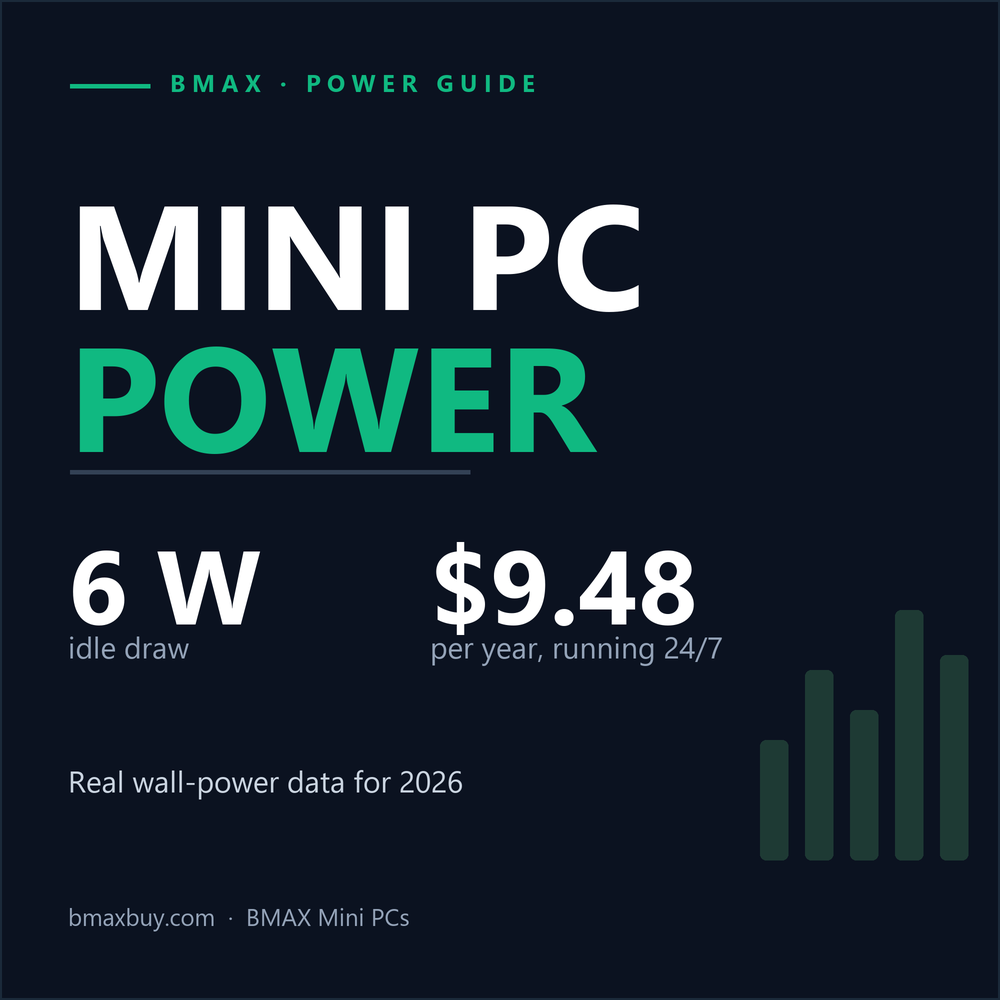
- Running 24/7 costs $9.48 a year for an N100-class box and $38.22 for a Core i9-13900H mini PC. Every watt left on costs $1.53 a year.
- Full-load wattage is not the number to shop by. Idle wattage and power-supply behaviour decide the bill.
- Two mini PCs can differ by 4× in running cost while looking identical on a product page.
In this guide
Where these numbers come from
Every wattage below is a wall-outlet reading — total system power, including the external power brick and its losses. That is the number your electricity meter sees, and it is typically 10–20% higher than the CPU's package power.
Three rules we applied:
- Measured beats estimated. Where an independent reviewer published a wall reading for a platform, we used it. Where none exists, we estimated from component-level data and marked the bar pale in the chart.
- Ranges, not single points. Mini PCs with the same chip can differ by several watts depending on RAM, SSD, fan curve, and BIOS power limits. We report the middle of the published range.
- One rate, stated plainly. All costs use 17.45 ¢/kWh. Your state may be cheaper (Louisiana, 8.40 ¢) or nearly three times dearer (Massachusetts, 27.61 ¢).
What we did not do: run our own test bench. This is a synthesis of published measurements plus an original cost model — not a lab report. Where a number is estimated rather than measured, we say so.
Wattage by platform
| Platform class | Idle | Office work | Full load | 8 h/day | 24/7 | 5-yr total |
|---|---|---|---|---|---|---|
| Intel N100 / N150 mini PC | 6 W | 9 W | 22 W | $5.60/yr | $9.48/yr | $248 |
| Ryzen 7 8845HS mini PC | 9 W | 16 W | 72 W | $9.17/yr | $13.76/yr | $506 |
| Core i9-12900H mini PC | 11 W | 18 W | 75 W | $10.19/yr | $16.81/yr | $751 |
| Core i9-13900H mini PC | 25 W | 35 W | 92 W | $18.85/yr | $38.22/yr | $894 |
| Desktop tower (estimated) | 55 W | 75 W | 230 W | $39.23/yr | $84.07/yr | $996 |
| Gaming desktop (estimated) | 75 W | 105 W | 350 W | $54.52/yr | $114.65/yr | $1,673 |
8 h/day = 8 hours at the office figure plus 16 hours in standby at 1 W. 24/7 = the idle figure for 8,760 hours. 5-year total = typical hardware price for the class + 5 years of 8 h/day electricity, monitor excluded. Desktop figures are estimated from component-level measurements, not a single reviewed unit.

What the data shows
1. Idle is where mini PCs win, and the gap is enormous. An N100-class machine idles at about 6 W. A desktop tower idles at roughly nine times that before it does anything useful. A discrete GPU alone typically idles at 10–25 W, and a large ATX power supply running at under 10% load is deep in the inefficient end of its curve.
2. "Mini" does not automatically mean "efficient". The Core i9-13900H mini PCs in the published data idle at 22–28 W. That is a compact machine drawing as much at idle as a small tower, because a 14-core H-class chip keeps far more of the package powered even when idle. If you are buying a mini PC to run 24/7, this is the single most expensive mistake you can make.
3. The Ryzen 7 8845HS class is the sweet spot. Around 8–10 W idle with 65–80 W available under load. That is roughly 60% more idle power than an N100 for several times the compute — which is usually the right trade for a home server or a work machine.
4. Paying more does not mean drawing more. The i9-12900H class idles at 10–12 W; the newer i9-13900H class idles at 22–28 W. Generation and core count matter more than price, and the newest chip is not automatically the most frugal.
5. The full-load gap is much smaller than the idle gap. An N100 peaks at 22 W and a tower at 230 W — 10×. But a Ryzen 7 mini PC peaks at 72 W against the same tower's 230 W — only 3×. The efficiency story is almost entirely about what the machine draws when you are not asking it to do anything.
What it costs per year

The formula is worth memorising, because it prices any device you are considering:
kWh per year = watts × hours per day × 365 ÷ 1,000
Cost per year = kWh × your rate
At 17.45 ¢/kWh, eight hours of office work a day costs $5.60 a year on an N100-class machine, $10.19 on a Core i9-12900H mini PC, and $39.23 on a desktop tower.
Three details change the picture more than the hardware does:
- Your state rate. The same N100 box running 24/7 costs $4.56 a year in Louisiana and $15.00 in Massachusetts. A desktop tower running 24/7 costs $40 in Louisiana and $133 in Massachusetts.
- Rates are rising. The US residential average rose 9.5% year over year. Whatever gap you calculate today widens on its own.
- Standby is not zero. Mini PCs typically sit at 0.5–1.5 W when shut down but plugged in — roughly $0.75–$2.30 a year. Small on its own; the reason a switched strip still pays off is the peripherals plugged in next to it.
The 24/7 question: home servers, Plex, and always-on PCs
This is where the difference between mini PC platforms becomes a real decision, and where most buying advice is too simplistic.
One watt running continuously for a year is 8.76 kWh. At 17.45 ¢/kWh that is $1.53 per watt per year. Every 10 W of idle draw is $15.30 a year, every year, for as long as the machine lives.
- N100-class, 24/7: 6 W → 52.6 kWh → $9.48 a year, about 79 cents a month.
- Ryzen 7 8845HS class, 24/7: 9 W → 78.8 kWh → $13.76 a year.
- Core i9-13900H class, 24/7: 25 W → 219 kWh → $38.22 a year.
- Desktop tower, 24/7: 55 W → 481.8 kWh → $84.07 a year, $7 a month.
Put differently: the gap between a sensible server mini PC and an over-specified one is about $29 a year — and it is invisible on the spec sheet, because both machines advertise similar performance.
If you are building a NAS, a Plex server, or a Home Assistant box, this is the number that matters. A two-bay consumer NAS with drives typically idles at 15–25 W, or $23–$38 a year. A mini PC running the same services can undercut that with far more CPU headroom — which is why we wrote a separate guide to building a home server on a mini PC.
Two caveats, because server-power advice online is mostly wrong:
- Transcoding is not the cost. Idle is. A 4K Plex transcode might add 10–20 W while it runs. Two hours a day of that is roughly $1.90–$2.55 a year. The machine idling for the other 22 hours is the line item.
- Drives count. Each 3.5-inch hard drive adds 5–8 W while spinning, and USB enclosures add their own overhead. Four drives can double a mini PC's idle draw — factor them in before you quote 6 W.
If noise matters as much as watts — and in a living room it usually does — see our guide to mini PC noise and cooling.
Five-year cost of ownership

Electricity is a smaller share of ownership than the marketing suggests, and that is the honest finding:
- N100-class: $220 hardware + $28 electricity = $248. Power is 11%.
- Ryzen 7 8845HS class: $460 + $46 = $506. Power is 9%.
- Desktop tower: $800 + $196 = $996. Power is 20%.
- Gaming desktop: $1,400 + $273 = $1,673. Power is 16%.
So a mini PC does not pay for itself through electricity alone. What it does is remove a recurring cost that keeps rising while the hardware sits still — and it does so while costing less up front. For an entry-level or mid-range mini PC, the five-year total lands 45–75% below a desktop tower.
Run it 24/7 instead, and the electricity share roughly doubles: an N100-class machine at $220 plus $47 of always-on power is 18% power, not 11%. That is the case where picking the right platform actually shows up in your bank account.
Why mini PCs sip power
The efficiency is not marketing. It falls out of five engineering decisions:
- Mobile silicon. These machines use laptop parts with 6–45 W base power limits instead of 65–125 W desktop parts. An N100 is a 6 W chip. A Core Ultra 5 115U runs at 15 W base and boosts to 57 W in short bursts.
- No discrete graphics card. This is the biggest idle saving. A desktop GPU keeps memory and display engines powered at the Windows desktop, typically 10–25 W before it renders anything.
- An external power brick instead of an ATX supply. A 19 V brick is sized close to the actual load and stays in its efficient band. A 650 W ATX unit delivering 45 W is running at 7% of capacity, where 80 Plus ratings no longer apply and a disproportionate share of the energy leaves as heat.
- Fewer things to power. Soldered LPDDR5, one or two M.2 drives, one or two fans, no RGB, no drive cage, no chipset with its own power budget.
- Aggressive low-power states. These platforms are tuned for battery life, so C-states, PCIe ASPM, and display power saving are on by default rather than treated as an enthusiast option.
Where a mini PC is not the efficient choice
We would rather you did not buy the wrong machine. Four cases where the power argument weakens:
- Sustained all-core work. A 45 W chip in a one-litre chassis throttles sooner than the same chip in a tower. A 125 W desktop CPU finishes the same export faster, so energy per task can favour the bigger machine even when watts per hour do not. For heavy 3D and video work, read our video editing guide before assuming smaller is cheaper.
- High-idle H-class mini PCs. A 14-core i9-13900H mini PC idling at 25 W is a worse 24/7 server than a $220 N100 box. If the machine never sleeps, buy for idle watts, not peak performance.
- Gaming. Integrated graphics are efficient per frame at low settings and hopeless at high ones. A mini PC that games at 1080p medium may spend more energy per playable frame than a desktop that games at 1440p high. See what mini PCs can actually play.
- External GPUs. An OCuLink or Thunderbolt enclosure adds its own power supply and 20–40 W of idle draw. The moment you attach one, you have built a desktop with extra steps.
7 ways to cut your mini PC's power bill
Most of the savings are settings, not hardware. In rough order of impact:
- Fix sleep before you buy anything. Windows "Modern Standby" can leave a mini PC drawing 2–5 W for hours while pretending to be asleep. Use hibernate overnight, or enable S3 if the BIOS offers it. On an always-plugged-in machine this is often the largest single saving.
- Cap the power limit in BIOS. Dropping the sustained limit from 45 W to 35 W typically costs 5–12% multi-core performance and saves 15–20% of peak power. On an office machine you will not notice.
- Use the Balanced plan, not High Performance. High Performance pins a higher minimum CPU state and disables core parking. It buys almost nothing on a mini PC and costs several watts at idle.
- Unplug what you are not using. Bus-powered drives, USB hubs, capture cards, and RGB controllers all draw from the same brick. A powered hub left on is a permanent 3–5 W tax.
- Turn off the eGPU when you are not gaming. Idle enclosure draw can exceed the mini PC's entire idle budget.
- Schedule the shutdown, not the sleep. A smart plug or a Windows scheduled task that hibernates at midnight and wakes on LAN saves a dollar or two a year directly, and more in avoided standby.
- For servers, spin down and schedule. Let drives sleep, run backups and transcodes on a schedule, and prefer hardware transcoding (Quick Sync or VCN) over CPU encoding — it finishes faster at a fraction of the wattage.
Diminishing returns warning: if your mini PC already idles at 6–9 W, there is very little left to save. The person who benefits most from this section is the one running a desktop tower — or a 25 W-idle H-class mini PC — around the clock.
Which BMAX fits your workload
Running costs are decided by the platform, so pick by the hours the machine will run rather than by the biggest number on the box.
| If you need… | Pick | Expected idle | Why it fits |
|---|---|---|---|
| An always-on server, NAS, Pi-hole, Home Assistant | BMAX B3 Pro (Celeron N4500) | ~6 W | Low-power N-series platform. Around 79 cents a month to run 24/7. |
| Budget office, study, browsing, video calls | BMAX B3 Turbo (Celeron N5095) | 6–8 W | Same low-idle family with a bit more headroom for everyday work. |
| Everyday multitasking with real CPU headroom | BMAX B7A Plus (Ryzen 5 6600H) | 9–12 W | Six full cores on a platform that still idles in single digits. |
| Business, WFH, light creation, triple displays | BMAX B11 Pro (Core Ultra 5 115U) | 8–11 W | Modern AI-capable platform with a 15 W base power limit. |
| Heavy multitasking, code builds, 4K edits, local AI | BMAX B12 Power (Core Ultra 9 185H) | 12–18 W | H-class performance. Great on a desk, not the cheapest thing to leave on 24/7. |
| The same performance, portable | BMAX X17 Turbo (Core Ultra 5 115U) | 7–10 W | Identical chip to the B11 Pro, plus a screen and battery. |
Idle figures for BMAX models are expectations based on the platform class measured above, not individual bench results. Expect ±2 W depending on RAM, SSD, and firmware.
Two buying notes the wattage table does not cover:
- RAM and storage change the number by 1–3 W, not 10 W. Going from 16 GB to 32 GB is not a power decision. Our RAM guide covers the performance side.
- Drive choice matters more than RAM. An NVMe SSD idles under 1 W; a 3.5-inch hard drive idles at 5–8 W. If you are building a server, read NVMe vs SATA before you add spinning disks.
Still deciding between a compact machine and a tower? Start with can a mini PC replace a desktop and mini PC vs desktop, then come back to the wattage table.
How to measure your own
A $20 plug-in energy meter and 40 minutes will get you within a few percent of every number above.
- Plug the meter into the wall, the mini PC's brick into the meter. Measure at the wall, not at the DC jack — the brick's losses are part of your bill.
- Boot, wait 10 minutes, then read idle. Do not measure during Windows Update or indexing; both can add 10 W.
- Run a real workload for 30 minutes and record the average. Most meters show average watts and accumulated kWh. Use the average, not the peak.
- Do the maths: kWh per year = average watts × hours per day × 365 ÷ 1,000. Multiply by the rate on your utility bill.
FAQ
Do mini PCs use a lot of electricity?
No. An efficient mini PC draws about 6 W at idle and 9–18 W during office work. That is roughly one-tenth of a desktop tower at idle. The exception is a high-performance mini PC with an H-class processor, which can idle at 22–28 W — as much as a small desktop.
How much does it cost to run a mini PC 24/7?
At the US average residential rate of 17.45 ¢/kWh, between about $9.48 a year for an N100-class machine and $38.22 for a Core i9-13900H mini PC. Every watt left on around the clock adds $1.53 a year.
Why does a Core i9 mini PC idle at 25 W when an N100 idles at 6 W?
A 14-core H-class processor keeps far more of the package, cache, and memory controller active at idle than a 4-core, 6 W N-series chip. The difference is architectural, not a firmware bug — and it is why a high-performance mini PC is a poor choice for a machine that runs around the clock.
Is a mini PC cheaper to run than a laptop?
About the same. Both use mobile silicon with similar power limits, and a laptop's internal battery and display roughly offset the external monitor a mini PC needs. The mini PC usually wins on price and upgradeability, not on watts.
What size power supply does a mini PC need?
Most use an external 19 V brick rated between 36 W and 120 W. The rating is the maximum the brick can deliver, not what the machine uses. An N100 mini PC with a 36 W adapter rarely draws more than 22 W.
Does more RAM or a bigger SSD increase power consumption?
Only slightly. Memory and storage together contribute roughly 1–3 W. A 3.5-inch hard drive, by contrast, adds 5–8 W while spinning — a much larger factor for always-on machines.
Do mini PCs use less power than a desktop for the same task?
For office work, browsing, and media, yes — usually 70–85% less, because the desktop's idle draw dominates. For sustained heavy workloads, energy per task can favour a faster desktop that finishes sooner.
Can I run a mini PC from a USB-C power bank?
Some models accept USB-C Power Delivery at 20 V, but many require a dedicated 19 V barrel adapter and will not boot from a standard PD charger. Check the spec sheet before relying on it.
The bottom line
The case for a mini PC was never really about the electricity bill on its own. It is that the bill is the visible part of a design decision: mobile silicon, no discrete GPU, a power supply sized for the actual load, and a chassis with nothing to spare.
Eight hours a day costs $5.60–$18.85. Twenty-four hours a day costs $9.48–$38.22. A desktop tower costs two to nine times that — and the gap widens every time your utility raises rates.
The one thing to watch: a mini PC is only efficient if you buy the right one. Pick a 6 W N-series box for a server, a Ryzen 7 for a work machine, and an H-class chip only if you actually need the cores.
Low-wattage machines, from $199. The BMAX mini PC range starts at N-series idle power and goes up to a 45 W Core Ultra 9 when you need the headroom.
Sources and method
- Electricity price: US Energy Information Administration, Electric Power Monthly — residential average 17.45 ¢/kWh, January 2026 data; state range 8.40–27.61 ¢/kWh.
- N100/N150 wall-power measurements: ServeTheHome, fanless Intel N100 appliance review; compiled figures via Mini PC Lab.
- Ryzen 7/9 mini PC measurements: ServeTheHome, Beelink SER8 review; Notebookcheck, Geekom A8 Max review.
- Core i9 mini PC measurements: published owner and reviewer logs (Lon.TV, scottstuff.net) compiled by Mini PC Lab, cross-checked against platform TDP specifications.
- Desktop estimates: component-level build-up (CPU idle 5–15 W, discrete GPU idle 10–25 W, motherboard/RAM/SSD/fans 15–25 W, power-supply losses 10–15%).
- Cost model: 8 h/day at the office figure + 16 h standby at 1 W; 24/7 at the idle figure; 8.76 kWh per watt-year. Monitors, speakers, and external drives excluded.
Figures are the mid-points of published ranges and will differ by ±10–15% with RAM, SSD, fan curve, ambient temperature, and BIOS power limits. Last reviewed October 2026.





