

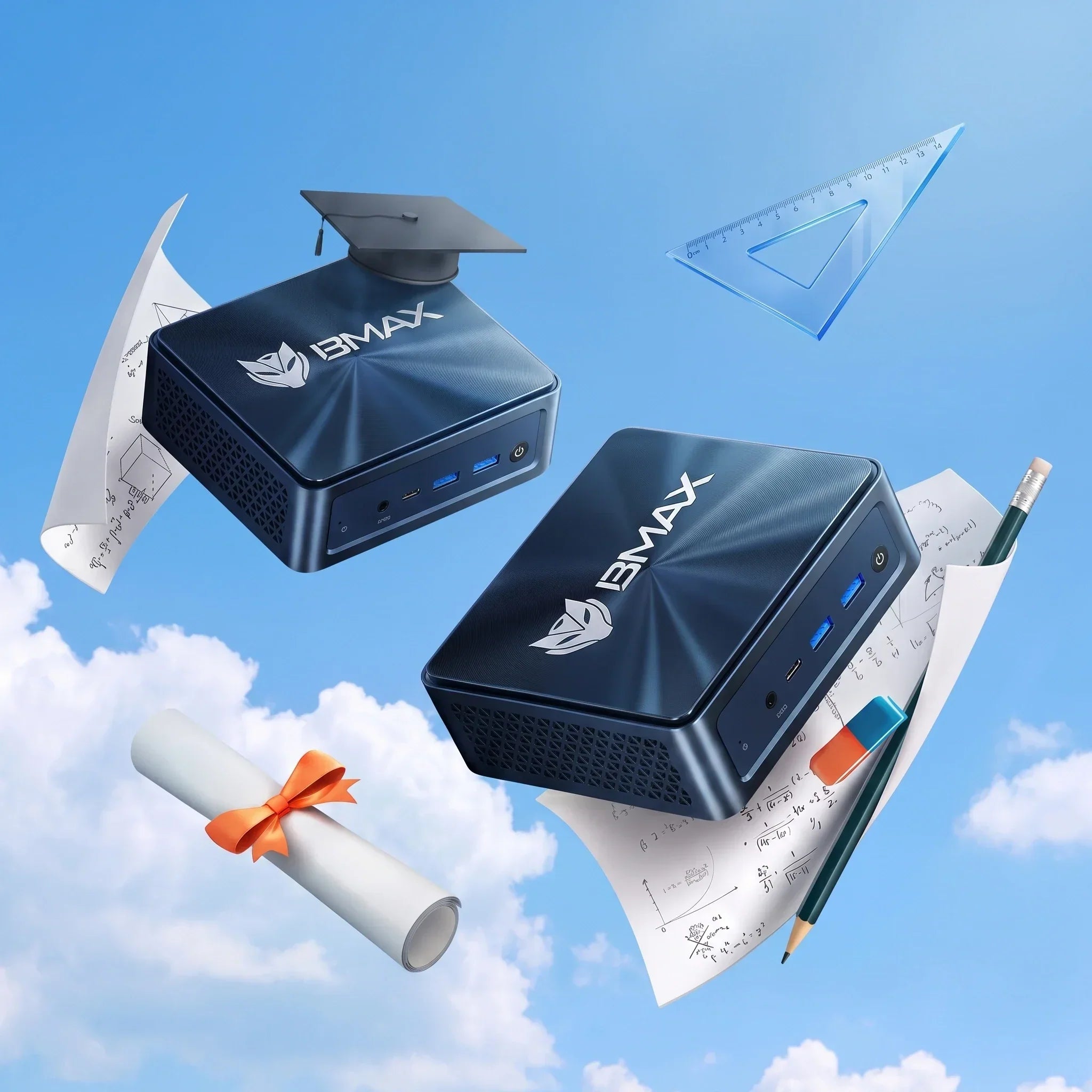
Bästa minidatorer för studenter år 2026: Prisvärda datorer för skola och onlineinlärning

När eleverna förbereder sig för det nya läsåret 2026 är det viktigare än någonsin att ha en pålitlig dator. Oavsett om de deltar i onlinelektioner, gör läxor, undersöker ämnen, lär sig att programmera eller skapar digitala projekt, behöver eleverna en enhet som fungerar smidigt, är prisvärd och förblir pålitlig på lång sikt.
Traditionella stationära datorer tar upp värdefull skrivbordsplats, medan avancerade bärbara datorer kan vara för dyra för många familjer. Det är därför minidatorer har blivit ett alltmer populärt val bland studenter. Med sin kompakta design, effektiva prestanda och flexibla konfigurationsalternativ har minidatorer en utmärkt balans mellan pris, prestanda och bekvämlighet.
BMAX erbjuder studenter prisvärda och pålitliga datorlösningar, inklusive Minidatorer, bärbara datorer, och tabletter utformad för utbildning, produktivitet och vardagsbruk.
Varför kommer studenter att behöva en bra dator år 2026?

Modern utbildning är nära kopplad till digital teknik. Idag förlitar sig elever på datorer för att utföra många viktiga uppgifter, inklusive:
Onlinekurser och videokonferenser
Forskning och informationsinsamling
Microsoft Office-program
Digitala lärplattformar
Programmerings- och kodningspraktik
Presentationer och kreativa projekt
Fritidsaktiviteter efter lektionen
Långsamma eller föråldrade datorer kan minska produktiviteten och försvåra dagliga studier. En pålitlig dator för elever hjälper dem att slutföra sina läxor effektivt och utveckla de viktiga digitala färdigheter de kommer att behöva i framtiden.
Vad bör studenter tänka på när de köper en dator?
När du väljer rätt dator för skolan finns det flera viktiga faktorer att tänka på, inklusive prestanda, storlek, pris och tillförlitlighet.
Prestanda för vardagsinlärning

En studentdator behöver inte nödvändigtvis vara utrustad med den dyraste hårdvaran, men den bör ge tillräckligt med prestanda för att hantera vardagliga uppgifter.
Processor
Processorn är hjärtat i en dator. Moderna processorer gör det möjligt för studenter att öppna program snabbare, växla smidigt mellan uppgifter och få en bättre övergripande användarupplevelse.
Oavsett om det gäller onlinelektioner, kontorsarbete, webbsurfning eller produktivitetsuppgifter, kan en välbalanserad processor leverera den prestanda studenter behöver till ett rimligt pris.
RAM-minne
Minne avgör hur många applikationer som kan köras effektivt samtidigt.
För de flesta studenter:
- 8 GB RAM är mer än tillräckligt för att hantera grundläggande skolarbete, onlineinlärning, webbsurfning och dokumentredigering.
- För multitasking, programmering, kreativt arbete och längre tids användning rekommenderar vi 16 GB RAM.
Att välja tillräckligt med minne hjälper till att förhindra att systemet saktar ner när eleverna behöver ha flera program öppna samtidigt. time.Learn mer om att välja rätt minneskonfiguration i vår guide: Hur mycket RAM-minne behöver du för en mini-dator?
Lagring
Höghastighets-SSD-diskar förbättrar den totala datorupplevelsen genom att erbjuda följande funktioner:
- Snabbare starthastighet
- Snabbare appladdningshastigheter
- Snabbare filöverföring
För studenter hjälper SSD-lagring dem att slutföra sina dagliga uppgifter mer effektivt.
En kompakt design speciellt anpassad för studentstudieutrymmen

En av de största fördelarna med mini-datorer är deras kompakta storlek.
Många studenter studerar i utrymmen med begränsat utrymme, till exempel:
- Sovrum
- Studentrum
- Små lägenheter
- Gemensamma studieområden
Minidatorer tar inte bara upp väldigt lite skrivbordsutrymme, utan levererar också den prestanda som behövs för modernt lärande.
Jämfört med traditionella stationära datorchassin erbjuder mini-datorer följande fördelar:
- Mindre storlek
- Lägre strömförbrukning
- Tyst drift
- Renare arbetsplatsorganisation
För studenter som söker en enkel och effektiv inlärningsmiljö är en mini-dator ett utmärkt alternativ choice.Learn mer om fördelarna med kompakta datorer i vår guide: Mini-PC vs. stationär PC: Vilken ska du köpa?
Prisvärd prestanda för studenter
Budget är en viktig faktor för studenter och deras families.For Studenter som letar efter en prisvärd mini-dator är att välja rätt balans mellan prestanda och pris.
Många avancerade bärbara datorer har funktioner som studenter kanske inte behöver, vilket driver upp den totala kostnaden. Minidatorer, å andra sidan, låter användare fokusera sin budget på viktiga hårdvarukomponenter, såsom:
- Processorprestanda
- RAM-kapacitet
- SSD-lagring
- Anslutningsalternativ
Detta gör minidatorer till ett av de mest prisvärda alternativen för studenter – som behöver pålitlig prestanda men inte vill betala mer än nödvändigt.
Bör studenter välja en mini-dator eller en bärbar dator: Vilken är bäst?
Både minidatorer och bärbara datorer är utmärkta val för studenter, men de passar för olika situationer.
| Särdrag | Mini-PC | Bärbar dator |
|---|---|---|
| Pris | Mer prisvärt | Vanligtvis högre |
| Bärbarhet | Begränsad | Excellent |
| Skrivbordsuppsättning | Excellent | Bra |
| Uppgraderingsalternativ | Bättre | Begränsad |
| Visa | Kräver monitor | Inbyggd skärm |
| Långa studiepass | Bekväm skrivbordsinstallation | Bekvämt överallt |
För studenter som huvudsakligen studerar hemma, i studenthem eller vid en fast arbetsplats är en mini-dator det perfekta valet.
För elever som ofta rör sig mellan klassrum, bibliotek och andra platser är en bärbar dator ett bättre val.
Bästa användningsområden för minidatorer för studenter

Onlinekurser och distansundervisning
Onlineutbildning har blivit en integrerad del av modernt lärande.
En pålitlig minidator kan stödja:
- Videokonferenser
- Online-klassrum
- Lärande webbplatser
- Digitala uppgifter
Studenter kan ta onlinekurser och kommunicera smidigt med sina lärare.
Läxa och forskning
Studenter behöver ofta köra flera applikationer samtidigt:
- Webbläsare
- Dokument
- Presentationer
- Kalkylblad
- Forskningsmaterial
En mini-dator utrustad med gott om minne och SSD-lagring kan ge en smidig användarupplevelse för vardagligt lärande.
Programmering och teknikinlärning
För studenter som är intresserade av teknik, programmering och datavetenskap är en högpresterande dator avgörande.
Minidatorer erbjuder en prisvärd inlärningsmiljö:
- Kodning
- Webbutveckling
- Programvaruverktyg
- Datavetenskapliga projekt
Underhållning efter skolan
Efter att eleverna har slutfört sina skoluppgifter kan de även använda sina datorer för personliga aktiviteter.
Eleverna kan använda minidatorn för följande aktiviteter:
- Tittar på videor
- Strömmande innehåll
- Lyssnar på musik
- Tillfälligt spelande
En multifunktionell dator kan tillgodose både utbildnings- och underhållningsbehov.
Bästa BMAX-datorerna för studenter år 2026
BMAX B1 Plus Mini-dator—En prisvärd dator för studenter

För studenter som behöver en pålitlig dator för att möta sina dagliga inlärningsbehov är BMAX B1 Plus mini-dator ett utmärkt val.
Den är idealisk för:
- Onlinekurser
- Webbsurfning
- Office-applikationer
- Läxa
- Grundläggande produktivitetsuppgifter
Dess kompakta design gör den perfekt för sovrum, studentrum och arbetsrum.
BMAX B6 Plus Mini-dator—Ett kraftfullt val för högskolestudenter

För studenter som behöver starkare multitasking-prestanda erbjuder BMAX B6 Plus mini-datorn en överlägsen datorupplevelse.
Den är lämplig för:
- Universitetskurser
- Flera applikationer
- Programmeringsinlärning
- Produktivitetsuppgifter
B6 Plus har en bra balans mellan prestanda, storlek och värde.
BMAX B11 Pro Mini-dator — Högpresterande studentdator

BMAX B11 Pro Mini PC är utformad för studenter som behöver starkare prestanda för avancerad inlärning, produktivitet och multitasking.
BMAX B11 Pro Mini PC passar för:
- Universitetskurser
- Programmering
- Kreativa applikationer
- Multitasking
- Produktivitet på kontoret
Dess kompakta design gör den lämplig för hemmastudieutrymmen, studentrum och professionella arbetsstationer.
Varför välja BMAX studentdatorer?
BMAX strävar efter att skapa prisvärda och pålitliga digitala produkter, inklusive minidatorer, bärbara datorer och surfplattor designade för studenter, yrkesverksamma och vardagsanvändare.
För elever med olika inlärningsbehov erbjuder BMAX flexibla datorlösningar:
- Minidatorer: Perfekt för studenter som behöver kraftfull prestanda, en snygg skrivbordsmiljö och utmärkt värde för hemstudier, studentrum och arbetsytor.
- Bärbara datorer: Ett utmärkt val för studenter som behöver bärbara datorlösningar för klassrum, bibliotek och för lärande på språng.
- Tabletter: Lämplig för mobilt lärande, läsning, anteckningar, onlinekurser och vardagsunderhållning.
Oavsett om studenter behöver en kompakt stationär dator för intensiva studier eller en bärbar enhet för flexibel inlärning, BMAX erbjuder pålitliga lösningar för olika utbildningsscenarier.
Prisvärd prestanda
BMAX-serien är utformad för att leverera praktisk datorprestanda till ett mycket konkurrenskraftigt pris, vilket hjälper studenter att få tillgång till pålitlig datorteknik till ett överkomligt pris.
Pålitlig kvalitet
Varje BMAX-enhet genomgår rigorösa kvalitetstester före leverans för att säkerställa stabil och pålitlig prestanda.
Utformad för vardagsanvändare
Oavsett om det är för studenter, familjer, yrkesverksamma eller hemanvändare, är BMAX produkter utformade för att möta verkliga datorbehov.
Specialerbjudande för skolstart 2026

En pålitlig dator är en viktig investering för varje elev på deras utbildningsresa.
För att sparka igång skolstartssäsongen 2026 lanserar BMAX en specialkampanj på utvalda datorer för att hjälpa elever att köpa pålitliga tekniska produkter till mer överkomliga priser.
Oavsett om du behöver en dator för onlinelektioner, för att slutföra uppgifter, programmera eller öka din dagliga produktivitet, erbjuder BMAX prisvärda lösningar utformade specifikt för modernt lärande.
Börja det nya läsåret med en smartare dator.
Välj BMAX för prisvärda och pålitliga studentdatorer.
Vanliga frågor
Är en mini-dator bra för studenter?
Ja. Minidatorer är ett utmärkt val för studenter att ta onlinekurser, slutföra uppgifter, göra research, programmera och hantera vardagliga kontorsuppgifter. De är inte bara kraftfulla, utan de sparar också skrivbordsutrymme.
Hur mycket RAM-minne behöver en studentdator?
För grundläggande skolarbete räcker det vanligtvis med 8 GB RAM. Om du behöver multitaska, programmera eller använda datorn under längre perioder rekommenderar vi att du väljer 16 GB RAM.
Kan en mini-dator ersätta en stationär dator för studenter?
Ja. Moderna minidatorer klarar inte bara de flesta elevers akademiska uppgifter, utan de tar också upp mindre plats och förbrukar mindre energi än traditionella stationära datorer.
Är en bärbar dator eller mini-dator bättre för studenter?
Det beror på studentens behov. Bärbara datorer är mer portabla, medan minidatorer erbjuder mer valuta för pengarna och ger en bekvämare skrivbordsupplevelse.
Vilken är den bästa minidatorn för studenter år 2026?
För studenter beror den bästa minidatorn på deras specifika behov. Instegsmodeller som BMAX B1 Plus är lämpliga för grundläggande inlärning, medan kraftfullare modeller som BMAX B6 Plus och B11 Pro är bättre lämpade för multitasking, programmering och avancerade kontorsapplikationer.




