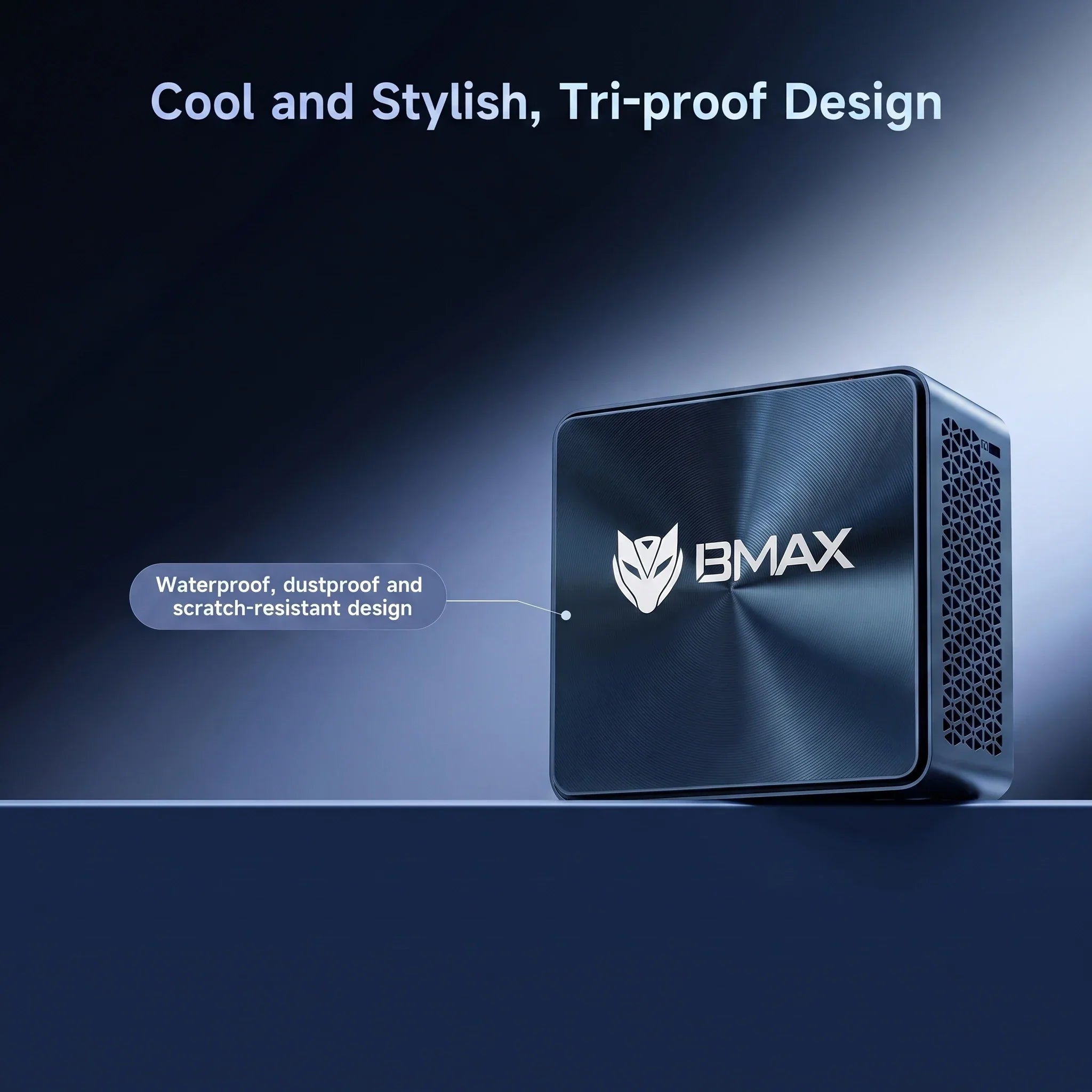
In 2026, the era of the oversized, noise-generating desktop tower is rapidly coming to an end. As productivity needs evolve toward hybrid work and digital minimalism, Mini PCs have emerged as the dominant force. Brands like BMAX are leading this shift, proving that you no longer need a massive chassis to handle professional-grade computing.
1. Reclaiming Your Desk: Space Efficiency
A traditional desktop is a commitment; it demands a dedicated spot on or under your desk and adds to the "cable spaghetti" problem. The BMAX B11 Pro, measuring only 126mm x 112mm x 52mm, fits anywhere.
Why it matters: A decluttered desk isn't just about aesthetics; it’s about mental clarity. By shrinking your PC footprint, you create a focused environment for your actual work.
2. Performance: Intel Core Ultra Power
The BMAX B11 Pro isn't just "small"—it's an engineering powerhouse. It features the Intel Core Ultra 5 Processor 115U (8 cores, 10 threads, up to 4.2GHz). Utilizing Intel 4 lithography, it delivers incredible power-to-performance efficiency.
Real-world impact: Whether you are managing complex e-commerce data, streaming 4K content, or handling heavy multitasking, the 16GB LPDDR5/4400MHz memory ensures everything stays snappy.
3. Innovation: The Space Capsule Cooling System
One of the most significant advancements in the BMAX B11 Pro is the proprietary Space Capsule Cooling System. Unlike generic cooling solutions, this BMAX-exclusive architecture features an intelligent fan system that precisely monitors internal temperatures in real-time.
How it works: The system dynamically adapts power consumption based on your current workload. Whether you are running light office tasks or pushing the CPU for more intensive projects, the Space Capsule Cooling System automatically adjusts fan speeds and thermal throttling to maintain peak performance while keeping noise levels virtually silent.
4. Homelab & Storage Expansion: Myths vs. Reality
A common question in the r/MiniPCs community is: "Can I actually use these for serious work or as a server?" The answer is a resounding yes. While many compact PCs force you into limited storage, the BMAX B11 Pro is designed for flexibility.
The Upgrade Path: Beyond the lightning-fast 512GB NVMe SSD, it includes an internal 2.5-inch SATA hard drive bay. This allows you to scale your storage as your projects grow—perfect for users building a home media server (Jellyfin/Plex) or a local data lab.
FAQ: Community-Focused Answers
Q: Is the BMAX B11 Pro good for gaming?A: It is excellent for casual gaming, retro-emulator setups, and streaming. While not designed for AAA gaming, it handles daily entertainment and light gaming with ease.
Q: Can I connect multiple monitors?A: Absolutely. With a dedicated HDMI 2.1 and DP 2.1 output, you can easily run a dual-display productivity setup, which is essential for data analysts and e-commerce store managers.
Q: Is it easy to maintain?A: Yes. The device comes pre-installed with Windows 11 Pro and features a simple, modular design for easy storage expansion, minimizing the "tech overhead" usually associated with PCs.
Final Verdict
The BMAX B11 Pro Mini PC is more than just a compact computer; it’s a strategic upgrade for the modern professional. With the innovative Space Capsule Cooling System ensuring quiet, efficient operation, it offers a sustainable, high-performance alternative to traditional towers.
Wondering if a compact Mini PC can handle PC gaming in 2026? Discover what games you can realistically play, how integrated graphics and cooling matter, and whether you still need a bulky gaming tower.
Transform your micro-form-factor PC into a productivity powerhouse. Learn how to map your video outputs, choose active vs. passive adapters, and configure Windows 11 for a seamless dual-monitor workstation.
Ultimate Laptop Buying Guide 2026: How to Choose the Right Laptop
Choosing the right laptop can feel like a daunting task. With so many different models, configurations, and specifications available, it's easy to get overwhelmed. Whether you're a student, a professional, or someone who simply needs a reliable device for day-to-day tasks, understanding what you need and how to match those requirements with the right laptop can save you time and money.
At BMAX, we understand that choosing a laptop is a big decision, and we're here to guide you through the process. In this article, we will break down the key factors to consider when picking a laptop that's perfect for you. By the end of this guide, you'll have a clear understanding of how to choose a laptop based on your specific needs, preferences, and budget.
Key Considerations When Picking a Laptop
Before you begin browsing through the endless list of laptops, there are a few critical factors to consider. These factors will help you identify the right laptop that matches your needs, whether it's for work, study, or entertainment.
1. Purpose: What Will You Use Your Laptop For?
The first and most important question to ask is: What will I use my laptop for? Understanding how you plan to use your laptop is crucial because it will help you determine the specifications you need.
For Basic Use: If you're just browsing the web, checking emails, or using word processing software, you don't need an overly powerful laptop. Look for something with a basic processor (like an Intel N95, N100, or N150), 12GB of RAM, and a 512GB SSD for faster boot times.
For Work/Professional Use: If you plan to use your laptop for business, working with documents, spreadsheets, presentations, and light photo editing, you should focus on a laptop with a mid-range processor (Intel Core i3, Core i5, or Ultra 5), 16GB or more of RAM, and 512GB SSD storage.
For Gaming or Heavy Use: If you're a gamer or need a laptop for tasks like video editing, 3D modeling, or running demanding software, you'll need a high-end processor (Intel Core i7, Ultra 7, Core i9, or AMD Ryzen 7), 24GB to 32GB of RAM, and a 1TB NVMe SSD.
2. Budget: How Much Are You Willing to Spend?
Your budget will play a significant role in determining the laptop you choose. Affordable laptops offer great value for everyday tasks, but if you need more power for work or gaming, you may need to stretch your budget.
Under $500: You can find budget laptops that are suitable for basic tasks such as web browsing, word processing, and watching videos. These usually come with lower-end processors (Intel N95, N100, or N150), 12GB of RAM, and 512GB SSD storage.
$500 to $1,000: Mid-range laptops in this category typically have Intel Core i3, Core i5, or Ultra 5 processors, 16GB of RAM, and 512GB SSD storage. These are ideal for professionals who need more performance without going over budget.
Above $1,000: High-end laptops with Intel Core i7, Ultra 7, Core i9, or AMD Ryzen 7, 32GB of RAM, 1TB SSD storage, and dedicated graphics cards are available in this range. These laptops are designed for users who need superior performance for gaming, content creation, or professional-grade tasks.
Key Specifications to Look for in a Laptop
Once you've defined the purpose and budget, the next step is to focus on the laptop's specifications. Let's break down the most important components you should pay attention to.
Processor (CPU)
The processor is the heart of any laptop, and it plays a key role in determining the overall speed and performance of your device.
Processor Type
Best For
Intel Processor N-series (N95/N100/N150)
Basic tasks like web browsing, word processing, and online learning
Intel Core i3 / Core i5 / Ultra 5
General productivity, light multitasking, and media consumption
Intel Core i7 / Ultra 7 / Core i9 / AMD Ryzen 7
Heavy multitasking, gaming, video editing, and demanding professional tasks
RAM (Memory)
For most users, 16GB of RAM is the sweet spot for a balance between performance and price. However, if you plan to run multiple applications simultaneously, or if you need a laptop for gaming or creative work, consider 24GB to 32GB.
RAM Size
Best For
12GB
Basic tasks like web browsing and document editing
General use, light multitasking, and streaming
24GB to 32GB
Gaming, video editing, and heavy multitasking
Storage: SATA SSD vs. NVMe SSD
When it comes to choosing the right storage for your laptop, both SATA SSD and NVMe SSD deliver fast and reliable solid-state performance. Since our laptops are equipped with SSD storage, the key difference lies in the underlying technology:
Speed and Performance: Both options outperform traditional mechanical hard drives. A SATA SSD provides stable performance for everyday computing, while an NVMe SSD utilizes the PCIe interface to deliver much higher data transfer speeds and lower latency—resulting in quicker boot times and lightning-fast file transfers.
Durability & Power Efficiency: With no moving parts, both SSD types are highly durable and shock-resistant. They are also energy-efficient, ensuring great battery life for travelers and students.
Storage Capacity:
512GB SSD: Sufficient for web browsing, office documents, online courses, video streaming, and emails.
1TB SSD: Ideal for storing large files, software apps, high-res videos, and games without compromising speed.
Display Quality & Battery Life
Display: Look for a 1080p Full HD display for clear images and sharp text. Screen sizes typically range from 11 inches to 17 inches, with 15.6 inches being the most popular balance of portability and screen space.
Battery Life: A good rule of thumb is to look for laptops offering 6–8 hours of battery life. Models designed for extended mobile use can stretch up to 10–12 hours on a single charge.
Conclusion
Choosing the right laptop doesn’t have to be overwhelming. By understanding your specific needs, defining your budget, and focusing on key specifications, you can select the perfect machine for your lifestyle.
At BMAX, we are committed to providing a range of laptops that offer reliable performance, excellent value, and tailored solutions for all types of users. If you’re ready to discover more or need expert guidance, we invite you to contact us for personalized recommendations.
Frequently Asked Questions
1. What is the difference between an Intel Core i5 and Intel Core i7 processor?The Intel Core i7 is more powerful and better suited for heavy tasks like gaming and video editing, while the Intel Core i5 is fully sufficient for everyday office work and moderate multitasking.
2. Do I need more than 12GB of RAM for general use?For basic tasks like web browsing and document editing, 12GB is plenty. However, if you plan on doing intensive work like heavy multitasking or content creation, 16GB or more is recommended.
3. What are the advantages of NVMe SSD compared to SATA SSD?NVMe SSDs offer significantly higher data transfer speeds and lower latency because they use the PCIe interface. This results in faster boot times and quicker application loading compared to SATA SSDs.
4. How long should my laptop battery last on a single charge?Ideally, a good laptop should last between 6 to 8 hours on a single charge, with some mobile-optimized models lasting up to 10–12 hours depending on usage.


