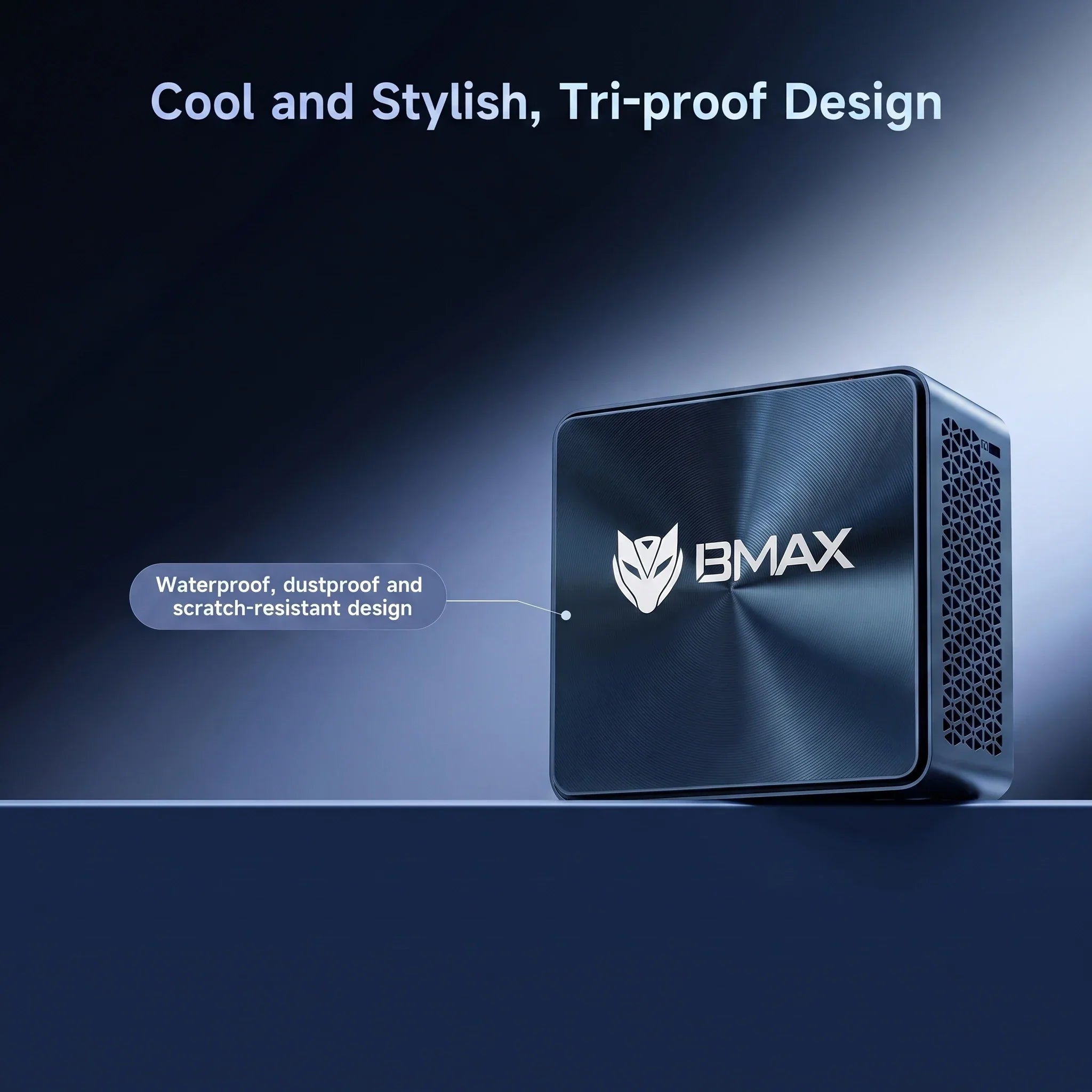
Best High-Performance Mini PCs in 2026: Powerful Compact Computers for Professionals and Creators
By 2026, driven by advanced processors, revolutionary cooling solutions, and the integration of AI computing technologies, mini PCs have evolved into powerful workstations.
Modern compact computers have gone beyond basic office tasks. With top-tier CPUs, high-speed memory, ultra-fast SSD storage, and advanced cooling architectures, today’s high-end mini PCs can easily handle the demanding professional workloads that once required bulky desktop cases.
At the same time, the AI PC trend is reshaping the world of personal computing. A new generation of processors with built-in AI acceleration is enabling smarter workflows, faster content creation, and highly responsive user experiences.
For professionals, developers, creators, and power users, choosing a high-performance mini PC means gaining uncompromising desktop-class computing power in an elegant, space-saving design. BMAX meticulously crafts high-end, professional-grade mini PCs tailored for intensive productivity, programming, content creation, and advanced computing scenarios.
What kind of mini PC can be considered a high-end, high-performance mini PC?
A truly powerful compact computer relies on the perfect synergy between top-tier components and uncompromising engineering design.
1. The Future of Computing Lies in Artificial Intelligence
Artificial intelligence is rapidly becoming the new standard in modern computing. The latest generation of processors is equipped with dedicated AI accelerators (NPUs), enabling computers to process intelligent tasks locally rather than relying entirely on cloud-based processing.
While not all systems require AI-centric processors, this widespread industry transformation means that AI-enabled computing power has become a key consideration for ensuring the future adaptability of the workplace. Devices equipped with this technology can seamlessly support AI-enhanced productivity, automated creative workflows, and secure, low-latency on-premises AI applications.
2. Powerful processors designed for professional workloads
The CPU is the command center of any workstation. Modern, high-performance mini-PCs equipped with cutting-edge Intel Core Ultra and AMD Ryzen processors deliver exceptional computing power, enabling users to:
Execute complex, data-heavy applications smoothly
Compile code and render digital media rapidly
Power through demanding multitasking without system lag
3. Large-capacity memory and ultra-fast SSD storage
Professional workflows—such as running complex programming environments, large creative suites, and multiple virtual machines—require high-performance memory and storage configurations.
RAM: 16GB is the baseline for professional productivity, with 32GB or higher recommended for elite multitasking and rendering.
SSD Storage: NVMe solid-state drives drastically reduce system boot times, accelerate heavy application loading, and ensure instant access to large project files.
BMAX Space Capsule Cooling System: Cutting-Edge Thermal Management Innovation
Without excellent thermal management, raw performance is meaningless. In the field of compact computing, heat is the greatest enemy of speed.
To address the thermal management challenges faced by high-end compact computers, BMAX engineers have developed a proprietary “Space Capsule Cooling System.” This proprietary cooling solution inspired by aerospace thermal management concepts and has been meticulously designed to maximize internal airflow and enables efficient heat dissipation.
Key Advantages of the Space Capsule Cooling System:
Maximum Heat Dissipation: Rapidly moves heat away from critical components, preventing thermal throttling.
Sustained Peak Performance: Helps maintain stable system performance even during hours of intensive computing or 4K rendering.
Acoustic Excellence: Operates with whisper-quiet efficiency, ensuring a distraction-free professional environment.
Extended Hardware Lifespan: Protects internal components by maintaining optimal operating temperatures.
For users who want to push their hardware to the absolute limit, the BMAX Space Capsule cooling system ensures that your mini PC delivers uncompromising, powerful performance at all times.
Who needs a high-performance mini PC?
Professionals & Enterprise Users: Ideal for heavy data processing, executive multitasking, and complex business applications. The compact footprint maintains a premium, minimalist workspace.
Software Developers: Provides a highly efficient, robust platform for resource-intensive programming tools, virtual environments, database management, and fast code compilation.
Content Creators & Designers: Delivers stable, sustained power for high-resolution photo editing, video rendering, and digital graphic design without the bulk of a traditional PC tower.
BMAX High-End Mini PC Product Series (2026)
1. BMAX B11 Pro — AI-Ready Mini PC
Designed for forward-thinking professionals, the BMAX B11 Pro represents the future of smart computing. Powered by the Intel Core Ultra 5 115U processor, it delivers exceptional performance thanks to its built-in AI acceleration capabilities. Combined with the “Space Capsule Cooling System”, the B11 Pro is the ultimate solution for AI-assisted workflows, next-generation programming, and advanced business applications.
2. BMAX B9 Power — High Performance Mini PC
Designed to deliver powerful computing performance, the BMAX B9 Power is built for professional users who require strong multitasking capability, reliable operation, and efficient performance for demanding workloads.
3. BMAX B8A Pro — AMD Ryzen High Performance Mini PC
With AMD Ryzen processing power, the BMAX B8A Pro provides excellent multi-core performance for content creation, productivity applications, programming, and advanced everyday computing.
Why Choose the BMAX High-End Mini PC?
BMAX is committed to pushing the boundaries of compact technology. We focus on developing high-end, professional-grade computing solutions without compromising on performance, reliability, or design.
Every BMAX device undergoes rigorous industrial-grade quality control testing before leaving the factory. By combining cutting-edge processors, our proprietary “Space Capsule cooling system”, and premium manufacturing materials, BMAX delivers workstation-level performance in a chassis designed specifically for modern professionals.
Frequently Asked Questions
What is the best high-performance Mini PC in 2026?
The ideal Mini PC depends on your exact professional requirements. For maximum multitasking and creative power, look for models featuring top-tier AMD Ryzen or Intel processors, ample high-speed RAM, and a sophisticated thermal solution like the BMAX Space Capsule Cooling System (such as the BMAX B11 Pro with Intel Core Ultra, or high-performance models like the B9 Power and B8A Pro for demanding professional workloads.).
Are high-performance Mini PCs suitable for AI applications?
Yes. The industry is shifting toward AI-integrated hardware. Choosing an AI-Ready Mini PC, like the BMAX B11 Pro equipped with Intel Core Ultra, ensures your system has the dedicated NPU acceleration required for modern, intelligent workflows.
Can a high-performance Mini PC truly replace a desktop computer?
Absolutely. For the vast majority of professional developers, enterprise users, and creators, today’s premium Mini PCs deliver matching computational power while drastically reducing workspace clutter and energy consumption.
Is a high-performance Mini PC good for heavy content creation?
Yes. Equipped with premium processors, high-capacity RAM, ultra-fast SSDs, and advanced cooling architecture, BMAX Mini PCs effortlessly sustain the performance needed for 4K video editing, large-scale graphic design, and complex digital rendering.
Related Articles:
1.Best Budget Mini PCs Under $300 for 2026
2.The Best Mini PCs for Students in 2026
Best Budget Mini PCs Under $300 for 2026: Affordable Computers for Work, School, and Home Use
In 2026, finding a reliable computer at an affordable price is becoming increasingly important. Whether you need a computer for remote work, online learning, home entertainment, or everyday tasks, choosing the right device can help you save money while enjoying outstanding performance.
For users looking for a mini PC, the under-$300 price range is one of the most popular. Compared to traditional desktop computers, mini PCs are more compact, consume less power, and offer excellent value for money when it comes to meeting everyday computing needs.
Today's mini PCs are no longer limited to handling simple tasks. With powerful processors, high-speed solid-state drives, and compact designs, these affordable mini PCs are capable of handling office applications, online courses, web browsing, multimedia entertainment, and a wide range of productivity tasks.
BMAX offers affordable and reliable mini PCs designed to provide practical performance for students, families, professionals, and everyday users.
What can a mini-PC under $300 offer?
If configured properly, a mini PC priced at less than $300 can offer exceptional value for the money.
For the average user, an affordable mini PC is more than capable of handling many common tasks, including:
Web browsing
Microsoft Office applications
Online learning
Video conferences
Streaming entertainment
Document editing
Basic programming
However, not all budget-friendly mini PCs offer the same experience. Before making a purchase, users should pay attention to several key hardware specifications, including the processor, memory, storage capacity, and connectivity options.
A compact computer with well-balanced performance delivers smoother operation and a better long-term user experience.
Key Features to Look for When Choosing a Budget-Friendly Mini PC
Processor: The Foundation of Performance
The processor is one of the most important components in any computer.
A capable CPU helps users:
Open applications faster
Switch between tasks smoothly
Handle daily workloads efficiently
When it comes to budget-friendly mini PCs, choosing a processor that strikes the right balance between performance and energy efficiency is crucial.
A computer equipped with the right processor provides a smooth experience for work, online learning, web browsing, and entertainment—all without incurring unnecessary costs.
RAM: Choose 8GB or 16GB?
Memory determines how many applications can run efficiently at the same time.
For basic tasks such as:
Web browsing
Online classes
Document editing
Email
8GB of RAM is usually sufficient.
For users who need:
Multitasking
Programming
Creative applications
Long-term use
16GB of RAM provides a smoother experience.
Choosing enough memory helps prevent slow performance when running multiple applications at the same time.Learn more about choosing the right memory configuration in our guide: How Much RAM Do You Need for a Mini PC?
Storage: Why SSD Matters
Storage speed has a significant impact on everyday computer use.
Compared with traditional hard drives, SSD storage provides:
Faster startup times
Faster application loading
Faster file transfers
Better overall responsiveness
For modern users, an SSD-equipped Mini PC provides a much smoother experience for work, study, and entertainment.
Who should consider buying an affordable mini PC priced under $300?
Students
A budget Mini PC is an excellent choice for students who need an affordable computer for:
Online classes
Homework
Research
Office applications
Learning programming
It’s compact in size, making it ideal for bedrooms, dorm rooms, and small study areas.
Home Office Users
With the rise of remote work, many users need a reliable computer for working from home.
A Mini PC under $300 can support:
Video meetings
Documents
Spreadsheets
Email communication
Daily business tasks
Its compact design helps create a cleaner, more organized work environment.
Families and Home Entertainment
A mini PC can also serve as a practical home computer.
Families can use it for:
Watching videos
Streaming content
Browsing websites
Managing personal files
Everyday digital activities
Its low power consumption makes it ideal for long-term home use.
Best Value BMAX Budget Mini PCs Under $300
BMAX B1 Plus Mini PC — Best Affordable Choice
The BMAX B1 Plus Mini PC is designed for users who need an affordable and reliable computer to handle everyday tasks.
It is suitable for:
Online learning
Web browsing
Office applications
Home use
Basic productivity
Thanks to its compact design, the BMAX B1 Plus mini PC fits easily into small workspaces, bedrooms, and study areas.
BMAX B6 Plus Mini PC — Best Value Performance Choice
For users who need better performance, the BMAX B6 Plus mini PC strikes a better balance between speed, efficiency, and value.
It is suitable for:
Multitasking
Office productivity
Programming learning
Professional daily use
For users looking for better performance while maintaining excellent value for the price, the B6 Plus is an excellent choice.
BMAX B11 Pro Mini PC—A High-Performance Upgrade Option
For users who need more powerful performance, the BMAX B11 Pro mini PC delivers an exceptional computing experience.
It is suitable for:
Advanced productivity
Programming
Creative applications
Professional workloads
For users who need higher performance and longer-term usability, the BMAX B11 Pro provides an upgraded computing experience beyond entry-level Mini PCs.
Mini PCs Under $300 Compared to Traditional Desktops
Mini PCs and traditional desktop computers each have their own advantages.
Feature
Mini PC
Desktop PC
Price
Affordable
Usually higher
Size
Compact
Large
Power consumption
Lower
Higher
Desk space
Excellent
Requires more space
Upgrade options
Limited
More flexible
Daily productivity
Excellent
Excellent
For most home users, students, and office workers, mini PCs not only offer sufficient performance but also save space and reduce energy consumption more effectively.
For users who need maximum hardware customization or top-tier performance, traditional desktop computers remain a good choice.
Why Choose BMAX Budget Mini PCs?
BMAX is committed to creating affordable and reliable digital products, including mini PCs, laptops, and tablets designed specifically for students, professionals, and everyday users around the world.
To meet a wide range of computing needs, BMAX offers flexible solutions:
Mini PCs: Ideal for users who need the performance of a compact desktop computer to meet their work, study, entertainment, and productivity needs.
Laptops: Ideal for students, professionals, and mobile users who need a portable computing solution for working, studying, and learning on the go.
Tablets: Designed for users who need a lightweight, slim device for reading, taking online courses, entertainment, and everyday use.
Whether you need a compact desktop setup or a portable device, BMAX offers reliable technology solutions for the modern digital lifestyle.
Affordable prices, without compromising on performance
The BMAX Mini PC series is designed to deliver practical performance at a highly competitive price.
By combining high-efficiency hardware, a compact design, and reliable quality control, BMAX helps users obtain trustworthy computing solutions at a reasonable price.
Reliable Quality
Every BMAX device undergoes rigorous quality control testing before shipment to ensure stable performance and reliable operation.
Whether for students, home users, professionals, or families, BMAX products are designed to meet real-world computing needs.
Back to School 2026 Special Offer
For students and families preparing for the new school year, a reliable computer is an important investment.
During the 2026 back-to-school season, BMAX is offering special promotions on select mini PCs to help users get reliable products at more affordable prices.
Whether you need a computer for online learning, completing homework, working remotely, or meeting your daily work needs, BMAX offers affordable solutions designed specifically for modern computing needs.
Start the new school year with smarter technology.
Choose BMAX for affordable and reliable mini PCs.
Frequently Asked Questions
Is a Mini PC under $300 worth buying in 2026?
Yes. A mini PC priced under $300 can handle many everyday tasks, including office work, online learning, web browsing, streaming, and general productivity improvements.
What is the best budget Mini PC under $300?
The best choice depends on your needs. The BMAX B1 Plus mini PC is suitable for general users, while models like the BMAX B6 Plus offer stronger performance and are better suited for multitasking and boosting productivity.
Can a Mini PC replace a desktop computer?
For most users, yes. Modern mini-PCs can replace traditional desktop computers for everyday tasks, while also saving space and reducing energy consumption.
How long can a budget Mini PC last?
A high-quality mini PC with well-balanced hardware specifications can provide reliable performance for everyday computing for several years.
Best Mini PCs for Students in 2026: Affordable Computers for School and Online Learning
As students prepare for the new school year in 2026, having a reliable computer is more important than ever. Whether attending online classes, completing homework, researching topics, learning to code, or creating digital projects, students need a device that runs smoothly, is affordable, and remains reliable over the long term.
Traditional desktop computers take up valuable desk space, while high-end laptops may be too expensive for many families. That’s why mini PCs have become an increasingly popular choice among students. With their compact design, efficient performance, and flexible configuration options, mini PCs strike an excellent balance between price, performance, and convenience.
BMAX offers students affordable and reliable computing solutions, including Mini PCs, laptops, and tablets designed for education, productivity, and everyday use.
Why Will Students Need a Good Computer in 2026?
Modern education is closely linked to digital technology. Today, students rely on computers to complete many important tasks, including:
Online Courses and Video ConferencesResearch and Information GatheringMicrosoft Office ApplicationsDigital Learning PlatformsProgramming and Coding PracticePresentations and Creative ProjectsAfter-Class Recreational Activities
Slow or outdated computers can reduce productivity and make daily studies more difficult. A reliable computer for students helps them complete their homework efficiently and develop the important digital skills they’ll need in the future.
What should students consider when buying a computer?
When choosing the right computer for school, there are several important factors to consider, including performance, size, price, and reliability.
Performance for Everyday Learning
A computer for students doesn't necessarily have to be equipped with the most expensive hardware, but it should provide enough performance to handle everyday tasks.
Processor
The processor is the heart of a computer. Modern CPUs allow students to open applications faster, switch seamlessly between tasks, and enjoy a better overall user experience.
Whether for online classes, office work, web browsing, or productivity tasks, a well-balanced processor can deliver the performance students need at a reasonable price.
RAM
Memory determines how many applications can run efficiently at the same time.
For most students:
8GB of RAM is more than enough to handle basic schoolwork, online learning, web browsing, and document editing.
For multitasking, programming, creative work, and extended use, we recommend 16GB of RAM.
Choosing enough memory helps prevent the system from slowing down when students need to have multiple applications open at the same time.Learn more about choosing the right memory configuration in our guide: How Much RAM Do You Need for a Mini PC?
Storage
High-speed SSDs enhance the overall computing experience by offering the following features:
Faster startup speed
Faster app loading speeds
Faster File Transfer
For students, SSD storage helps them complete their daily tasks more efficiently.
A compact design specifically tailored for student study spaces
One of the biggest advantages of mini PCs is their compact size.
Many students study in spaces with limited room, such as:
Bedrooms
Dorm rooms
Small apartments
Shared study areas
Mini PCs not only take up very little desk space, but also deliver the performance needed for modern learning.
Compared to traditional desktop computer cases, mini PCs offer the following advantages:
Smaller size
Lower power consumption
Quiet operation
Cleaner workspace organization
For students looking for a simple and efficient learning environment, a mini PC is an excellent choice.Learn more about the benefits of compact computers in our guide: Mini PC vs Desktop PC: Which One Should You Buy?
Affordable Performance for Students
Budget is an important consideration for students and their families.For students looking for an affordable mini PC, choosing the right balance between performance and price is essential.
Many high-end laptops come with features that students may not need, which drives up the overall cost. Mini PCs, on the other hand, allow users to focus their budget on essential hardware components, such as:
Processor performance
RAM capacity
SSD storage
Connectivity options
This makes mini PCs one of the most affordable options for students—who need reliable performance but don’t want to pay more than necessary.
Should Students Choose a Mini PC or a Laptop: Which One Is Better?
Both mini PCs and laptops are excellent choices for students, but they are suited for different situations.
Feature
Mini PC
Laptop
Price
More affordable
Usually higher
Portability
Limited
Excellent
Desk setup
Excellent
Good
Upgrade options
Better
Limited
Display
Requires monitor
Built-in screen
Long study sessions
Comfortable desktop setup
Convenient anywhere
For students who primarily study at home, in dorms, or at a fixed workstation, a mini-PC is the ideal choice.
For students who frequently move between classrooms, libraries, and other locations, a laptop is a better fit.
Best Uses of Mini PCs for Students
Online Classes and Remote Learning
Online education has become an integral part of modern learning.
A reliable mini-pc can support:
Video conferencing
Online classrooms
Learning websites
Digital assignments
Students can take online courses and communicate smoothly with their teachers.
Homework and Research
Students often need to run multiple applications at the same time:
Web browsers
Documents
Presentations
Spreadsheets
Research materials
A mini PC equipped with ample memory and solid-state drive (SSD) storage can provide a smooth user experience for everyday learning.
Programming and Technology Learning
For students interested in technology, programming, and computer science, a high-performance computer is essential.
Mini PCs offer an affordable learning environment:
Coding
Web development
Software tools
Computer science projects
Entertainment After School
After completing their schoolwork, students can also use their computers for personal activities.
Students can use the mini-pc for the following activities:
Watching videos
Streaming content
Listening to music
Casual gaming
A multifunctional computer can meet both educational and entertainment needs.
Best BMAX Computers for Students in 2026
BMAX B1 Plus Mini PC—An Affordable Computer for Students
For students who need a reliable computer to meet their daily learning needs, the BMAX B1 Plus mini PC is an excellent choice.
It’s ideal for:
Online classes
Web browsing
Office applications
Homework
Basic productivity tasks
Its compact design makes it a perfect fit for bedrooms, dorm rooms, and study areas.
BMAX B6 Plus Mini PC—A Powerful Choice for College Students
For students who need stronger multitasking performance, the BMAX B6 Plus mini PC offers a superior computing experience.
It is suitable for:
University coursework
Multiple applications
Programming learning
Productivity tasks
The B6 Plus strikes a good balance between performance, size, and value.
BMAX B11 Pro Mini PC — High Performance Student Computer
The BMAX B11 Pro Mini PC is designed for students who need stronger performance for advanced learning, productivity, and multitasking.
The BMAX B11 Pro Mini PC is suitable for:
University coursework
Programming
Creative applications
Multitasking
Office productivity
Its compact design makes it suitable for home study spaces, dorm rooms, and professional workstations.
Why Choose BMAX Student Computers?
BMAX is committed to creating affordable and reliable digital products, including Mini PCs, laptops, and tablets designed for students, professionals, and everyday users.
For students with different learning needs, BMAX provides flexible computing solutions:
Mini PCs: Ideal for students who need powerful performance, a clean desktop setup, and excellent value for home study, dorm rooms, and workspaces.
Laptops: A great choice for students who need portable computing solutions for classrooms, libraries, and learning on the go.
Tablets: Suitable for mobile learning, reading, note-taking, online courses, and everyday entertainment.
Whether students need a compact desktop computer for intensive study or a portable device for flexible learning, BMAX offers reliable solutions for different educational scenarios.
Affordable Performance
The BMAX series is designed to deliver practical computing performance at a highly competitive price, helping students access reliable computing technology at an affordable price.
Reliable Quality
Every BMAX device undergoes rigorous quality control testing before shipment to ensure stable and reliable performance.
Designed for Everyday Users
Whether for students, families, professionals, or home users, BMAX’s products are designed to meet real-world computing needs.
Back to School 2026 Special Offer
A reliable computer is an important investment for every student on their educational journey.
To kick off the 2026 back-to-school season, BMAX is launching a special promotion on select computers to help students purchase trustworthy tech products at more affordable prices.
Whether you need a computer for online classes, completing assignments, programming, or boosting your daily productivity, BMAX offers affordable solutions designed specifically for modern learning.
Start the new school year with a smarter computer.
Choose BMAX for affordable and reliable student computers.
Frequently Asked Questions
Is a Mini PC good for students?
Yes. Mini PCs are an excellent choice for students to take online classes, complete assignments, conduct research, program, and handle everyday office tasks. Not only are they powerful, but they also save desk space.
How much RAM does a student computer need?
For basic schoolwork, 8GB of RAM is usually sufficient. If you need to multitask, program, or use the computer for extended periods, we recommend choosing 16GB of RAM.
Can a Mini PC replace a desktop computer for students?
Yes. Modern mini-pc are not only capable of handling most students’ academic tasks, but they also take up less space and consume less energy than traditional desktop computers.
Is a laptop or Mini PC better for students?
It depends on the student's needs. Laptops are more portable, while mini PCs offer better value for money and provide a more comfortable desktop experience.
What is the best mini PC for students in 2026?
For students, the best mini PC depends on their specific needs. Entry-level models like the BMAX B1 Plus are suitable for basic learning, while more powerful models like the BMAX B6 Plus and B11 Pro are better suited for multitasking, programming, and advanced office applications.


