Saltar al contenido
Envío gratuito a EE. UU./UE/JP | Garantía de 1 año & Prueba de 30 días sin riesgos
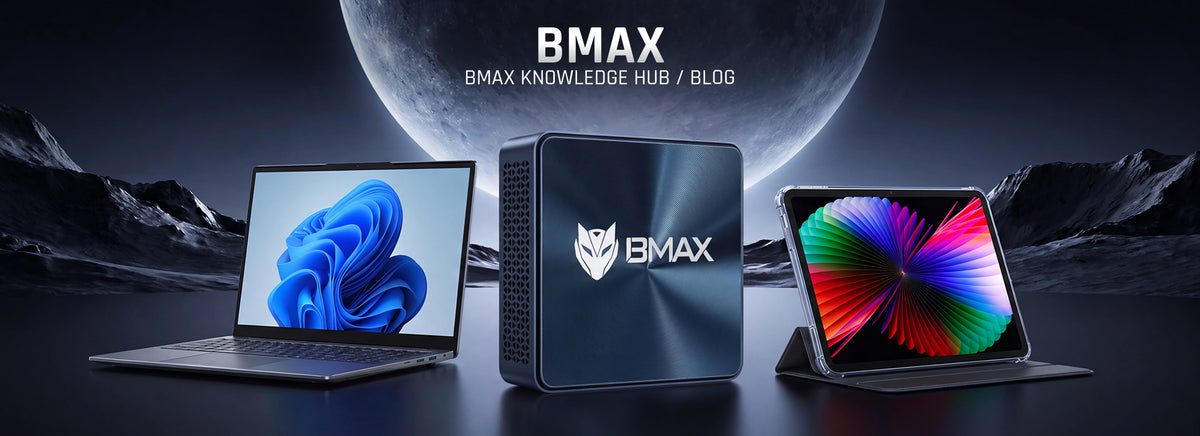
About BMAX brand introduction banner showcasing high-quality mini PCs, laptops, and android tablets with a futuristic sci-fi design.


Información, guías de compra, tutoriales y las últimas novedades sobre mini PCs, portátiles y tabletas.

Noticias

Mini PC Buying Guide 2026: How to Choose the Right Mini Computer

Mini PC Buying Guide 2026: How to Choose the Right Mini Computer

Mini PC Buying Guide 2026: How to Choose the Right Mini PC Choosing the right computer in 2026 can be a challenging task. Faced with a wide array of options—ranging from traditional desktops and laptops to compact computers—many users are looking for a device that strikes the right balance between performance, price, and convenience. Mini PCs are becoming increasingly popular because they deliver desktop-class performance within an incredibly compact form factor, making them suitable for a diverse range of users, including students, professionals, home users, developers, and creators. However, selecting a Mini PC involves more than just picking the most powerful processor or the lowest-priced model. The best Mini PC for you depends on your specific needs, including your intended use cases, required performance levels, and considerations regarding future upgrades. This buying guide breaks down the key factors to consider when purchasing a Mini PC in 2026, helping you select the model that best meets your requirements. What Is a Mini PC? A Mini PC is a compact desktop computer that offers the core functionality of a traditional desktop while utilizing a smaller chassis. Unlike laptops, Mini PCs typically require an external monitor, keyboard, and mouse. However, this design allows manufacturers to focus on delivering efficient performance while reducing both physical size and power consumption. Modern Mini PCs are capable of handling many tasks that previously required large desktop computers, including: Office productivity Online learning Web browsing Programming Content creation Entertainment Professional applications With advancements in processor technology, memory, storage, and cooling systems, mini PCs have evolved from simple office computers into powerful computing solutions. Why should you choose a mini PC in 2026?   Compared to traditional desktop computers, mini PCs offer several advantages. Compact Design One of the biggest advantages of mini PCs is their compact size. These compact computers can easily fit into: Home offices Bedrooms Dorm rooms Small workspaces Professional environments For users who want a clean and organized desk setup, a Mini PC is an excellent choice. Lower Power Consumption Compared to many traditional desktop computers, mini PCs are designed for high-efficiency operation. Their low power consumption makes them suitable for: Long working hours Home offices Everyday computing Energy-conscious users Excellent Value Mini PCs allow users to focus their budget on important components such as: Processor performance RAM capacity SSD storage Instead of paying for large desktop cases and unnecessary components, users can invest their funds in the hardware they truly need. How to Choose a Mini PC in 2026? Choosing the right mini PC depends on several important factors, including processor performance, memory, storage, thermal management, and intended use. 1. Choose the Right Processor When choosing a mini PC, the processor is the most important component. Different users have varying requirements for performance levels. Entry-level mini PC Entry-level Mini PCs are suitable for: Web browsing Online classes Office applications Email Basic entertainment Processors in this category focus on efficiency and affordability. For instance, the BMAX B1 Plus mini PC offers a practical solution for users who need a reliable computer to handle everyday tasks. Mid-range mini PC Mid-range mini PCs offer superior performance for users who require enhanced multitasking capabilities. They are suitable for: Office productivity Multiple applications Programming learning Professional daily use Models like the BMAX B6 Plus strike a balance between performance, energy efficiency, and value for money. High-performance mini PC High-performance mini PCs are designed for demanding users who require greater computing power. They are suitable for: AI applications Programming Content creation Advanced multitasking Professional workloads Mini PCs equipped with modern processors, such as the Intel Core Ultra or AMD Ryzen, offer not only superior performance but also excellent future-proofing. The BMAX B11 Pro features the Intel Core Ultra 5 115U processor and is designed for users who need AI-ready performance in a compact form factor. 2. How Much RAM Does a Mini PC Need? Memory (RAM) determines how smoothly a computer runs multiple applications. The appropriate amount of memory depends on your usage needs. Usage Scenario Recommended RAM Basic browsing and office work 8GB Online learning and productivity 8GB-16GB Programming and multitasking 16GB Professional applications and creative work 16GB-32GB+ For most users in 2026, 16GB of RAM will provide a comfortable, long-term daily usage experience. 3. Choose the Right Storage Storage devices affect system speed and the overall user experience. Modern mini PCs should use solid-state drives (SSDs) rather than traditional mechanical hard drives. The advantages of SSDs include: Faster system startup Faster application loading Faster file transfers Better overall responsiveness For most users: 256GB SSD is suitable for basic tasks 512GB SSD is recommended for everyday productivity 1TB SSD is ideal for professional users and large files 4. Pay Attention to Thermal Performance As the performance of mini-PCs continues to improve, thermal management technology is becoming increasingly important. Compact chassis designs present a challenge, as high-performance processors generate more heat within a limited space. Effective thermal management helps maintain: Stable performance Lower operating temperatures Reduced fan noise Longer component lifespan BMAX has developed the Space Capsule cooling system, designed to enhance airflow efficiency and thermal management performance in compact computers. For users who need to maintain sustained performance in high-load applications, thermal design is just as important as processor specifications. 5. Consider connectivity and expansion options. Before purchasing a mini PC, consider the ports and expansion options you require. Key features include: USB ports HDMI or DisplayPort Ethernet connection Wi-Fi capability Bluetooth support SSD expansion options Memory upgrade options Mini PCs with flexible connectivity capabilities are better equipped to meet future needs. Mini PCs vs. Laptops: Which Should You Choose? Both Mini PCs and laptops have their advantages. Feature Mini PC Laptop Size Very compact Portable Display Requires monitor Built-in Price Usually more affordable Usually higher Workspace Excellent Flexible Upgrade options Better Limited Travel use Limited Excellent Choose a Mini PC if you: Mainly work at a fixed location Want better value Prefer a larger monitor setup Need a clean workspace Choose a laptop if you: Frequently travel Need mobile computing Move between classrooms or offices Which Mini PC Is Suitable for Different Types of Users? Best Mini PC for Students Students usually need a computer for: Online classes Homework Research Office applications Compact and affordable mini PCs like the BMAX B1 Plus are perfect for daily study use. Best Mini PCs for Home and Office Users who work from home need: Smooth multitasking Video meetings Documents Web applications Mid-range mini PCs like the BMAX B6 Plus can deliver stronger productivity performance. Best Mini PCs for AI and Professional Use Professionals and advanced users may need: AI applications Programming Advanced workflows Professional software Powered by the Intel Core Ultra 5 115U processor, the BMAX B11 Pro features a compact design and delivers AI-enabled performance. Best Mini PCs for High-Performance Computing Users working with: Creative applications Heavy multitasking Advanced computing tasks Consider a high-performance mini PC equipped with a high-performance processor and an advanced cooling solution. Why Choose BMAX Mini PCs? BMAX offers compact computing solutions designed for various users, including: Mini PCs: Compact desktop solutions suitable for productivity, professional applications, entertainment, and high-performance computing. Laptops: Portable computers designed for users who require flexible solutions for work and study. Tablets: Lightweight devices designed for mobile learning, entertainment, and everyday use. By combining modern processors, practical designs, efficient cooling systems, and rigorous quality control processes, BMAX is dedicated to providing reliable computing solutions to users worldwide. Frequently Asked Questions Are Mini PCs worth buying in 2026? Yes. Modern mini PCs offer powerful performance, a compact design, and excellent value to many users, including students, professionals, and home users. What is the best Mini PC for everyday use? Choosing the best mini PC depends on your specific needs. Entry-level models are suitable for basic tasks, while high-performance models are better suited for multitasking, programming, and professional-grade workloads. How long does a Mini PC last? A well-designed Mini PC with reliable hardware can deliver stable performance for daily computing tasks for several years. Is a Mini PC better than a desktop computer? Mini PCs deliver excellent performance while saving space and reducing energy consumption. However, for users who prioritize ultimate customization and upgrade flexibility, traditional desktop computers remain the better choice. Related Articles: Best Budget Mini PCs Under $300 for 2026 Best AI Mini PCs of 2026 Best High-Performance Mini PCs of 2026

Más información
Best AI Mini PCs in 2026: What to Know Before Buying an AI Computer

Best AI Mini PCs in 2026: What to Know Before Buying an AI Computer

Best AI Mini PCs of 2026: What to Know Before Buying an AI Computer Artificial intelligence is emerging as a key trend shaping the future of personal computing. By 2026, AI technology has moved beyond cloud-based services; a new generation of processors with built-in AI acceleration is bringing smarter computing capabilities directly to personal computers. At the same time, Mini PCs are becoming increasingly powerful and feature-rich. Thanks to advanced processors, faster memory, high-speed SSD storage, and optimized thermal designs, modern Mini PCs can handle professional-grade workloads that previously required large desktop computers. For professionals, developers, creators, and power users, AI-enabled Mini PCs offer a compact computing solution that perfectly blends robust performance, intelligent processing capabilities, and space-efficient design. BMAX offers compact computing solutions for a wide range of users, including AI-enabled mini PCs designed for productivity, professional applications, and high-performance daily computing tasks. What Is an AI Mini PC? An AI mini PC is a compact computer specifically designed to support artificial intelligence workloads by combining high-performance processors, AI acceleration technology, and optimized hardware design. While traditional computers rely primarily on CPUs and GPUs to handle tasks, modern AI PCs incorporate dedicated Neural Processing Units (NPUs) specifically designed for AI-related workloads. A modern AI Mini PC typically includes: CPU for general computing tasks GPU for graphics processing and parallel workloads NPU for AI acceleration By integrating these components, AI mini-PCs can improve the efficiency of AI-assisted applications, intelligent workflows, and future AI software., intelligent workflows, and future AI software. Why Are AI Mini PCs Becoming Important in 2026? The way people use computers is changing. While traditional computers primarily execute user commands, computers equipped with artificial intelligence capabilities are increasingly able to assist with daily tasks. AI mini-PCs support a wide range of application scenarios, including: AI-Assisted Productivity AI features can help improve efficiency in areas such as: Document processing Information organization Meeting assistance Workflow automation Content Creation Modern creators increasingly use AI tools for: Image editing Video production assistance Digital design Creative workflows Local AI Processing AI processing directly on the computer provides several potential advantages: Faster response times Better privacy protection Reduced dependence on cloud services As AI applications continue to develop, AI-ready hardware will become an increasingly important factor when choosing a computer. What factors should you consider when buying an AI mini PC? Choosing an AI mini PC involves more than just having an AI-capable processor; a balanced hardware configuration is crucial for ensuring a smooth experience. Processors: The Cornerstone of AI Computing The processor remains one of the most important components of any computer. Modern AI mini PCs powered by Intel Core Ultra processors integrate: High-performance CPU cores Integrated graphics capability Dedicated AI acceleration through NPU technology This architecture enables users to handle high-load applications while also preparing their systems for future AI-driven software. For users planning long-term use of their computers, choosing a modern, AI-enabled processor offers better long-term compatibility. Memory and Storage: Supporting Modern Workloads AI applications, creative software, and professional-grade workloads often require substantial system resources. RAM Memory affects the smoothness of running multiple applications simultaneously. To meet modern computing needs: 16GB RAM is a practical choice for productivity and professional use Higher memory configurations are recommended for heavier multitasking and demanding applications SSD Storage Fast SSD storage improves: System startup speed Application loading times File transfer performance Overall system responsiveness For users who work with large files or professional software, high-speed storage can significantly boost efficiency. Why Heat Dissipation Is Crucial for High-Performance Mini PCs As the performance of mini PCs continues to improve, thermal management has become an increasingly important consideration. Compared to traditional desktop computers, mini PCs have extremely limited internal space. When equipped with high-performance processors, these compact systems require efficient cooling solutions to ensure stable performance. During demanding workloads such as: AI applications Video editing Programming 3D rendering Professional multitasking Processors generate significant heat. Without effective thermal management, performance may drop as the system throttles to maintain safe operating temperatures. Therefore, when selecting a high-performance mini PC, one should not focus solely on processor specifications. Thermal design is equally critical for maintaining stable performance and ensuring long-term reliability. BMAX Space Capsule Cooling System To improve thermal performance in compact computers, BMAX developed the Space Capsule Cooling System. This thermal design focuses on enhancing airflow efficiency and thermal management performance within compact mini-PC chassis. A well-designed thermal system helps achieve: Stable Performance Efficient thermal management helps maintain stable performance during prolonged, high-load operation. Better Temperature Control Optimized airflow helps dissipate heat from critical internal components. Quieter Operation Efficient heat dissipation can reduce unnecessary increases in fan speed during daily use. Long-term reliability Maintaining an optimal operating temperature helps protect internal components and ensures the device's long-term, reliable operation. For high-performance mini PCs, thermal management technology and processor performance complement each other, combining to deliver a superior overall computing experience. BMAX AI-Ready Mini PC Solutions BMAX B11 Pro — An AI-enabled mini PC built for productivity. The BMAX B11 Pro is designed for users who seek modern computing performance, AI capabilities, and a compact design. Powered by the Intel Core Ultra 5 115U processor with integrated AI acceleration, the B11 Pro delivers efficient performance for productivity, multitasking, and AI-assisted applications. The BMAX B11 Pro is suitable for: Business productivity AI-assisted applications Programming Office multitasking Remote work Professional workflows With its compact design and efficient thermal management, the B11 Pro offers a balanced solution for users who require reliable performance while also wanting to save workspace. AI Mini PC vs Traditional Desktop Computer Feature AI Mini PC Traditional Desktop Size Compact Larger AI acceleration Available on supported models Depends on hardware Power consumption Lower Usually higher Workspace Space-saving Requires more space Upgrade flexibility Limited Higher For users requiring extensive hardware customization capabilities, traditional desktop PCs remain a solid choice. However, for professionals, creators, and general users who seek powerful performance while wanting to save space, AI mini PCs offer a highly attractive alternative. Who should consider buying an AI mini PC? Professionals AI Mini PCs are suitable for users who need: Efficient workflows Multiple applications running simultaneously Reliable business computing Developers Developers can benefit from: Faster development environments AI-assisted programming tools Local AI testing capabilities Content Creators Creators working with: Images Videos Digital design Creative software can benefit from compact computers with strong processing performance. Why Choose BMAX Mini PCs? BMAX offers a range of products designed for various computing needs, including: Mini PCs: A compact computer designed for productivity, professional-grade workloads, entertainment, and high-performance computing. Laptops: Provides a portable solution for users who need to perform flexible calculations for work and study. Tablets: A lightweight device suitable for mobile learning, entertainment, and daily use. By combining modern processors, practical designs, thermal solutions, and quality control processes, BMAX creates reliable computing solutions for users worldwide. Frequently Asked Questions What is the best AI Mini PC in 2026? The best AI mini PC depends on the user's specific needs. Users seeking a computer that combines a compact form factor with AI computing capabilities might consider models equipped with Intel Core Ultra processors, such as the BMAX B11 Pro. Are AI Mini PCs worth buying in 2026? For users planning to utilize AI applications or professional software, or intending to use their computer over the long term, AI-enabled mini PCs offer better future compatibility. Can an AI Mini PC replace a desktop computer? For many workloads involving productivity, business, development, and creative tasks, modern AI mini PCs can replace traditional desktop computers while saving space and reducing energy consumption. Why is cooling important in an AI Mini PC? AI workloads and high-performance processors generate more heat. An efficient cooling system helps maintain stable performance and enhances long-term reliability.

Más información
Best High Performance Mini PCs in 2026 | Powerful Compact Computers

Best High Performance Mini PCs in 2026 | Powerful Compact Computers

Best High-Performance Mini PCs in 2026: Powerful Compact Computers for Professionals and Creators By 2026, driven by advanced processors, revolutionary cooling solutions, and the integration of AI computing technologies, mini PCs have evolved into powerful workstations. Modern compact computers have gone beyond basic office tasks. With top-tier CPUs, high-speed memory, ultra-fast SSD storage, and advanced cooling architectures, today’s high-end mini PCs can easily handle the demanding professional workloads that once required bulky desktop cases. At the same time, the AI PC trend is reshaping the world of personal computing. A new generation of processors with built-in AI acceleration is enabling smarter workflows, faster content creation, and highly responsive user experiences. For professionals, developers, creators, and power users, choosing a high-performance mini PC means gaining uncompromising desktop-class computing power in an elegant, space-saving design. BMAX meticulously crafts high-end, professional-grade mini PCs tailored for intensive productivity, programming, content creation, and advanced computing scenarios. What kind of mini PC can be considered a high-end, high-performance mini PC? A truly powerful compact computer relies on the perfect synergy between top-tier components and uncompromising engineering design. 1. The Future of Computing Lies in Artificial Intelligence Artificial intelligence is rapidly becoming the new standard in modern computing. The latest generation of processors is equipped with dedicated AI accelerators (NPUs), enabling computers to process intelligent tasks locally rather than relying entirely on cloud-based processing. While not all systems require AI-centric processors, this widespread industry transformation means that AI-enabled computing power has become a key consideration for ensuring the future adaptability of the workplace. Devices equipped with this technology can seamlessly support AI-enhanced productivity, automated creative workflows, and secure, low-latency on-premises AI applications. 2. Powerful processors designed for professional workloads The CPU is the command center of any workstation. Modern, high-performance mini-PCs equipped with cutting-edge Intel Core Ultra and AMD Ryzen processors deliver exceptional computing power, enabling users to: Execute complex, data-heavy applications smoothly Compile code and render digital media rapidly Power through demanding multitasking without system lag 3. Large-capacity memory and ultra-fast SSD storage Professional workflows—such as running complex programming environments, large creative suites, and multiple virtual machines—require high-performance memory and storage configurations. RAM: 16GB is the baseline for professional productivity, with 32GB or higher recommended for elite multitasking and rendering. SSD Storage: NVMe solid-state drives drastically reduce system boot times, accelerate heavy application loading, and ensure instant access to large project files. BMAX Space Capsule Cooling System: Cutting-Edge Thermal Management Innovation Without excellent thermal management, raw performance is meaningless. In the field of compact computing, heat is the greatest enemy of speed. To address the thermal management challenges faced by high-end compact computers, BMAX engineers have developed a proprietary “Space Capsule Cooling System.” This proprietary cooling solution inspired by aerospace thermal management concepts and has been meticulously designed to maximize internal airflow and enables efficient heat dissipation. Key Advantages of the Space Capsule Cooling System: Maximum Heat Dissipation: Rapidly moves heat away from critical components, preventing thermal throttling. Sustained Peak Performance: Helps maintain stable system performance even during hours of intensive computing or 4K rendering. Acoustic Excellence: Operates with whisper-quiet efficiency, ensuring a distraction-free professional environment. Extended Hardware Lifespan: Protects internal components by maintaining optimal operating temperatures. For users who want to push their hardware to the absolute limit, the BMAX Space Capsule cooling system ensures that your mini PC delivers uncompromising, powerful performance at all times. Who needs a high-performance mini PC? Professionals & Enterprise Users: Ideal for heavy data processing, executive multitasking, and complex business applications. The compact footprint maintains a premium, minimalist workspace. Software Developers: Provides a highly efficient, robust platform for resource-intensive programming tools, virtual environments, database management, and fast code compilation. Content Creators & Designers: Delivers stable, sustained power for high-resolution photo editing, video rendering, and digital graphic design without the bulk of a traditional PC tower. BMAX High-End Mini PC Product Series (2026) 1. BMAX B11 Pro — AI-Ready Mini PC Designed for forward-thinking professionals, the BMAX B11 Pro represents the future of smart computing. Powered by the Intel Core Ultra 5 115U processor, it delivers exceptional performance thanks to its built-in AI acceleration capabilities. Combined with the “Space Capsule Cooling System”, the B11 Pro is the ultimate solution for AI-assisted workflows, next-generation programming, and advanced business applications. 2. BMAX B9 Power — High Performance Mini PC Designed to deliver powerful computing performance, the BMAX B9 Power is built for professional users who require strong multitasking capability, reliable operation, and efficient performance for demanding workloads. 3. BMAX B8A Pro — AMD Ryzen High Performance Mini PC With AMD Ryzen processing power, the BMAX B8A Pro provides excellent multi-core performance for content creation, productivity applications, programming, and advanced everyday computing. Why Choose the BMAX High-End Mini PC? BMAX is committed to pushing the boundaries of compact technology. We focus on developing high-end, professional-grade computing solutions without compromising on performance, reliability, or design. Every BMAX device undergoes rigorous industrial-grade quality control testing before leaving the factory. By combining cutting-edge processors, our proprietary “Space Capsule cooling system”, and premium manufacturing materials, BMAX delivers workstation-level performance in a chassis designed specifically for modern professionals. Frequently Asked Questions What is the best high-performance Mini PC in 2026? The ideal Mini PC depends on your exact professional requirements. For maximum multitasking and creative power, look for models featuring top-tier AMD Ryzen or Intel processors, ample high-speed RAM, and a sophisticated thermal solution like the BMAX Space Capsule Cooling System (such as the BMAX B11 Pro with Intel Core Ultra, or high-performance models like the B9 Power and B8A Pro for demanding professional workloads.). Are high-performance Mini PCs suitable for AI applications?  Yes. The industry is shifting toward AI-integrated hardware. Choosing an AI-Ready Mini PC, like the BMAX B11 Pro equipped with Intel Core Ultra, ensures your system has the dedicated NPU acceleration required for modern, intelligent workflows. Can a high-performance Mini PC truly replace a desktop computer? Absolutely. For the vast majority of professional developers, enterprise users, and creators, today’s premium Mini PCs deliver matching computational power while drastically reducing workspace clutter and energy consumption. Is a high-performance Mini PC good for heavy content creation? Yes. Equipped with premium processors, high-capacity RAM, ultra-fast SSDs, and advanced cooling architecture, BMAX Mini PCs effortlessly sustain the performance needed for 4K video editing, large-scale graphic design, and complex digital rendering. Related Articles: 1.Best Budget Mini PCs Under $300 for 2026 2.The Best Mini PCs for Students in 2026

Más información
Best Budget Mini PC Under $300 in 2026 | Affordable Mini PCs

Best Budget Mini PC Under $300 in 2026 | Affordable Mini PCs

Best Budget Mini PCs Under $300 for 2026: Affordable Computers for Work, School, and Home Use   In 2026, finding a reliable computer at an affordable price is becoming increasingly important. Whether you need a computer for remote work, online learning, home entertainment, or everyday tasks, choosing the right device can help you save money while enjoying outstanding performance. For users looking for a mini PC, the under-$300 price range is one of the most popular. Compared to traditional desktop computers, mini PCs are more compact, consume less power, and offer excellent value for money when it comes to meeting everyday computing needs. Today's mini PCs are no longer limited to handling simple tasks. With powerful processors, high-speed solid-state drives, and compact designs, these affordable mini PCs are capable of handling office applications, online courses, web browsing, multimedia entertainment, and a wide range of productivity tasks. BMAX offers affordable and reliable mini PCs designed to provide practical performance for students, families, professionals, and everyday users. What can a mini-PC under $300 offer? If configured properly, a mini PC priced at less than $300 can offer exceptional value for the money. For the average user, an affordable mini PC is more than capable of handling many common tasks, including: Web browsing Microsoft Office applications Online learning Video conferences Streaming entertainment Document editing Basic programming However, not all budget-friendly mini PCs offer the same experience. Before making a purchase, users should pay attention to several key hardware specifications, including the processor, memory, storage capacity, and connectivity options. A compact computer with well-balanced performance delivers smoother operation and a better long-term user experience. Key Features to Look for When Choosing a Budget-Friendly Mini PC Processor: The Foundation of Performance The processor is one of the most important components in any computer. A capable CPU helps users: Open applications faster Switch between tasks smoothly Handle daily workloads efficiently When it comes to budget-friendly mini PCs, choosing a processor that strikes the right balance between performance and energy efficiency is crucial. A computer equipped with the right processor provides a smooth experience for work, online learning, web browsing, and entertainment—all without incurring unnecessary costs. RAM: Choose 8GB or 16GB? Memory determines how many applications can run efficiently at the same time. For basic tasks such as: Web browsing Online classes Document editing Email 8GB of RAM is usually sufficient. For users who need: Multitasking Programming Creative applications Long-term use 16GB of RAM provides a smoother experience. Choosing enough memory helps prevent slow performance when running multiple applications at the same time.Learn more about choosing the right memory configuration in our guide: How Much RAM Do You Need for a Mini PC? Storage: Why SSD Matters Storage speed has a significant impact on everyday computer use. Compared with traditional hard drives, SSD storage provides: Faster startup times Faster application loading Faster file transfers Better overall responsiveness For modern users, an SSD-equipped Mini PC provides a much smoother experience for work, study, and entertainment. Who should consider buying an affordable mini PC priced under $300? Students A budget Mini PC is an excellent choice for students who need an affordable computer for: Online classes Homework Research Office applications Learning programming It’s compact in size, making it ideal for bedrooms, dorm rooms, and small study areas. Home Office Users With the rise of remote work, many users need a reliable computer for working from home. A Mini PC under $300 can support: Video meetings Documents Spreadsheets Email communication Daily business tasks Its compact design helps create a cleaner, more organized work environment. Families and Home Entertainment A mini PC can also serve as a practical home computer. Families can use it for: Watching videos Streaming content Browsing websites Managing personal files Everyday digital activities Its low power consumption makes it ideal for long-term home use. Best Value BMAX Budget Mini PCs Under $300 BMAX B1 Plus Mini PC — Best Affordable Choice The BMAX B1 Plus Mini PC is designed for users who need an affordable and reliable computer to handle everyday tasks. It is suitable for: Online learning Web browsing Office applications Home use Basic productivity Thanks to its compact design, the BMAX B1 Plus mini PC fits easily into small workspaces, bedrooms, and study areas. BMAX B6 Plus Mini PC — Best Value Performance Choice For users who need better performance, the BMAX B6 Plus mini PC strikes a better balance between speed, efficiency, and value. It is suitable for: Multitasking Office productivity Programming learning Professional daily use For users looking for better performance while maintaining excellent value for the price, the B6 Plus is an excellent choice. BMAX B11 Pro Mini PC—A High-Performance Upgrade Option For users who need more powerful performance, the BMAX B11 Pro mini PC delivers an exceptional computing experience. It is suitable for: Advanced productivity Programming Creative applications Professional workloads For users who need higher performance and longer-term usability, the BMAX B11 Pro provides an upgraded computing experience beyond entry-level Mini PCs. Mini PCs Under $300 Compared to Traditional Desktops Mini PCs and traditional desktop computers each have their own advantages. Feature Mini PC Desktop PC Price Affordable Usually higher Size Compact Large Power consumption Lower Higher Desk space Excellent Requires more space Upgrade options Limited More flexible Daily productivity Excellent Excellent For most home users, students, and office workers, mini PCs not only offer sufficient performance but also save space and reduce energy consumption more effectively. For users who need maximum hardware customization or top-tier performance, traditional desktop computers remain a good choice. Why Choose BMAX Budget Mini PCs? BMAX is committed to creating affordable and reliable digital products, including mini PCs, laptops, and tablets designed specifically for students, professionals, and everyday users around the world. To meet a wide range of computing needs, BMAX offers flexible solutions: Mini PCs: Ideal for users who need the performance of a compact desktop computer to meet their work, study, entertainment, and productivity needs. Laptops: Ideal for students, professionals, and mobile users who need a portable computing solution for working, studying, and learning on the go. Tablets: Designed for users who need a lightweight, slim device for reading, taking online courses, entertainment, and everyday use. Whether you need a compact desktop setup or a portable device, BMAX offers reliable technology solutions for the modern digital lifestyle. Affordable prices, without compromising on performance The BMAX Mini PC series is designed to deliver practical performance at a highly competitive price. By combining high-efficiency hardware, a compact design, and reliable quality control, BMAX helps users obtain trustworthy computing solutions at a reasonable price. Reliable Quality Every BMAX device undergoes rigorous quality control testing before shipment to ensure stable performance and reliable operation. Whether for students, home users, professionals, or families, BMAX products are designed to meet real-world computing needs. Back to School 2026 Special Offer For students and families preparing for the new school year, a reliable computer is an important investment. During the 2026 back-to-school season, BMAX is offering special promotions on select mini PCs to help users get reliable products at more affordable prices. Whether you need a computer for online learning, completing homework, working remotely, or meeting your daily work needs, BMAX offers affordable solutions designed specifically for modern computing needs. Start the new school year with smarter technology. Choose BMAX for affordable and reliable mini PCs. Frequently Asked Questions Is a Mini PC under $300 worth buying in 2026? Yes. A mini PC priced under $300 can handle many everyday tasks, including office work, online learning, web browsing, streaming, and general productivity improvements. What is the best budget Mini PC under $300? The best choice depends on your needs. The BMAX B1 Plus mini PC is suitable for general users, while models like the BMAX B6 Plus offer stronger performance and are better suited for multitasking and boosting productivity. Can a Mini PC replace a desktop computer? For most users, yes. Modern mini-PCs can replace traditional desktop computers for everyday tasks, while also saving space and reducing energy consumption. How long can a budget Mini PC last? A high-quality mini PC with well-balanced hardware specifications can provide reliable performance for everyday computing for several years.

Más información
Best Mini PCs for Students in 2026: Affordable Computers for School and Online Learning

Best Mini PCs for Students in 2026: Affordable Computers for School and Online Learning

Best Mini PCs for Students in 2026: Affordable Computers for School and Online Learning As students prepare for the new school year in 2026, having a reliable computer is more important than ever. Whether attending online classes, completing homework, researching topics, learning to code, or creating digital projects, students need a device that runs smoothly, is affordable, and remains reliable over the long term. Traditional desktop computers take up valuable desk space, while high-end laptops may be too expensive for many families. That’s why mini PCs have become an increasingly popular choice among students. With their compact design, efficient performance, and flexible configuration options, mini PCs strike an excellent balance between price, performance, and convenience. BMAX offers students affordable and reliable computing solutions, including Mini PCs, laptops, and tablets designed for education, productivity, and everyday use. Why Will Students Need a Good Computer in 2026? Modern education is closely linked to digital technology. Today, students rely on computers to complete many important tasks, including: Online Courses and Video ConferencesResearch and Information GatheringMicrosoft Office ApplicationsDigital Learning PlatformsProgramming and Coding PracticePresentations and Creative ProjectsAfter-Class Recreational Activities Slow or outdated computers can reduce productivity and make daily studies more difficult. A reliable computer for students helps them complete their homework efficiently and develop the important digital skills they’ll need in the future. What should students consider when buying a computer? When choosing the right computer for school, there are several important factors to consider, including performance, size, price, and reliability. Performance for Everyday Learning A computer for students doesn't necessarily have to be equipped with the most expensive hardware, but it should provide enough performance to handle everyday tasks. Processor The processor is the heart of a computer. Modern CPUs allow students to open applications faster, switch seamlessly between tasks, and enjoy a better overall user experience. Whether for online classes, office work, web browsing, or productivity tasks, a well-balanced processor can deliver the performance students need at a reasonable price. RAM Memory determines how many applications can run efficiently at the same time. For most students: 8GB of RAM is more than enough to handle basic schoolwork, online learning, web browsing, and document editing. For multitasking, programming, creative work, and extended use, we recommend 16GB of RAM. Choosing enough memory helps prevent the system from slowing down when students need to have multiple applications open at the same time.Learn more about choosing the right memory configuration in our guide: How Much RAM Do You Need for a Mini PC? Storage High-speed SSDs enhance the overall computing experience by offering the following features: Faster startup speed Faster app loading speeds Faster File Transfer For students, SSD storage helps them complete their daily tasks more efficiently. A compact design specifically tailored for student study spaces One of the biggest advantages of mini PCs is their compact size. Many students study in spaces with limited room, such as: Bedrooms Dorm rooms Small apartments Shared study areas Mini PCs not only take up very little desk space, but also deliver the performance needed for modern learning. Compared to traditional desktop computer cases, mini PCs offer the following advantages: Smaller size Lower power consumption Quiet operation Cleaner workspace organization For students looking for a simple and efficient learning environment, a mini PC is an excellent choice.Learn more about the benefits of compact computers in our guide: Mini PC vs Desktop PC: Which One Should You Buy? Affordable Performance for Students Budget is an important consideration for students and their families.For students looking for an affordable mini PC, choosing the right balance between performance and price is essential. Many high-end laptops come with features that students may not need, which drives up the overall cost. Mini PCs, on the other hand, allow users to focus their budget on essential hardware components, such as: Processor performance RAM capacity SSD storage Connectivity options This makes mini PCs one of the most affordable options for students—who need reliable performance but don’t want to pay more than necessary. Should Students Choose a Mini PC or a Laptop: Which One Is Better? Both mini PCs and laptops are excellent choices for students, but they are suited for different situations. Feature Mini PC Laptop Price More affordable Usually higher Portability Limited Excellent Desk setup Excellent Good Upgrade options Better Limited Display Requires monitor Built-in screen Long study sessions Comfortable desktop setup Convenient anywhere For students who primarily study at home, in dorms, or at a fixed workstation, a mini-PC is the ideal choice. For students who frequently move between classrooms, libraries, and other locations, a laptop is a better fit. Best Uses of Mini PCs for Students Online Classes and Remote Learning Online education has become an integral part of modern learning. A reliable mini-pc can support: Video conferencing Online classrooms Learning websites Digital assignments Students can take online courses and communicate smoothly with their teachers. Homework and Research Students often need to run multiple applications at the same time: Web browsers Documents Presentations Spreadsheets Research materials A mini PC equipped with ample memory and solid-state drive (SSD) storage can provide a smooth user experience for everyday learning. Programming and Technology Learning For students interested in technology, programming, and computer science, a high-performance computer is essential. Mini PCs offer an affordable learning environment: Coding Web development Software tools Computer science projects Entertainment After School After completing their schoolwork, students can also use their computers for personal activities. Students can use the mini-pc for the following activities: Watching videos Streaming content Listening to music Casual gaming A multifunctional computer can meet both educational and entertainment needs. Best BMAX Computers for Students in 2026 BMAX B1 Plus Mini PC—An Affordable Computer for Students For students who need a reliable computer to meet their daily learning needs, the BMAX B1 Plus mini PC is an excellent choice. It’s ideal for: Online classes Web browsing Office applications Homework Basic productivity tasks Its compact design makes it a perfect fit for bedrooms, dorm rooms, and study areas. BMAX B6 Plus Mini PC—A Powerful Choice for College Students For students who need stronger multitasking performance, the BMAX B6 Plus mini PC offers a superior computing experience. It is suitable for: University coursework Multiple applications Programming learning Productivity tasks The B6 Plus strikes a good balance between performance, size, and value. BMAX B11 Pro Mini PC — High Performance Student Computer The BMAX B11 Pro Mini PC is designed for students who need stronger performance for advanced learning, productivity, and multitasking. The BMAX B11 Pro Mini PC is suitable for: University coursework Programming Creative applications Multitasking Office productivity Its compact design makes it suitable for home study spaces, dorm rooms, and professional workstations. Why Choose BMAX Student Computers? BMAX is committed to creating affordable and reliable digital products, including Mini PCs, laptops, and tablets designed for students, professionals, and everyday users. For students with different learning needs, BMAX provides flexible computing solutions: Mini PCs: Ideal for students who need powerful performance, a clean desktop setup, and excellent value for home study, dorm rooms, and workspaces. Laptops: A great choice for students who need portable computing solutions for classrooms, libraries, and learning on the go. Tablets: Suitable for mobile learning, reading, note-taking, online courses, and everyday entertainment. Whether students need a compact desktop computer for intensive study or a portable device for flexible learning, BMAX offers reliable solutions for different educational scenarios. Affordable Performance The BMAX series is designed to deliver practical computing performance at a highly competitive price, helping students access reliable computing technology at an affordable price. Reliable Quality Every BMAX device undergoes rigorous quality control testing before shipment to ensure stable and reliable performance. Designed for Everyday Users Whether for students, families, professionals, or home users, BMAX’s products are designed to meet real-world computing needs. Back to School 2026 Special Offer A reliable computer is an important investment for every student on their educational journey. To kick off the 2026 back-to-school season, BMAX is launching a special promotion on select computers to help students purchase trustworthy tech products at more affordable prices. Whether you need a computer for online classes, completing assignments, programming, or boosting your daily productivity, BMAX offers affordable solutions designed specifically for modern learning. Start the new school year with a smarter computer. Choose BMAX for affordable and reliable student computers. Frequently Asked Questions Is a Mini PC good for students? Yes. Mini PCs are an excellent choice for students to take online classes, complete assignments, conduct research, program, and handle everyday office tasks. Not only are they powerful, but they also save desk space. How much RAM does a student computer need? For basic schoolwork, 8GB of RAM is usually sufficient. If you need to multitask, program, or use the computer for extended periods, we recommend choosing 16GB of RAM. Can a Mini PC replace a desktop computer for students? Yes. Modern mini-pc are not only capable of handling most students’ academic tasks, but they also take up less space and consume less energy than traditional desktop computers. Is a laptop or Mini PC better for students? It depends on the student's needs. Laptops are more portable, while mini PCs offer better value for money and provide a more comfortable desktop experience. What is the best mini PC for students in 2026? For students, the best mini PC depends on their specific needs. Entry-level models like the BMAX B1 Plus are suitable for basic learning, while more powerful models like the BMAX B6 Plus and B11 Pro are better suited for multitasking, programming, and advanced office applications.

Más información
AI PC in 2026: How Artificial Intelligence Is Transforming the Future of Personal Computers

AI PC in 2026: How Artificial Intelligence Is Transforming the Future of Personal Computers

In 2026, the personal computer industry stands at a peculiar crossroads: the overall market is contracting, yet structural opportunities are exploding.   Recent research reports from authoritative institutions predict that global PC shipments will fall from 297 million units in 2025 to 255 million in 2026—a 14% year-over-year decline. This adjustment is expected to persist through 2027, with true stabilization not occurring until 2028. Rising costs for memory and CPUs, combined with the fading "refresh cycle" boost triggered by the end of Windows 10 support, are collectively suppressing total industry volume.   Yet, the same reports express great optimism in other areas: global AI PC shipments are projected to rise to 150 million units in 2026—up 39% year-over-year—with their share of the total PC market surging to 59%. By 2028, AI PC penetration is expected to climb further to 82%, accounting for 84% of total revenue. IDC statistics corroborate this trajectory, showing 114 million AI PC shipments (43% penetration) in 2025, with the figure projected to surpass 55% in 2026. This represents the most profound "divergence between volume and price" in the PC industry's forty-year history: while shipment volumes are shrinking, revenue is projected to dip by only 5% in 2026, and the average selling price is set to rise from $933 to $1,025. The AI PC is not merely a product line upgrade; it is rewriting the industry's growth formula—shifting the focus from "selling more units" to "delivering smarter devices at higher price points."   The PC's "Midlife Crisis" and the Rapid Iteration of AI Technology   Traditional PCs have evolved over four decades, yet their core form and logic have remained unchanged: screen, keyboard, and mouse; launching software and saving files. They have always been machines that simply "wait for instructions."   The paradox of the past two years lies here: while Large Language Models (LLMs) have demonstrated the ability to understand intent and generate content, these capabilities have largely remained confined to cloud servers, out of reach of the files, emails, and workflows that users handle daily. You can ask a large model a question, but it cannot help you transcribe last week's meeting recording into minutes, compare project schedules, or send reminder emails to colleagues—because it cannot access your local data or operate your software.   There is only one way to resolve this contradiction: embedding AI directly into the computer. This requires a systematic overhaul of chip architecture, operating systems, and software ecosystems, rather than simply adding an "AI button."   In recent years, chip giants like Intel, AMD, and MediaTek have crowded into the AI race, entering the core processor market for AI PCs and unveiling their respective on-device AI solutions almost simultaneously. This is no coincidence; it reflects an industry consensus: the AI PC represents the only growth avenue in a sluggish PC market.   A Threefold Transformation: What the AI PC Rewrites   Hardware Architecture: From "Division of Labor" to "Integration"   Traditional PC chips rely on a division of labor—the CPU handles general computing while the GPU manages graphics, with data constantly moving between them. However, AI models require simultaneous processing of massive amounts of data, making this data transfer a bottleneck.  AI PC chips are moving toward integration: the CPU, GPU, and AI-specific computing modules (NPUs) are combined and share high-capacity memory, allowing AI models to reside permanently within the system. In other words, it gives the computer a "local brain."   Interaction: From "Manual Execution" to "Verbal Instructio If AI can interpret the screen, understand speech, and grasp context, human-computer interaction shifts away from "clicking here" or "dragging there." Users simply need to tell the computer, "Extract the key points from this report, create a three-page PowerPoint presentation, and use that template from last time." The computer then handles the file retrieval, software launching, formatting, and generation. In this way, AI becomes a ubiquitous, system-level service.   Software Ecosystem: From "Standalone Software" to "Cross-Application Agents"   This is the most critical variable. Currently, using a computer essentially means using standalone applications—Word is Word, and Excel is Excel. The logic of the AI PC, however, is cross-application; an AI assistant needs to access documents, spreadsheets, emails, and calendars simultaneously to complete a comprehensive task. This shift is transforming how we define various aspects of the digital landscape: the PC is evolving from a mere tool into an employee's "digital workstation," while local computing centers are becoming a new line of defense for enterprise data security. "Cloud-edge synergy with an edge-first approach" is emerging as the new trend. In other words, cloud-based public large models are invoked only for processing general information flows, whereas scenarios requiring low latency, localization, or offline operation are handled by local PCs and workstations. The Path of Transformation in the "Year of AI Agents"   The industry widely regards 2026 as the "Year One" of practical AI implementation—often referred to as the "Year of AI Agents." From an industrial perspective, the PC sector is undergoing a paradigm shift:   • Shift in growth logic: Moving from "selling more devices" to "increasing the value of each device." • Shift in competitive logic: Moving from "price wars" to a dual-driver strategy of "high-end AI flagships" and "scenario-specific hit products." • The shift in value chain logic: from "low-profit, high-volume sales like selling bottled water" to "value-added competition like specialty coffee". • Shift in geopolitical and supply chain logic: The restructuring of AI PC hardware is leading to a rediscovery of the value within China's supply chain. Domestic chipmakers are achieving breakthroughs in key technologies, while upstream and downstream sectors—including system assembly, PCBs, storage, and thermal management—are benefiting simultaneously. The domestic supply chain faces a dual opportunity: import substitution and rapid market expansion.   The PC is facing a "midlife crisis," yet this very challenge offers an opportunity for renewed growth. Over the next three years, the keyword for the PC industry will not be "recovery," but "reconstruction"—reconstructing hardware architecture, interaction methods, software ecosystems, and the competitive landscape. Manufacturers capable of transforming AI from a mere "feature" into a core "product architecture" will win the future; conversely, players who simply slap an "AI" label on traditional PCs will eventually be swallowed by the wave of "shrinking volumes but rising prices."   For the first time in the PC industry's forty-year history, the protagonist of the story is neither a "faster CPU" nor a "lighter chassis," but rather "AI living inside the computer." This story is only just beginning. As an innovative brand specializing in personalized digital products, BMAX adopted a forward-looking strategy early on to establish a comprehensive presence across sectors such as mini PCs, laptops, and tablets. Its recently launched AI PCs have won the favor of consumers in numerous countries and regions, thanks to their exceptional design, specifications, performance, and value for money. Most importantly, every product undergoes 300 rigorous quality control checks before leaving the factory and comes with a one-year warranty, ensuring reliable quality. When choosing an AI PC, choose BMAX!

Más información
How to Choose the Right Mini PC in 2026: A Comprehensive Buying Guide - Bmax Buy

Cómo elegir la mini PC adecuada en 2026: una guía de compra completa

Los mini PC se han convertido en una de las opciones de mayor crecimiento en la informática moderna. En comparación con los ordenadores de sobremesa tradicionales, ocupan menos espacio, consumen menos energía, son fáciles de transportar y ofrecen un rendimiento suficiente para las tareas cotidianas actuales, como el trabajo y el estudio. Sin embargo, con tantas opciones disponibles, elegir el mini PC adecuado puede resultar un poco complicado. ¿Deberías elegir Intel o AMD? ¿Cuánta RAM necesitas? ¿El rendimiento del mini PC será suficiente para tus necesidades de trabajo, estudio o entretenimiento? Esta guía de compra te ayudará a comprender los factores clave a tener en cuenta al comprar un mini PC en 2026. 1. Considere sus casos de uso principales El mejor mini PC para ti dependerá de tus necesidades específicas. Oficina en casa y productividad Para el trabajo remoto, las tareas empresariales y las necesidades de productividad diarias, un mini PC debería ofrecer las siguientes características: Rendimiento multitarea Almacenamiento SSD de alta velocidad Conectividad de red fiable Compatibilidad con configuraciones de múltiples monitores Portabilidad Tareas como usar Microsoft Office, realizar videoconferencias, navegar por internet y gestionar documentos no requieren un ordenador de sobremesa potente. Un mini PC compacto puede satisfacer todas estas necesidades a la vez que ahorra valioso espacio en el escritorio. Estudiantes y usos educativos Los estudiantes suelen necesitar un ordenador para: cursos en línea Investigación Tareas de escritura Ejercicios de programación Aprendizaje multimedia Un mini PC es una opción práctica porque ofrece la misma facilidad de uso que un ordenador de sobremesa sin ocupar demasiado espacio. Entretenimiento y multimedia para el hogar Muchos usuarios también utilizan los mini PC como dispositivos de entretenimiento doméstico. Gracias a sus puertos HDMI y su diseño compacto, los mini PC se pueden conectar fácilmente a monitores, televisores y otros periféricos para: Ver películas en línea Navegando por la web Reproduciendo música Gestión de contenido digital 2. Elegir el procesador adecuado El procesador es uno de los componentes más importantes de cualquier ordenador. Para tareas básicas, un procesador de gama de entrada es suficiente para cubrir las necesidades informáticas cotidianas. Para usuarios que requieren un mayor rendimiento, como aquellos que participan en: Multitarea intensiva Aplicaciones de programación Aplicaciones creativas Producción gráfica Cargas de trabajo empresariales Un ordenador pequeño equipado con un procesador más potente proporcionará una experiencia de usuario más fluida. Los modernos procesadores AMD Ryzen e Intel Core ofrecen un rendimiento excepcional a la vez que mantienen una alta eficiencia energética. 3. ¿Cuánta RAM necesitas? La cantidad de RAM determina cuántas aplicaciones pueden ejecutarse sin problemas al mismo tiempo. Memoria RAM recomendada: 8 GB de RAM: Navegación web básica y tareas sencillas.16 GB de RAM: Recomendado para la mayoría de los usuarios.32 GB de RAM o superior: Cargas de trabajo de nivel profesional y multitarea avanzada. Para la mayoría de los usuarios domésticos y trabajadores de oficina, 16 GB de RAM ofrecen un equilibrio ideal entre rendimiento y coste, y son más que suficientes. 4.El almacenamiento importa más Los discos duros tradicionales están siendo reemplazados por unidades de estado sólido (SSD) porque las SSD ofrecen las siguientes ventajas: Tiempos de arranque más rápidosTiempos de carga de aplicaciones más rápidosMejor capacidad de respuesta general Al elegir un mini PC, tenga en cuenta lo siguiente: Capacidad de almacenamiento tipo SSD Opciones de actualización Para los usuarios que necesitan un amplio espacio para almacenar aplicaciones, archivos y contenido multimedia, una unidad SSD de 512 GB es una buena opción, ya que ofrece capacidad suficiente a un precio asequible. 5. Conectividad y puertos de expansión Un buen mini PC debería ofrecer suficientes puertos para cubrir tus necesidades diarias. Los puertos importantes incluyen: HDMI o DisplayPort puertos USB puertos USB-C Ethernet Wi-Fi Bluetooth Para los usuarios de oficina productivos que necesitan un espacio de trabajo más amplio, la compatibilidad con múltiples monitores también resulta muy útil. 6. Mini PCs frente a ordenadores de sobremesa tradicionales Los ordenadores de sobremesa tradicionales siguen teniendo ventaja en lo que respecta a juegos de alta gama y cargas de trabajo de nivel profesional. Sin embargo, los mini PC ofrecen las siguientes ventajas: Mini PC Escritorio tradicional Tamaño más pequeño Mayor huella Menor consumo de energía Mayor consumo de energía Fácil colocación Requiere más espacio Funcionamiento silencioso Más componentes Buen rendimiento diario Mayor flexibilidad de actualización Para la mayoría de los usuarios comunes, los mini PC ofrecen una solución eficiente, práctica y conveniente. ¿Por qué elegir un mini PC BMAX? BMAX se compromete a crear ordenadores compactos que equilibren rendimiento, diseño y relación calidad-precio. Ya sea que necesite una computadora para: Trabajar desde casa Aprendizaje en línea Aplicaciones empresariales Entretenimiento Tareas cotidianas Los mini PCs BMAX le brindan una solución informática confiable sin costos innecesarios. Conclusión Elegir un mini PC no significa sacrificar el rendimiento. Siempre que esté equipado con el procesador, la memoria, el almacenamiento y la conectividad adecuados, un mini PC puede ser una alternativa viable para la mayoría de los usuarios. Antes de realizar la compra, considere cuidadosamente sus necesidades diarias y elija un mini PC con una configuración y un nivel de rendimiento que se adapten a su estilo de vida y hábitos de trabajo.

Más información
One device, three uses, enjoy the ultimate experience! The innovative BMAX MaxPad I13 3-in-1 tablet lets you handle any scenario with ease - Bmax Buy

Un dispositivo, tres usos, ¡disfruta de la mejor experiencia! La innovadora tableta BMAX MaxPad I13 3 en 1 te permite manejar cualquier escenario con facilidad

Cuando las diversas necesidades se combinan con un estilo de vida acelerado, los dispositivos digitales pueden convertirse en una "dulce carga". Cada vez que sales, es posible que sientas la necesidad de llevar una tableta, una computadora portátil, una tableta gráfica y más. No todos se sienten cómodos cargando con tanto peso. Sin embargo, olvidar incluso un solo objeto puede hacer que la vida sea un poco menos placentera, y lidiar con tareas laborales inesperadas se convierte en un desafío. De hecho, en este mundo en constante cambio, no solo las personas necesitan ser versátiles, sino que los productos digitales también deben tener la capacidad integral de competir en múltiples plataformas. ¡La innovadora tableta BMAX 3 en 1 fue creada precisamente para esto! Al combinar las funciones de una tableta, una computadora portátil y una pizarra digital, cubre una amplia gama de necesidades, desde entretenimiento multimedia y trabajo de oficina móvil hasta ilustración creativa, permitiéndote viajar ligero y disfrutar de una experiencia fluida en cualquier situación. Modo 1: Tableta de pantalla grande y diseño ergonómico para un entretenimiento inmersivo. La MaxPad I13 es una tableta de pantalla grande diseñada para ofrecer una experiencia visual superior. Su pantalla IPS Full HD de 13,3 pulgadas cuenta con una relación de aspecto de 16:10, una cobertura del 100 % de la gama de colores sRGB y un brillo de 300 nits que cuida la vista. Con colores intensos y vibrantes, ofrece imágenes nítidas y deslumbrantes, tanto si ves películas, series o fotos. Cabe destacar que la pantalla utiliza un proceso de nanograbado de alta precisión similar al papel AG, que elimina el 97 % de los reflejos ambientales. Además, cuenta con la doble certificación de baja emisión de luz azul y ausencia de reflejos, lo que garantiza una visualización nítida y transparente incluso en entornos con mucha luz, sin dañar la vista tras un uso prolongado. La portabilidad ultradelgada es otra gran ventaja del I13. Con un grosor de tan solo 7,9 mm y un peso de solo 770 g, es muy fácil de sostener con una mano o de llevar a cualquier parte. Además, el I13 está equipado con el sistema de audio Magic Dual-Cavity, que ofrece un impresionante sonido envolvente 3D verdaderamente cautivador. El I13 es compatible con la certificación de decodificación Widevine L1 HD, Wi-Fi de doble banda (2,4 GHz/5 GHz) y Bluetooth 5.0. Esto permite disfrutar de una calidad de transmisión ultra nítida en plataformas como Netflix, Disney+ y YouTube, para que puedas vivir una experiencia audiovisual cinematográfica en la comodidad de tu hogar. Modo 2: Portátil ligero para una productividad móvil eficiente. Coloca la funda tipo folio para convertir el I13 en un portátil y disfruta de una productividad excepcional. La funda incluye un teclado ergonómico con un generoso recorrido de tecla de 1,8 mm, que ofrece una experiencia de escritura cómoda. También incorpora un panel táctil grande con controles multitáctiles fluidos y precisos, comparables a los de los portátiles ultraligeros tradicionales. La funda es plegable y permite un ajuste libre de múltiples ángulos, garantizando la visión más cómoda tanto si trabajas en un escritorio, lo usas sobre las piernas o lo llevas contigo. Realiza con facilidad tareas cotidianas como la redacción de documentos, la edición de hojas de cálculo, las reuniones en línea y la multitarea con pantalla dividida. Su sistema de doble cámara de alta definición también ofrece un gran apoyo para el trabajo de oficina diario: la cámara frontal de 8 megapíxeles es nítida y estable, satisfaciendo las necesidades de las videollamadas y videoconferencias cotidianas; la cámara trasera de 21 megapíxeles con enfoque automático no solo puede grabar con claridad los momentos de la vida, sino también completar fácilmente operaciones de oficina como el escaneo y la fotografía de documentos. Modo 3: Tableta gráfica profesional para dar rienda suelta a tu inspiración. Desconecta el teclado, toma el lápiz Max I13 y la MaxPad I13 se transforma en una tableta gráfica profesional. La pantalla admite 4096 niveles de sensibilidad a la presión de alta precisión, capturando matices tan finos como un cabello, y traduce la presión de tu trazo en variaciones en tiempo real del grosor de la línea, capturando con precisión cada chispa de inspiración creativa. La pantalla, con su textura similar al papel, ofrece una resistencia táctil única que imita la sensación de escribir en papel real, lo que la hace perfecta para ilustración, diario digital, bocetos de diseño y toma de apuntes en clase, permitiéndote dar rienda suelta a tu creatividad en cualquier lugar y momento. Un exclusivo sistema de rechazo de palma garantiza una experiencia sin preocupaciones; puedes apoyar la mano de forma natural en la pantalla mientras dibujas sin activar pulsaciones accidentales. ¡Esta potente tableta gráfica profesional te enamorará desde el primer uso! Base de rendimiento de alto nivel: funcionamiento fluido y sin retrasos en tres modos. Una experiencia fluida en múltiples escenarios depende de un potente núcleo de hardware. La MaxPad I13 incorpora el procesador de ocho núcleos UNISOC T7255. Fabricado con un proceso de 12 nm, cuenta con dos núcleos A75 de alto rendimiento y seis núcleos A55 de bajo consumo, alcanzando una puntuación AnTuTu superior a 280 000, lo que supone un aumento del rendimiento del 40 % con respecto a la generación anterior. Junto con una GPU ARM Mali-G57 con una frecuencia de hasta 750 MHz, garantiza un rendimiento estable y sin interrupciones durante juegos móviles, multitarea y renderizado creativo. El i13 cuenta con 6 GB de RAM física + 22 GB de expansión de RAM, hasta 28 GB de RAM integrada, y está equipado con 128 GB de almacenamiento de alta velocidad, compatible con la expansión mediante tarjeta Micro SD de 1 TB, lo que le permite almacenar grandes cantidades de archivos, obras de arte, juegos y vídeos a su antojo. Con el nuevo sistema Android 16 preinstalado, el I13 ofrece una experiencia de usuario fluida y sin complicaciones. Gracias a las mejoras integrales en las funciones de IA, la protección de la privacidad y las notificaciones inteligentes, usar el dispositivo es sencillo y sin preocupaciones. Batería de larga duración + conectividad 4G: Movilidad sin restricciones Su batería integrada de gran capacidad de 12 000 mAh permite hasta 10 horas de reproducción continua de vídeo local en 1080p o 120 horas de reproducción de audio local, para que puedas disfrutar de ella todo el día sin necesidad de recargarla con frecuencia. La carga rápida PD de 18 W restablece la energía rápidamente, eliminando la preocupación por la batería. Además, el I13 es compatible con 4G LTE y cuenta con doble ranura para tarjetas SIM, pudiendo usar dos tarjetas Nano SIM o una tarjeta SIM y una tarjeta de memoria. Mantente conectado y realiza llamadas sin necesidad de Wi-Fi, lo que garantiza una comunicación fluida con familiares y amigos, ya sea que estés de viaje, en un viaje de negocios o disfrutando del aire libre. Con este dispositivo, podrás viajar ligero incluso con un estilo de vida ajetreado. La BMAX MaxPad I13 cuenta con un diseño único 3 en 1 que integra a la perfección las necesidades básicas de entretenimiento, trabajo y creatividad, permitiéndote disfrutar de un estilo de vida nuevo, eficiente y gratificante.

Más información
Powered by 14th Gen Intel Core and a Tri-Chip Architecture, the X17 Turbo Unlocks New Heights in AI PC Productivity - Bmax Buy

Equipado con Intel Core de 14.ª generación y una arquitectura Tri-Chip, el X17 Turbo alcanza nuevas cotas en productividad de PC con IA

A medida que las tecnologías inteligentes se extienden rápidamente por el mercado, los PC con IA están a punto de convertirse en el estándar generalizado en los próximos cinco a diez años. Con la migración de la computación de IA de la nube a los dispositivos locales, los ordenadores están evolucionando de herramientas pasivas que simplemente ejecutan comandos a socios de productividad proactivos y en constante aprendizaje. Una mayor potencia de procesamiento local, una seguridad de datos superior y una respuesta más rápida están transformando la lógica fundamental de los procesos de trabajo y creatividad. El BMAX X17 Turbo es un portátil con IA que surge como respuesta a esta tendencia. Equipado con el procesador Intel Core Ultra 5 de 14.ª generación y una nueva arquitectura que combina la sinergia de la CPU, la GPU y la NPU, integra profundamente la computación de IA en todos los escenarios de uso, inaugurando una nueva dimensión de productividad. Equipado con un procesador Intel Core de 14.ª generación, ofrece un salto completo en rendimiento. El núcleo del rendimiento del X17 Turbo es el procesador Intel Core Ultra 5 115U de 14.ª generación. Fabricado con la avanzada tecnología de proceso Intel 4, cuenta con 8 núcleos y 10 subprocesos con una frecuencia turbo máxima de 4,2 GHz, lo que proporciona un amplio margen de rendimiento para la multitarea y los cálculos complejos. Según los datos de las pruebas de laboratorio PassMark CPU Mark, este procesador alcanza una puntuación de 11.689, lo que supone un aumento del rendimiento del 22 % con respecto al Intel Core i5-1345UE. Garantiza un funcionamiento fluido incluso al ejecutar simultáneamente varios documentos, hojas de cálculo y aplicaciones de comunicación durante el trabajo diario en la oficina. Puede realizar tareas creativas sencillas, como retoque de imágenes y edición de vídeo, con facilidad, eliminando por completo los retrasos y las esperas. Además, el procesador incorpora la tecnología de optimización de IA Intel DL Boost, que acelera las aplicaciones de IA a nivel de hardware, convirtiendo las funciones de IA en una herramienta de eficiencia realmente útil y fácil de usar, en lugar de una experiencia superflua. Arquitectura de sinergia de tres chips: liberando la potencia de computación de IA local nativa. La principal innovación del X17 Turbo reside en su arquitectura de sinergia de triple chip (CPU, GPU y NPU). Su NPU Intel AI Boost integrada está dedicada a tareas de computación de IA, lo que permite ejecutar una amplia gama de aplicaciones de IA directamente en el dispositivo sin depender de la nube. Esto no solo reduce significativamente la latencia de respuesta, sino que también elimina los riesgos de privacidad asociados con la carga de datos, lo que hace que la creación asistida por IA y el trabajo de oficina sean más seguros y eficientes. Gracias a esta arquitectura informática, el X17 Turbo admite una amplia gama de casos de uso de IA: para la redacción diaria, las herramientas de escritura con IA ayudan a generar borradores rápidamente y a refinar el texto, reduciendo drásticamente el tiempo dedicado a las tareas de escritura; en el diseño creativo, la generación de imágenes con IA da vida con precisión a los conceptos creativos, produciendo rápidamente recursos visuales de alta calidad; para la creación de vídeo, la IA ayuda con la edición y los efectos especiales, facilitando el acceso a los creadores; y al trabajar con conjuntos de datos masivos, el análisis de datos con IA extrae rápidamente información clave para proporcionar un apoyo eficiente a la toma de decisiones. Desde el trabajo de oficina hasta los proyectos creativos, y desde el aprendizaje hasta el entretenimiento, el impulso que proporciona la potencia de cálculo local de la IA garantiza que el X17 Turbo aprenda las necesidades del usuario con el tiempo, duplicando realmente la productividad. La configuración de alta gama en todas las dimensiones garantiza una experiencia de productividad impecable. Una excelente experiencia de IA depende de una compatibilidad de configuración integral. El X17 Turbo logra una configuración de alta gama equilibrada en cuanto a almacenamiento, pantalla, portabilidad y duración de la batería, lo que garantiza un rendimiento continuo y eficiente. En cuanto a memoria y almacenamiento, el dispositivo cuenta con 16 GB de RAM LPDDR5 de alta velocidad a 4400 MHz y una unidad SSD NVMe de 512 GB. Estos componentes ofrecen velocidades de lectura/escritura excepcionales, lo que garantiza una carga fluida de archivos grandes y un inicio rápido del software. Además, incluye una ranura de expansión para futuras actualizaciones de capacidad, satisfaciendo fácilmente las necesidades de almacenamiento a largo plazo. En cuanto a la experiencia visual, el X17 Turbo cuenta con una pantalla IPS Full HD de 15,6 pulgadas con bisel estrecho, alta resolución de 1920 × 1080 y un ángulo de visión de 178°. La pantalla ofrece una imagen nítida, definida y colorida, brindando una experiencia visual cómoda e inmersiva, ya sea para trabajar con hojas de cálculo, consultar materiales de diseño o ver películas. El X17 Turbo también destaca por su llamativa estética, excelente portabilidad y versatilidad. Su elegante y refinado chasis metálico pesa tan solo 1,7 kg y tiene un grosor de apenas 19 mm, lo que facilita su transporte durante los desplazamientos diarios o los viajes de negocios. Además, la bisagra permite inclinar la pantalla 180°, ofreciendo flexibilidad para diversas situaciones, como presentaciones y debates colaborativos. Su teclado de tamaño completo cuenta con teclas ligeramente contorneadas y retroiluminación, lo que garantiza una escritura eficiente incluso en entornos con poca luz; el amplio panel táctil admite diversos gestos, como el desplazamiento con dos dedos, el zoom con pellizco y la vista previa de tareas con tres dedos, proporcionando un control preciso y sensible. Una batería de larga duración es esencial para una alta productividad. El X17 Turbo ofrece entre 9 y 10 horas de autonomía, satisfaciendo fácilmente las necesidades de una jornada laboral completa y eliminando la preocupación por la batería. Gracias a su compatibilidad con Wi-Fi 6 y Bluetooth 5.4, garantiza una conectividad estable y de alta velocidad, facilitando la transferencia fluida de archivos y las reuniones en línea sin interrupciones. El X17 Turbo también cuenta con una matriz de interfaz altamente compatible. Viene completamente equipado con un puerto USB-C de funciones completas, USB 3.2, HDMI, una ranura para tarjeta Micro SD y un conector para auriculares, lo que permite conexiones directas a monitores externos, unidades USB y proyectores sin necesidad de adaptadores, ofreciendo una capacidad de expansión excepcional. Además, el X17 Turbo viene con Windows 11 Pro preinstalado e incluye una función de recuperación con un solo toque; en caso de fallo del sistema, este se puede reiniciar y restaurar rápidamente, lo que proporciona mayor tranquilidad para su uso profesional. En medio de la rápida adopción de PC con IA, la X17 Turbo va más allá de las meras especificaciones de hardware. Centrada en una arquitectura de "sinergia de triple chip", integra capacidades de IA directamente en los flujos de trabajo creativos y de oficina del mundo real. Es una laptop delgada y ligera que ofrece un rendimiento excelente y una experiencia de usuario equilibrada, además de una herramienta de productividad con IA en constante evolución diseñada para la máxima eficiencia. Para profesionales, creadores de contenido y estudiantes, la X17 Turbo ofrece una experiencia altamente adaptable que abre las puertas al futuro del uso de PC hoy mismo, elevando cada tarea creativa y laboral a nuevos niveles de eficiencia.

Más información
Mini PC vs. Traditional Desktop: Why the BMAX B11 Pro is the Ultimate 2026 Productivity Upgrade - Bmax Buy

Mini PC versus computadora de escritorio tradicional: por qué BMAX B11 Pro es la mejora de productividad definitiva para 2026

¿Sigues dudando entre una voluminosa torre y un ordenador compacto moderno? En esta guía, analizamos el panorama de los mini PC de 2026, comparando el rendimiento, la eficiencia y la utilidad en el mundo real. Descubre por qué... Mini PC BMAX B11 Pro Es la solución perfecta para profesionales, trabajadores remotos y aficionados a los laboratorios domésticos que buscan recuperar su espacio de trabajo.

Más información
BMAX B4 Ultra Mini PC Review – Compact Powerhouse for Modern Productivity - Bmax Buy

Revisión de BMAX B4 Ultra Mini PC: potencia compacta para una productividad moderna

Un análisis práctico del mini PC BMAX B4 Ultra, que explora su rendimiento, diseño y casos de uso reales para la oficina en casa y la productividad diaria.

Más información
2025 Mini PC Showdown: Why the BMAX B4 Turbo Outperforms Old Flagships at Half the Price - Bmax Buy

Enfrentamiento de mini PC de 2025: por qué el BMAX B4 Turbo supera a los modelos antiguos a la mitad de precio

¿Por qué el BMAX B4 Turbo supera a los modelos insignia anteriores a la mitad de precio? Al cambiar de ordenador a principios de año, mucha gente se preguntaba si comprar un modelo antiguo de gama alta o un modelo nuevo de gama de entrada. El punto de vista del autor es muy claro: en la tecnología actual, que se desarrolla rápidamente, es mejor elegir un producto nuevo de alta relación calidad-precio, como el BMAX B4 En el artículo se recomienda encarecidamente el modelo Turbo, en lugar de comprar un modelo antiguo de gama alta con descuento. Las razones son las siguientes: Utiliza el procesador Intel N150 de 13.ª generación (4 núcleos y 4 hilos, proceso de 7 nm, frecuencia máxima de 3,6 GHz, consumo de energía de solo 6 W), y su rendimiento es similar al de los procesadores de gama media-alta anteriores (como los i3 e i5 de 10.ª generación), pero el precio se reduce directamente a la mitad. La memoria y el almacenamiento son suficientes (16 GB + 512 GB/1 TB), lo cual es totalmente suficiente para el trabajo diario y el entretenimiento, y la velocidad de lectura y escritura no está mal. La versión de 512 GB cuesta solo 168 dólares (cupón: ZVFZMWMWQZE3), lo que supone cientos de dólares menos que los modelos antiguos con la misma configuración (como ThinkCentre M60e y ProDesk 400 G6), y su relación calidad-precio es excepcional. En comparación con los procesadores estrella de años anteriores (como el i3-1005G1 y el i5-10500T), el rendimiento del B4 Turbo es similar o incluso parcialmente superior, y el consumo de energía es aún menor, sin que se caliente ni reduzca su frecuencia tras un uso prolongado. Incluso el Mac Mini (modelo 2020) con chip Apple M1 se puede comparar: el B4 Turbo tiene una frecuencia más alta (3,6 GHz frente a los 3,2 GHz del M1), pero el precio es solo un tercio, lo que resulta adecuado para usuarios con un presupuesto limitado pero que desean experimentar una experiencia fluida. El hardware antiguo puede presentar problemas de compatibilidad tras las actualizaciones del sistema, lo que afecta a su funcionamiento; mientras que la nueva arquitectura y el nuevo proceso son más avanzados y estables. Si bien los antiguos modelos de gama media-alta fueron potentes en su momento, su precio era excesivo (por ejemplo, el modelo i5-10500T cuesta 449 dólares) y su diseño es voluminoso, no tan compacto y portátil como el del B4 Turbo.

Más información


