

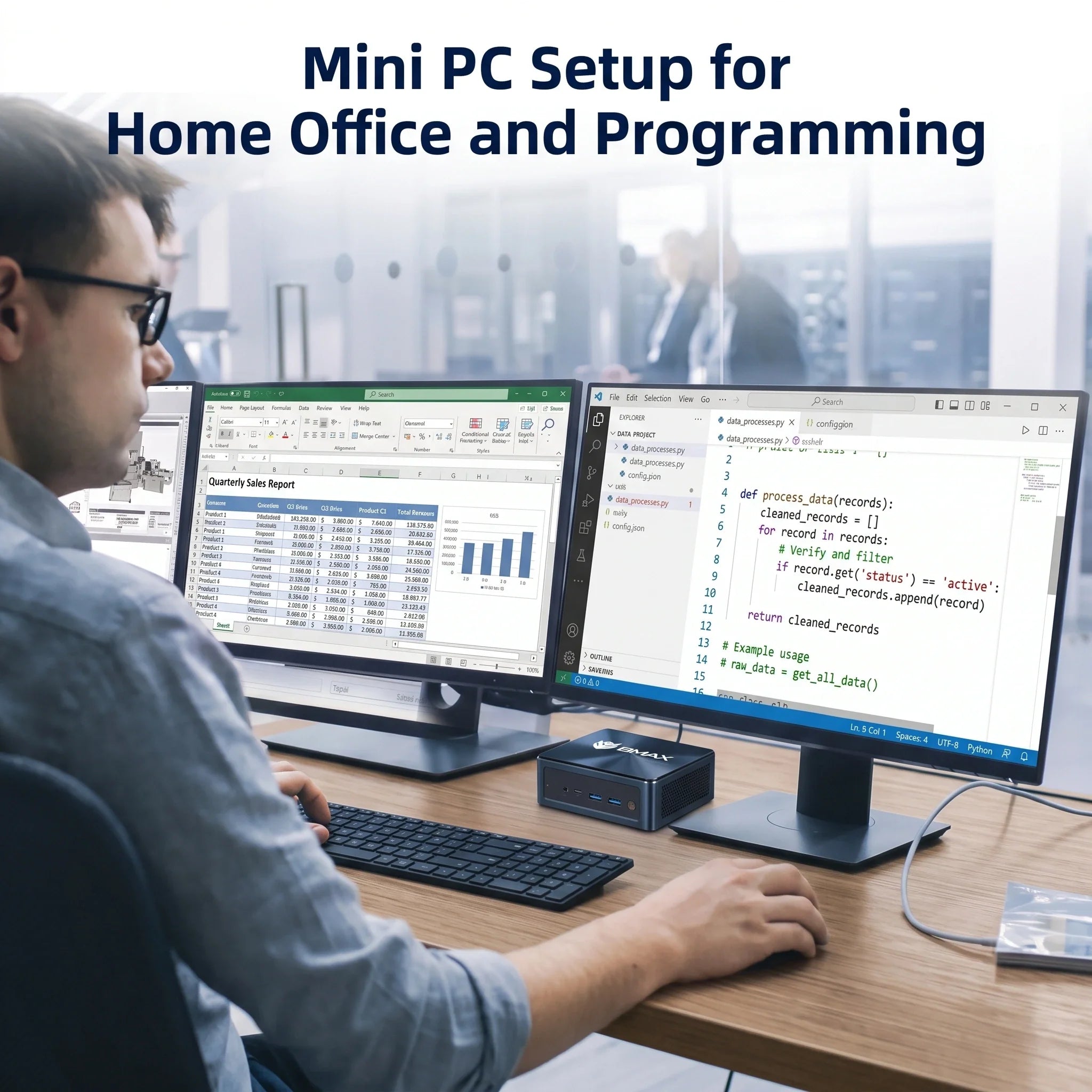
Los mejores mini PCs para programadores y desarrolladores en 2026: estaciones de trabajo compactas para programación.

Seamos realistas: programar no se trata solo de escribir texto en una pantalla. Para cuando hayas abierto VS Code, lanzado un par de contenedores Docker, iniciado una base de datos local y abierto 40 pestañas de Stack Overflow y documentación, tu ordenador estará pidiendo clemencia.
Durante mucho tiempo, los desarrolladores pensaron que estaban encadenados a enormes y ruidosas torres de escritorio o a portátiles de gama alta y excesivamente caros solo para conseguir un tiempo de compilación decente.
Ya no.
En 2026, el mini PC moderno ha evolucionado discretamente hasta convertirse en una estación de trabajo legítima para desarrolladores. Si quieres entender cómo se comparan los diferentes Mini PC en cuanto a rendimiento, memoria, almacenamiento y refrigeración, consulta nuestra Guía de compra de mini PCs 2026. Ofrecen una gran potencia de procesamiento multinúcleo, abundante memoria RAM, almacenamiento NVMe ultrarrápido y refrigeración eficiente, todo ello en un paquete que ocupa menos espacio que un libro de tapa dura.
Si quieres despejar tu escritorio sin sacrificar la velocidad de compilación, aquí te explicamos por qué un mini PC podría convertirse en tu próximo equipo de programación favorito.
¿Por qué los desarrolladores están abandonando las torres de PC en favor de los mini PC?
A los desarrolladores les encanta la eficiencia, no solo en su código, sino también en su hardware. He aquí por qué los PC compactos están conquistando los escritorios de los desarrolladores:
1. Un espacio de trabajo limpio y libre de distracciones
Tu mente ya está bastante ocupada con el seguimiento de variables y la depuración de la lógica. No necesitas una torre metálica gigante que ocupe la mitad de tu escritorio y cree un lío de cables. Los mini PC se pueden colocar discretamente debajo de una estantería, en una esquina del escritorio o justo detrás del monitor.
2. Músculos de verdad para cargas de trabajo pesadas
No te dejes engañar por su tamaño. Los mini PC modernos no son solo para navegar por internet. Con procesadores multinúcleo modernos, memoria RAM de alta velocidad y unidades SSD rápidas, pueden manejar fácilmente:
-
Entornos de desarrollo integrados (IDE) complejos (Visual Studio, IntelliJ, Android Studio)
-
Servidores y bases de datos de desarrollo local
-
Contenedores Docker y máquinas virtuales ligeras
-
Compilación rápida de código y desarrollo de software.
¿Qué deben buscar los programadores en un mini PC?
Antes de decidirte por un equipo de codificación compacto, asegúrate de comprobar estas tres especificaciones:
-
El procesador (CPU): La velocidad de compilación es fundamental. Necesitas un procesador multinúcleo robusto que pueda procesar compilaciones multihilo sin romperse. sweat.For usuarios que exploran el desarrollo asistido por IA y los flujos de trabajo de próxima generación, Mini PCs preparados para IA Las soluciones con aceleración NPU dedicada están adquiriendo cada vez más importancia.
-
RAM (Memoria): 16 GB es el mínimo indispensable para el desarrollo web y la multitarea moderada. Si planea ejecutar máquinas virtuales pesadas, clústeres de Kubernetes o emuladores de Android, 32 GB o más Es imprescindible.
-
Almacenamiento (velocidad) & Tamaño): Un SSD NVMe rápido es indispensable. Reduce drásticamente los tiempos de acceso a los archivos del proyecto, el arranque del sistema y los tiempos de compilación. Se recomienda un mínimo de 512 GB, aunque 1 TB es más seguro para proyectos exigentes.
¿Pueden los mini PCs ejecutar Docker y máquinas virtuales?
Sí, absolutamente.
Siempre que equipes tu Mini PC con suficiente RAM (de 16 GB a 32 GB) y una CPU multinúcleo potente, ejecutar contenedores Docker, servidores de prueba locales y máquinas virtuales ligeras será pan comido.
El factor calor: por qué la refrigeración es fundamental para los programadores.

Cuando se ejecuta un ciclo de compilación masivo o se compila un proyecto pesado, la CPU se calienta mucho. En un chasis pequeño, la gestión del calor es fundamental. Si un mini PC no cuenta con una refrigeración adecuada, su rendimiento se verá afectado por el sobrecalentamiento, lo que ralentizará la compilación justo cuando más se necesita velocidad.
Por eso BMAX diseñó el Sistema de refrigeración de la cápsula espacial. Obtenga más información sobre cómo el diseño térmico influye Mini PCs de alto rendimiento En nuestra guía de mini PCs de alto rendimiento, se destaca que optimiza el flujo de aire interno para mantener bajas las temperaturas y un rendimiento estable durante largas sesiones de programación, todo ello manteniendo el ruido del ventilador prácticamente imperceptible.
Los mejores mini PCs BMAX para programadores en 2026
BMAX ofrece una gama de estaciones de trabajo compactas diseñadas para adaptarse a diferentes flujos de trabajo de codificación:

💻 El todoterreno equilibrado: BMAX B6 Plus
-
Ideal para: Desarrolladores web, estudiantes que aprenden a programar y tareas de programación cotidianas.
-
Por qué es genial: Ofrece el equilibrio perfecto entre eficiencia y rendimiento, manejando fácilmente entornos de desarrollo integrados (IDE), múltiples ventanas del navegador y herramientas de backend estándar sin exceder tu presupuesto.
⚡ El caballo de batalla con tecnología AMD: BMAX B8A Pro
-
Ideal para: Desarrolladores que necesitan un rendimiento multihilo superior.
-
Por qué es genial: Impulsado por la robusta tecnología
AMD Ryzen , el B8A Pro Maneja cargas de trabajo pesadas, procesamiento de datos y entornos multitarea como un campeón en un formato diminuto.
🔥 La potente máquina de trabajo pesado: Potencia BMAX B9
-
Ideal para: Desarrolladores avanzados, personas con gran capacidad para realizar múltiples tareas simultáneamente y proyectos de software complejos.
-
Por qué es genial: Diseñado para una gran potencia informática. Combinado con una gestión térmica eficiente, el B9 Power Se mantiene estable incluso cuando llevas tu máquina al límite.
🤖 El programador preparado para la IA: BMAX B11 Pro
-
Ideal para: Desarrolladores que trabajan con herramientas de codificación asistidas por IA y flujos de trabajo de IA locales.
-
Por qué es genial: Impulsado por el procesador Intel Core
Ultra 5 115U con aceleración de IA integrada, el B11 Pro Está preparado para el futuro, para la próxima generación de herramientas de desarrollo basadas en IA y modelos locales de aprendizaje automático.
Mini PC vs. Ordenador de sobremesa para programación
| Característica | Mini PC | Torre de escritorio tradicional |
| Espacio de escritorio | Mínimo/Montable | Grande |
| Consumo de energía | Bajo | Alto |
| Velocidad de compilación | Rápido (ideal para la mayoría de los desarrolladores) | Máximo (construcciones personalizadas) |
| Actualizaciones de hardware | Limitado (RAM/SSD) | Amplio (GPU, fuente de alimentación, etc.) |
-
Elige un Mini PC si: Deseas un escritorio ordenado, escribes código, utilizas herramientas de desarrollo estándar y valoras un espacio de trabajo tranquilo y energéticamente eficiente.
-
Elija un ordenador de sobremesa si: Usted está impartiendo formación a gran escala en derecho a nivel local, necesita varias GPU discretas de gama alta o le encanta cambiar los componentes de hardware cada año.
Explorar el completo Mini PC BMAX Descubre la gama de productos y encuentra la estación de trabajo compacta ideal para tu flujo de trabajo.
Preguntas frecuentes
¿Realmente un mini PC es útil para programar?
Sí. Los mini PC modernos tienen suficiente potencia de CPU y memoria para ejecutar sin problemas entornos de desarrollo integrados (IDE) complejos, servidores locales, bases de datos y aplicaciones en contenedores.
¿Cuánta RAM necesito como desarrollador?
Ir con 16 GB para desarrollo web y codificación general. Si dependes mucho de Docker, máquinas virtuales o Android Studio, da un paso más allá. 32 GB.
¿Pueden los mini PCs ejecutar Docker?
Por supuesto. Siempre que tu mini PC tenga la virtualización habilitada en la BIOS y suficiente RAM asignada, Docker funcionará sin problemas y de forma fiable.
¿Son útiles los miniordenadores con IA para los programadores?
Mucho. Con el auge de las herramientas de codificación asistidas por IA y los modelos de lenguaje locales, tener un chip preparado para IA (como el BMAX B11 Pro) significa que tu hardware no limitará los flujos de trabajo de los desarrolladores en el futuro.





