

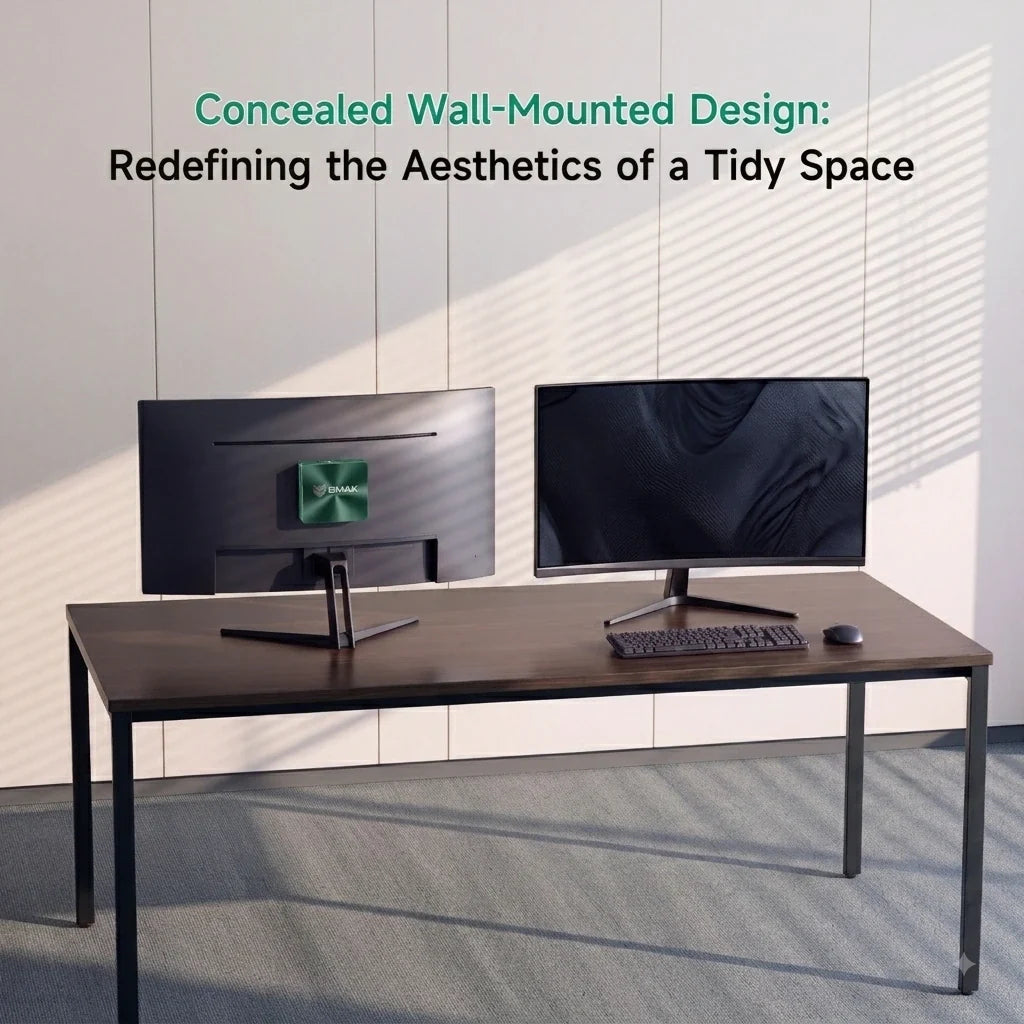
Kann ein Mini PC im Jahr 2026 einen Desktop-Computer ersetzen? Was Sie wissen müssen

Jahrelang war der traditionelle Desktop-Tower die unbestrittene Standardwahl für alle, die hohe
Die Dinge ändern sich.
Die heutigen
Die große Frage bleibt also bestehen: Kann ein
Für die meisten Nutzer lautet die Antwort eindeutig: Ja.
Es gibt jedoch nach wie vor einige anspruchsvolle Anwendungsfälle, in denen der klassische Tower-PC die Nase vorn hat. Wir zeigen Ihnen, wo
(Falls Sie noch Ihre Optionen abwägen, unsere Kaufberatung für
Was hat sich bei Mini PC s bis 2026 verändert?

Die ersten
Moderne
Dank bedeutender Fortschritte bei Prozessoren und Kühltechnologien bieten moderne Kompaktsysteme leistungsstarke Hardware in Gehäusen von der Größe eines Taschenbuchs. Je nach Modell erhalten Sie:
-
Moderne, hocheffiziente Intel- und AMD-Ryzen-Prozessoren
-
Blitzschneller NVMe-SSD-Speicher und DDR5-RAM
-
Dedizierte KI-Beschleunigungshardware (NPUs)
-
Mehrere 4K-Displayausgänge und schnelles WLAN/Bluetooth
Die Frage ist nicht mehr, ob ein
Kann ein Mini PC alltägliche Büroarbeiten bewältigen?
Kurze Antwort: Leicht.
Wenn Ihre tägliche Routine aus Microsoft Office, intensivem Multitasking mit Google Chrome, Zoom-Meetings, Tabellenkalkulationen und Cloud-Anwendungen besteht, ist ein herkömmlicher Desktop-Tower völlig überdimensioniert.
Ein moderner
Kann ein Mini PC einen Desktop-PC zum Programmieren ersetzen?
Für die große Mehrheit der Entwickler und Informatikstudenten –Ja, absolut.
Moderne
-
Visual Studio Code & Visual Studio
-
IntelliJ IDEA & Android Studio
-
Lokale Datenbanken und Webserver
-
Docker-Container und leichtgewichtige virtuelle Maschinen
Die goldene Regel hier ist RAM. Wenn Sie umfangreiche Containerisierung betreiben oder mehrere Emulatoren ausführen, sollten Sie sich nicht mit 8 GB zufriedengeben – streben Sie mehr an. 16 GB bis 32 GB Der Arbeitsspeicher ist ausreichend. In Kombination mit einer schnellen NVMe-SSD erfolgen die Kompilierungszeiten der Projekte zügig und reaktionsschnell.
(Für einen genaueren Einblick lesen Sie unseren Leitfaden zu
Kann ein Mini PC KI-Workloads bewältigen?
Künstliche Intelligenz wird im Jahr 2026 in fast alle unsere Tätigkeiten integriert sein, und viele moderne Chips verfügen bereits über eingebaute KI. NPUs (Neuronale Verarbeitungseinheiten) Entwickelt für die effiziente Bearbeitung lokaler KI-Aufgaben.
Dies führt zu höherer Produktivität dank KI-Unterstützung, intelligenten Workflow-Tools und lokalen Machine-Learning-Funktionen.
Ein wichtiger Unterschied besteht jedoch: Ein KI-fähiger
(Neugierig auf die NPU-Technologie? Schauen Sie sich unseren Leitfaden dazu an.) Die besten KI-
Kann ein Mini PC einen Gaming-Desktop ersetzen?
Das hängt ganz davon ab, was für ein Spielertyp du bist.
-
Mini PC s vernichten: Gelegenheitsspiele, Indie-Titel, E-Sport-Favoriten (wie League of Legends), ältere Klassiker und Cloud-Gaming-Dienste (wie Xbox Cloud und GeForce NOW). -
Desktop-PCs sind nach wie vor unübertroffen in folgenden Bereichen: High-End-AAA-Gaming mit maximalen Einstellungen, aufwändiges Raytracing, natives 4K-Rendering und Setups, die mehrere massive Grafikkarten erfordern.
Wenn Sie kein Hardcore-Gamer sind, der auf höchste Bildwiederholraten aus ist, reicht ein
(Möchten Sie die vollständige Spielübersicht? Lesen Sie unseren Artikel.)
Wie sieht es mit RAM- und Speichererweiterungen aus?
Hier behält der traditionelle Desktop-PC nach wie vor unbestritten seine Spitzenposition: Erweiterung.
Ein massiver Tower-PC bietet Platz für mehrere Festplatten, riesige Grafikkarten, zusätzliche Netzteile und jede Menge Arbeitsspeicher.
Viele
Warum Kühlung bei einem Kompaktcomputer wichtig ist
Der größte Feind eines kleinen Computers ist die Hitze.
In einem riesigen Desktop-PC hat man jede Menge leeren Platz und große Lüfter, die die Luft umwälzen. In einem
Das BMAX-Raumkapsel-Kühlsystem

Um das physikalische Problem der Kühlung eines
Durch die Optimierung der internen Luftzirkulation und Wärmeabfuhr hält dieses System kritische Komponenten auch unter Druck kühl. Das Ergebnis?
-
Absolut zuverlässige und stabile
Power auch bei langen Arbeitssitzungen -
Bessere Temperaturregelung ohne unnötige Lüftergeräusche
-
Geschützte Hardware und längere Langzeitzuverlässigkeit
Mini PC vs. Desktop: Kurzer Entscheidungsleitfaden
| Erfordernis | Traditioneller Desktop-Tower | |
| Büro & Web-Browsing | Exzellent | Exzellent |
| Programmierung & Entwicklungsarbeit | Exzellent | Exzellent |
| Gelegenheitsspiele | Gut | Exzellent |
| Hardcore AAA Gaming | Beschränkt | Exzellent |
| Platz auf dem Schreibtisch gespart | Massiv | Keiner |
| Energieeffizienz | Hoch | Untere |
| Hardware-Upgrades | Beschränkt | Exzellent |
Für wen ist ein Mini PC geeignet? (Und für wen nicht?)
Entscheiden Sie sich für einen
-
Ein Student, ein Fernarbeiter, ein Programmierer oder ein Schöpfer
-
Jemand mit begrenztem Platz am Schreibtisch (Wohnungen, Studentenwohnheime, kleine Büros)
-
Genug von Kabelsalat und riesigen, summenden Boxen?
-
Ich suche nach hoher Energieeffizienz und einer sauberen Installation.
Bleiben Sie bei einem herkömmlichen Desktop-PC, wenn Sie:
-
Ein Hardcore-Gamer, der maximales 4K-Raytracing verlangt.
-
Ein Profi, der aufwändiges 3D-Rendering oder umfangreiches lokales KI-Training durchführt.
-
Ein Enthusiast, der sich für den Bau von individueller Hardware und häufige Upgrades begeistert.
Endgültiges Urteil: Kann es Ihren Desktop ersetzen?
Für 80 % der alltäglichen Nutzer, Studenten, Programmierer und Berufstätigen im Jahr 2026 Ja – ein moderner
Sie sind platzsparend, energieeffizient, leise und bieten eine unglaubliche
Bereit für den Wechsel? Entdecken Sie die BMAX





