

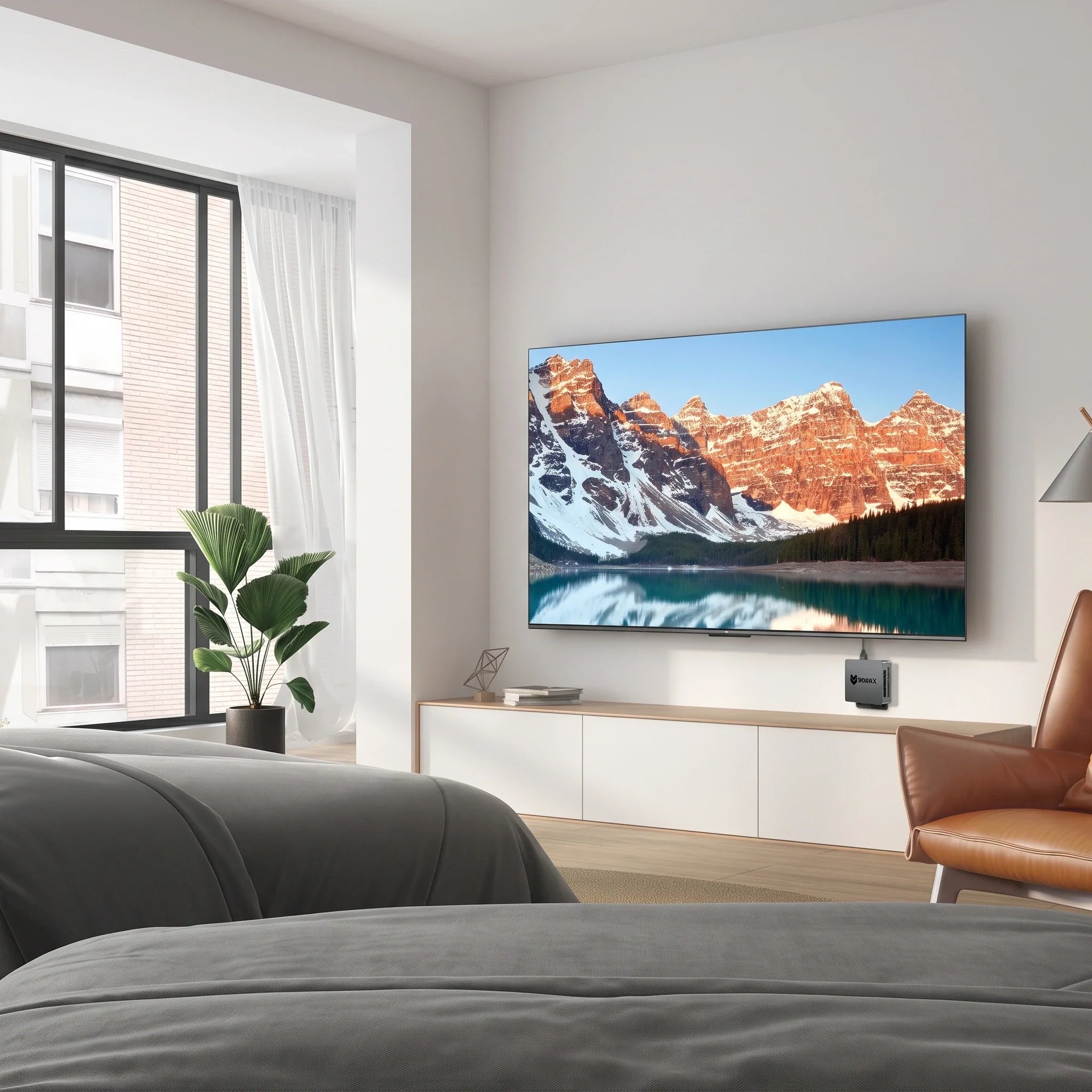
Am besten Mini PCTrends für Home Entertainment im Jahr 2026: Bauen Sie das ultimative kompakte Medienzentrum

Seien wir ehrlich: Smart-TVs sind toll, solange sie es tun.
Man schaltet den Fernseher ein, wartet, bis das umständliche Betriebssystem geladen ist, erträgt eine Flut von App-Werbung und stellt fest, dass man weder die eine Web-Erweiterung installieren, noch auf den lokalen Medienserver zugreifen oder die E-Mails abrufen kann, ohne das Smartphone herauszuholen. Streaming-Sticks sind zwar für Netflix in Ordnung, aber man fühlt sich als Kunde wie in einem geschlossenen System gefangen.
Was wäre, wenn Ihr Fernseher im Wohnzimmer wie ein echter Computer funktionieren würde?
Geben Sie die Mini PC. Versteckt hinter Ihrem Fernseher oder unauffällig auf dem Fernsehständer stehend, bietet ein kompakter Windows-PC Platz für Ihre Windows-Kamera. Mini PC verwandelt Ihren Wohnzimmerbildschirm in ein riesiges, voll funktionsfähiges Entertainment-Zentrum.
Wenn Sie die Einschränkungen von Smart-TVs und Streaming-Boxen satt haben, erfahren Sie hier, warum ein Mini PC Das könnte die beste Aufrüstung für Ihr Heimkino-System im Jahr 2026 sein.
Was kann ein Mini PC Was macht man tatsächlich im Wohnzimmer?
A Mini PC ist nicht nur eine schicke Streaming-Box – es ist ein vollwertiger Desktop-Computer im Taschenbuchformat. Über HDMI mit Ihrem Fernseher verbunden, kann er alles, was ein herkömmlicher Tower-PC kann, einschließlich:
-
4K-Filme streamen und Serien im Binge-Watching-Modus schauen
-
Vollständiges Surfen im Web ohne lästige Einschränkungen von mobilen Apps
-
Lokale Videodateien abspielen und riesige persönliche Medienbibliotheken verwalten
-
Gelegenheitsspiele, Indie-Titel und Cloud-Gaming
-
Zoom-Anrufe und Familien-Videochats auf dem großen Bildschirm
-
Erledigen Sie einfache alltägliche Computeraufgaben bequem von Ihrem Sofa aus.
Statt Ihr Entertainment-Center mit zahlreichen Geräten vollzustellen, erledigt eine kleine Box alles.
Mini PC vs. Streaming-Gerät: Warum sich mit weniger zufriedengeben?
Streaming-Sticks sind günstig und praktisch, aber sie sind nur für einen Zweck konzipiert: Medienkonsum. Mini PC bietet Ihnen absolute Freiheit.
| Besonderheit | Mini PC | Streaming-Gerät (Fire Stick, Roku usw.) |
| Streaming-Video | Exzellent | Exzellent |
| Vollständiges Web-Browsing | Exzellent | Eingeschränkt/Klobig |
| Windows-Anwendungen | Ja | NEIN |
| Lokale Dateiverwaltung | Hervorragend (beliebiges Laufwerk anschließen) | Beschränkt |
| Gelegenheitsspiele | Ja (Steam, Emulatoren, Cloud) | Sehr begrenzt |
| Softwareflexibilität | Hoch (Beliebiges installieren) | Streng abgeriegelt |
Wenn du nur Wer Netflix schauen möchte, für den reicht ein Streaming-Stick für 40 Dollar.Wenn Sie aber ein Gerät möchten, mit dem Sie im Internet surfen, Windows-Anwendungen ausführen, Dateien verwalten und Spiele auf Ihrem großen Bildschirm spielen können, dann ist ein Mini PC bläst Stöcke aus dem Wasser.
Welche Spezifikationen sind für einen Heimkino-PC wichtig?
Man braucht keinen High-End-Gaming-PC, um Filme zu streamen, aber ein ausgewogenes System, das nicht ruckelt, ist schon empfehlenswert.
-
Der Processor (CPU): Ein leistungsstarker Prozessor sorgt für flüssige Performance Ihres Media-Centers. Wenn Sie Multitasking betreiben, Dateien im Hintergrund herunterladen oder Anwendungen während des Streamings ausführen möchten, gewährleistet eine CPU der Mittelklasse einen reibungslosen Ablauf.
-
RAM (Arbeitsspeicher): 8 GB Für einfaches Videostreaming und Surfen im Internet reicht es völlig aus. Wenn Sie aber wie die meisten Leute gerne 30 Browser-Tabs geöffnet haben, während Sie Musik hören und chatten, 16 GB sorgt für ein reibungsloses Nutzererlebnis.
-
Speicher (SSD): Eine schnelle NVMe-SSD sorgt dafür, dass Ihr Media Center in Sekundenschnelle hochfährt und Apps sofort öffnet. 512 GB SSD ist der ideale Kompromiss für den allgemeinen Heimgebrauch. (Wenn Sie riesige 4K-Filmdateien besitzen, können Sie problemlos einen externen Speicher anschließen).
Einrichtung Ihres Wohnzimmers Mini PC

Das Anschließen eines Media-Center-PCs ist erstaunlich einfach. Sie benötigen lediglich Folgendes:
-
A Mini PC
-
Ein HDMI-Kabel, das an Ihren Fernseher (oder Heimkino-Receiver) angeschlossen ist
-
Eine kabellose Tastatur mit integriertem Trackpad (oder eine Mini-Funktastatur/Maus-Kombination)
-
WLAN oder Ethernet
Machen Sie es sich auf dem Sofa bequem, starten Sie Windows und schon verwandelt sich Ihr Fernseher im Wohnzimmer in einen riesigen PC-Monitor. Das ist die perfekte Lösung für Filmabende, zum gemeinsamen Betrachten von Urlaubsfotos mit der Familie oder zum entspannten Online-Shopping auf dem großen Bildschirm.
Ist es für 4K und Gelegenheitsspiele geeignet?
Ja! Modern Mini PCs bewältigt problemlos die Wiedergabe und das Streaming von gestochen scharfen 4K-Videos.
Was das Spielen angeht, sollten Sie nicht erwarten, anspruchsvolle AAA-Spiele mit maximalen Einstellungen ohne dedizierte Grafikkarte spielen zu können. Aber für Gelegenheitsspiele, Indie-Titel, Retro-Emulatoren, E-Sport-Spiele (wie League of Legends) und Cloud-Gaming (Xbox Cloud, GeForce NOW), A Mini PC ist ein absoluter Knaller im Wohnzimmer.
Warum Kühlung für Medienzentren immer noch wichtig ist

Heimkino-PCs laufen oft stundenlang – egal ob man einen mehrstündigen Filmmarathon streamt, einen Plex-Server betreibt oder über Nacht große Dateien herunterlädt.
Kleine Computer speichern leicht Wärme, und nichts verdirbt einen Filmabend schneller als ein lauter Lüfter oder eine thermische Drosselung, die zu Videoruckeln führt.
Deshalb BMAX konstruierte Kühlsystem der Raumkapsel. Speziell für kompakte Gehäuse entwickelt, optimiert es die interne Luftzirkulation und hält die Temperaturen geräuschlos im optimalen Bereich. Sie erhalten stabile Leistung, niedrigere Temperaturen und ein flüsterleises Wohnzimmererlebnis.
Mini PC vs. Smart-TV: Der ultimative Showdown
| Besonderheit | Mini PC + Fernsehen | Smart-TV allein |
| Streaming-Apps | Unbegrenzt (Web + Apps) | Nur im App Store erhältlich |
| Internet-Surfen | Vollständiger Desktop-Browser | Klobige Fernbedienung |
| Dateiverwaltung | Voller Zugriff | Extrem eingeschränkt |
| Langlebigkeit | Leicht aufrüstbar/flexibel | Verlangsamt sich mit Betriebssystem-Updates |
Smart-TVs funktionieren anfangs gut, aber ihre eingebauten Prozessoren werden nach ein paar Jahren langsamer, und man ist an deren Benutzeroberfläche gebunden. Mini PC Dadurch erhält Ihr Fernseher ein permanentes Hardware-Upgrade – immer wenn sich die Software ändert, kümmert sich Ihr PC darum.
Wer braucht schon einen Mini PC zur Unterhaltung?
-
Familien: Streamen, lernen, Gelegenheitsspiele spielen und Familienfotos ansehen – alles auf dem großen Bildschirm.
-
Medienbegeisterte: Ideal für die Einrichtung eines lokalen Heimmedienservers (Plex/Kodi) mit massivem externem Speicher.
-
Bewohner kleiner Wohnungen: Platz sparen, ohne auf die Vielseitigkeit eines vollwertigen Computers zu verzichten.
-
Der Arbeiter mit zwei Waffen: Verwenden Sie die Mini PC Für Ihre Heimarbeit tagsüber und schließen Sie es abends an den Fernseher im Wohnzimmer an (oder wechseln Sie die Eingänge) zur Unterhaltung.
Erkunden Sie das vollständige BMAX Mini PC Sammlung einen kompakten Computer zu finden, der in Ihren Wohnraum passt.

Häufig gestellte Fragen
Kann ich eine Verbindung herstellen? Mini PC auf jeden Fernseher?
Ja! Solange Ihr Fernseher über einen HDMI-Anschluss verfügt (was bei fast allen modernen Fernsehern der Fall ist), können Sie ihn problemlos anschließen. Mini PCDie
Kann ein Mini PC Meinen Smart-TV ersetzen?
Es ersetzt nicht das Display selbst, sondern vollständig das schlau Teil des Fernsehers, wodurch Sie ein deutlich überlegenes Betriebssystem, einen Webbrowser und einen Medienbibliothek-Manager erhalten.
Sind Mini PCEignet sich das Gerät zum Ansehen von 4K-Filmen?
Absolut. Modern. Mini PCSie bewältigen 4K-Streaming und die lokale 4K-Videowiedergabe reibungslos. (Bei hohen Heimkino-Anforderungen sollten Sie jedoch unbedingt die spezifischen Ausgänge des jeweiligen Modells überprüfen.)
Kann ich im Wohnzimmer Spiele spielen? Mini PC?
Ja, sie sind fantastisch für Gelegenheitsspiele, Indie-Titel, Couch-Koop-Spiele und Cloud-Gaming-Dienste.
Wird ein Mini PC Meine Stromrechnung in die Höhe treiben?
Gar nicht. Mini PCSie sind auf hohe Energieeffizienz ausgelegt und verbrauchen deutlich weniger Strom als herkömmliche Desktop-Tower.
Abschluss
A Mini PC ist weit mehr als nur ein verkleinerter Desktop-PC. Im Wohnzimmer fungiert er als die ultimative Schnittstelle zwischen Streaming, Web-Browsing, Gelegenheitsspielen und der Verwaltung persönlicher Medien.
Wenn Sie genug von den eingeschränkten Benutzeroberflächen von Smart-TVs haben und die volle Kontrolle über Ihr Entertainment-Center wünschen, ist die Anschaffung eines kompakten PCs eine bahnbrechende Lösung.
Schau dir das an BMAX Mini PC Sammlung Heute noch bauen wir das ultimative moderne Medienzentrum!







