Recently, we have conducted detailed analysis on the problems reported by users such as B8 Pro blue screen, crash, and B7 series not displaying when starting up for the first time, and conducted targeted technical debugging and repairs. Now the problem has been solved. If you encounter the same problem, just download a new version of the BIOS file and upgrade the BIOS to solve it! Please follow the BIOS upgrade instructions below:
Improved compatibility with monitors,solving the problem of some HDMI monitors can't display when they are connected to B7 Pro and boot up B7 Pro for the first time.
Improved compatibility with monitors,solving the problem of some HDMI monitors can't display when they are connected to B7 Pro and boot up B7 Pro for the first time.
A practical review of the BMAX B4 Ultra mini PC, exploring its performance, design, and real-world use cases for home office and everyday productivity.
Why the BMAX B4 Turbo Outperforms Old Flagships at Half the Price
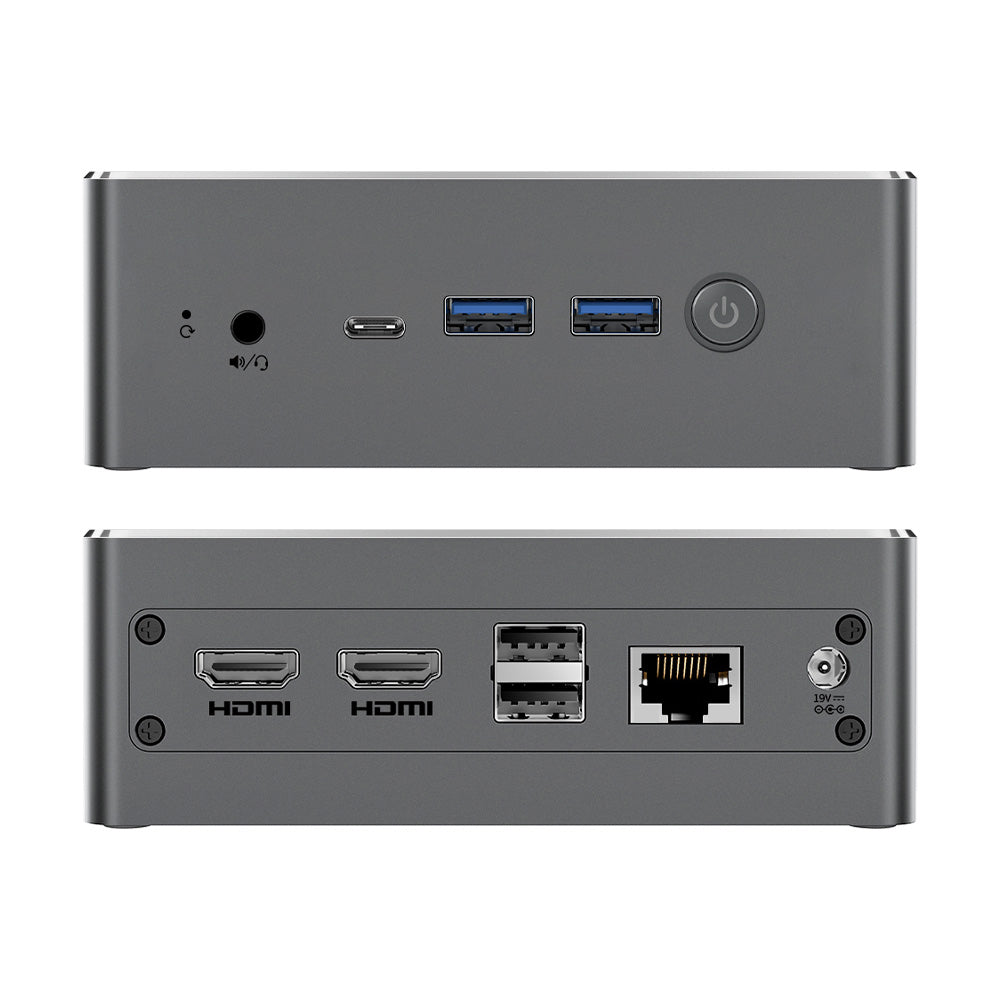
When changing computers at the beginning of the year, many people were confused about whether to buy an old high-end model or a new entry-level model? The author's point of view is very clear: in today's rapidly developing technology, it is better to choose a new high-cost-effective product, such as the BMAX B4 Turbo strongly recommended in the article, rather than buying an old discounted high-end model.
The reasons are as follows:
It uses Intel's 13th generation N150 processor (4 cores and 4 threads, 7nm process, maximum frequency 3.6GHz, power consumption is only 6W), and the performance is close to the past mid-to-high-end processors (such as the 10th generation i3 and i5), but the price is directly cut in half.
The memory and storage are sufficient (16G+512G/1TB), which is completely sufficient for daily office and entertainment, and the reading and writing speed is not bad.
The 512G version is only $168(coupon:ZVFZMWMWQZE3), which is hundreds of dollars cheaper than the old models with the same configuration (such as ThinkCentre M60e, ProDesk 400 G6), and the cost-effectiveness is off the charts.
Compared with the star processors of previous years (such as i3-1005G1, i5-10500T), the performance of B4 Turbo is close to or even partially surpasses it, and the power consumption is even lower, and it will not heat up and reduce the frequency after long-term use.
Even the mac mini (2020 model) with Apple M1 chip can be compared: B4 Turbo has a higher frequency (3.6GHz vs M1's 3.2GHz), but the price is only 1/3, which is suitable for users with limited budget but want to experience smoothness.
Old hardware may face compatibility issues after system upgrades, affecting smoothness; while the new architecture and process are more advanced and more stable.
Although the old mid-to-high-end models were once powerful, the price was inflated (for example, the i5-10500T model costs $449), and the body is bulky, not as compact and portable as B4 Turbo.
As a dynamic and personalized digital brand, rapid iteration and continuous improvement have always been the main theme of BMAX's development. We always adhere to the attitude of striving for excellence, continue to optimize and upgrade our product lines, and continue to bring cutting-edge products with high quality and high cost performance to global users. Following the birth of the fashionable tablet I11, another new product, the I8 Mini, which is the result of countless efforts of the BMAX elite scientific research team, will be released soon! It is not only a compact tablet, but also a digital star with great connotations. Do you want to know more about this rising star’s unique personality? Here are the details for you one by one!
The I8 Mini has a sophisticated appearance. The 7.9-inch IPS screen has a resolution of up to 2K. It has bright colors and stunning picture quality. Every detail on the screen can be presented delicately. The visual expression is quite excellent. It has a 4:3 golden screen ratio and is about the same size as a book. Not only can it be easily held with one hand, but it also offers a high-precision display that is unmatched by ordinary e-books, and a comfortable reading experience like a paper book. For those who like to watch dramas, I8 Mini is also a mini cinema that can held with one hand.
Not only does the I8 Mini have a high-resolution screen, it is also equipped with a rear camera of 13 million pixels and a front camera of 5 million pixels, allowing you to take charming selfies at any time. In addition, it can also bring you clear and moving video calls and live broadcast effects. It is like a mirror that reflects your unique temperament and beautiful style. It is an essential tool for online social masters.
Not only does it have outstanding looks, the I8 Mini is also powerful in its performance. It is equipped with an eight-core processor and can easily handle daily office tasks such as data statistics, PPT production, drawing, and video editing. It is also an interesting small game console. Classic mini-games such as Bubble Bobble, Plants vs. Zombies, Clash of Clans, Brawl Stars, and Asphalt can all be played without worries. The lightweight body is not heavy at all, and your hands will not feel tired no matter how long you play.
I8 Mini contains 4GB+8GB large integrated memory and 128GB storage space. So it has ultra-fast reading and writing speeds and file transfer speeds. It also can meet daily file storage needs. In addition, it is also equipped with the latest Android 14 system, which has a personalized interface, rich AI recognition functions, more complete privacy permission settings, and a silky and smooth new experience. Once you start to use it, you will not be able to put it down.
Such a small and stylish I8 Mini has entered the trial production stage and will be officially launched in June. Available for pre-order worldwide from now on. If you like it, please take action quickly!
I recently bought a BMAX 8A Pro with BIOS American Megatrends, core version 5.29, BIOS version V1.1_272. build 08/30/2025.
Does this BIOS support Virtual Machine (like AMD-SVM) and if so, how to install it?
Subscribe to get $10 OFF coupon and the latest news from BMAX
Be the first to know about new collections and exclusive offers.




1 comment
I recently bought a BMAX 8A Pro with BIOS American Megatrends, core version 5.29, BIOS version V1.1_272. build 08/30/2025.
Does this BIOS support Virtual Machine (like AMD-SVM) and if so, how to install it?