As a dynamic and personalized digital brand, rapid iteration and continuous improvement have always been the main theme of BMAX's development. We always adhere to the attitude of striving for excellence, continue to optimize and upgrade our product lines, and continue to bring cutting-edge products with high quality and high cost performance to global users. Following the birth of the fashionable tablet I11, another new product, the I8 Mini, which is the result of countless efforts of the BMAX elite scientific research team, will be released soon! It is not only a compact tablet, but also a digital star with great connotations. Do you want to know more about this rising star’s unique personality? Here are the details for you one by one!
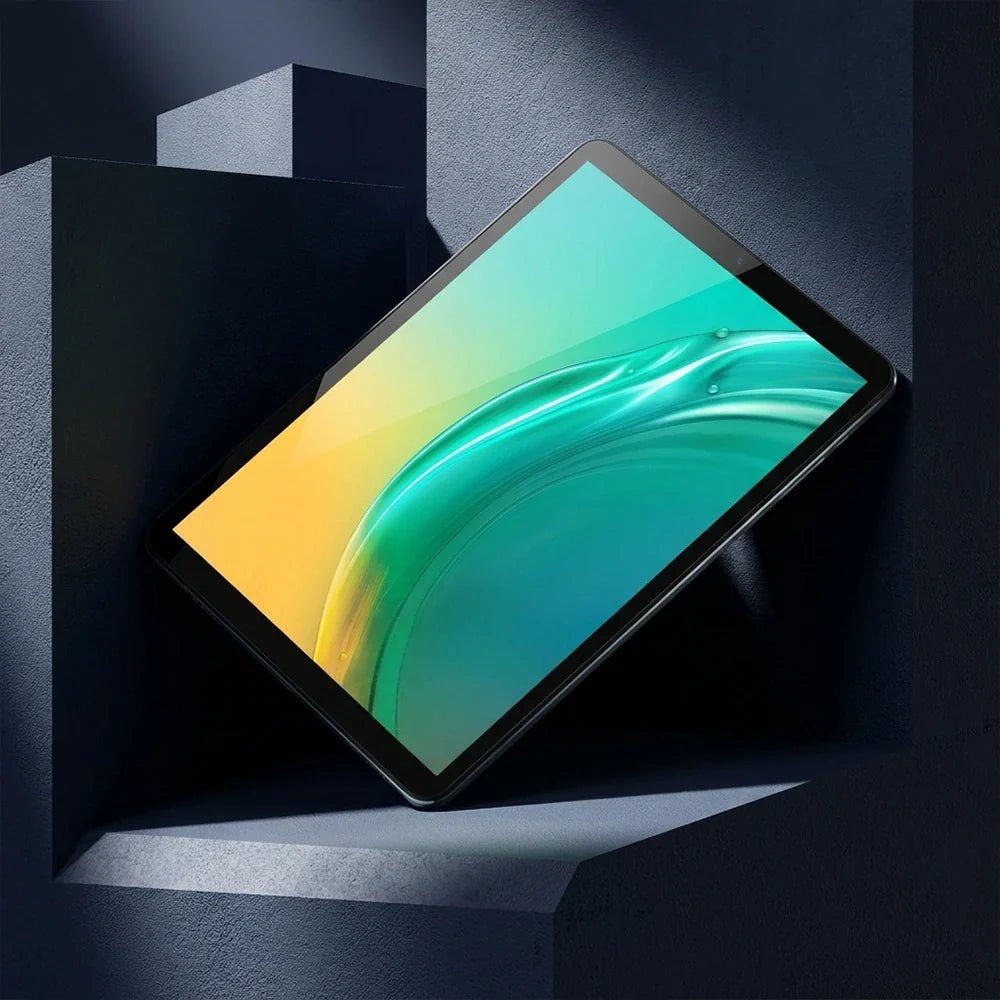
The I8 Mini has a sophisticated appearance. The 7.9-inch IPS screen has a resolution of up to 2K. It has bright colors and stunning picture quality. Every detail on the screen can be presented delicately. The visual expression is quite excellent. It has a 4:3 golden screen ratio and is about the same size as a book. Not only can it be easily held with one hand, but it also offers a high-precision display that is unmatched by ordinary e-books, and a comfortable reading experience like a paper book. For those who like to watch dramas, I8 Mini is also a mini cinema that can held with one hand.
Not only does the I8 Mini have a high-resolution screen, it is also equipped with a rear camera of 13 million pixels and a front camera of 5 million pixels, allowing you to take charming selfies at any time. In addition, it can also bring you clear and moving video calls and live broadcast effects. It is like a mirror that reflects your unique temperament and beautiful style. It is an essential tool for online social masters.
Not only does it have outstanding looks, the I8 Mini is also powerful in its performance. It is equipped with an eight-core processor and can easily handle daily office tasks such as data statistics, PPT production, drawing, and video editing. It is also an interesting small game console. Classic mini-games such as Bubble Bobble, Plants vs. Zombies, Clash of Clans, Brawl Stars, and Asphalt can all be played without worries. The lightweight body is not heavy at all, and your hands will not feel tired no matter how long you play.
I8 Mini contains 4GB+8GB large integrated memory and 128GB storage space. So it has ultra-fast reading and writing speeds and file transfer speeds. It also can meet daily file storage needs. In addition, it is also equipped with the latest Android 14 system, which has a personalized interface, rich AI recognition functions, more complete privacy permission settings, and a silky and smooth new experience. Once you start to use it, you will not be able to put it down.
Such a small and stylish I8 Mini has entered the trial production stage and will be officially launched in June. Available for pre-order worldwide from now on. If you like it, please take action quickly!
For watching, screen area matters more than any specification on the box. A 13.4-inch tablet has 76% more viewing area than a 10.1-inch one. That is a bigger difference than any chip upgrade in this price range.
The second thing that matters is DRM. A tablet without Widevine L1 certification plays Netflix at 480p, no matter how good the panel is. That is the detail listings never mention.
Here is what to look for. Then we cover each size, and which model fits a sofa, a flight or a bed.
Key takeaways
Area, not diagonal. 13.4 inches gives 521 cm² against 296 cm² at 10.1.
Check Widevine L1 before buying if you watch Netflix or Prime in HD.
Brightness beats resolution. 400 nits is comfortable indoors; 300 is not, in daylight.
Stereo speakers matter more than RAM. One speaker on a 13-inch tablet sounds thin.
The I14 is the value pick at $169.99: biggest screen per dollar here.
What actually matters for watching?
Specification
Why it matters
What to look for
Screen area
How immersive it feels
13 inches or more for a main screen
Panel type
Viewing angles, contrast
IPS, not TN
Brightness
Daylight visibility
350–400 nits
Widevine level
Netflix and Prime quality
L1 for HD, L3 caps at 480p
Speakers
Whether you need headphones
Stereo, bottom or side firing
Battery
Flight or long journey
10,000 mAh for 8+ hours of video
Why area beats diagonal
Calculated from the diagonal at 16:10. Area grows with the square of the diagonal, which is why 13 inches feels so much larger than 10.
A 10.1-inch tablet has 296 cm² of screen. A 13.4-inch one has 521 cm², which is 76% more area from a 33% longer diagonal.
That is why a bigger panel feels like a different class of device. It is also why a 13-inch tablet is a poor choice for reading in bed. 520 cm² of glass is heavy at arm's length.
Does Netflix play in HD?
Only if the tablet has Widevine L1. That is a DRM certification from Google, and it is separate from the screen resolution.
Without L1, Netflix and Prime Video cap playback at 480p, and the app will not tell you why. YouTube is unaffected, which is why people blame the tablet rather than the licence.
Ask before you buy. Search the model name plus "Widevine L1" or ask the seller directly. A tablet that cannot stream in HD is not a streaming tablet, regardless of what the listing shows.
Which BMAX for watching?
Model
Screen
Best for
I14 — $169.99
13.4", 10,000 mAh
The value pick. Biggest screen per dollar, 620 in stock.
I12 Power — $199.99
11.4", 8,000 mAh
LTE for streaming on the move, lighter than 13 inches.
I10 Plus — $109.99
10.1", 6,000 mAh
Bedside and travel. Light enough to hold one-handed.
The I14 is the one to buy for a sofa or a kitchen. It costs less than the 11.4-inch I12 Power. It also gives you 38% more screen area, which is the point of a streaming tablet.
What about reading?
Reading is the opposite problem. A 13-inch panel at arm's length is too bright and too heavy for an hour in bed. The text is no easier to read than on a 10-inch screen.
For books and comics, 8.7 to 10.1 inches is the comfortable range. The I8 Plus at $109.99 is small enough to hold for a long session. Its 6,000 mAh battery lasts about as long as the I14's 10,000 mAh, because the panel is smaller.
What about panel quality?
Panel type is the variable you cannot see in a listing. An IPS panel keeps colour stable at 45 degrees, which matters when two people watch from a sofa. A TN panel greys out at that angle, and no specification warns you.
Brightness is the second. A 400-nit panel is comfortable in a lit room and marginal outdoors. A 300-nit panel is fine at night and washed out by a window in the afternoon.
Does a stand matter?
Yes, more than most accessories. A 13-inch tablet propped on a pillow slides down every few minutes. A folio case with a rigid back and two angle stops costs $20 and fixes that.
Look for a case that covers the screen when closed. A 521 cm² panel is the most expensive part of the device, and a $20 cover is cheaper than a screen repair.
Battery on a flight
Video playback is the worst case for battery. Expect roughly 8 hours from 10,000 mAh and 6 hours from 6,000 mAh at moderate brightness. That covers a transatlantic flight, not a long layover.
Two practical notes: download the films in advance, because in-flight Wi-Fi is slower than the film. Carry a 20 W USB-C charger, since a 10,000 mAh battery takes two hours to refill.
FAQ
What is the best tablet size for watching movies?
13 inches or more for a main screen. If you hold it in your hands rather than propping it up, 10 inches is more comfortable. The difference in area is still 76%.
Do cheap tablets stream Netflix in HD?
Only if they have Widevine L1. Many budget models ship with L3, which caps Netflix and Prime at 480p. YouTube is not affected, so the problem is easy to miss.
Is 10 inches enough for a tablet?
For reading and travel, yes. For watching as a main screen, a 13-inch model gives 76% more viewing area for about $60 more.
Do I need LTE for streaming?
Only if you watch away from Wi-Fi regularly. Phone tethering works, but it drains the phone. The I12 Power includes LTE for $199.99.
What battery capacity do I need for a flight?
About 10,000 mAh for 8 hours of video. A 6,000 mAh tablet lasts roughly 6 hours, which covers a short flight but not a long one.
Which BMAX tablet is best for streaming?
The I14 at $169.99. It has the largest screen in the range and costs less than the 11.4-inch model.
Related reading
Tablet for students
Best mini PC for students
What $100, $200 and $300 actually buy
The BMAX buying guide
BMAX store
$169.99, 13.4 inches, 521 cm². The I14 is the largest screen in the range and the cheapest way to get it.
Shop BMAX tablets
Sources
Screen size, battery and price: bmaxbuy.com product listings, November 2026.
Viewing area: calculated from the diagonal at a 16:10 aspect ratio.
Widevine levels: Google Widevine documentation on L1 and L3 playback.
Battery estimates assume moderate brightness and offline playback. Widevine certification varies by model and region, so confirm before purchase.
An $800 editing laptop with an i9-12900H handles 1080p work and light 4K. It does not handle 4K multicam with effects. The limit is not the CPU. It is the integrated graphics and the 1080p screen.
The X17 Power packs 14 cores and 20 threads, 24 GB of RAM and a 1 TB SSD into a 15.6-inch body. That is a serious amount of compute for the money.
What it lacks is a discrete GPU. That changes which projects finish quickly and which ones make you wait.
Key takeaways
1080p editing: comfortable. Timeline scrubbing, colour, audio and export all work.
4K single-track editing: workable, using Quick Sync for decode and encode.
4K multicam with effects: not this machine. You need a discrete GPU.
The screen is 1080p, so you will not be judging 4K detail at full resolution.
Storage is the first wall. One hour of 4K ProRes is 180 GB.
What does video editing actually need?
Workload
CPU
RAM
GPU
1080p, single track
6 cores
16 GB
Integrated is fine
1080p with effects and colour
8 cores
16–24 GB
Integrated, Quick Sync helps
4K single track
10+ cores
24 GB
Quick Sync for decode
4K multicam or heavy effects
12+ cores
32 GB
Discrete GPU with 6 GB+ VRAM
Motion graphics, 3D
12+ cores
32 GB+
Discrete GPU, 8 GB+
The X17 Power sits on the third row. Fourteen cores and 24 GB clear the CPU and memory bars. The integrated Iris Xe clears the GPU bar for decode and encode, not for effects.
Is integrated graphics enough?
For H.264 and H.265 footage, mostly yes. Intel's Quick Sync engine decodes and encodes those formats in hardware. That is why a 4K timeline can still scrub smoothly without a graphics card.
Where it breaks down is anything that renders on the GPU. Noise reduction, warp stabiliser, heavy colour grades and multicam angles all want dedicated VRAM. On Iris Xe they run, slowly, and the fan tells you so.
Check your codec first. If your camera records H.264 or H.265, Quick Sync carries most of the load. If it records ProRes, BRAW or 10-bit 4:2:2, a laptop without a discrete GPU will struggle regardless of core count.
Which X17 should you buy?
Model
Specification
Who it suits
X17 Turbo — $499.99
Core Ultra 5 115U, 16 GB, 512 GB
1080p YouTube edits, light cutting
X17 Power — $799.99
Core i9-12900H, 24 GB, 1 TB
1080p client work, 4K single track
X17 Power 32 GB — $849.99
Core i9-12900HK, 32 GB, 1 TB
Long timelines, After Effects, many browser tabs
The $50 step from 24 GB to 32 GB is the best value in this lineup. Editing software holds frames in RAM, and a 4K timeline with a few effects will use more than 24 GB.
How much storage do you need?
Calculated from bitrate. A 1 TB drive holds about 21 hours of 4K H.264, or 5 hours of ProRes.
A 1 TB drive sounds generous until you convert it into footage. At 4K H.264 it holds about 21 hours. At 4K ProRes it holds about 5 hours before proxies and cache.
Two practical answers. Record proxies at half resolution for editing, and keep the originals on an external drive. Or shoot 1080p when the delivery is 1080p, which is most client work.
Does it throttle on long exports?
Every thin laptop throttles under sustained load, and the question is how much. A 14-core i9 in a 15.6-inch chassis will settle below its peak clock after 15 to 20 minutes of export.
Export is CPU work, so it is where a laptop shows its thermal design. A short 1080p clip finishes in minutes. A long 4K timeline with effects is a coffee break, not a quick save.
Two habits reduce it. Raise the rear of the laptop 20 mm on a stand, and set the power profile to performance while plugged in. Both buy back a few hundred megahertz for free.
What about the screen?
The 15.6-inch panel is 1920×1080. That is fine for cutting, colour balance and text, and it is not enough to judge 4K sharpness or fine grain.
If your delivery is 4K, plan on an external monitor for the final check. A 27-inch 4K panel costs about $300 and will matter more to your output than the next CPU tier.
Is a desktop better for editing?
At the same price, yes for sustained work. The B12 Power at $749.99 gives you a Core Ultra 9, 24 GB and 16 cores. It also does not throttle after 20 minutes of export.
The laptop wins when you edit away from a desk. The desktop wins when you export for an hour and want the fan to stay quiet.
FAQ
Is an i9-12900H good for video editing?
Yes. Fourteen cores and 20 threads handle 1080p work comfortably and 4K single-track edits with Quick Sync. The limit is the integrated graphics, not the CPU.
Can you edit 4K video without a dedicated GPU?
Single-track 4K in H.264 or H.265, yes. Multicam, heavy effects, noise reduction and ProRes timelines need a discrete GPU with dedicated VRAM.
How much RAM do I need for 4K editing?
24 GB is workable. 32 GB is safer for long timelines, After Effects and browser tabs open at the same time.
Is 1 TB enough for video editing?
About 21 hours of 4K H.264, or 5 hours of ProRes. Use proxies and an external drive for anything longer than a short project.
Is a 1080p screen enough for editing 4K?
For cutting and colour, yes. For judging sharpness and grain, no. Add an external 4K monitor for the final review.
Which BMAX laptop should I buy for editing?
The X17 Power at $799.99 for 1080p client work, or the 32 GB version at $849.99 if you edit 4K timelines with effects.
Related reading
Best AI mini PCs
Build a mini PC or buy one
Do mini PCs come with Windows 11?
The BMAX buying guide
BMAX store
14 cores, 24 GB, $799.99. The X17 Power is the editing laptop here, and $50 more doubles the headroom.
Shop BMAX laptops
Sources
Storage: calculated from bitrate, assuming 931 GB usable on a 1 TB drive.
Quick Sync support: Intel media engine documentation for 12th-gen Core.
Specifications and prices: bmaxbuy.com product listings, November 2026.
Editing performance is described from hardware specifications, not measured benchmarks. Results vary by codec, timeline complexity and software version.
A student tablet is a reading and annotation device. It is not a laptop. Buy one for PDFs, lecture slides, handwritten notes and video. Do not buy one for essays, spreadsheets or code.
The mistake is buying a big tablet hoping it replaces a computer. A 13-inch Android tablet with a keyboard case still cannot run Word properly. It also costs more than a 10-inch model that does the real job better.
Here is what to buy for notes and reading, which size fits a lecture desk, and where the honest limits are.
Key takeaways
10.1 inches is the sweet spot for notes and reading. 8.7 if you carry it all day.
Battery size scales with the screen. 6,000 mAh on a 10-inch panel lasts about as long as 10,000 mAh on a 13-inch one.
The "24 GB RAM" figure includes virtual memory. Expect 8 GB of physical RAM.
LTE matters on campus. Campus Wi-Fi drops in lecture halls and libraries.
A $110 tablet plus a $220 mini PC beats one $400 laptop for most students.
What does a student tablet actually do?
Task
What it needs
Tablet verdict
Reading PDFs and slides
A 10-inch screen, 8 GB RAM
Excellent
Handwritten notes
A stylus, palm rejection
Works, but check the stylus type
Typing notes in class
A keyboard case
Usable for short sessions
Video lectures
A decent panel, speakers
Excellent
Essays over 1,000 words
Desktop Word, a real keyboard
Poor
Excel, SPSS, CAD
Desktop software
Not possible
Which size should you buy?
8.7 inches is a one-hand device. It fits a jacket pocket and a crowded lecture seat. The trade is a smaller page, which means more scrolling through PDFs.
10.1 inches matches an A5 notebook and still fits a small desk. This is the size most students should buy, and it is why the I10 Plus exists at $109.99.
13.3 to 13.4 inches shows a full A4 page without zooming. That matters for scanned textbooks and sheet music. It also weighs like a laptop and no longer fits a lecture-hall armrest.
What does the battery number mean?
Capacity grows slower than the screen it has to light. A 13-inch panel with 10,000 mAh lasts about as long as a 10-inch panel with 6,000 mAh.
A 6,000 mAh battery in a 10-inch tablet is not automatically worse than 10,000 mAh in a 13-inch one. The bigger panel draws more, so the capacity per inch is what matters.
At the low end that ratio is about 590 mAh per inch. At the top it is about 750. The larger models do last longer, but by roughly 20%, not 60%.
About the 24 GB label. These listings quote 24 GB of RAM, and that number includes virtual memory. Assume about 8 GB of physical RAM, which is fine for Android and for reading. Do not buy on the RAM number.
Which BMAX tablet?
Model
Screen
Best for
I10 Plus — $109.99
10.1"
Most students. Notes, PDFs, video. 1,200 in stock.
I8 Plus — $109.99
8.7"
Carrying every day in a small bag.
I14 — $169.99
13.4"
Scanned textbooks, sheet music, split-screen reading.
I13 4G — $229.99
13.3"
Large screen plus mobile data for campus days.
The I10 Plus is the default answer. It is the cheapest 10-inch model here, and it has the largest stock. Ten inches fits both a lecture desk and a backpack.
What can a tablet not do?
Long documents. A 1,000-word essay on an Android keyboard is slow to write and slow to edit. Word on Android also loses formatting that your tutor's template expects.
Spreadsheets. Excel on Android works for reading. It is unusable for anything with pivot tables or macros.
Course software. AutoCAD, MATLAB, SPSS and most statistics packages are Windows-only.
If a student needs those, the answer is a laptop or a mini PC, not a bigger tablet. Our guide to mini PCs for students covers the desk setup that costs about $400 complete.
What about keyboards and cases?
A keyboard case changes the tablet from a reader into a light writing tool. Budget $25 to $40 for a folio with a Bluetooth keyboard, and check that it folds to a stand angle you can type on.
Two limits show up quickly. The keys are smaller than a laptop's, and the trackpad is usually missing. For a 500-word summary that is fine. For a 3,000-word essay it is not.
Do you need LTE?
Only if you work outside campus Wi-Fi often. Lecture halls, basements and libraries have dead spots, and phone tethering drains a battery quickly.
The I12 Power at $199.99 and the I13 4G at $229.99 both include LTE. For everyone else, save the $90 and buy the Wi-Fi model.
FAQ
Is a tablet good for a student?
For reading, notes and video, yes. It is a poor replacement for a laptop when writing essays, using Excel or running course software that only exists on Windows.
What size tablet is best for note taking?
10.1 inches for most students. It matches an A5 page, fits a lecture desk and stays light enough to carry all day. 13 inches suits scanned textbooks, not note taking.
Do these tablets come with a stylus?
Check the specific listing. Most budget tablets work with a capacitive stylus, which is a rubber tip without pressure sensitivity. That is fine for highlighting, not for handwriting that looks like ink.
Is 24 GB of RAM real?
No. The figure includes virtual memory. Expect around 8 GB of physical RAM, which is enough for Android, reading and video.
Can a tablet replace a laptop for university?
Only for reading-heavy courses. Any course with essays, spreadsheets, statistics or CAD needs a desktop OS. Many students use a $110 tablet plus a $220 mini PC instead of one $400 laptop.
Which BMAX tablet should I buy?
The I10 Plus at $109.99 for most students. The I14 at $169.99 for scanned documents. The I13 4G at $229.99 if you need mobile data.
Related reading
Best mini PC for students
What $100, $200 and $300 actually buy
Mini PC vs laptop
The BMAX buying guide
$109.99, 10.1 inches, 1,200 in stock. The I10 Plus is the tablet most students should start with.
Shop BMAX tablets
Sources
Screen size, battery capacity and price: bmaxbuy.com product listings, November 2026.
Capacity per inch: calculated from those listings.
Software limits: Microsoft 365 for Android and Windows-only application requirements.
Battery life is an estimate, not a measurement. Actual endurance depends on brightness, panel type and the applications in use.






1 comment
返事の文章が日本語で
下さい