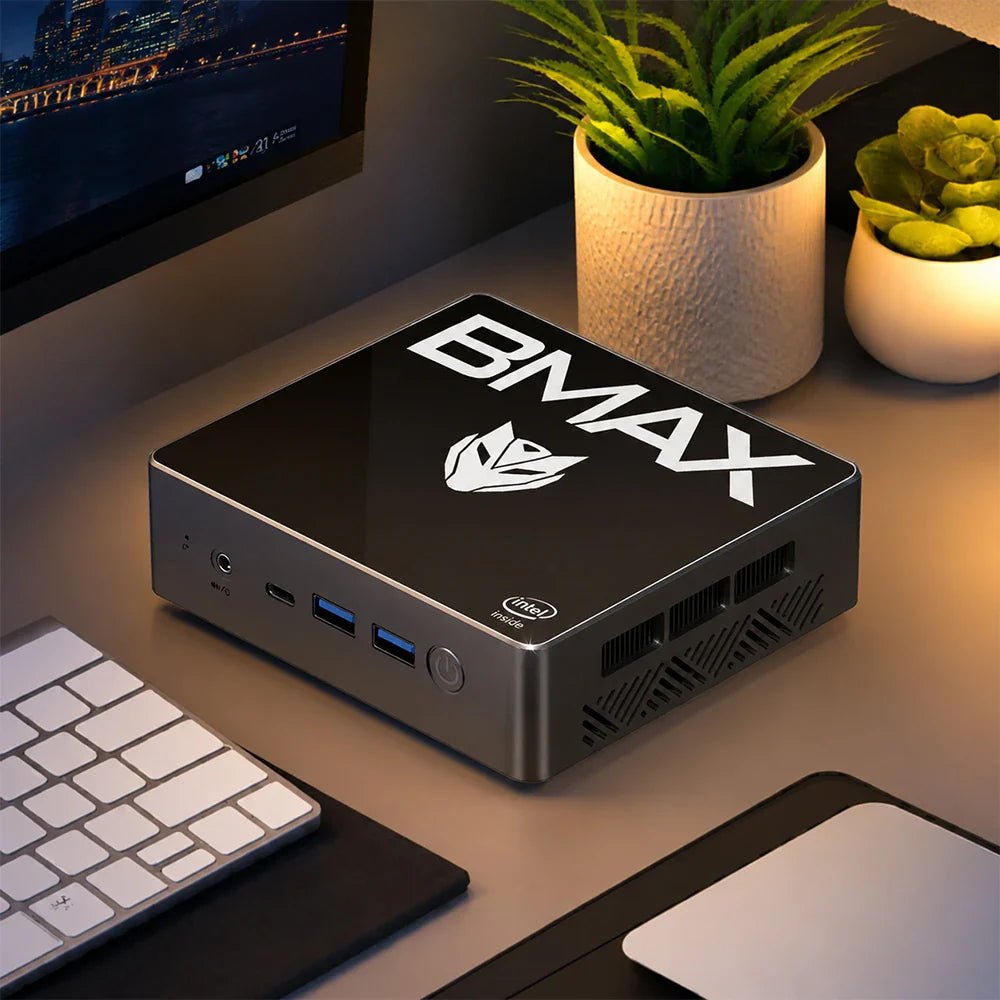
Why the BMAX B4 Turbo Outperforms Old Flagships at Half the Price
When changing computers at the beginning of the year, many people were confused about whether to buy an old high-end model or a new entry-level model? The author's point of view is very clear: in today's rapidly developing technology, it is better to choose a new high-cost-effective product, such as the BMAX B4 Turbo strongly recommended in the article, rather than buying an old discounted high-end model.
The reasons are as follows:
It uses Intel's 13th generation N150 processor (4 cores and 4 threads, 7nm process, maximum frequency 3.6GHz, power consumption is only 6W), and the performance is close to the past mid-to-high-end processors (such as the 10th generation i3 and i5), but the price is directly cut in half.
The memory and storage are sufficient (16G+512G/1TB), which is completely sufficient for daily office and entertainment, and the reading and writing speed is not bad.
The 512G version is only $168(coupon:ZVFZMWMWQZE3), which is hundreds of dollars cheaper than the old models with the same configuration (such as ThinkCentre M60e, ProDesk 400 G6), and the cost-effectiveness is off the charts.
Compared with the star processors of previous years (such as i3-1005G1, i5-10500T), the performance of B4 Turbo is close to or even partially surpasses it, and the power consumption is even lower, and it will not heat up and reduce the frequency after long-term use.
Even the mac mini (2020 model) with Apple M1 chip can be compared: B4 Turbo has a higher frequency (3.6GHz vs M1's 3.2GHz), but the price is only 1/3, which is suitable for users with limited budget but want to experience smoothness.
Old hardware may face compatibility issues after system upgrades, affecting smoothness; while the new architecture and process are more advanced and more stable.
Although the old mid-to-high-end models were once powerful, the price was inflated (for example, the i5-10500T model costs $449), and the body is bulky, not as compact and portable as B4 Turbo.
An $800 editing laptop with an i9-12900H handles 1080p work and light 4K. It does not handle 4K multicam with effects. The limit is not the CPU. It is the integrated graphics and the 1080p screen.
The X17 Power packs 14 cores and 20 threads, 24 GB of RAM and a 1 TB SSD into a 15.6-inch body. That is a serious amount of compute for the money.
What it lacks is a discrete GPU. That changes which projects finish quickly and which ones make you wait.
Key takeaways
1080p editing: comfortable. Timeline scrubbing, colour, audio and export all work.
4K single-track editing: workable, using Quick Sync for decode and encode.
4K multicam with effects: not this machine. You need a discrete GPU.
The screen is 1080p, so you will not be judging 4K detail at full resolution.
Storage is the first wall. One hour of 4K ProRes is 180 GB.
What does video editing actually need?
Workload
CPU
RAM
GPU
1080p, single track
6 cores
16 GB
Integrated is fine
1080p with effects and colour
8 cores
16–24 GB
Integrated, Quick Sync helps
4K single track
10+ cores
24 GB
Quick Sync for decode
4K multicam or heavy effects
12+ cores
32 GB
Discrete GPU with 6 GB+ VRAM
Motion graphics, 3D
12+ cores
32 GB+
Discrete GPU, 8 GB+
The X17 Power sits on the third row. Fourteen cores and 24 GB clear the CPU and memory bars. The integrated Iris Xe clears the GPU bar for decode and encode, not for effects.
Is integrated graphics enough?
For H.264 and H.265 footage, mostly yes. Intel's Quick Sync engine decodes and encodes those formats in hardware. That is why a 4K timeline can still scrub smoothly without a graphics card.
Where it breaks down is anything that renders on the GPU. Noise reduction, warp stabiliser, heavy colour grades and multicam angles all want dedicated VRAM. On Iris Xe they run, slowly, and the fan tells you so.
Check your codec first. If your camera records H.264 or H.265, Quick Sync carries most of the load. If it records ProRes, BRAW or 10-bit 4:2:2, a laptop without a discrete GPU will struggle regardless of core count.
Which X17 should you buy?
Model
Specification
Who it suits
X17 Turbo — $499.99
Core Ultra 5 115U, 16 GB, 512 GB
1080p YouTube edits, light cutting
X17 Power — $799.99
Core i9-12900H, 24 GB, 1 TB
1080p client work, 4K single track
X17 Power 32 GB — $849.99
Core i9-12900HK, 32 GB, 1 TB
Long timelines, After Effects, many browser tabs
The $50 step from 24 GB to 32 GB is the best value in this lineup. Editing software holds frames in RAM, and a 4K timeline with a few effects will use more than 24 GB.
How much storage do you need?
Calculated from bitrate. A 1 TB drive holds about 21 hours of 4K H.264, or 5 hours of ProRes.
A 1 TB drive sounds generous until you convert it into footage. At 4K H.264 it holds about 21 hours. At 4K ProRes it holds about 5 hours before proxies and cache.
Two practical answers. Record proxies at half resolution for editing, and keep the originals on an external drive. Or shoot 1080p when the delivery is 1080p, which is most client work.
Does it throttle on long exports?
Every thin laptop throttles under sustained load, and the question is how much. A 14-core i9 in a 15.6-inch chassis will settle below its peak clock after 15 to 20 minutes of export.
Export is CPU work, so it is where a laptop shows its thermal design. A short 1080p clip finishes in minutes. A long 4K timeline with effects is a coffee break, not a quick save.
Two habits reduce it. Raise the rear of the laptop 20 mm on a stand, and set the power profile to performance while plugged in. Both buy back a few hundred megahertz for free.
What about the screen?
The 15.6-inch panel is 1920×1080. That is fine for cutting, colour balance and text, and it is not enough to judge 4K sharpness or fine grain.
If your delivery is 4K, plan on an external monitor for the final check. A 27-inch 4K panel costs about $300 and will matter more to your output than the next CPU tier.
Is a desktop better for editing?
At the same price, yes for sustained work. The B12 Power at $749.99 gives you a Core Ultra 9, 24 GB and 16 cores. It also does not throttle after 20 minutes of export.
The laptop wins when you edit away from a desk. The desktop wins when you export for an hour and want the fan to stay quiet.
FAQ
Is an i9-12900H good for video editing?
Yes. Fourteen cores and 20 threads handle 1080p work comfortably and 4K single-track edits with Quick Sync. The limit is the integrated graphics, not the CPU.
Can you edit 4K video without a dedicated GPU?
Single-track 4K in H.264 or H.265, yes. Multicam, heavy effects, noise reduction and ProRes timelines need a discrete GPU with dedicated VRAM.
How much RAM do I need for 4K editing?
24 GB is workable. 32 GB is safer for long timelines, After Effects and browser tabs open at the same time.
Is 1 TB enough for video editing?
About 21 hours of 4K H.264, or 5 hours of ProRes. Use proxies and an external drive for anything longer than a short project.
Is a 1080p screen enough for editing 4K?
For cutting and colour, yes. For judging sharpness and grain, no. Add an external 4K monitor for the final review.
Which BMAX laptop should I buy for editing?
The X17 Power at $799.99 for 1080p client work, or the 32 GB version at $849.99 if you edit 4K timelines with effects.
Related reading
Best AI mini PCs
Build a mini PC or buy one
Do mini PCs come with Windows 11?
The BMAX buying guide
BMAX store
14 cores, 24 GB, $799.99. The X17 Power is the editing laptop here, and $50 more doubles the headroom.
Shop BMAX laptops
Sources
Storage: calculated from bitrate, assuming 931 GB usable on a 1 TB drive.
Quick Sync support: Intel media engine documentation for 12th-gen Core.
Specifications and prices: bmaxbuy.com product listings, November 2026.
Editing performance is described from hardware specifications, not measured benchmarks. Results vary by codec, timeline complexity and software version.
A student tablet is a reading and annotation device. It is not a laptop. Buy one for PDFs, lecture slides, handwritten notes and video. Do not buy one for essays, spreadsheets or code.
The mistake is buying a big tablet hoping it replaces a computer. A 13-inch Android tablet with a keyboard case still cannot run Word properly. It also costs more than a 10-inch model that does the real job better.
Here is what to buy for notes and reading, which size fits a lecture desk, and where the honest limits are.
Key takeaways
10.1 inches is the sweet spot for notes and reading. 8.7 if you carry it all day.
Battery size scales with the screen. 6,000 mAh on a 10-inch panel lasts about as long as 10,000 mAh on a 13-inch one.
The "24 GB RAM" figure includes virtual memory. Expect 8 GB of physical RAM.
LTE matters on campus. Campus Wi-Fi drops in lecture halls and libraries.
A $110 tablet plus a $220 mini PC beats one $400 laptop for most students.
What does a student tablet actually do?
Task
What it needs
Tablet verdict
Reading PDFs and slides
A 10-inch screen, 8 GB RAM
Excellent
Handwritten notes
A stylus, palm rejection
Works, but check the stylus type
Typing notes in class
A keyboard case
Usable for short sessions
Video lectures
A decent panel, speakers
Excellent
Essays over 1,000 words
Desktop Word, a real keyboard
Poor
Excel, SPSS, CAD
Desktop software
Not possible
Which size should you buy?
8.7 inches is a one-hand device. It fits a jacket pocket and a crowded lecture seat. The trade is a smaller page, which means more scrolling through PDFs.
10.1 inches matches an A5 notebook and still fits a small desk. This is the size most students should buy, and it is why the I10 Plus exists at $109.99.
13.3 to 13.4 inches shows a full A4 page without zooming. That matters for scanned textbooks and sheet music. It also weighs like a laptop and no longer fits a lecture-hall armrest.
What does the battery number mean?
Capacity grows slower than the screen it has to light. A 13-inch panel with 10,000 mAh lasts about as long as a 10-inch panel with 6,000 mAh.
A 6,000 mAh battery in a 10-inch tablet is not automatically worse than 10,000 mAh in a 13-inch one. The bigger panel draws more, so the capacity per inch is what matters.
At the low end that ratio is about 590 mAh per inch. At the top it is about 750. The larger models do last longer, but by roughly 20%, not 60%.
About the 24 GB label. These listings quote 24 GB of RAM, and that number includes virtual memory. Assume about 8 GB of physical RAM, which is fine for Android and for reading. Do not buy on the RAM number.
Which BMAX tablet?
Model
Screen
Best for
I10 Plus — $109.99
10.1"
Most students. Notes, PDFs, video. 1,200 in stock.
I8 Plus — $109.99
8.7"
Carrying every day in a small bag.
I14 — $169.99
13.4"
Scanned textbooks, sheet music, split-screen reading.
I13 4G — $229.99
13.3"
Large screen plus mobile data for campus days.
The I10 Plus is the default answer. It is the cheapest 10-inch model here, and it has the largest stock. Ten inches fits both a lecture desk and a backpack.
What can a tablet not do?
Long documents. A 1,000-word essay on an Android keyboard is slow to write and slow to edit. Word on Android also loses formatting that your tutor's template expects.
Spreadsheets. Excel on Android works for reading. It is unusable for anything with pivot tables or macros.
Course software. AutoCAD, MATLAB, SPSS and most statistics packages are Windows-only.
If a student needs those, the answer is a laptop or a mini PC, not a bigger tablet. Our guide to mini PCs for students covers the desk setup that costs about $400 complete.
What about keyboards and cases?
A keyboard case changes the tablet from a reader into a light writing tool. Budget $25 to $40 for a folio with a Bluetooth keyboard, and check that it folds to a stand angle you can type on.
Two limits show up quickly. The keys are smaller than a laptop's, and the trackpad is usually missing. For a 500-word summary that is fine. For a 3,000-word essay it is not.
Do you need LTE?
Only if you work outside campus Wi-Fi often. Lecture halls, basements and libraries have dead spots, and phone tethering drains a battery quickly.
The I12 Power at $199.99 and the I13 4G at $229.99 both include LTE. For everyone else, save the $90 and buy the Wi-Fi model.
FAQ
Is a tablet good for a student?
For reading, notes and video, yes. It is a poor replacement for a laptop when writing essays, using Excel or running course software that only exists on Windows.
What size tablet is best for note taking?
10.1 inches for most students. It matches an A5 page, fits a lecture desk and stays light enough to carry all day. 13 inches suits scanned textbooks, not note taking.
Do these tablets come with a stylus?
Check the specific listing. Most budget tablets work with a capacitive stylus, which is a rubber tip without pressure sensitivity. That is fine for highlighting, not for handwriting that looks like ink.
Is 24 GB of RAM real?
No. The figure includes virtual memory. Expect around 8 GB of physical RAM, which is enough for Android, reading and video.
Can a tablet replace a laptop for university?
Only for reading-heavy courses. Any course with essays, spreadsheets, statistics or CAD needs a desktop OS. Many students use a $110 tablet plus a $220 mini PC instead of one $400 laptop.
Which BMAX tablet should I buy?
The I10 Plus at $109.99 for most students. The I14 at $169.99 for scanned documents. The I13 4G at $229.99 if you need mobile data.
Related reading
Best mini PC for students
What $100, $200 and $300 actually buy
Mini PC vs laptop
The BMAX buying guide
$109.99, 10.1 inches, 1,200 in stock. The I10 Plus is the tablet most students should start with.
Shop BMAX tablets
Sources
Screen size, battery capacity and price: bmaxbuy.com product listings, November 2026.
Capacity per inch: calculated from those listings.
Software limits: Microsoft 365 for Android and Windows-only application requirements.
Battery life is an estimate, not a measurement. Actual endurance depends on brightness, panel type and the applications in use.
Yes, a mini PC can be your router. No, it will not drop in where your old one sat. You need two network ports, and almost every mini PC has one.
With a single port you have two options. Add a managed switch and run both networks over one cable, or add a USB Ethernet adapter. Both work. Neither is as simple as plugging in a box.
Here is what the job actually requires, what our machines can do, and when a $120 router is the better answer.
Key takeaways
Two ports are the minimum for WAN and LAN. One port needs a VLAN switch or a USB adapter.
Any x86 mini PC works. pfSense, OPNsense and OpenWrt all run on these machines.
Wi-Fi is separate. A mini PC router needs an access point, which is a second box.
Running it costs $9.20 a year at 6 W, cheaper than a consumer router.
None of our models has two ports. Buy for the software, then solve the ports.
What does a mini PC need to be a router?
Requirement
What it means
BMAX reality
Two network ports
One for the modem, one for the LAN
Single port on every model
Low idle power
It runs 24/7
5.8 W to 9.8 W
x86 processor
pfSense and OPNsense need it
All models
No Wi-Fi requirement
Access point handles wireless
Not included, which is fine
Small storage
128 GB is plenty
256 GB and up
The first row is the problem. A router separates two networks, so it needs an interface on each side. One port means one network.
Can one Ethernet port work?
It can, with a managed switch that supports 802.1Q VLAN tagging. This is called router-on-a-stick.
You configure two VLANs on the switch, one for WAN and one for LAN. Both travel to the mini PC over a single cable as tagged frames. The router software reads the tags and treats them as separate interfaces.
One practical detail: the switch must be managed, not unmanaged. An unmanaged switch will not tag frames, and the router will see a single flat network. A five-port managed switch costs about $40.
The cost is bandwidth. A 1 GbE link carries roughly 940 Mbps in total, shared between download and upload and between both networks. On a gigabit connection that is a real ceiling.
The alternative is a USB 3.0 Ethernet adapter. A 2.5 GbE adapter costs about $30, and most work with OPNsense. Check that the chipset is supported before you buy, because Realtek adapters need an extra driver on FreeBSD.
The honest version: if you want a router with two ports and no workarounds, buy a device built for it. A mini PC makes sense when you want pfSense features, a specific firewall, or a machine that also runs DNS filtering and a VPN.
Which BMAX is suitable?
Model
Port
Fit for routing
B2 Power — $209.99
1 GbE
Best value for a firewall. 5205U, low power, 269 in stock.
B3 Pro — $199.99
1 GbE
Cheapest option. Fine for a 500 Mbps line.
B11 Pro — $459.99
2.5 GbE
Only worth it for multi-gig internet or IDS at high throughput.
For most home networks the B2 Power is enough. A 5205U saturates a gigabit line with NAT and a modest rule set, and it idles at about 6 W.
Buy the B11 Pro only if your internet is faster than 1 Gbps. Its 2.5 GbE port is the only way to use that bandwidth.
What does it cost to run 24/7?
Annual electricity for three devices running all year at US average rates.
A router never sleeps, so power is the entire running cost. At 6 W a mini PC costs about $9.20 a year. A consumer Wi-Fi router at 8 W costs $12.20, and an ISP gateway at 12 W costs $18.30.
The difference is small in absolute terms. It matters when you compare a mini PC against a $300 firewall appliance that draws 15 W.
When should you keep the old router?
You want Wi-Fi from one box. A mini PC needs a separate access point.
You are not comfortable with VLANs. Router-on-a-stick is not a beginner configuration.
Your connection is under 500 Mbps. A $120 router does the job and uses less space.
You need it to just work after a power cut. Consumer routers boot in 30 seconds. A PC takes two minutes.
Back up the configuration once it works. pfSense exports a single XML file, and restoring it on a fresh install takes ten minutes. Without that file, a failed drive means rebuilding every rule by hand.
There is also a recovery question. A router is the one device you cannot fix by searching the internet, because it is the internet. Keep a USB keyboard and a monitor nearby for the first month, and write down the LAN address before you change anything.
Where a mini PC wins is control. AdGuard Home, Unbound and a WireGuard server all run better on a machine you own. A router with 64 MB of RAM cannot hold them.
FAQ
Can a mini PC replace my router?
Yes, with two network ports. With one port you need a managed switch that supports VLANs, or a USB Ethernet adapter. Wi-Fi always needs a separate access point.
How many Ethernet ports does a router need?
Two, minimum: one for the internet connection and one for the local network. Four is common on consumer routers because it adds a built-in switch.
Does a mini PC router need Wi-Fi?
No, and it usually should not have it. A separate access point placed for coverage works better than an antenna inside a metal case.
What software runs on a mini PC router?
pfSense and OPNsense on FreeBSD, OpenWrt on Linux, or a plain Linux distribution with nftables. All three run on our x86 machines.
Is a mini PC router faster than a consumer router?
For routing and firewall rules, yes, often by a wide margin. For Wi-Fi, the access point decides, not the router.
Which BMAX should I use as a router?
The B2 Power at $209.99 for a gigabit connection. The B11 Pro at $459.99 only if you have multi-gig internet.
Related reading
Running Linux on a mini PC
Do mini PCs come with Windows 11?
Using a mini PC as a home server
The BMAX buying guide
$209.99, 6 W, runs pfSense. The B2 Power is the cheapest machine here that handles a gigabit line with a firewall.
Shop BMAX mini PCs
Sources
Router-on-a-stick and VLAN requirements: pfSense and OPNsense documentation.
Idle power: vendor specifications and published measurements for each platform.
Electricity at 17.45 ¢/kWh, EIA January 2026.
Throughput figures are expectations for typical home rule sets, not measured benchmarks. USB Ethernet support varies by chipset and operating system.