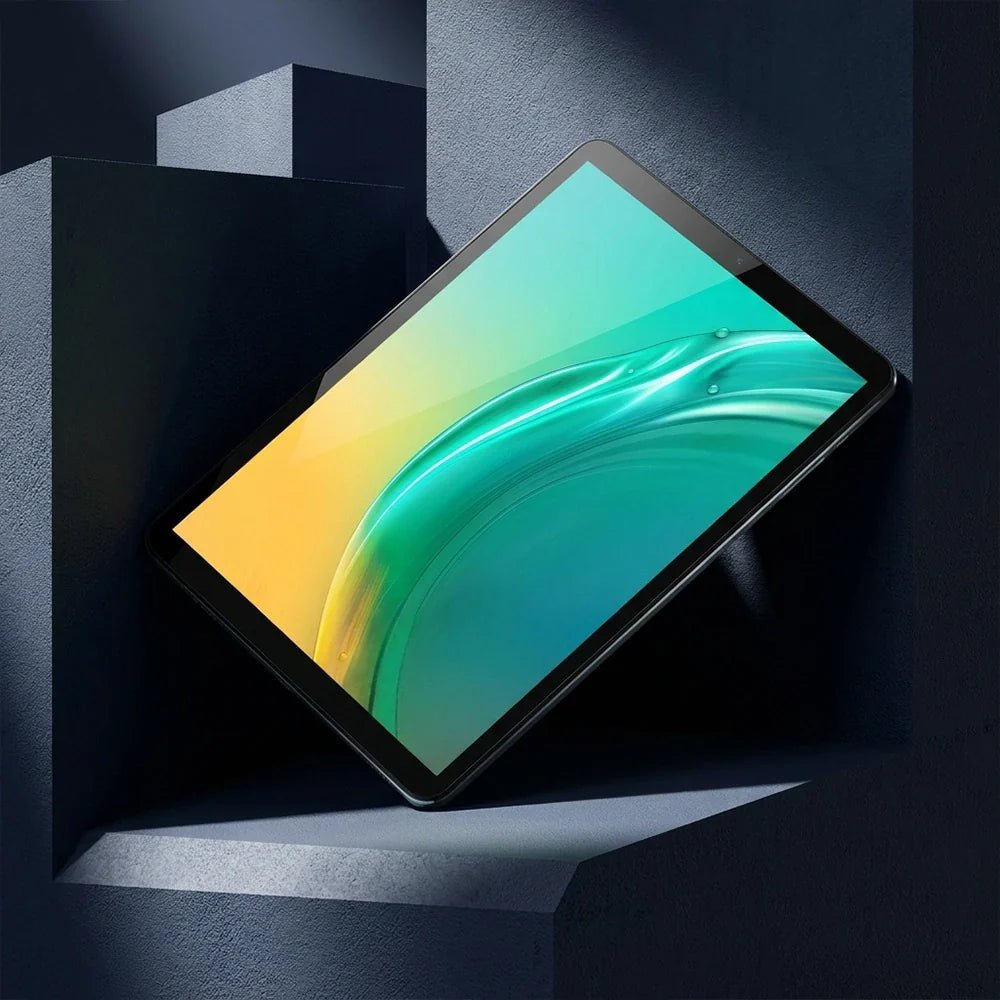
Als dynamische und personalisierte Digitalmarke stehen schnelle Weiterentwicklung und kontinuierliche Verbesserung seit jeher im Mittelpunkt der BMAX-Entwicklung. Wir streben stets nach Exzellenz, optimieren und verbessern kontinuierlich unsere Produktlinien und bieten Nutzern weltweit innovative Produkte mit hoher Qualität und einem hervorragenden Preis-Leistungs-Verhältnis. Nach dem Erfolg des modischen Tablets I11 erscheint in Kürze ein weiteres neues Produkt: das I8 Mini, das Ergebnis unzähliger Anstrengungen des hochkarätigen Forschungsteams von BMAX! Es ist nicht nur ein kompaktes Tablet, sondern auch ein digitaler Star mit großem Potenzial. Möchten Sie mehr über die einzigartige Persönlichkeit dieses aufstrebenden Produkts erfahren? Hier finden Sie alle Details!
Das I8 Mini besticht durch sein elegantes Design. Der 7,9 Zoll große IPS-Bildschirm bietet eine Auflösung von bis zu 2K. Er zeichnet sich durch leuchtende Farben und eine atemberaubende Bildqualität aus. Jedes Detail wird gestochen scharf dargestellt. Die Bildwiedergabe ist exzellent. Mit seinem 4:3-Seitenverhältnis und der Größe eines Buches liegt es perfekt in der Hand und bietet eine hohe Anzeigegenauigkeit, die von herkömmlichen E-Books nicht erreicht wird, sowie ein Leseerlebnis wie mit einem gedruckten Buch. Für Serienfans ist das I8 Mini ein Mini-Kino im handlichen Format.
Das I8 Mini verfügt nicht nur über ein hochauflösendes Display, sondern auch über eine 13-Megapixel-Hauptkamera und eine 5-Megapixel-Frontkamera, mit denen Sie jederzeit bezaubernde Selfies aufnehmen können. Darüber hinaus ermöglicht es Ihnen klare und dynamische Videoanrufe sowie Live-Übertragungen. Es ist wie ein Spiegel, der Ihre einzigartige Persönlichkeit und Ihren individuellen Stil widerspiegelt. Ein unverzichtbares Werkzeug für alle, die in den sozialen Medien aktiv sind.
Der i8 Mini besticht nicht nur durch sein herausragendes Design, sondern auch durch seine starke Leistung. Ausgestattet mit einem Achtkernprozessor bewältigt er mühelos alltägliche Büroaufgaben wie Datenauswertung, Präsentationserstellung, Zeichnen und Videobearbeitung. Er eignet sich außerdem hervorragend als kleine Spielekonsole. Klassische Minispiele wie Bubble Bobble, Plants vs. Zombies, Clash of Clans, Brawl Stars und Asphalt lassen sich problemlos spielen. Dank seines leichten Gehäuses liegt er angenehm in der Hand, sodass Ihre Hände auch bei längerem Spielen nicht ermüden.
Das i8 Mini verfügt über 4 GB + 8 GB internen Speicher und 128 GB Speicherplatz. Dadurch bietet es ultraschnelle Lese-, Schreib- und Übertragungsgeschwindigkeiten und erfüllt problemlos alle Anforderungen des täglichen Speicherbedarfs. Darüber hinaus ist es mit dem neuesten Android 14-System ausgestattet, das eine personalisierte Benutzeroberfläche, umfangreiche KI-Erkennungsfunktionen, erweiterte Datenschutzeinstellungen und ein flüssiges, intuitives Nutzererlebnis bietet. Einmal in Gebrauch, werden Sie es nicht mehr aus der Hand legen wollen.
Der kleine und stylische i8 Mini befindet sich in der Testphase und wird im Juni offiziell vorgestellt. Weltweit vorbestellbar ab sofort. Bei Interesse schnell zugreifen!
Mini PCs have become one of the fastest-growing options in modern computing. Compared to traditional desktop computers, they take up less space, consume less power, are easy to carry, and offer performance sufficient for today’s everyday tasks, such as work and study.
However, with so many options available, choosing the right mini PC can be a bit challenging.
Should you choose Intel or AMD? How much RAM do you need? Will the mini PC’s performance be sufficient for your work, study, or entertainment needs?
This buying guide will help you understand the key factors to consider when purchasing a mini PC in 2026.
1. Consider Your Primary Use Cases
The best mini PC for you depends on your specific needs.
Home Office and Productivity
For remote work, business tasks, and everyday productivity needs, a mini PC should offer the following features:
Multitasking performance
High-speed SSD storage
Reliable network connectivity
Support for multi-monitor setups
Portability
Tasks such as using Microsoft Office, video conferencing, web browsing, and document management don’t require a large desktop computer.
A compact mini PC can meet all these needs while saving valuable desk space.
Students and Educational Uses
Students typically need a computer for:
Online courses
Research
Writing assignments
Programming exercises
Multimedia learning
A mini PC is a practical choice because it offers desktop-level ease of use without taking up too much space.
Entertainment and Home Multimedia
Many users also use mini PCs as home entertainment devices.
With HDMI ports and a compact design, mini PCs can easily connect to monitors, TVs, and other peripherals for:
Watching movies online
Browsing the web
Playing music
Managing digital content
2. Choosing the Right Processor
The processor is one of the most important components in any computer.
For basic tasks, an entry-level processor is sufficient to handle everyday computing needs.
For users who require higher performance—such as those engaged in:
Intensive multitasking
Programming applications
Creative applications
Graphics production
Business workloads
A small computer equipped with a more powerful processor will provide a smoother user experience.
Modern AMD Ryzen and Intel Core processors deliver exceptional performance while maintaining energy efficiency.
3. How much RAM do you need?
The amount of RAM determines how many applications can run smoothly at the same time.
Recommended RAM:
8GB RAM: Basic web browsing and simple tasks16GB RAM: Recommended for most users32GB RAM or higher: Professional-level workloads and advanced multitasking
For most home users and office workers, 16GB of RAM strikes an ideal balance between performance and cost and is more than sufficient.
4. Storage Matters More
Traditional hard drives are being replaced by solid-state drives (SSDs) because SSDs offer the following advantages:
Faster boot timesFaster application load timesBetter overall responsiveness
When choosing a mini PC, consider:
Storage capacity
SSD type
Upgrade options
For users who need ample space to store applications, files, and multimedia content, a 512GB SSD is a good choice—it offers sufficient capacity at an affordable price.
5. Connectivity and Expansion Ports
A good mini PC should offer enough ports to meet your daily needs.
Important ports include:
HDMI or DisplayPort
USB ports
USB-C ports
Ethernet
Wi-Fi
Bluetooth
For productive office users who need a larger workspace, multi-monitor support is also very useful.
6. Mini PCs vs. Traditional Desktop Computers
Traditional desktop computers still hold an advantage when it comes to high-end gaming and professional-grade workloads.
However, mini PCs offer the following advantages:
Mini PC
Traditional Desktop
Smaller size
Larger footprint
Lower power consumption
Higher energy usage
Easy placement
Requires more space
Quiet operation
More components
Good everyday performance
More upgrade flexibility
For most ordinary users, mini PCs offer an efficient, practical, and convenient solution.
Why Choose a BMAX Mini PC?
BMAX is committed to creating compact computers that balance performance, design, and value.
Whether you need a computer for:
Working from home
Online learning
Business applications
Entertainment
Everyday tasks
BMAX mini PCs provide you with a reliable computing solution without unnecessary costs.
Conclusion
Choosing a mini PC doesn’t mean sacrificing performance.
As long as it’s equipped with the right processor, memory, storage, and connectivity, a mini PC can serve as a viable alternative for most users.
Before making a purchase, carefully consider your daily needs and choose a mini PC with a configuration and performance level that fits your lifestyle and work habits.
When diverse needs meet a fast-paced lifestyle, digital devices can become a "sweet burden." Every time you head out, you might feel compelled to carry a tablet, a laptop, a drawing tablet, and more. Not everyone is comfortable lugging around such a heavy load. Yet, leaving even one item behind can make life feel a little less fun—and handling unexpected work tasks becomes a struggle.
In fact, in this rapidly changing world, not only do people need to be versatile, but digital products also need to have the comprehensive ability to "one against many". The innovative BMAX 3-in-1 tablet was created for exactly this purpose! Combining the functions of a tablet, a laptop, and a drawing board, it covers a wide range of needs—from multimedia entertainment and mobile office work to creative illustration—allowing you to travel light and enjoy a seamless, all-scenario experience.
Mode 1: Large-screen, eye-friendly tablet for immersive entertainment
On its own, the MaxPad I13 is a large-screen tablet designed for a superior visual experience. Its 13.3-inch Full HD IPS display features a 16:10 aspect ratio, 100% sRGB color gamut coverage, and 300 nits of eye-friendly brightness. With rich, vibrant colors, it delivers stunning, crystal-clear visuals—whether you are watching movies, binge-watching series, or browsing photos.
It is worth mentioning that the screen uses a high-precision nano-etching AG paper-like process, which can eliminate 97% of environmental reflections. At the same time, it has passed the dual certification of low blue light and no reflection, so it can still present a clear and transparent display effect in strong light environment and will not hurt the eyes after long-term use.
Ultra-slim portability is another major advantage of the I13. With a thickness of just 7.9mm and a weight of only 770g, it is effortless to hold in one hand or carry on the go.
In addition, the I13 is equipped with the Magic Dual-Cavity Audio System, delivering stunning 3D surround sound that is truly captivating. The I13 supports Widevine L1 HD decoding certification, dual-band Wi-Fi (2.4GHz/5GHz), and Bluetooth 5.0. It unlocks ultra-clear streaming quality on platforms like Netflix, Disney+, and YouTube, allowing you to enjoy a cinematic audiovisual feast right at home.
Mode 2: Lightweight Laptop for Efficient Mobile Productivity
Attach the dedicated folio case to switch the I13 into laptop mode and experience high-efficiency productivity. The case features an ergonomically designed keyboard with a generous 1.8mm key travel, offering a comfortable typing experience. It also includes a large touchpad that supports smooth, fluid multi-gesture controls, rivaling traditional thin-and-light laptops. The folio cover is foldable and supports free multi-angle adjustment, ensuring the most comfortable viewing angle whether you are working at a desk, using it on your lap, or carrying it on the go. It handles daily tasks—such as document writing, spreadsheet editing, online meetings, and multitasking with split-screen views—with ease.
Its high-definition dual-camera setup also provides strong support for daily office work: the front 8-megapixel camera is clear and stable, meeting the needs of daily video calls and video conferencing; the rear 21-megapixel autofocus camera can not only clearly record life moments, but also easily complete office operations such as document scanning and document photography.
Mode 3: Professional Drawing Tablet to Unleash Your Inspiration
Detach the keyboard, pick up the Max I13 Pencil, and the MaxPad I13 transforms into a professional drawing tablet. The screen supports 4096 levels of high-precision pressure sensitivity—capturing nuances as fine as a strand of hair—and translates the pressure of your stroke into real-time variations in line thickness, accurately capturing every spark of creative inspiration. The "paper-like" screen offers a unique tactile resistance that mimics the feel of writing on real paper, making it perfect for illustration, digital journaling, design sketching, and classroom note-taking—allowing you to unleash your creativity anywhere, anytime. A unique system-wide palm rejection design ensures a worry-free experience; you can rest your hand naturally on the screen while drawing without triggering accidental inputs. This powerful professional drawing tablet will make you love it from the first use!
Hardcore Performance Foundation: Smooth, Lag-Free Operation Across Three Modes
A seamless experience across multiple scenarios relies on a powerful hardware core. The MaxPad I13 is powered by the UNISOC T7255 octa-core processor. Built using a mature 12nm process, it features two high-performance A75 cores and six energy-efficient A55 cores, achieving an AnTuTu score exceeding 280,000—a 40% performance boost over the previous generation. Paired with an ARM Mali-G57 GPU clocked at up to 750MHz, it ensures stable, frame-drop-free performance during mobile gaming, multitasking, and creative rendering.
The i13 features 6GB of physical RAM + 22GB of RAM expansion, up to 28GB of integrated RAM, and is equipped with 128GB of high-speed storage, supporting 1TB Micro SD card expansion, allowing you to store massive amounts of files, artwork, games, and videos at will.
Pre-installed with the all-new Android 16 system, the I13 offers a silky-smooth user experience. With comprehensive upgrades to AI features, privacy protection, and smart notifications, using the device is effortless and worry-free.
Long-Lasting Battery + 4G Connectivity: Unrestricted Mobility
A built-in 12,000mAh ultra-large capacity battery supports up to 10 hours of continuous 1080P local video playback or 120 hours of local audio playback, letting you go out all day without frequent recharging. 18W PD fast charging quickly restores power, eliminating battery anxiety.
Additionally, the I13 supports 4G LTE with dual-slot capability—accommodating either dual Nano SIMs or a SIM plus memory card combination. Stay online and make calls without relying on Wi-Fi, ensuring seamless connectivity with family and friends whether you are commuting, on a business trip, or enjoying the outdoors.
With this device, you can travel light even amidst a busy lifestyle. The BMAX MaxPad I13 features a unique 3-in-1 design that perfectly integrates the core needs of entertainment, work, and creativity, empowering you to enjoy a highly efficient and fulfilling new lifestyle.
As intelligent technologies rapidly permeate the market, AI PCs are poised to become the mainstream standard over the next five to ten years. With AI computing shifting from the cloud to local devices, computers are evolving from passive tools that merely execute commands into proactive, continuously learning productivity partners. Enhanced local computing power, superior data security, and faster responsiveness are reshaping the fundamental logic of work and creative processes. The BMAX X17 Turbo is an AI laptop born in response to this trend. Equipped with the Intel 14th Gen Core Ultra 5 processor and a new architecture featuring CPU, GPU, and NPU synergy, it deeply integrates AI computing across all usage scenarios, ushering in a new dimension of productivity.
Powered by a 14th Gen Intel Core processor, delivering a complete leap in performance
At the heart of the X17 Turbo’s performance is the Intel 14th Gen Core Ultra 5 115U processor. Built using the advanced Intel 4 process technology, it features 8 cores and 10 threads with a maximum turbo frequency of 4.2GHz, providing ample performance headroom for multitasking and complex computations.
According to PassMark CPU Mark laboratory test data, this processor achieves a score of 11,689—a 22% performance increase over the Intel Core i5-1345UE. It ensures smooth operation even when simultaneously running multiple documents, spreadsheets, and communication apps during daily office work. It can handle light creative tasks such as image retouching and video editing with ease, allowing you to completely say goodbye to lag and waiting. Meanwhile, the processor incorporates Intel DL Boost AI tuning technology, which accelerates AI applications at the hardware level, making AI functions no longer a "gimmicky" add-on experience, but a truly usable and easy-to-use efficiency tool.
Tri-chip synergy architecture: Unleashing native local AI computing power
The X17 Turbo’s key breakthrough lies in its CPU+GPU+NPU tri-chip synergy architecture. Its built-in Intel AI Boost NPU is dedicated to AI computing tasks, enabling a wide range of AI applications to run directly on the device without relying on the cloud. This not only significantly reduces response latency but also eliminates privacy risks associated with data uploading, making AI-assisted creation and office work both safer and more efficient.
Powered by this computing architecture, the X17 Turbo supports a wide range of AI use cases: for daily copywriting, AI writing tools help quickly generate drafts and refine text, drastically cutting down the time spent on writing tasks; in creative design, AI image generation accurately brings creative concepts to life, rapidly producing high-quality visual assets; for video creation, AI assists with editing and special effects, lowering the barrier to entry for creators; and when dealing with massive datasets, AI data analysis quickly distills key insights to provide efficient decision-making support. From office work to creative projects, and from learning to entertainment, the boost provided by local AI computing power ensures the X17 Turbo learns the user's needs over time, truly doubling productivity.
High-end configuration across all dimensions ensures a flawless productivity experience.
An excellent AI experience relies on comprehensive configuration support. The X17 Turbo achieves a balanced high-end configuration in storage, screen, portability, and battery life, ensuring continuous and efficient output.
In terms of memory and storage, the device is equipped with 16GB of high-speed LPDDR5 4400MHz RAM and a 512GB NVMe SSD. These components deliver outstanding read/write speeds, ensuring seamless large-file loading and rapid software startup. Additionally, an expansion slot is included to support future capacity upgrades, easily meeting long-term storage needs.
In terms of visual experience, the X17 Turbo is equipped with a 15.6-inch IPS Full HD narrow bezel screen with a high resolution of 1920×1080 and a 178° viewing angle. The screen is clear, delicate and colorful, bringing a comfortable and immersive viewing experience whether you are processing spreadsheets, browsing design materials or watching movies.
The X17 Turbo also stands out for its striking aesthetics, excellent portability, and versatile usability. Its sleek, refined metal chassis weighs just 1.7kg and measures only 19mm in thickness, making it effortless to carry during daily commutes or business trips. Furthermore, the hinge allows the screen to tilt back a full 180°, offering flexibility for various scenarios such as meeting presentations and collaborative discussions. Its full-sized keyboard features slightly contoured keycaps and backlighting, ensuring efficient typing even in low-light environments; the large touchpad supports various gestures—such as two-finger scrolling, pinch-to-zoom, and three-finger task previews—delivering precise and responsive control.
Long-lasting battery life is essential for high-quality productivity. The X17 Turbo offers 9–10 hours of battery life, easily meeting the demands of a full day of mobile work and eliminating battery anxiety. With support for Wi-Fi 6 and Bluetooth 5.4, it ensures stable, high-speed connectivity, facilitating smooth file transfers and seamless online meetings.
The X17 Turbo also features a highly compatible interface matrix. It comes fully equipped with a full-function Type-C port, USB 3.2, HDMI, a Micro SD card slot, and a headphone jack, allowing for direct connections to external monitors, USB drives, and projectors without the need for adapters—offering exceptional expandability.
Additionally, the X17 Turbo comes pre-installed with Windows 11 Pro and features a one-touch recovery function; in the event of a system failure, the system can be quickly reset and restored, providing greater peace of mind for professional use.
Amidst the rapid adoption of AI PCs, the X17 Turbo goes beyond mere hardware specifications. Centered on a "triple-chip synergy" architecture, it integrates AI capabilities directly into real-world office and creative workflows. It is both a thin-and-light laptop delivering excellent performance and a balanced user experience, and a continuously evolving AI productivity tool designed for maximum efficiency. For professionals, content creators, and students alike, the X17 Turbo offers a highly adaptable experience that unlocks the future of PC usage today, elevating every creative and work task to new heights of efficiency.


