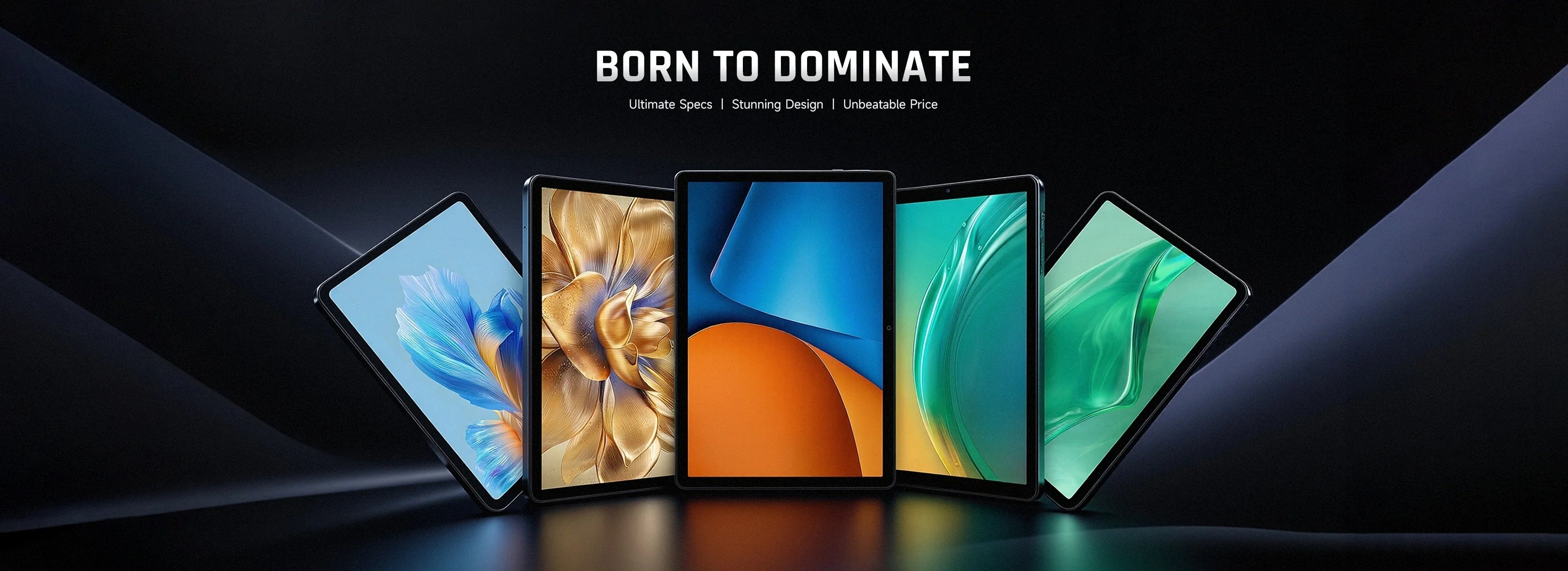
Welches wunderbare Erlebnis entsteht, wenn elegante und klassische Ästhetik gekonnt mit modernster Technologie kombiniert wird? Kürzlich wurde das neue, modische Tablet I10 vorgestellt. Plus gestartet von BMAX hat uns eine perfekte Antwort gegeben!
Dieses Tablet besticht durch sein schlankes, geradliniges Metallgehäuse und die ruhige, elegante Farbgebung in Space Grau, die einen Hauch von dezentem Luxus verströmt. Mit einer Dicke von nur 8,6 mm liegt es angenehm leicht in der Hand. Das rückseitige Kameramodul ist elegant im Stil eines Schweizer Uhrenrings gestaltet und zeugt mit seiner feinen Verarbeitung und hochwertigen Haptik von aristokratischer Eleganz und einzigartigem Geschmack. Der 10,1 Zoll große HD-IPS-Bildschirm bietet brillante Farben und ein gestochen scharfes Seherlebnis.
Unter der exquisiten Oberfläche verbirgt sich ein leistungsstarker Kern. Der I10 Plus Das System wird vom UNISOC T606, einem Achtkernprozessor, angetrieben. Dieser leistungsstarke Prozessor verfügt über zwei große A75-Kerne und sechs kleine A55-Kerne. Die beiden großen A75-Kerne bieten eine deutlich höhere Taktfrequenz und Rechenleistung als die kleinen Kerne. Dadurch lassen sich auch große Anwendungen problemlos ausführen, was zu schnelleren Reaktionszeiten und einem flüssigeren Betrieb führt. Zusätzlich unterstützt der große A75-Kern Hyper-Threading, wodurch Arbeitslasten besser bewältigt werden können. So kann das System mehrere Anwendungen oder Dienste gleichzeitig reibungslos verarbeiten, ohne Leistungseinbußen oder Verzögerungen. Der T606-Prozessor bietet somit eine überragende Leistung, die von acht kleinen Kernen nicht erreicht wird und Ihnen jederzeit ein optimales Nutzungserlebnis ermöglicht.
Die im I10 verbaute ARM Mali G57 GPU Plus Unterstützt die Wiedergabe verschiedener 4K-Videos in hoher Auflösung und kann gängige Spiele wie League of Legends, Game for Peace und Peak Speed flüssig ausführen, wodurch Ihre Freizeit noch spannender wird.
In Bezug auf den Speicher ist der I10 Plus Es nutzt bis zu 12 GB integrierten Speicher, davon 4 GB physischer und 8 GB virtueller Speicher. Die Geschwindigkeit ist deutlich höher als bei Tablets mit herkömmlichen 4 GB oder 8 GB Speicher. Auch bei Multitasking treten keine Probleme wie Einfrieren oder Ruckler auf. Der 128 GB große Speicherplatz bietet ausreichend Platz für diverse Dateien. Zusätzlich lässt sich der Speicherplatz mit einer 1-TB-Micro-SD-Karte erweitern, um auch wachsenden Speicherbedarf zu decken.
Wie andere neue Produkte auch, I10 Plus Ausgestattet mit dem neuen Android 14-System bietet es alle gewünschten personalisierten Widgets, einen benutzerfreundlichen Splitscreen-Modus und umfassenden Datenschutz! Dieses leistungsstarke System sorgt für mehr Zufriedenheit, Komfort und ein angenehmes Nutzungserlebnis und ermöglicht Ihnen, die Freude an der App direkt auf Ihrem Smartphone zu genießen!
Darüber hinaus I10 Plus Es unterstützt außerdem Dualband-WLAN (2,4 GHz/5 GHz) mit hoher Geschwindigkeit und Bluetooth 5.0. Zudem ist es mit einem 6000-mAh-Akku mit hoher Kapazität ausgestattet. BMAXDas charakteristische Soundsystem – das Magic Sound System – bietet ein immersives Hörerlebnis für alle Arten von Musik- und Filmliebhabern.
Ob Aussehen oder Leistung, es hebt sich von den anderen ab! Das ist das intuitivste Gefühl, das BMAX I10 Plus Wir präsentieren es Ihnen! Möchten Sie die Leistungsfähigkeit dieses eleganten Tablets erleben, das erstklassiges Design, hervorragende Spezifikationen, starke Performance und ein unschlagbares Preis-Leistungs-Verhältnis vereint? Dann greifen Sie schnell zu und sichern Sie sich Ihr Exemplar!
For watching, screen area matters more than any specification on the box. A 13.4-inch tablet has 76% more viewing area than a 10.1-inch one. That is a bigger difference than any chip upgrade in this price range.
The second thing that matters is DRM. A tablet without Widevine L1 certification plays Netflix at 480p, no matter how good the panel is. That is the detail listings never mention.
Here is what to look for. Then we cover each size, and which model fits a sofa, a flight or a bed.
Key takeaways
Area, not diagonal. 13.4 inches gives 521 cm² against 296 cm² at 10.1.
Check Widevine L1 before buying if you watch Netflix or Prime in HD.
Brightness beats resolution. 400 nits is comfortable indoors; 300 is not, in daylight.
Stereo speakers matter more than RAM. One speaker on a 13-inch tablet sounds thin.
The I14 is the value pick at $169.99: biggest screen per dollar here.
What actually matters for watching?
Specification
Why it matters
What to look for
Screen area
How immersive it feels
13 inches or more for a main screen
Panel type
Viewing angles, contrast
IPS, not TN
Brightness
Daylight visibility
350–400 nits
Widevine level
Netflix and Prime quality
L1 for HD, L3 caps at 480p
Speakers
Whether you need headphones
Stereo, bottom or side firing
Battery
Flight or long journey
10,000 mAh for 8+ hours of video
Why area beats diagonal
Calculated from the diagonal at 16:10. Area grows with the square of the diagonal, which is why 13 inches feels so much larger than 10.
A 10.1-inch tablet has 296 cm² of screen. A 13.4-inch one has 521 cm², which is 76% more area from a 33% longer diagonal.
That is why a bigger panel feels like a different class of device. It is also why a 13-inch tablet is a poor choice for reading in bed. 520 cm² of glass is heavy at arm's length.
Does Netflix play in HD?
Only if the tablet has Widevine L1. That is a DRM certification from Google, and it is separate from the screen resolution.
Without L1, Netflix and Prime Video cap playback at 480p, and the app will not tell you why. YouTube is unaffected, which is why people blame the tablet rather than the licence.
Ask before you buy. Search the model name plus "Widevine L1" or ask the seller directly. A tablet that cannot stream in HD is not a streaming tablet, regardless of what the listing shows.
Which BMAX for watching?
Model
Screen
Best for
I14 — $169.99
13.4", 10,000 mAh
The value pick. Biggest screen per dollar, 620 in stock.
I12 Power — $199.99
11.4", 8,000 mAh
LTE for streaming on the move, lighter than 13 inches.
I10 Plus — $109.99
10.1", 6,000 mAh
Bedside and travel. Light enough to hold one-handed.
The I14 is the one to buy for a sofa or a kitchen. It costs less than the 11.4-inch I12 Power. It also gives you 38% more screen area, which is the point of a streaming tablet.
What about reading?
Reading is the opposite problem. A 13-inch panel at arm's length is too bright and too heavy for an hour in bed. The text is no easier to read than on a 10-inch screen.
For books and comics, 8.7 to 10.1 inches is the comfortable range. The I8 Plus at $109.99 is small enough to hold for a long session. Its 6,000 mAh battery lasts about as long as the I14's 10,000 mAh, because the panel is smaller.
What about panel quality?
Panel type is the variable you cannot see in a listing. An IPS panel keeps colour stable at 45 degrees, which matters when two people watch from a sofa. A TN panel greys out at that angle, and no specification warns you.
Brightness is the second. A 400-nit panel is comfortable in a lit room and marginal outdoors. A 300-nit panel is fine at night and washed out by a window in the afternoon.
Does a stand matter?
Yes, more than most accessories. A 13-inch tablet propped on a pillow slides down every few minutes. A folio case with a rigid back and two angle stops costs $20 and fixes that.
Look for a case that covers the screen when closed. A 521 cm² panel is the most expensive part of the device, and a $20 cover is cheaper than a screen repair.
Battery on a flight
Video playback is the worst case for battery. Expect roughly 8 hours from 10,000 mAh and 6 hours from 6,000 mAh at moderate brightness. That covers a transatlantic flight, not a long layover.
Two practical notes: download the films in advance, because in-flight Wi-Fi is slower than the film. Carry a 20 W USB-C charger, since a 10,000 mAh battery takes two hours to refill.
FAQ
What is the best tablet size for watching movies?
13 inches or more for a main screen. If you hold it in your hands rather than propping it up, 10 inches is more comfortable. The difference in area is still 76%.
Do cheap tablets stream Netflix in HD?
Only if they have Widevine L1. Many budget models ship with L3, which caps Netflix and Prime at 480p. YouTube is not affected, so the problem is easy to miss.
Is 10 inches enough for a tablet?
For reading and travel, yes. For watching as a main screen, a 13-inch model gives 76% more viewing area for about $60 more.
Do I need LTE for streaming?
Only if you watch away from Wi-Fi regularly. Phone tethering works, but it drains the phone. The I12 Power includes LTE for $199.99.
What battery capacity do I need for a flight?
About 10,000 mAh for 8 hours of video. A 6,000 mAh tablet lasts roughly 6 hours, which covers a short flight but not a long one.
Which BMAX tablet is best for streaming?
The I14 at $169.99. It has the largest screen in the range and costs less than the 11.4-inch model.
Related reading
Tablet for students
Best mini PC for students
What $100, $200 and $300 actually buy
The BMAX buying guide
BMAX store
$169.99, 13.4 inches, 521 cm². The I14 is the largest screen in the range and the cheapest way to get it.
Shop BMAX tablets
Sources
Screen size, battery and price: bmaxbuy.com product listings, November 2026.
Viewing area: calculated from the diagonal at a 16:10 aspect ratio.
Widevine levels: Google Widevine documentation on L1 and L3 playback.
Battery estimates assume moderate brightness and offline playback. Widevine certification varies by model and region, so confirm before purchase.
An $800 editing laptop with an i9-12900H handles 1080p work and light 4K. It does not handle 4K multicam with effects. The limit is not the CPU. It is the integrated graphics and the 1080p screen.
The X17 Power packs 14 cores and 20 threads, 24 GB of RAM and a 1 TB SSD into a 15.6-inch body. That is a serious amount of compute for the money.
What it lacks is a discrete GPU. That changes which projects finish quickly and which ones make you wait.
Key takeaways
1080p editing: comfortable. Timeline scrubbing, colour, audio and export all work.
4K single-track editing: workable, using Quick Sync for decode and encode.
4K multicam with effects: not this machine. You need a discrete GPU.
The screen is 1080p, so you will not be judging 4K detail at full resolution.
Storage is the first wall. One hour of 4K ProRes is 180 GB.
What does video editing actually need?
Workload
CPU
RAM
GPU
1080p, single track
6 cores
16 GB
Integrated is fine
1080p with effects and colour
8 cores
16–24 GB
Integrated, Quick Sync helps
4K single track
10+ cores
24 GB
Quick Sync for decode
4K multicam or heavy effects
12+ cores
32 GB
Discrete GPU with 6 GB+ VRAM
Motion graphics, 3D
12+ cores
32 GB+
Discrete GPU, 8 GB+
The X17 Power sits on the third row. Fourteen cores and 24 GB clear the CPU and memory bars. The integrated Iris Xe clears the GPU bar for decode and encode, not for effects.
Is integrated graphics enough?
For H.264 and H.265 footage, mostly yes. Intel's Quick Sync engine decodes and encodes those formats in hardware. That is why a 4K timeline can still scrub smoothly without a graphics card.
Where it breaks down is anything that renders on the GPU. Noise reduction, warp stabiliser, heavy colour grades and multicam angles all want dedicated VRAM. On Iris Xe they run, slowly, and the fan tells you so.
Check your codec first. If your camera records H.264 or H.265, Quick Sync carries most of the load. If it records ProRes, BRAW or 10-bit 4:2:2, a laptop without a discrete GPU will struggle regardless of core count.
Which X17 should you buy?
Model
Specification
Who it suits
X17 Turbo — $499.99
Core Ultra 5 115U, 16 GB, 512 GB
1080p YouTube edits, light cutting
X17 Power — $799.99
Core i9-12900H, 24 GB, 1 TB
1080p client work, 4K single track
X17 Power 32 GB — $849.99
Core i9-12900HK, 32 GB, 1 TB
Long timelines, After Effects, many browser tabs
The $50 step from 24 GB to 32 GB is the best value in this lineup. Editing software holds frames in RAM, and a 4K timeline with a few effects will use more than 24 GB.
How much storage do you need?
Calculated from bitrate. A 1 TB drive holds about 21 hours of 4K H.264, or 5 hours of ProRes.
A 1 TB drive sounds generous until you convert it into footage. At 4K H.264 it holds about 21 hours. At 4K ProRes it holds about 5 hours before proxies and cache.
Two practical answers. Record proxies at half resolution for editing, and keep the originals on an external drive. Or shoot 1080p when the delivery is 1080p, which is most client work.
Does it throttle on long exports?
Every thin laptop throttles under sustained load, and the question is how much. A 14-core i9 in a 15.6-inch chassis will settle below its peak clock after 15 to 20 minutes of export.
Export is CPU work, so it is where a laptop shows its thermal design. A short 1080p clip finishes in minutes. A long 4K timeline with effects is a coffee break, not a quick save.
Two habits reduce it. Raise the rear of the laptop 20 mm on a stand, and set the power profile to performance while plugged in. Both buy back a few hundred megahertz for free.
What about the screen?
The 15.6-inch panel is 1920×1080. That is fine for cutting, colour balance and text, and it is not enough to judge 4K sharpness or fine grain.
If your delivery is 4K, plan on an external monitor for the final check. A 27-inch 4K panel costs about $300 and will matter more to your output than the next CPU tier.
Is a desktop better for editing?
At the same price, yes for sustained work. The B12 Power at $749.99 gives you a Core Ultra 9, 24 GB and 16 cores. It also does not throttle after 20 minutes of export.
The laptop wins when you edit away from a desk. The desktop wins when you export for an hour and want the fan to stay quiet.
FAQ
Is an i9-12900H good for video editing?
Yes. Fourteen cores and 20 threads handle 1080p work comfortably and 4K single-track edits with Quick Sync. The limit is the integrated graphics, not the CPU.
Can you edit 4K video without a dedicated GPU?
Single-track 4K in H.264 or H.265, yes. Multicam, heavy effects, noise reduction and ProRes timelines need a discrete GPU with dedicated VRAM.
How much RAM do I need for 4K editing?
24 GB is workable. 32 GB is safer for long timelines, After Effects and browser tabs open at the same time.
Is 1 TB enough for video editing?
About 21 hours of 4K H.264, or 5 hours of ProRes. Use proxies and an external drive for anything longer than a short project.
Is a 1080p screen enough for editing 4K?
For cutting and colour, yes. For judging sharpness and grain, no. Add an external 4K monitor for the final review.
Which BMAX laptop should I buy for editing?
The X17 Power at $799.99 for 1080p client work, or the 32 GB version at $849.99 if you edit 4K timelines with effects.
Related reading
Best AI mini PCs
Build a mini PC or buy one
Do mini PCs come with Windows 11?
The BMAX buying guide
BMAX store
14 cores, 24 GB, $799.99. The X17 Power is the editing laptop here, and $50 more doubles the headroom.
Shop BMAX laptops
Sources
Storage: calculated from bitrate, assuming 931 GB usable on a 1 TB drive.
Quick Sync support: Intel media engine documentation for 12th-gen Core.
Specifications and prices: bmaxbuy.com product listings, November 2026.
Editing performance is described from hardware specifications, not measured benchmarks. Results vary by codec, timeline complexity and software version.
Ein Schülertablet ist ein Gerät zum Lesen und Annotieren. Es ist kein Laptop. Kaufen Sie sich einen für PDFs, Vorlesungsfolien, handschriftliche Notizen und Videos. Kaufen Sie keinen für Essays, Tabellenkalkulationen oder Code.
Der Fehler liegt darin, ein großes Tablet zu kaufen, in der Hoffnung, damit einen Computer zu ersetzen. Selbst ein 13-Zoll-Android-Tablet mit Tastaturhülle kann Word nicht richtig ausführen. Außerdem kostet es mehr als ein 10-Zoll-Modell, das die eigentliche Aufgabe besser erfüllt.
Hier erfahren Sie, was Sie zum Mitschreiben und Lesen benötigen, welche Größe auf einen Hörsaaltisch passt und wo die Grenzen des Machbaren liegen.
Wichtigste Erkenntnisse
10,1 Zoll ist der optimale Wert Zum Notieren und Lesen. 8,7, wenn man es den ganzen Tag bei sich trägt.
Die Akkukapazität skaliert mit der Bildschirmgröße. Ein 6.000-mAh-Akku auf einem 10-Zoll-Bildschirm hält etwa so lange wie ein 10.000-mAh-Akku auf einem 13-Zoll-Bildschirm.
Die Angabe „24 GB RAM“ beinhaltet auch den virtuellen Speicher. Rechnen Sie mit 8 GB physischem RAM.
LTE ist auf dem Campus wichtig. Das WLAN auf dem Campus funktioniert in Hörsälen und Bibliotheken nur eingeschränkt.
Ein Tablet für 110 Dollar plus ein Mini-PC für 220 Dollar. Für die meisten Studenten ist das besser als ein 400-Dollar-Laptop.
Was genau leistet ein Schüler-Tablet?
Aufgabe
Was es braucht
Tablet Urteil
PDFs und Präsentationsfolien lesen
Ein 10-Zoll-Bildschirm, 8 GB RAM
Exzellent
Handschriftliche Notizen
Ein Stift mit Handballenerkennung
Funktioniert, aber überprüfen Sie den Stifttyp.
Mitschreiben im Unterricht
Ein Tastaturgehäuse
Für kurze Sitzungen geeignet
Videovorträge
Ein ordentliches Panel, Lautsprecher
Exzellent
Aufsätze mit mehr als 1000 Wörtern
Desktop Word, eine richtige Tastatur
Arm
Excel, SPSS, CAD
Desktop-Software
Nicht möglich
Welche Größe sollten Sie kaufen?
8,7 Zoll Es ist ein Einhandgerät. Es passt in eine Jackentasche und auch auf einen überfüllten Hörsaalplatz. Der Nachteil ist eine kleinere Seite, was bedeutet, dass man in PDFs häufiger scrollen muss.
10,1 Zoll Es passt in ein A5-Notizbuch und findet auch auf einem kleinen Schreibtisch Platz. Das ist die Größe, die die meisten Studenten kaufen sollten, und deshalb ist das I10 so beliebt. Plus existiert zum Preis von 109,99 $.
13,3 bis 13,4 Zoll Es zeigt eine vollständige A4-Seite ohne Zoom. Das ist wichtig für eingescannte Lehrbücher und Noten. Es wiegt außerdem so viel wie ein Laptop und passt nicht mehr auf die Armlehne im Hörsaal.
Was bedeutet die Batterienummer?
Die Kapazität wächst langsamer als die zu beleuchtende Bildschirmfläche. Ein 13-Zoll-Panel mit 10.000 mAh hält etwa so lange wie ein 10-Zoll-Panel mit 6.000 mAh.
Ein 6.000-mAh-Akku in einem 10-Zoll-Tablet ist nicht automatisch schlechter als ein 10.000-mAh-Akku in einem 13-Zoll-Tablet. Das größere Display verbraucht mehr Strom, daher ist die Kapazität pro Zoll entscheidend.
Im unteren Bereich liegt dieses Verhältnis bei etwa 590 mAh pro Zoll. Im oberen Bereich sind es etwa 750 mAh. Die größeren Modelle halten zwar länger, aber nur um etwa 20 %, nicht um 60 %.
Zur Bezeichnung 24 GB. In diesen Angeboten werden 24 GB RAM angegeben, wobei der virtuelle Speicher mit einberechnet ist. Rechnen Sie mit etwa 8 GB physischem RAM, was für Android und zum Lesen von Inhalten völlig ausreicht. Lassen Sie sich beim Kauf nicht von der RAM-Angabe leiten.
Welche BMAX Tablette?
Modell
Bildschirm
Am besten geeignet für
I10 Plus — 109,99 $
10.1"
Für die meisten Studierenden. Notizen, PDFs, Videos. 1.200 Stück auf Lager.
I8 Plus — 109,99 $
8.7"
Ich trage sie jeden Tag in einer kleinen Tasche mit mir herum.
I14 — 169,99 $
13.4"
Eingescannte Lehrbücher, Notenblätter, geteilter Bildschirm zum Lesen.
I13 4G — 229,99 $
13.3"
Großer Bildschirm plus mobile Daten für Campustage.
Der I10 Plus Das ist die Standardantwort. Es ist das günstigste 10-Zoll-Modell hier und hat die größte Auswahl. Zehn Zoll passen sowohl auf einen Schreibtisch als auch in einen Rucksack.
Was kann ein Tablet nicht?
Lange Dokumente. Das Schreiben und Bearbeiten eines 1000 Wörter langen Aufsatzes auf einer Android-Tastatur ist langsam. Word auf Android verliert zudem die Formatierung, die die Vorlage Ihres Tutors erwartet.
Tabellenkalkulationen. Excel auf Android funktioniert zum Lesen. Für alles, was mit Pivot-Tabellen oder Makros zu tun hat, ist es unbrauchbar.
Kurssoftware. AutoCAD, MATLAB, SPSS und die meisten Statistikprogramme sind nur für Windows verfügbar.
Wenn ein Student diese Funktionen benötigt, ist die Antwort ein Laptop oder ein Mini-PC, kein größeres Tablet. Unser Ratgeber für Mini-PCs für Studenten beschreibt die komplette Ausstattung für etwa 400 US-Dollar.
Und wie sieht es mit Tastaturen und Hüllen aus?
Eine Tastaturhülle verwandelt das Tablet vom E-Reader in ein leichtes Schreibgerät. Planen Sie 25 bis 40 US-Dollar für eine Hülle mit Bluetooth-Tastatur ein und achten Sie darauf, dass sie sich in einem Winkel aufklappen lässt, in dem Sie bequem tippen können.
Zwei Einschränkungen fallen schnell auf. Die Tasten sind kleiner als bei einem Laptop, und das Trackpad fehlt meist. Für eine 500-Wort-Zusammenfassung ist das in Ordnung. Für einen 3.000-Wort-Aufsatz jedoch nicht.
Benötigen Sie LTE?
Nur wenn Sie häufig außerhalb des Campus-WLANs arbeiten. Hörsäle, Keller und Bibliotheken haben Funklöcher, und die Nutzung des Handys als Hotspot entlädt den Akku schnell.
Die I12 Power Das I13 4G kostet 199,99 $ und ist für 229,99 $ erhältlich; beide Modelle verfügen über LTE. Allen anderen sei empfohlen, 90 $ zu sparen und das WLAN-Modell zu kaufen.
Häufig gestellte Fragen
Ist ein Tablet für einen Schüler geeignet?
Zum Lesen, für Notizen und Videos, ja. Es ist jedoch ein unzureichender Ersatz für einen Laptop, wenn es um das Schreiben von Aufsätzen, die Verwendung von Excel oder die Nutzung von Kurssoftware geht, die nur unter Windows verfügbar ist.
Welche Tablet-Größe eignet sich am besten zum Notizenmachen?
10,1 Zoll sind für die meisten Studierenden ideal. Sie entsprechen einem A5-Blatt, passen auf einen Schreibtisch im Hörsaal und sind leicht genug, um sie den ganzen Tag mitzunehmen. 13 Zoll eignen sich für eingescannte Lehrbücher, nicht aber zum Mitschreiben.
Ist bei diesen Tablets ein Stift im Lieferumfang enthalten?
Prüfen Sie die genaue Produktbeschreibung. Die meisten günstigen Tablets funktionieren mit einem kapazitiven Stift, also einer Gummispitze ohne Druckempfindlichkeit. Das eignet sich gut zum Markieren, aber nicht für handschriftliche Texte, die wie Tinte aussehen.
Sind 24 GB RAM real?
Nein. Die Angabe beinhaltet den virtuellen Speicher. Rechnen Sie mit etwa 8 GB physischem RAM, was für Android, Lesen und Videos ausreicht.
Kann ein Tablet im Studium einen Laptop ersetzen?
Nur für Kurse mit hohem Leseanteil. Kurse mit Essays, Tabellenkalkulationen, Statistiken oder CAD benötigen ein Desktop-Betriebssystem. Viele Studierende nutzen ein Tablet für 110 Dollar und einen Mini-PC für 220 Dollar anstelle eines Laptops für 400 Dollar.
Welche BMAX Welches Tablet soll ich kaufen?
Der I10 Plus Für die meisten Studierenden kostet das Modell 109,99 $. Das I14 kostet 169,99 $ für gescannte Dokumente. Das I13 4G kostet 229,99 $, falls Sie mobile Daten benötigen.
Weiterführende Lektüre
Bester Mini-PC für Studenten
Was man für 100, 200 und 300 Dollar tatsächlich bekommt
Mini PC vs Laptop
Der BMAX Einkaufsratgeber
109,99 $, 10,1 Zoll, 1.200 Stück auf Lager. Der I10 Plus ist das Tablet, mit dem die meisten Schüler anfangen sollten.
Geschäft BMAX Tabletten
Quellen
Bildschirmgröße, Akkukapazität und Preis: bmaxbuy.com Produktlisten, November 2026.
Kapazität pro Zoll: berechnet anhand dieser Auflistungen.
Softwarebeschränkungen: Microsoft 365 für Android und Windows-exklusive Anwendungsanforderungen.
Die Akkulaufzeit ist ein Schätzwert, keine Messung. Die tatsächliche Laufzeit hängt von der Helligkeit, dem Paneltyp und den verwendeten Anwendungen ab.