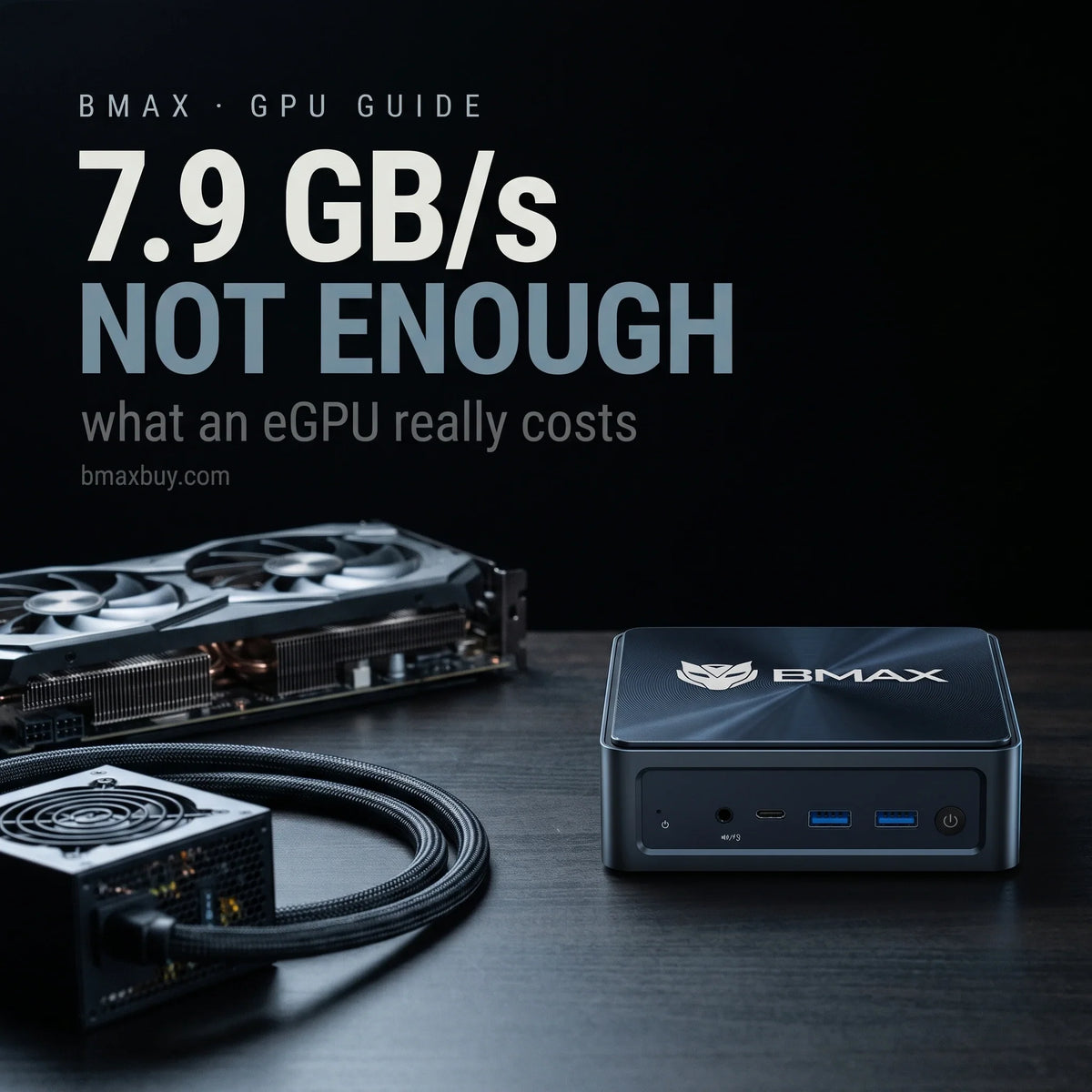
OCuLink is the cheapest way to attach a desktop graphics card to a mini PC. A dock costs about $180 and gives the card 7.9 GB/s of PCIe 4.0. That is four times what Thunderbolt manages in practice.
It is also the one feature no BMAX model has. Every current machine has USB-C, but that port carries DisplayPort video, not PCIe. So this guide covers what OCuLink buys you, what it costs, and what to do instead.
The numbers below explain the trade. An external GPU is never as fast as an internal one. At this price, a desktop is often cheaper.
Key takeaways
- OCuLink is PCIe 4.0 x4: 7.9 GB/s, versus 32 GB/s for a desktop x16 slot.
- Thunderbolt is slower in practice, around 3 GB/s once display traffic is accounted for.
- A dock plus a GPU costs $450–$600, before the mini PC.
- You lose 10–20% at 4K, and more at 1080p where CPU overhead dominates.
- No BMAX model has OCuLink or Thunderbolt. USB-C here is display and data only.
What is OCuLink?

OCuLink is an external PCIe connector. It carries four lanes of PCIe 4.0 over a short, thick cable, without the tunnelling overhead that Thunderbolt adds.
That difference matters. Thunderbolt 4 has 40 Gbps of total bandwidth, shared with displays and USB devices, which leaves about 3 GB/s for the GPU. OCuLink dedicates all 7.9 GB/s to the card.
What does an external GPU cost?
| Part | Typical price | Notes |
|---|---|---|
| OCuLink dock | $150–$220 | Some include a power supply, most do not |
| ATX power supply | $50–$70 | 500 W is enough for a mid-range card |
| Graphics card | $250–$400 | The actual reason you are doing this |
| Thunderbolt enclosure instead | $300–$450 | Slower link, easier to find |
Budget $500 for a working OCuLink setup with a mid-range card. Add the mini PC and you are near $1,300. That is more than a desktop with the same GPU and a better CPU.
That is the honest arithmetic. The eGPU route makes sense when you already own the laptop or mini PC, or when you need one machine that moves.
How much performance do you lose?
Expect 10–20% at 4K and 20–35% at 1080p, compared with the same card in a desktop slot. The loss is larger at low resolution because the frame rate is higher, so the CPU and the link become the bottleneck.
Two settings help. Run games at 1440p or 4K rather than 1080p, and enable Resizable BAR if the dock supports it. Both reduce the number of small transfers across the link.
Check the card length first. An OCuLink dock is an open frame, so a 320 mm card fits physically but needs support. Most docks are designed for two-slot cards around 250 mm.
Does any BMAX model support it?
No. Our machines have USB-C with DisplayPort alt mode, which carries video to a monitor and data to a drive. It does not tunnel PCIe, so an eGPU enclosure will not be recognised.
If an external GPU is a hard requirement, the answer is a different machine. We would rather say that than sell you a mini PC that cannot do the job.
What should you do instead?
Three routes, in order of cost.
Use the integrated GPU. The B12 Power at $799.99 has Intel Arc graphics with 8 Xe cores. That handles 1080p gaming, video encoding and photo work without an enclosure.
Buy a desktop. At $1,100 you get a faster CPU, a real GPU slot and room for a bigger card. It will not fit on a bookshelf, but it will not lose 20% either.
Stream from elsewhere. GeForce Now or a home desktop with Moonlight gives you the GPU without the dock. Latency is fine for most single-player games and poor for competitive shooters.
For the middle case, the B11 Pro and the X17 Power cover the same ground with stronger integrated graphics and no external box.
FAQ
Can you add an external GPU to a mini PC?
Only if the machine has OCuLink or Thunderbolt. USB-C alone does not carry PCIe, so an enclosure will not work on most mini PCs, including every current BMAX model.
Is OCuLink better than Thunderbolt for an eGPU?
Yes. OCuLink gives the GPU 7.9 GB/s of dedicated PCIe 4.0, against about 3 GB/s for Thunderbolt 4 once display traffic is counted.
How much does an eGPU setup cost?
About $450 to $600 for a dock, a power supply and a mid-range card. Thunderbolt enclosures add $100 to $200 for a slower link.
Does an eGPU lose performance?
Yes. Expect 10–20% at 4K and 20–35% at 1080p compared with the same card in a desktop slot.
Can I use an eGPU for video editing?
Yes, and it is one of the better uses. Encoding and effects benefit from the card without needing high frame rates, so the bandwidth loss matters less.
Which BMAX is closest to not needing an eGPU?
The B12 Power at $799.99. Its Arc graphics handle 1080p gaming and hardware encoding, which covers most of what people buy an eGPU for.
Related reading
No dock, no cable, no 20% loss. The B12 Power at $799.99 pairs a Core Ultra 9 with Intel Arc graphics, which covers most of what an external GPU is for.
Sources
- Link rates: PCI-SIG PCIe 4.0 specification, Thunderbolt 4 specification.
- Performance loss: published eGPU comparisons across 1080p and 4K workloads.
- Prices and specifications: bmaxbuy.com product listings, November 2026.
Performance loss figures are ranges reported in published testing, not our own measurements. Results vary by game, driver and enclosure.