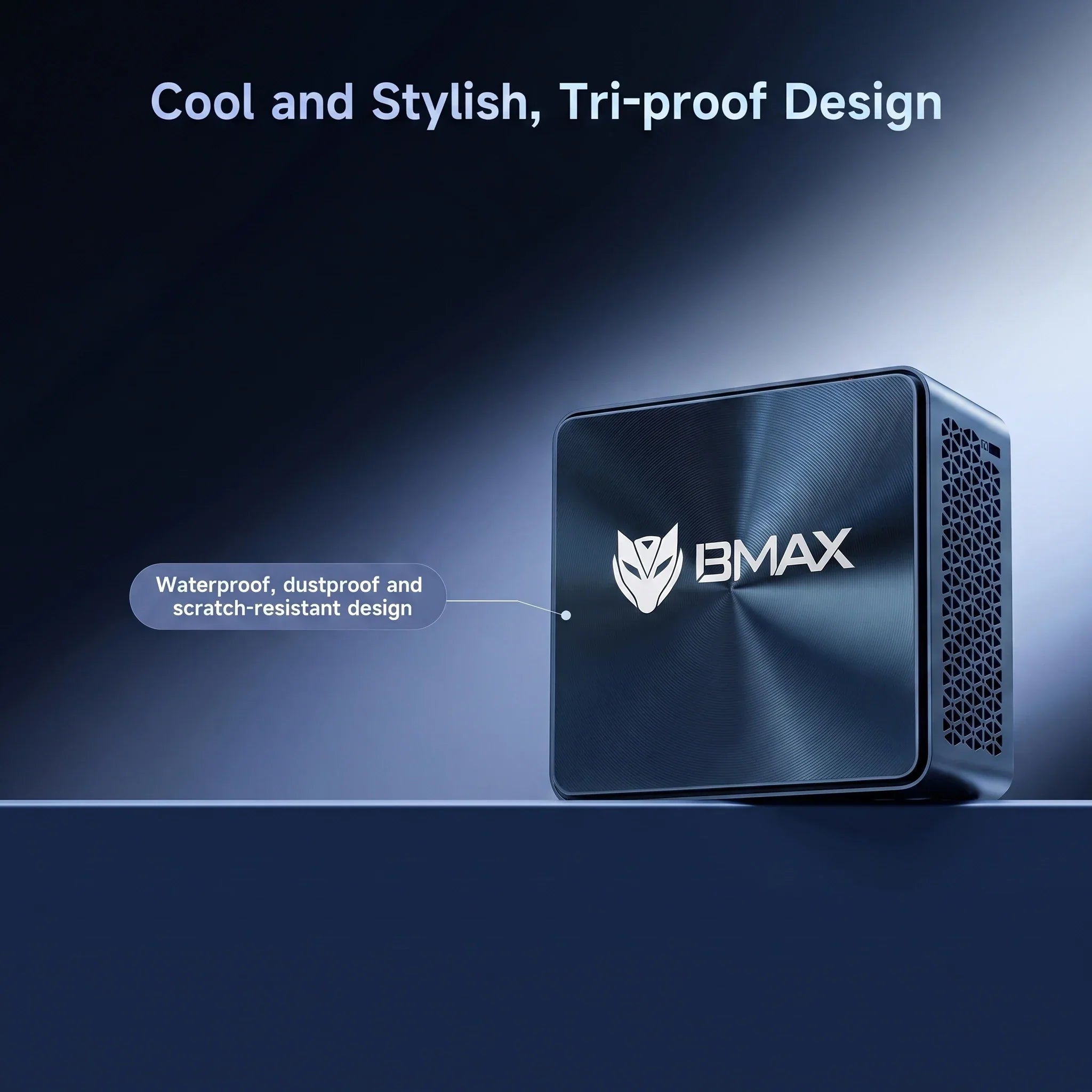
År 2026 närmar sig eran med överdimensionerade, bullriga stationära datorer snabbt sitt slut. I takt med att produktivitetsbehoven utvecklas mot hybridarbete och digital minimalism har minidatorer framträtt som den dominerande kraften. Varumärken som BMAX leder detta skifte och bevisar att du inte längre behöver ett massivt chassi för att hantera professionell datoranvändning.
1. Återta ditt skrivbord: Rymdeffektivitet
Ett traditionellt skrivbord är ett åtagande; det kräver en särskild plats på eller under skrivbordet och bidrar till problemet med "kabelspaghetti". BMAX B11 Pro, med måtten endast 126 mm x 112 mm x 52 mm, passar överallt.
Varför det spelar roll: Ett rent skrivbord handlar inte bara om estetik; det handlar om mental klarhet. Genom att minska din dators plats skapar du en fokuserad miljö för ditt faktiska arbete.
2. Prestanda: Intel Core Ultra Power
BMAX B11 Pro är inte bara "liten" – den är ett kraftpaket inom teknik. Den har Intel Core Ultra 5-processor 115U (8 kärnor, 10 trådar, upp till 4,2 GHz). Med Intel 4-litografi levererar den otroligt kraft-till-prestanda-effektivitet.
Verklig påverkan: Oavsett om du hanterar komplex e-handelsdata, streamar 4K-innehåll eller hanterar tung multitasking, säkerställer 16 GB LPDDR5/4400 MHz-minnet att allt förblir snabbt.
3.Innovation: Rymdkapselns kylsystem
En av de viktigaste framstegen i BMAX B11 Pro är den patentskyddade Rymdkapselkylsystem. Till skillnad från generiska kyllösningar har denna BMAX-exklusiva arkitektur ett intelligent fläktsystem som exakt övervakar interna temperaturer i realtid.
Hur det fungerar: Systemet anpassar dynamiskt strömförbrukningen baserat på din aktuella arbetsbelastning. Oavsett om du kör lätta kontorsuppgifter eller belastar processorn för mer intensiva projekt, Rymdkapselkylsystem justerar automatiskt fläkthastigheter och termisk strypning för att bibehålla topprestanda samtidigt som ljudnivåerna hålls praktiskt taget tysta.
4. Hemlabb & Lagringsutbyggnad: Myter kontra verklighet
En vanlig fråga i r/MiniPCs gemenskapen är: "Kan jag faktiskt använda dessa för seriöst arbete eller som server?" Svaret är ett rungande ja. Medan många kompakta datorer tvingar dig till begränsat lagringsutrymme, är BMAX B11 Pro designad för flexibilitet.
Uppgraderingsvägen: Utöver den blixtsnabba 512 GB NVMe SSD-enheten inkluderar den en intern 2,5-tums SATA-hårddiskplats. Detta gör att du kan skala upp din lagring allt eftersom dina projekt växer – perfekt för användare som bygger en hemmamedieserver (Jellyfin/Plex) eller ett lokalt datalabb.
Vanliga frågor: Samhällsfokuserade svar
F: Är BMAX B11 Pro bra för spel?A: Den är utmärkt för casual gaming, retro-emulatorer och streaming. Även om den inte är designad för AAA-spel, hanterar den både daglig underhållning och lättare spel med lätthet.
F: Kan jag ansluta flera skärmar?A: Absolut. Med en dedikerad HDMI 2.1- och DP 2.1-utgång kan du enkelt köra en produktivitetsuppsättning med dubbla skärmar, vilket är viktigt för dataanalytiker och e-handelsbutikschefer.
F: Är den lätt att underhålla?A: Ja. Enheten levereras förinstallerad med Windows 11 Pro och har en enkel, modulär design för enkel lagringsutbyggnad, vilket minimerar den "tekniska kostnaden" som vanligtvis är förknippad med datorer.
Slutgiltig dom
BMAX B11 Pro Mini PC är mer än bara en kompakt dator; det är en strategisk uppgradering för den moderna yrkespersonen. Med den innovativa Rymdkapselkylsystem Den säkerställer tyst och effektiv drift och erbjuder ett hållbart och högpresterande alternativ till traditionella torn.
Best Mini PCs for Students in 2026: Affordable Computers for School and Online Learning
As students prepare for the new school year in 2026, having a reliable computer is more important than ever. Whether attending online classes, completing homework, researching topics, learning to code, or creating digital projects, students need a device that runs smoothly, is affordable, and remains reliable over the long term.
Traditional desktop computers take up valuable desk space, while high-end laptops may be too expensive for many families. That’s why mini PCs have become an increasingly popular choice among students. With their compact design, efficient performance, and flexible configuration options, mini PCs strike an excellent balance between price, performance, and convenience.
BMAX offers students affordable and reliable computing solutions, including Mini PCs, laptops, and tablets designed for education, productivity, and everyday use.
Why Will Students Need a Good Computer in 2026?
Modern education is closely linked to digital technology. Today, students rely on computers to complete many important tasks, including:
Online Courses and Video ConferencesResearch and Information GatheringMicrosoft Office ApplicationsDigital Learning PlatformsProgramming and Coding PracticePresentations and Creative ProjectsAfter-Class Recreational Activities
Slow or outdated computers can reduce productivity and make daily studies more difficult. A reliable computer for students helps them complete their homework efficiently and develop the important digital skills they’ll need in the future.
What should students consider when buying a computer?
When choosing the right computer for school, there are several important factors to consider, including performance, size, price, and reliability.
Performance for Everyday Learning
A computer for students doesn't necessarily have to be equipped with the most expensive hardware, but it should provide enough performance to handle everyday tasks.
Processor
The processor is the heart of a computer. Modern CPUs allow students to open applications faster, switch seamlessly between tasks, and enjoy a better overall user experience.
Whether for online classes, office work, web browsing, or productivity tasks, a well-balanced processor can deliver the performance students need at a reasonable price.
RAM
Memory determines how many applications can run efficiently at the same time.
For most students:
8GB of RAM is more than enough to handle basic schoolwork, online learning, web browsing, and document editing.
For multitasking, programming, creative work, and extended use, we recommend 16GB of RAM.
Choosing enough memory helps prevent the system from slowing down when students need to have multiple applications open at the same time.Learn more about choosing the right memory configuration in our guide: How Much RAM Do You Need for a Mini PC?
Storage
High-speed SSDs enhance the overall computing experience by offering the following features:
Faster startup speed
Faster app loading speeds
Faster File Transfer
For students, SSD storage helps them complete their daily tasks more efficiently.
A compact design specifically tailored for student study spaces
One of the biggest advantages of mini PCs is their compact size.
Many students study in spaces with limited room, such as:
Bedrooms
Dorm rooms
Small apartments
Shared study areas
Mini PCs not only take up very little desk space, but also deliver the performance needed for modern learning.
Compared to traditional desktop computer cases, mini PCs offer the following advantages:
Smaller size
Lower power consumption
Quiet operation
Cleaner workspace organization
For students looking for a simple and efficient learning environment, a mini PC is an excellent choice.Learn more about the benefits of compact computers in our guide: Mini PC vs Desktop PC: Which One Should You Buy?
Affordable Performance for Students
Budget is an important consideration for students and their families.For students looking for an affordable mini PC, choosing the right balance between performance and price is essential.
Many high-end laptops come with features that students may not need, which drives up the overall cost. Mini PCs, on the other hand, allow users to focus their budget on essential hardware components, such as:
Processor performance
RAM capacity
SSD storage
Connectivity options
This makes mini PCs one of the most affordable options for students—who need reliable performance but don’t want to pay more than necessary.
Should Students Choose a Mini PC or a Laptop: Which One Is Better?
Both mini PCs and laptops are excellent choices for students, but they are suited for different situations.
Feature
Mini PC
Laptop
Price
More affordable
Usually higher
Portability
Limited
Excellent
Desk setup
Excellent
Good
Upgrade options
Better
Limited
Display
Requires monitor
Built-in screen
Long study sessions
Comfortable desktop setup
Convenient anywhere
For students who primarily study at home, in dorms, or at a fixed workstation, a mini-PC is the ideal choice.
For students who frequently move between classrooms, libraries, and other locations, a laptop is a better fit.
Best Uses of Mini PCs for Students
Online Classes and Remote Learning
Online education has become an integral part of modern learning.
A reliable mini-pc can support:
Video conferencing
Online classrooms
Learning websites
Digital assignments
Students can take online courses and communicate smoothly with their teachers.
Homework and Research
Students often need to run multiple applications at the same time:
Web browsers
Documents
Presentations
Spreadsheets
Research materials
A mini PC equipped with ample memory and solid-state drive (SSD) storage can provide a smooth user experience for everyday learning.
Programming and Technology Learning
For students interested in technology, programming, and computer science, a high-performance computer is essential.
Mini PCs offer an affordable learning environment:
Coding
Web development
Software tools
Computer science projects
Entertainment After School
After completing their schoolwork, students can also use their computers for personal activities.
Students can use the mini-pc for the following activities:
Watching videos
Streaming content
Listening to music
Casual gaming
A multifunctional computer can meet both educational and entertainment needs.
Best BMAX Computers for Students in 2026
BMAX B1 Plus Mini PC—An Affordable Computer for Students
For students who need a reliable computer to meet their daily learning needs, the BMAX B1 Plus mini PC is an excellent choice.
It’s ideal for:
Online classes
Web browsing
Office applications
Homework
Basic productivity tasks
Its compact design makes it a perfect fit for bedrooms, dorm rooms, and study areas.
BMAX B6 Plus Mini PC—A Powerful Choice for College Students
For students who need stronger multitasking performance, the BMAX B6 Plus mini PC offers a superior computing experience.
It is suitable for:
University coursework
Multiple applications
Programming learning
Productivity tasks
The B6 Plus strikes a good balance between performance, size, and value.
BMAX B11 Pro Mini PC — High Performance Student Computer
The BMAX B11 Pro Mini PC is designed for students who need stronger performance for advanced learning, productivity, and multitasking.
The BMAX B11 Pro Mini PC is suitable for:
University coursework
Programming
Creative applications
Multitasking
Office productivity
Its compact design makes it suitable for home study spaces, dorm rooms, and professional workstations.
Why Choose BMAX Student Computers?
BMAX is committed to creating affordable and reliable digital products, including Mini PCs, laptops, and tablets designed for students, professionals, and everyday users.
For students with different learning needs, BMAX provides flexible computing solutions:
Mini PCs: Ideal for students who need powerful performance, a clean desktop setup, and excellent value for home study, dorm rooms, and workspaces.
Laptops: A great choice for students who need portable computing solutions for classrooms, libraries, and learning on the go.
Tablets: Suitable for mobile learning, reading, note-taking, online courses, and everyday entertainment.
Whether students need a compact desktop computer for intensive study or a portable device for flexible learning, BMAX offers reliable solutions for different educational scenarios.
Affordable Performance
The BMAX series is designed to deliver practical computing performance at a highly competitive price, helping students access reliable computing technology at an affordable price.
Reliable Quality
Every BMAX device undergoes rigorous quality control testing before shipment to ensure stable and reliable performance.
Designed for Everyday Users
Whether for students, families, professionals, or home users, BMAX’s products are designed to meet real-world computing needs.
Back to School 2026 Special Offer
A reliable computer is an important investment for every student on their educational journey.
To kick off the 2026 back-to-school season, BMAX is launching a special promotion on select computers to help students purchase trustworthy tech products at more affordable prices.
Whether you need a computer for online classes, completing assignments, programming, or boosting your daily productivity, BMAX offers affordable solutions designed specifically for modern learning.
Start the new school year with a smarter computer.
Choose BMAX for affordable and reliable student computers.
Frequently Asked Questions
Is a Mini PC good for students?
Yes. Mini PCs are an excellent choice for students to take online classes, complete assignments, conduct research, program, and handle everyday office tasks. Not only are they powerful, but they also save desk space.
How much RAM does a student computer need?
For basic schoolwork, 8GB of RAM is usually sufficient. If you need to multitask, program, or use the computer for extended periods, we recommend choosing 16GB of RAM.
Can a Mini PC replace a desktop computer for students?
Yes. Modern mini-pc are not only capable of handling most students’ academic tasks, but they also take up less space and consume less energy than traditional desktop computers.
Is a laptop or Mini PC better for students?
It depends on the student's needs. Laptops are more portable, while mini PCs offer better value for money and provide a more comfortable desktop experience.
What is the best mini PC for students in 2026?
For students, the best mini PC depends on their specific needs. Entry-level models like the BMAX B1 Plus are suitable for basic learning, while more powerful models like the BMAX B6 Plus and B11 Pro are better suited for multitasking, programming, and advanced office applications.
In 2026, the personal computer industry stands at a peculiar crossroads: the overall market is contracting, yet structural opportunities are exploding.
Recent research reports from authoritative institutions predict that global PC shipments will fall from 297 million units in 2025 to 255 million in 2026—a 14% year-over-year decline. This adjustment is expected to persist through 2027, with true stabilization not occurring until 2028. Rising costs for memory and CPUs, combined with the fading "refresh cycle" boost triggered by the end of Windows 10 support, are collectively suppressing total industry volume.
Yet, the same reports express great optimism in other areas: global AI PC shipments are projected to rise to 150 million units in 2026—up 39% year-over-year—with their share of the total PC market surging to 59%. By 2028, AI PC penetration is expected to climb further to 82%, accounting for 84% of total revenue. IDC statistics corroborate this trajectory, showing 114 million AI PC shipments (43% penetration) in 2025, with the figure projected to surpass 55% in 2026.
This represents the most profound "divergence between volume and price" in the PC industry's forty-year history: while shipment volumes are shrinking, revenue is projected to dip by only 5% in 2026, and the average selling price is set to rise from $933 to $1,025. The AI PC is not merely a product line upgrade; it is rewriting the industry's growth formula—shifting the focus from "selling more units" to "delivering smarter devices at higher price points."
The PC's "Midlife Crisis" and the Rapid Iteration of AI Technology
Traditional PCs have evolved over four decades, yet their core form and logic have remained unchanged: screen, keyboard, and mouse; launching software and saving files. They have always been machines that simply "wait for instructions."
The paradox of the past two years lies here: while Large Language Models (LLMs) have demonstrated the ability to understand intent and generate content, these capabilities have largely remained confined to cloud servers, out of reach of the files, emails, and workflows that users handle daily. You can ask a large model a question, but it cannot help you transcribe last week's meeting recording into minutes, compare project schedules, or send reminder emails to colleagues—because it cannot access your local data or operate your software.
There is only one way to resolve this contradiction: embedding AI directly into the computer. This requires a systematic overhaul of chip architecture, operating systems, and software ecosystems, rather than simply adding an "AI button."
In recent years, chip giants like Intel, AMD, and MediaTek have crowded into the AI race, entering the core processor market for AI PCs and unveiling their respective on-device AI solutions almost simultaneously. This is no coincidence; it reflects an industry consensus: the AI PC represents the only growth avenue in a sluggish PC market.
A Threefold Transformation: What the AI PC Rewrites
Hardware Architecture: From "Division of Labor" to "Integration"
Traditional PC chips rely on a division of labor—the CPU handles general computing while the GPU manages graphics, with data constantly moving between them. However, AI models require simultaneous processing of massive amounts of data, making this data transfer a bottleneck.
AI PC chips are moving toward integration: the CPU, GPU, and AI-specific computing modules (NPUs) are combined and share high-capacity memory, allowing AI models to reside permanently within the system. In other words, it gives the computer a "local brain."
Interaction: From "Manual Execution" to "Verbal Instructio
If AI can interpret the screen, understand speech, and grasp context, human-computer interaction shifts away from "clicking here" or "dragging there." Users simply need to tell the computer, "Extract the key points from this report, create a three-page PowerPoint presentation, and use that template from last time." The computer then handles the file retrieval, software launching, formatting, and generation. In this way, AI becomes a ubiquitous, system-level service.
Software Ecosystem: From "Standalone Software" to "Cross-Application Agents"
This is the most critical variable. Currently, using a computer essentially means using standalone applications—Word is Word, and Excel is Excel. The logic of the AI PC, however, is cross-application; an AI assistant needs to access documents, spreadsheets, emails, and calendars simultaneously to complete a comprehensive task. This shift is transforming how we define various aspects of the digital landscape: the PC is evolving from a mere tool into an employee's "digital workstation," while local computing centers are becoming a new line of defense for enterprise data security. "Cloud-edge synergy with an edge-first approach" is emerging as the new trend. In other words, cloud-based public large models are invoked only for processing general information flows, whereas scenarios requiring low latency, localization, or offline operation are handled by local PCs and workstations.
The Path of Transformation in the "Year of AI Agents"
The industry widely regards 2026 as the "Year One" of practical AI implementation—often referred to as the "Year of AI Agents." From an industrial perspective, the PC sector is undergoing a paradigm shift:
• Shift in growth logic: Moving from "selling more devices" to "increasing the value of each device."
• Shift in competitive logic: Moving from "price wars" to a dual-driver strategy of "high-end AI flagships" and "scenario-specific hit products."
• The shift in value chain logic: from "low-profit, high-volume sales like selling bottled water" to "value-added competition like specialty coffee".
• Shift in geopolitical and supply chain logic: The restructuring of AI PC hardware is leading to a rediscovery of the value within China's supply chain. Domestic chipmakers are achieving breakthroughs in key technologies, while upstream and downstream sectors—including system assembly, PCBs, storage, and thermal management—are benefiting simultaneously. The domestic supply chain faces a dual opportunity: import substitution and rapid market expansion.
The PC is facing a "midlife crisis," yet this very challenge offers an opportunity for renewed growth. Over the next three years, the keyword for the PC industry will not be "recovery," but "reconstruction"—reconstructing hardware architecture, interaction methods, software ecosystems, and the competitive landscape. Manufacturers capable of transforming AI from a mere "feature" into a core "product architecture" will win the future; conversely, players who simply slap an "AI" label on traditional PCs will eventually be swallowed by the wave of "shrinking volumes but rising prices."
For the first time in the PC industry's forty-year history, the protagonist of the story is neither a "faster CPU" nor a "lighter chassis," but rather "AI living inside the computer." This story is only just beginning.
As an innovative brand specializing in personalized digital products, BMAX adopted a forward-looking strategy early on to establish a comprehensive presence across sectors such as mini PCs, laptops, and tablets. Its recently launched AI PCs have won the favor of consumers in numerous countries and regions, thanks to their exceptional design, specifications, performance, and value for money. Most importantly, every product undergoes 300 rigorous quality control checks before leaving the factory and comes with a one-year warranty, ensuring reliable quality. When choosing an AI PC, choose BMAX!
Minidatorer har blivit ett av de snabbast växande alternativen inom modern databehandling. Jämfört med traditionella stationära datorer tar de mindre plats, förbrukar mindre ström, är lätta att bära och erbjuder prestanda som räcker för dagens vardagliga uppgifter, som arbete och studier. Men med så många alternativ tillgängliga kan det vara lite utmanande att välja rätt mini-dator. Ska du välja Intel eller AMD? Hur mycket RAM-minne behöver du? Kommer minidatorns prestanda att vara tillräcklig för dina arbets-, studie- eller underhållningsbehov? Den här köpguiden hjälper dig att förstå de viktigaste faktorerna att tänka på när du köper en mini-dator år 2026. 1. Tänk på dina primära användningsområden Vilken minidator som är bäst för dig beror på dina specifika behov. Hemmakontor och produktivitet För distansarbete, affärsuppgifter och vardagliga produktivitetsbehov bör en mini-dator erbjuda följande funktioner: Multitasking-prestanda SSD-lagring med hög hastighet Tillförlitlig nätverksanslutning Stöd för konfigurationer med flera bildskärmar Bärbarhet Uppgifter som att använda Microsoft Office, videokonferenser, webbsurfning och dokumenthantering kräver inte en stor stationär dator. En kompakt mini-dator kan uppfylla alla dessa behov samtidigt som den sparar värdefullt skrivbordsutrymme. Studenter och utbildningsändamål Studenter behöver vanligtvis en dator för: Onlinekurser Forskning Skrivuppgifter Programmeringsövningar Multimediainlärning En minidator är ett praktiskt val eftersom den erbjuder användarvänlighet på samma nivå som en stationär dator utan att ta upp för mycket plats. Underhållning och multimedia i hemmet Många användare använder också mini-datorer som hemmaunderhållningsenheter. Med HDMI-portar och en kompakt design kan minidatorer enkelt anslutas till bildskärmar, TV-apparater och annan kringutrustning för: Titta på filmer online Surfa på webben Spelar musik Hantera digitalt innehåll 2. Att välja rätt processor Processorn är en av de viktigaste komponenterna i vilken dator som helst. För grundläggande uppgifter räcker en processor på instegsnivå för att hantera vardagliga datorbehov. För användare som kräver högre prestanda – till exempel de som sysslar med: Intensiv multitasking Programmeringsapplikationer Kreativa applikationer Grafikproduktion Arbetsbelastningar för företag En liten dator utrustad med en kraftfullare processor ger en smidigare användarupplevelse. Moderna AMD Ryzen- och Intel Core-processorer levererar exceptionell prestanda samtidigt som de bibehåller energieffektiviteten. 3. Hur mycket RAM-minne behöver du? Mängden RAM-minne avgör hur många applikationer som kan köras smidigt samtidigt. Rekommenderat RAM-minne: 8 GB RAM: Grundläggande webbsurfning och enkla uppgifter16 GB RAM: Rekommenderas för de flesta användare32 GB RAM eller högre: Arbetsbelastningar på professionell nivå och avancerad multitasking För de flesta hemanvändare och kontorsanställda är 16 GB RAM en idealisk balans mellan prestanda och kostnad och mer än tillräckligt. 4.Förvaring är viktigare Traditionella hårddiskar ersätts av solid state-diskar (SSD) eftersom SSD-diskar erbjuder följande fördelar: Snabbare starttiderSnabbare laddningstider för applikationerBättre respons överlag När du väljer en mini-dator, tänk på: Lagringskapacitet SSD-typ Uppgraderingsalternativ För användare som behöver gott om utrymme för att lagra program, filer och multimediainnehåll är en 512 GB SSD ett bra val – den erbjuder tillräcklig kapacitet till ett överkomligt pris. 5. Anslutnings- och expansionsportar En bra mini-dator bör erbjuda tillräckligt med portar för att möta dina dagliga behov. Viktiga hamnar inkluderar: HDMI eller DisplayPort USB-portar USB-C-portar Ethernet Wi-Fi Bluetooth För produktiva kontorsanvändare som behöver en större arbetsyta är stöd för flera bildskärmar också mycket användbart. 6. Minidatorer kontra traditionella stationära datorer Traditionella stationära datorer har fortfarande en fördel när det gäller avancerade spel och professionella arbetsbelastningar. Minidatorer erbjuder dock följande fördelar: Mini-PC Traditionell stationär dator Mindre storlek Större fotavtryck Lägre strömförbrukning Högre energianvändning Enkel placering Kräver mer utrymme Tyst drift Fler komponenter Bra vardagsprestanda Mer flexibilitet vid uppgraderingar För de flesta vanliga användare erbjuder minidatorer en effektiv, praktisk och bekväm lösning. Varför välja en BMAX minidator? BMAX strävar efter att skapa kompakta datorer som balanserar prestanda, design och värde. Oavsett om du behöver en dator för: Arbeta hemifrån Online-inlärning Affärsapplikationer Underhållning Vardagliga uppgifter BMAX minidatorer ger dig en pålitlig datorlösning utan onödiga kostnader. Slutsats Att välja en mini-dator betyder inte att offra prestanda. Så länge den är utrustad med rätt processor, minne, lagring och anslutningsmöjligheter kan en mini-dator fungera som ett gångbart alternativ för de flesta användare. Innan du gör ett köp, överväg noggrant dina dagliga behov och välj en mini-dator med en konfiguration och prestandanivå som passar din livsstil och dina arbetsvanor.