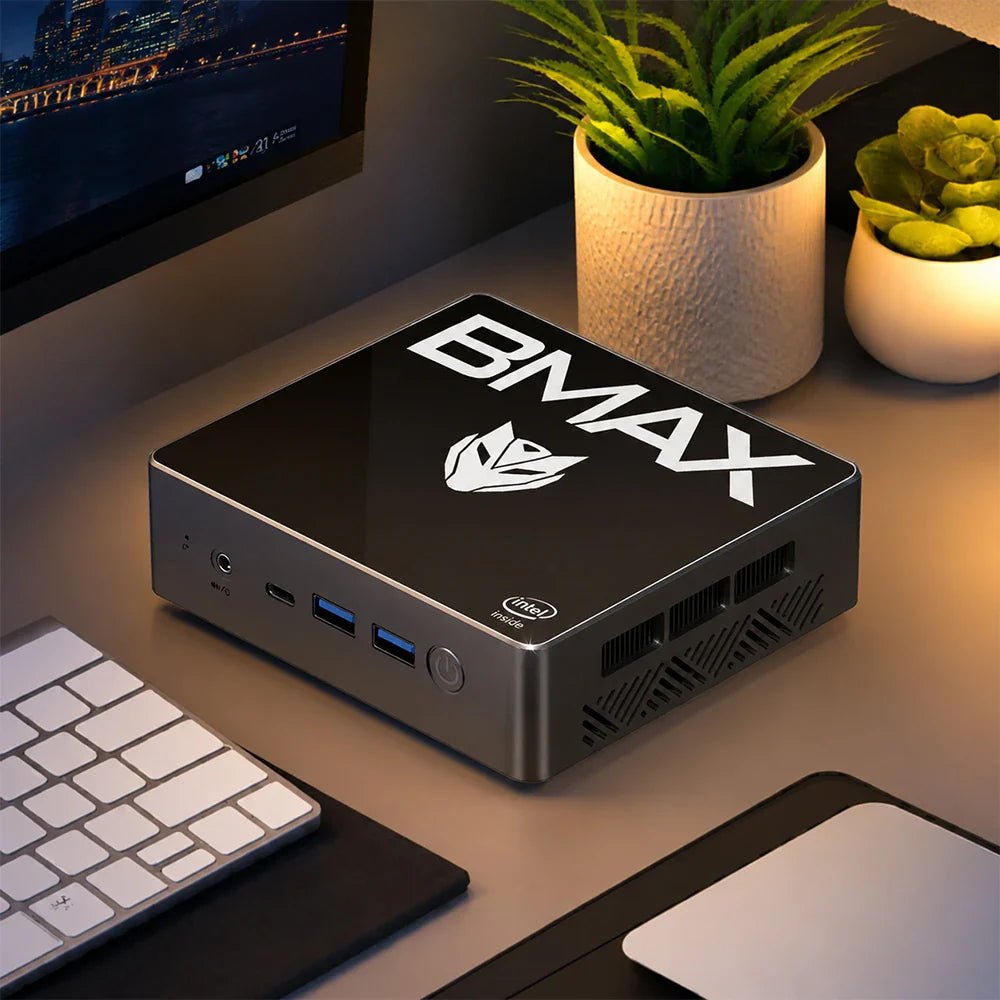
Perché il BMAX B4 Turbo Supera le prestazioni dei modelli di punta precedenti a metà prezzo.
Quando si cambia computer all'inizio dell'anno, molte persone sono indecise se acquistare un vecchio modello di fascia alta o un nuovo modello entry-level? Il punto di vista dell'autore è molto chiaro: nella tecnologia odierna in rapida evoluzione, è meglio scegliere un nuovo prodotto ad alto rapporto qualità-prezzo, come il BMAX B4 Turbo L'articolo lo raccomanda vivamente, piuttosto che acquistare un vecchio modello di fascia alta scontato.
I motivi sono i seguenti:
Utilizza il processore Intel N150 di tredicesima generazione (4 core e 4 thread, processo a 7 nm, frequenza massima di 3,6 GHz, consumo energetico di soli 6 W) e le sue prestazioni sono simili a quelle dei processori di fascia medio-alta del passato (come gli i3 e gli i5 di decima generazione), ma il prezzo è dimezzato.
La memoria RAM e lo spazio di archiviazione sono sufficienti (16 GB + 512 GB/1 TB), più che sufficienti per le attività quotidiane di ufficio e intrattenimento, e la velocità di lettura e scrittura non è male.
La versione da 512 GB costa solo $168 (coupon:ZVFZMWMWQZE3), ovvero centinaia di dollari in meno rispetto ai vecchi modelli con la stessa configurazione (come ThinkCentre M60e, ProDesk 400 G6), e il rapporto costo-efficacia è eccezionale.
Rispetto ai processori stellari degli anni precedenti (come i3-1005G1, i5-10500T), le prestazioni del B4 Turbo è vicino o addirittura lo supera parzialmente, e il consumo energetico è ancora inferiore, e non si surriscalda né riduce la frequenza dopo un utilizzo prolungato.
Anche il Mac mini (modello 2020) con chip Apple M1 può essere confrontato: B4 Turbo Ha una frequenza più elevata (3,6 GHz rispetto ai 3,2 GHz dell'M1), ma il prezzo è solo un terzo, il che lo rende adatto agli utenti con un budget limitato che desiderano comunque un'esperienza fluida.
L'hardware obsoleto potrebbe presentare problemi di compatibilità dopo gli aggiornamenti di sistema, compromettendone la fluidità; al contrario, la nuova architettura e i nuovi processi sono più avanzati e stabili.
Sebbene i vecchi modelli di fascia medio-alta fossero un tempo potenti, il prezzo è stato gonfiato (ad esempio, il modello i5-10500T costa $449) e il corpo è ingombrante, non così compatto e portatile come il B4 Turbo.
An $800 editing laptop with an i9-12900H handles 1080p work and light 4K. It does not handle 4K multicam with effects. The limit is not the CPU. It is the integrated graphics and the 1080p screen.
The X17 Power packs 14 cores and 20 threads, 24 GB of RAM and a 1 TB SSD into a 15.6-inch body. That is a serious amount of compute for the money.
What it lacks is a discrete GPU. That changes which projects finish quickly and which ones make you wait.
Key takeaways
1080p editing: comfortable. Timeline scrubbing, colour, audio and export all work.
4K single-track editing: workable, using Quick Sync for decode and encode.
4K multicam with effects: not this machine. You need a discrete GPU.
The screen is 1080p, so you will not be judging 4K detail at full resolution.
Storage is the first wall. One hour of 4K ProRes is 180 GB.
What does video editing actually need?
Workload
CPU
RAM
GPU
1080p, single track
6 cores
16 GB
Integrated is fine
1080p with effects and colour
8 cores
16–24 GB
Integrated, Quick Sync helps
4K single track
10+ cores
24 GB
Quick Sync for decode
4K multicam or heavy effects
12+ cores
32 GB
Discrete GPU with 6 GB+ VRAM
Motion graphics, 3D
12+ cores
32 GB+
Discrete GPU, 8 GB+
The X17 Power sits on the third row. Fourteen cores and 24 GB clear the CPU and memory bars. The integrated Iris Xe clears the GPU bar for decode and encode, not for effects.
Is integrated graphics enough?
For H.264 and H.265 footage, mostly yes. Intel's Quick Sync engine decodes and encodes those formats in hardware. That is why a 4K timeline can still scrub smoothly without a graphics card.
Where it breaks down is anything that renders on the GPU. Noise reduction, warp stabiliser, heavy colour grades and multicam angles all want dedicated VRAM. On Iris Xe they run, slowly, and the fan tells you so.
Check your codec first. If your camera records H.264 or H.265, Quick Sync carries most of the load. If it records ProRes, BRAW or 10-bit 4:2:2, a laptop without a discrete GPU will struggle regardless of core count.
Which X17 should you buy?
Model
Specification
Who it suits
X17 Turbo — $499.99
Core Ultra 5 115U, 16 GB, 512 GB
1080p YouTube edits, light cutting
X17 Power — $799.99
Core i9-12900H, 24 GB, 1 TB
1080p client work, 4K single track
X17 Power 32 GB — $849.99
Core i9-12900HK, 32 GB, 1 TB
Long timelines, After Effects, many browser tabs
The $50 step from 24 GB to 32 GB is the best value in this lineup. Editing software holds frames in RAM, and a 4K timeline with a few effects will use more than 24 GB.
How much storage do you need?
Calculated from bitrate. A 1 TB drive holds about 21 hours of 4K H.264, or 5 hours of ProRes.
A 1 TB drive sounds generous until you convert it into footage. At 4K H.264 it holds about 21 hours. At 4K ProRes it holds about 5 hours before proxies and cache.
Two practical answers. Record proxies at half resolution for editing, and keep the originals on an external drive. Or shoot 1080p when the delivery is 1080p, which is most client work.
Does it throttle on long exports?
Every thin laptop throttles under sustained load, and the question is how much. A 14-core i9 in a 15.6-inch chassis will settle below its peak clock after 15 to 20 minutes of export.
Export is CPU work, so it is where a laptop shows its thermal design. A short 1080p clip finishes in minutes. A long 4K timeline with effects is a coffee break, not a quick save.
Two habits reduce it. Raise the rear of the laptop 20 mm on a stand, and set the power profile to performance while plugged in. Both buy back a few hundred megahertz for free.
What about the screen?
The 15.6-inch panel is 1920×1080. That is fine for cutting, colour balance and text, and it is not enough to judge 4K sharpness or fine grain.
If your delivery is 4K, plan on an external monitor for the final check. A 27-inch 4K panel costs about $300 and will matter more to your output than the next CPU tier.
Is a desktop better for editing?
At the same price, yes for sustained work. The B12 Power at $749.99 gives you a Core Ultra 9, 24 GB and 16 cores. It also does not throttle after 20 minutes of export.
The laptop wins when you edit away from a desk. The desktop wins when you export for an hour and want the fan to stay quiet.
FAQ
Is an i9-12900H good for video editing?
Yes. Fourteen cores and 20 threads handle 1080p work comfortably and 4K single-track edits with Quick Sync. The limit is the integrated graphics, not the CPU.
Can you edit 4K video without a dedicated GPU?
Single-track 4K in H.264 or H.265, yes. Multicam, heavy effects, noise reduction and ProRes timelines need a discrete GPU with dedicated VRAM.
How much RAM do I need for 4K editing?
24 GB is workable. 32 GB is safer for long timelines, After Effects and browser tabs open at the same time.
Is 1 TB enough for video editing?
About 21 hours of 4K H.264, or 5 hours of ProRes. Use proxies and an external drive for anything longer than a short project.
Is a 1080p screen enough for editing 4K?
For cutting and colour, yes. For judging sharpness and grain, no. Add an external 4K monitor for the final review.
Which BMAX laptop should I buy for editing?
The X17 Power at $799.99 for 1080p client work, or the 32 GB version at $849.99 if you edit 4K timelines with effects.
Related reading
Best AI mini PCs
Build a mini PC or buy one
Do mini PCs come with Windows 11?
The BMAX buying guide
BMAX store
14 cores, 24 GB, $799.99. The X17 Power is the editing laptop here, and $50 more doubles the headroom.
Shop BMAX laptops
Sources
Storage: calculated from bitrate, assuming 931 GB usable on a 1 TB drive.
Quick Sync support: Intel media engine documentation for 12th-gen Core.
Specifications and prices: bmaxbuy.com product listings, November 2026.
Editing performance is described from hardware specifications, not measured benchmarks. Results vary by codec, timeline complexity and software version.
A student tablet is a reading and annotation device. It is not a laptop. Buy one for PDFs, lecture slides, handwritten notes and video. Do not buy one for essays, spreadsheets or code.
The mistake is buying a big tablet hoping it replaces a computer. A 13-inch Android tablet with a keyboard case still cannot run Word properly. It also costs more than a 10-inch model that does the real job better.
Here is what to buy for notes and reading, which size fits a lecture desk, and where the honest limits are.
Key takeaways
10.1 inches is the sweet spot for notes and reading. 8.7 if you carry it all day.
Battery size scales with the screen. 6,000 mAh on a 10-inch panel lasts about as long as 10,000 mAh on a 13-inch one.
The "24 GB RAM" figure includes virtual memory. Expect 8 GB of physical RAM.
LTE matters on campus. Campus Wi-Fi drops in lecture halls and libraries.
A $110 tablet plus a $220 mini PC beats one $400 laptop for most students.
What does a student tablet actually do?
Task
What it needs
Tablet verdict
Reading PDFs and slides
A 10-inch screen, 8 GB RAM
Excellent
Handwritten notes
A stylus, palm rejection
Works, but check the stylus type
Typing notes in class
A keyboard case
Usable for short sessions
Video lectures
A decent panel, speakers
Excellent
Essays over 1,000 words
Desktop Word, a real keyboard
Poor
Excel, SPSS, CAD
Desktop software
Not possible
Which size should you buy?
8.7 inches is a one-hand device. It fits a jacket pocket and a crowded lecture seat. The trade is a smaller page, which means more scrolling through PDFs.
10.1 inches matches an A5 notebook and still fits a small desk. This is the size most students should buy, and it is why the I10 Plus exists at $109.99.
13.3 to 13.4 inches shows a full A4 page without zooming. That matters for scanned textbooks and sheet music. It also weighs like a laptop and no longer fits a lecture-hall armrest.
What does the battery number mean?
Capacity grows slower than the screen it has to light. A 13-inch panel with 10,000 mAh lasts about as long as a 10-inch panel with 6,000 mAh.
A 6,000 mAh battery in a 10-inch tablet is not automatically worse than 10,000 mAh in a 13-inch one. The bigger panel draws more, so the capacity per inch is what matters.
At the low end that ratio is about 590 mAh per inch. At the top it is about 750. The larger models do last longer, but by roughly 20%, not 60%.
About the 24 GB label. These listings quote 24 GB of RAM, and that number includes virtual memory. Assume about 8 GB of physical RAM, which is fine for Android and for reading. Do not buy on the RAM number.
Which BMAX tablet?
Model
Screen
Best for
I10 Plus — $109.99
10.1"
Most students. Notes, PDFs, video. 1,200 in stock.
I8 Plus — $109.99
8.7"
Carrying every day in a small bag.
I14 — $169.99
13.4"
Scanned textbooks, sheet music, split-screen reading.
I13 4G — $229.99
13.3"
Large screen plus mobile data for campus days.
The I10 Plus is the default answer. It is the cheapest 10-inch model here, and it has the largest stock. Ten inches fits both a lecture desk and a backpack.
What can a tablet not do?
Long documents. A 1,000-word essay on an Android keyboard is slow to write and slow to edit. Word on Android also loses formatting that your tutor's template expects.
Spreadsheets. Excel on Android works for reading. It is unusable for anything with pivot tables or macros.
Course software. AutoCAD, MATLAB, SPSS and most statistics packages are Windows-only.
If a student needs those, the answer is a laptop or a mini PC, not a bigger tablet. Our guide to mini PCs for students covers the desk setup that costs about $400 complete.
What about keyboards and cases?
A keyboard case changes the tablet from a reader into a light writing tool. Budget $25 to $40 for a folio with a Bluetooth keyboard, and check that it folds to a stand angle you can type on.
Two limits show up quickly. The keys are smaller than a laptop's, and the trackpad is usually missing. For a 500-word summary that is fine. For a 3,000-word essay it is not.
Do you need LTE?
Only if you work outside campus Wi-Fi often. Lecture halls, basements and libraries have dead spots, and phone tethering drains a battery quickly.
The I12 Power at $199.99 and the I13 4G at $229.99 both include LTE. For everyone else, save the $90 and buy the Wi-Fi model.
FAQ
Is a tablet good for a student?
For reading, notes and video, yes. It is a poor replacement for a laptop when writing essays, using Excel or running course software that only exists on Windows.
What size tablet is best for note taking?
10.1 inches for most students. It matches an A5 page, fits a lecture desk and stays light enough to carry all day. 13 inches suits scanned textbooks, not note taking.
Do these tablets come with a stylus?
Check the specific listing. Most budget tablets work with a capacitive stylus, which is a rubber tip without pressure sensitivity. That is fine for highlighting, not for handwriting that looks like ink.
Is 24 GB of RAM real?
No. The figure includes virtual memory. Expect around 8 GB of physical RAM, which is enough for Android, reading and video.
Can a tablet replace a laptop for university?
Only for reading-heavy courses. Any course with essays, spreadsheets, statistics or CAD needs a desktop OS. Many students use a $110 tablet plus a $220 mini PC instead of one $400 laptop.
Which BMAX tablet should I buy?
The I10 Plus at $109.99 for most students. The I14 at $169.99 for scanned documents. The I13 4G at $229.99 if you need mobile data.
Related reading
Best mini PC for students
What $100, $200 and $300 actually buy
Mini PC vs laptop
The BMAX buying guide
$109.99, 10.1 inches, 1,200 in stock. The I10 Plus is the tablet most students should start with.
Shop BMAX tablets
Sources
Screen size, battery capacity and price: bmaxbuy.com product listings, November 2026.
Capacity per inch: calculated from those listings.
Software limits: Microsoft 365 for Android and Windows-only application requirements.
Battery life is an estimate, not a measurement. Actual endurance depends on brightness, panel type and the applications in use.
Sì, un mini PC può fungere da router. No, non si adatterà al posto di quello vecchio. Servono due porte di rete, e quasi tutti i mini PC ne hanno una.
Con una singola porta hai due opzioni. Aggiungere uno switch gestito e far funzionare entrambe le reti tramite un unico cavo, oppure aggiungere un adattatore Ethernet USB. Entrambe le soluzioni funzionano. Nessuna delle due è semplice come collegare un dispositivo.
Ecco cosa richiede effettivamente il lavoro, cosa possono fare le nostre macchine e quando un router da 120 dollari è la soluzione migliore.
Punti chiave
Due porte sono il minimo Per WAN e LAN. Una porta richiede uno switch VLAN o un adattatore USB.
Qualsiasi mini PC x86 va bene. pfSense, OPNsense e OpenWrt funzionano tutti su queste macchine.
Il Wi-Fi è separato. Un mini PC router necessita di un punto di accesso, che è un secondo dispositivo.
Il suo funzionamento costa 9,20 dollari all'anno. Con un consumo di 6 W, è più economico di un router per uso domestico.
Nessuno dei nostri modelli ha due porte. Acquista il software, poi risolvi i problemi di connessione.
Di cosa ha bisogno un mini PC per funzionare come router?
Requisito
Cosa significa
BMAX realtà
Due porte di rete
Uno per il modem, uno per la LAN
Una sola porta su ogni modello
Basso consumo energetico al minimo
Funziona 24 ore su 24, 7 giorni su 7.
Da 5,8 W a 9,8 W
processore x86
pfSense e OPNsense ne hanno bisogno
Tutti i modelli
Non è necessaria la connessione Wi-Fi.
Il punto di accesso gestisce la connessione wireless
Non incluso, e va bene così.
Piccolo ripostiglio
128 GB sono più che sufficienti
256 GB e oltre
La prima riga è il problema. Un router separa due reti, quindi necessita di un'interfaccia su ciascun lato. Una porta corrisponde a una rete.
È possibile utilizzare una sola porta Ethernet?
È possibile, con uno switch gestito che supporti il tagging VLAN 802.1Q. Questa configurazione è chiamata router-on-a-stick.
Sullo switch si configurano due VLAN, una per la WAN e una per la LAN. Entrambe viaggiano verso il mini PC tramite un singolo cavo come frame con tag. Il software del router legge i tag e li tratta come interfacce separate.
Un dettaglio pratico: lo switch deve essere gestito, non non gestito. Uno switch non gestito non tagga i frame e il router vedrà un'unica rete piatta. Uno switch gestito a cinque porte costa circa 40 dollari.
Il costo è rappresentato dalla larghezza di banda. Un collegamento 1 GbE trasporta circa 940 Mbps in totale, suddivisi tra download e upload e tra le due reti. Su una connessione gigabit, questo rappresenta un limite massimo.
In alternativa, si può utilizzare un adattatore Ethernet USB 3.0. Un adattatore 2.5 GbE costa circa 30 dollari e la maggior parte è compatibile con OPNsense. Prima dell'acquisto, verificate la compatibilità del chipset, poiché gli adattatori Realtek richiedono un driver aggiuntivo su FreeBSD.
La versione onesta: Se desideri un router con due porte e senza soluzioni alternative, acquista un dispositivo progettato appositamente per questo scopo. Un mini PC è la soluzione ideale se hai bisogno delle funzionalità di pfSense, di un firewall specifico o di un computer che supporti anche il filtraggio DNS e una VPN.
Quale BMAX è adatto?
Modello
Porta
Adatto per il routing
B2 Power — 209,99 dollari
1 GbE
Il miglior rapporto qualità-prezzo per un firewall. Modello 5205U, basso consumo, 269 pezzi disponibili.
B3 Pro — $199,99
1 GbE
L'opzione più economica. Va bene per una linea da 500 Mbps.
B11 Pro — 459,99 dollari
2,5 GbE
Conviene solo per connessioni internet multi-gigabit o sistemi IDS ad alta velocità.
Per la maggior parte delle reti domestiche il B2 Power è sufficiente. Un 5205U satura una linea gigabit con NAT e un set di regole modesto, e inattivo consuma circa 6 W.
Acquista il B11 Pro Solo se la tua connessione internet è più veloce di 1 Gbps. La porta 2.5 GbE è l'unico modo per utilizzare quella larghezza di banda.
Quanto costa mantenerlo attivo 24 ore su 24, 7 giorni su 7?
Consumo annuo di elettricità per tre dispositivi in funzione tutto l'anno, calcolati in base alle tariffe medie statunitensi.
Un router non va mai in modalità standby, quindi il consumo energetico rappresenta l'intero costo di funzionamento. Un mini PC da 6 W costa circa 9,20 dollari all'anno. Un router Wi-Fi per uso domestico da 8 W costa 12,20 dollari, mentre un gateway di un provider di servizi Internet da 12 W costa 18,30 dollari.
La differenza è minima in termini assoluti. Diventa rilevante quando si confronta un mini PC con un firewall da 300 dollari che consuma 15 W.
Quando conviene conservare il vecchio router?
Desideri il Wi-Fi da un unico dispositivo. Un mini PC necessita di un punto di accesso separato.
Non hai familiarità con le VLAN. La configurazione "router-on-a-stick" non è adatta ai principianti.
La tua connessione è inferiore a 500 Mbps. Un router da 120 dollari fa il suo lavoro e occupa meno spazio.
Deve funzionare anche dopo un'interruzione di corrente. I router per uso domestico si avviano in 30 secondi. Un PC impiega due minuti.
Eseguite un backup della configurazione una volta che funziona. pfSense esporta un singolo file XML e il suo ripristino su una nuova installazione richiede dieci minuti. Senza quel file, un'unità guasta significa dover ricostruire manualmente ogni regola.
C'è anche una questione relativa al ripristino. Un router è l'unico dispositivo che non si può riparare cercando su internet, perché è internet stesso. Per il primo mese, tenete a portata di mano una tastiera USB e un monitor e annotatevi l'indirizzo LAN prima di apportare qualsiasi modifica.
Il vantaggio di un mini PC sta nel controllo. AdGuard Home, Unbound e un server WireGuard funzionano tutti meglio su un computer di proprietà. Un router con 64 MB di RAM non è in grado di gestirli.
FAQ
Un mini PC può sostituire il mio router?
Sì, con due porte di rete. Con una sola porta è necessario uno switch gestito che supporti le VLAN o un adattatore Ethernet USB. Il Wi-Fi richiede sempre un punto di accesso separato.
Di quante porte Ethernet ha bisogno un router?
Due, minimo: una per la connessione a Internet e una per la rete locale. Quattro è comune nei router per uso domestico perché include uno switch integrato.
Un mini PC router necessita del Wi-Fi?
No, e di solito non dovrebbe averlo. Un punto di accesso separato posizionato per la copertura funziona meglio di un'antenna all'interno di un involucro metallico.
Quale software viene eseguito su un mini PC router?
pfSense e OPNsense su FreeBSD, OpenWrt su Linux, oppure una semplice distribuzione Linux con nftables. Tutti e tre funzionano sulle nostre macchine x86.
Un router per mini PC è più veloce di un router per uso domestico?
Per quanto riguarda le regole di routing e firewall, sì, spesso con un ampio margine. Per il Wi-Fi, è l'access point a decidere, non il router.
Quale BMAX dovrei usarlo come router?
Il B2 Power a 209,99 dollari per una connessione gigabit. Il B11 Pro A soli $459,99 se disponi di una connessione internet multi-gigabit.
Letture correlate
Eseguire Linux su un mini PC
I mini PC sono dotati di Windows 11?
Utilizzo di un mini PC come server domestico
IL BMAX acquistare differenziale
$209,99, 6 W, esegue pfSense. IL B2 Power è la macchina più economica qui che gestisce una linea gigabit con firewall.
Negozio BMAX mini PC
Fonti
Requisiti per Router-on-a-stick e VLAN: documentazione di pfSense e OPNsense.
Consumo energetico a vuoto: specifiche del fornitore e misurazioni pubblicate per ciascuna piattaforma.
Elettricità a 17,45 ¢/kWh, EIA gennaio 2026.
I valori di throughput rappresentano le stime per set di regole domestiche tipici, non benchmark misurati. Il supporto Ethernet USB varia a seconda del chipset e del sistema operativo.