

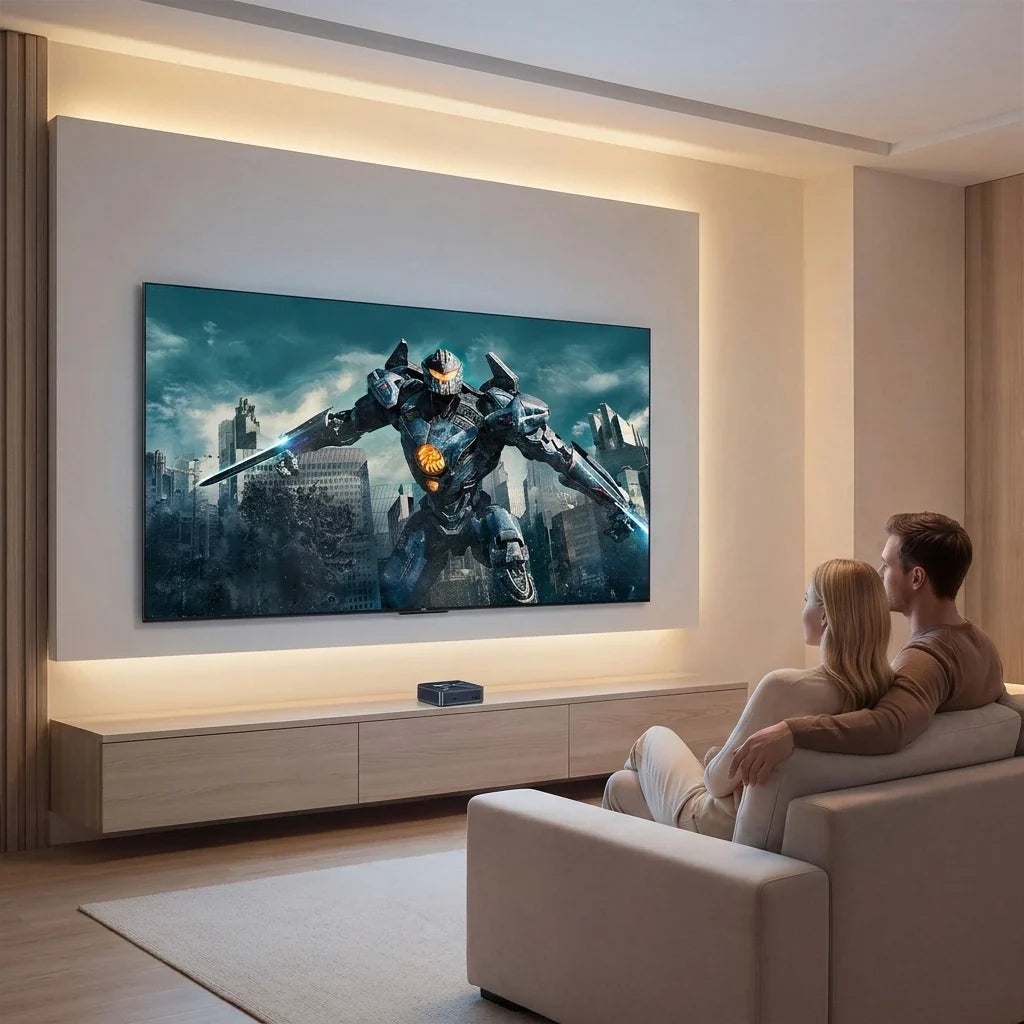
Bästa minidatorer för hemunderhållning år 2026: Streaming, 4K-media och vardagsbruk

Låt oss vara ärliga: hemunderhållning har utvecklats långt bortom vanlig kabel-TV. Idag jonglerar vi med flera streamingprenumerationer, YouTube-kanaler, digitala musikbibliotek, molnappar och vardagsspel – allt bekvämt från våra soffor.
Ändå är standardlösningen för många hushåll antingen en klumpig smart-TV eller ett massivt, surrande skrivbordstorn. Ett gigantiskt torn tar alldeles för mycket plats och slösar ström, medan smart-TV-apparater låser in dig i begränsade appbutiker och blir långsammare med tiden.
Det finns ett mycket bättre sätt.
Moderna minidatorer är tysta, energieffektiva och tillräckligt små för att enkelt kunna placeras bakom TV:n eller placeras i ett underhållningscenter. De ger dig full kraft från en Windows-dator på den största skärmen i ditt hus.
Om du vill ha en kompakt maskin som klarar filmkvällar, webbsurfning och familjedatoranvändning, här är anledningen till att en mini-dator är den ultimata uppgraderingen för hemunderhållning 2026.
Varför använda en mini-dator för hemmaunderhållning?
Du behöver inte en kraftig, vätskekyld speldator bara för att titta på Netflix. Vad du do Behovet är en smart balans mellan processorkraft, grafikkapacitet och smidig anslutning.
Här är anledningen till att minidatorer tar över vardagsrum:
1. Litet fotavtryck, inget skräp
Utrymmet runt TV:n är värdefullt. Traditionella stationära torndatorer är tunga och en skamfläck bredvid ett elegant underhållningscenter.
Minidatorer är designade för att försvinna. Du kan skjuta in en på en fullsatt TV-hylla, stoppa in den i ett skåp eller VESA-montera den direkt bakom din skärm eller TV. Ingen röra, inga jättekablar, bara ren estetik.
2. Din TV, nu en komplett dator
En smart-TV låter dig titta på Netflix. En mini-dator låter dig göra det. något.
Anslut en mini-PC till din vardagsrums-TV via HDMI, skaffa ett trådlöst tangentbord med styrplatta, och plötsligt är din TV en gigantisk, fullt fungerande dator. Växla enkelt från att streama 4K-filmer till att surfa på webben, kolla e-post, hantera familjefotoalbum eller hoppa in i ett vardagsspel.

Klarar en mini-dator 4K-streaming?
Ja, lätt. De flesta moderna minidatorer utrustade med kapabel integrerad grafik hanterar uppspelning av HD- och 4K-video smidigt.
En bra mini-dator för underhållning behöver inte en absurt dyr processor; leta istället efter:
-
Modern processor och integrerad grafik med korrekt stöd för videoavkodning
-
Stabilt Wi-Fi eller en Gigabit Ethernet-port för buffertfri streaming
-
Snabb NVMe SSD-lagring för omedelbar appstart och medieåtkomst
Den ultimata medieservern för filmer och musik
Har du en enorm samling nedladdade filmer, familjevideor och FLAC-musikfiler? En mini-dator fungerar utmärkt som mediaserver (med appar som Plex eller Kodi).
Eftersom de körs på snabb SSD-lagring snarare än tröga mekaniska hårddiskar, går det omedelbart att öppna filer och starta upp.En 512 GB SSD är gott om plats för de flesta familjer, men om du är en riktig mediesamlare kan du enkelt ansluta externa hårddiskar eller utöka lagringsutrymmet längre fram.
Vad man ska leta efter när man ansluter till en TV
Innan du ansluter en mini-dator till vardagsrummet, se till att kontrollera dess portar:
-
HDMI/DisplayPort: Se till att den matchar din TV:s ingångar.
-
Wi-Fi & Ethernet: Avgörande för streaming utan lagg. (Trådbunden Ethernet är alltid bäst om din router finns i närheten).
-
USB-portar: För att ansluta trådlösa möss, tangentbord, spelkontroller eller externa hårddiskar.
Hur mycket RAM och lagring behöver du egentligen?
-
För grundläggande underhållning (8 GB RAM): Om du huvudsakligen streamar video, surfar på webben och kollar e-post, 8 GB är gott.
-
För tung multitasking (16 GB RAM): Om du älskar att ha 20 webbläsarflikar öppna medan du streamar musik, kör Office-appar och laddar ner filer i bakgrunden, 16 GB håller allting smörjlent.
-
Lagring: 512 GB SSD är den perfekta lösningen för allmän hemmabruk, vilket ger dig fart och andrum. Välj 1 TB+ om du lagrar massiva lokala videobibliotek.
Vad gäller tillfälliga spel?
Kan man spela ett mini-PC-spel? Ja, men med realistiska förväntningar.
Även om de inte är byggda för att maximera tunga AAA-spel i 4K utan ett dedikerat grafikkort, är minidatorer fantastiska för:
-
Indiespel och klassiska retroemulatorer
-
Casual PC-spel och populära e-sporttitlar (med rimliga inställningar)
-
Molnbaserade speltjänster (som Xbox Cloud Gaming och GeForce NOW)
Om ditt huvudmål är co-op-spel och streaming i soffan är en mini-dator en lysande sekundär speldator.
Varför kylning är viktigt i en underhållningsdator

Det är lätt att ignorera kylning när man bara tittar på film, men kom ihåg: hemmabiosystem körs ofta i timmar i sträck under familjefilmmaraton eller bakgrundsmusiksessioner.
Kompakta utrymmen fångar lätt värme. Om en mini-dator överhettas stryps prestandan, vilket leder till hack eller höga fläktljud mitt i en tyst filmscen.
Det är därför BMAX konstruerade Rymdkapselkylsystem. Den är speciellt utformad för kompakta modeller och maximerar det interna luftflödet och värmeavledningen för att hålla systemet svalt, stabilt och tyst – även under långa binge-tittande-sessioner.
Mini-PC kontra Smart TV kontraStreaming Stick
| Särdrag | Mini-PC | Smart-TV | Streaming Stick |
| Streamingappar | Obegränsat (webb + appar) | Begränsat till App Store | Begränsat till App Store |
| Webbsurfning | Fullständig webbläsare för datorer | Klumpig & långsam | Mycket begränsad |
| Filhantering | Full åtkomst (valfri enhet) | Begränsad | Ingen |
| Spelflexibilitet | Hög (Steam, Cloud, Emulatorer) | Grundläggande/Plattformsberoende | Grundläggande |
| Långt liv | Hög (uppgraderingsbart operativsystem/appar) | Låg (TV:ns operativsystem blir långsammare med tiden) | Låg |
En streaming-sticka är utmärkt om du endast vill ha Netflix. En smart-TV är perfekt direkt. Men om du vill ha total frihet, en komplett datormiljö och ett mediacenter som inte blir föråldrat på två år, En mini-dator vinner varje gång.
Vanliga frågor
Kan en mini-dator anslutas till vilken TV som helst?
Ja! Så länge din TV har en HDMI-port kan du ansluta den direkt.
Kan en mini-dator streama 4K-filmer?
Definitivt. Moderna minidatorer hanterar 4K-streaming utan problem.
Räcker 8 GB RAM för en vardagsrumsdator?
För ren streaming och grundläggande webbsurfning, ja. Men 16 GB ger dig en mycket smidigare upplevelse om du gillar att multitaska.
Kommer en mini-dator att öka min elräkning?
Inte alls. Minidatorer är konstruerade för hög energieffektivitet och förbrukar en bråkdel av den ström som används av traditionella stationära datorer.
Slutsats
En mini-dator är mycket mer än en krympt stationär dator – det är den ultimata nyckeln till att låsa upp en verkligt flexibel vardagsrumsupplevelse.
Om du är trött på begränsade smart-TV-gränssnitt och vill ha ett kraftfullt, kompakt mediacenter som hanterar streaming, webbsurfning, lokala filer och spel i ett snyggt paket, är en mini-dator ett självklart val för 2026.
Utforska det kompletta BMAX Mini PC-kollektion för att hitta den perfekta kompakta datorn för ditt hem idag!




