

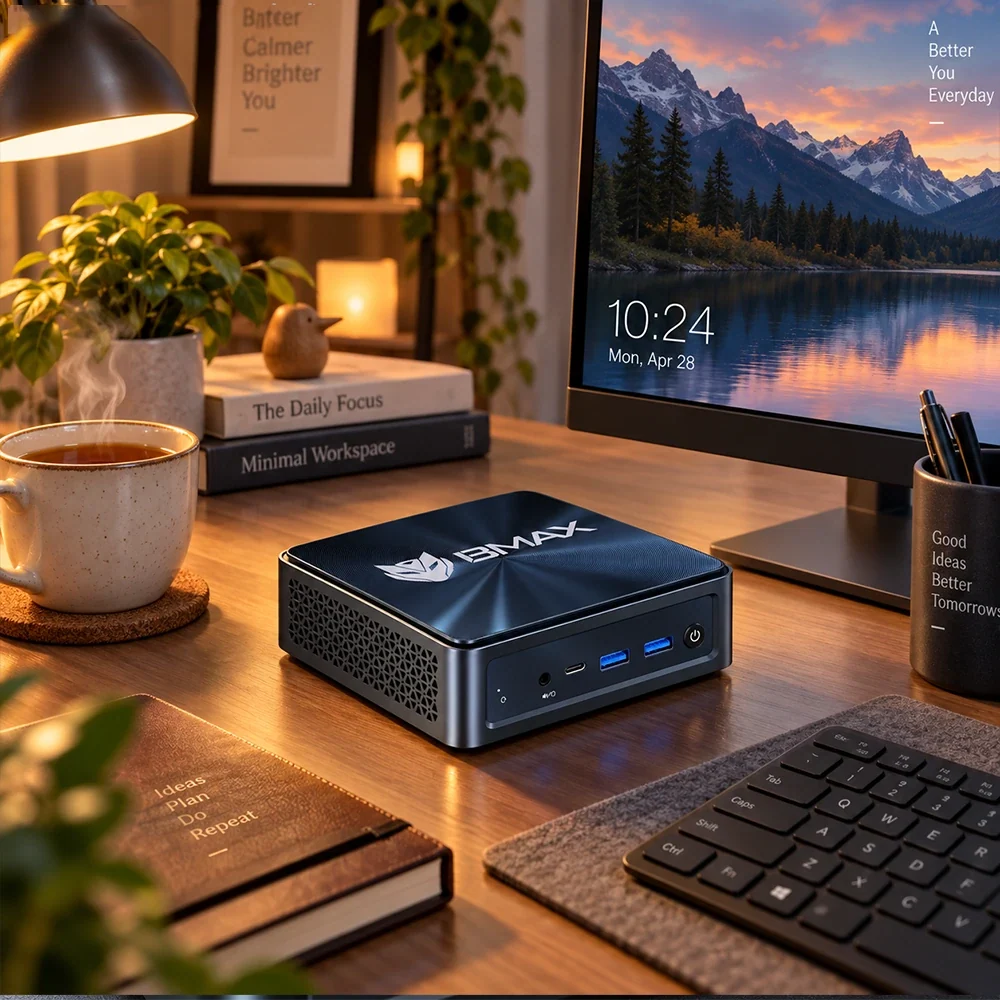
Lorsqu'on envisage de passer d'une tour de bureau encombrante à un mini PC élégant, l'une des questions les plus fréquentes est : « Comme tout est emballé de façon très compacte dans une toute petite boîte, est-ce que ça va faire un bruit de réacteur d'avion sur mon bureau ? »
C'est une préoccupation légitime. Après tout, les lois de la physique nous apprennent que les petits espaces sont plus difficiles à refroidir. Si un ordinateur manque d'aération, ses ventilateurs doivent tourner à plein régime pour évacuer la chaleur accumulée, ce qui produit un sifflement aigu et agaçant juste à côté de votre écran.
Les mini-PC modernes sont-ils bruyants ? La réponse courte est : Non, pas s'ils sont bien conçus.
Examinons de plus près comment les ordinateurs compacts gèrent les niveaux de bruit, pourquoi la conception thermique est importante et à quoi vous pouvez vous attendre lorsque vous travaillez ou diffusez du contenu en continu dans une pièce calme.

1. Les mini-PC sont-ils silencieux lors des tâches quotidiennes ?
Pour 90 % des usages quotidiens, comme la navigation web avec des dizaines d'onglets, la rédaction de courriels dans Word, la gestion de feuilles de calcul ou le visionnage de vidéos 4K en streaming sur YouTube, un mini PC de qualité est suffisant. pratiquement silencieux.
Grâce à leurs processeurs mobiles à faible consommation, les ordinateurs compacts modernes consomment très peu d'énergie lors des tâches légères. En cas de faible charge de travail, les composants internes génèrent un minimum de chaleur, ce qui signifie que le ventilateur de refroidissement fonctionne soit à un régime de veille extrêmement silencieux, soit s'arrête complètement.
Si vous êtes assis dans une bibliothèque calme ou une chambre silencieuse, vous entendrez rarement un mini PC bien conçu lors de vos tâches de productivité habituelles.
(Pour découvrir des exemples d'aménagements de bureau idéaux, consultez notre guide sur Les meilleurs mini-PC pour le télétravail en 2026).

2. Pourquoi les ventilateurs des mini PC deviennent-ils parfois bruyants ?
Bien que silencieux lors des tâches quotidiennes, tout ordinateur émet un bruit de ventilateur en cas de charge de travail importante et prolongée. Vous remarquerez peut-être une augmentation du bruit du ventilateur lorsque vous :
-
Compilation de grands projets de code logiciel
-
Rendu de fichiers vidéo 4K ou retouche de photos haute résolution
-
Jouer à des jeux 3D exigeants ou exécuter des benchmarks d'IA locale
-
Exécution de machines virtuelles intensives ou d'analyses en arrière-plan multithread lourdes
Lorsque le processeur (CPU) est sollicité à 100 % de sa capacité pendant une période prolongée, il génère une chaleur intense. Afin de protéger le silicium, le BIOS du système ordonne au ventilateur de tourner plus vite pour aspirer de l'air frais. Ce comportement est normal. n'importe lequel ordinateur, y compris les ordinateurs portables et les grandes tours de bureau.
3. Le secret du silence : une conception thermique avancée
La différence entre un mini PC bruyant et agaçant et un mini PC ultra-silencieux se résume à : ingénierie et gestion thermique.
Les ordinateurs compacts bon marché utilisent souvent de minuscules ventilateurs de piètre qualité qui émettent un bruit strident pour compenser une mauvaise circulation d'air interne. À l'inverse, les systèmes haut de gamme bénéficient d'architectures de refroidissement sophistiquées.
Par exemple, les ordinateurs portables compacts hautes performances utilisent des systèmes de refroidissement avancés, tels que… Système de refroidissement de la capsule spatiale On les retrouve dans les modèles BMAX, conçus pour optimiser la circulation de l'air interne, accroître la surface de dissipation de la chaleur et utiliser des courbes de ventilation intelligentes. Ainsi, même en cas de multitâche modéré, le ventilateur accélère de manière fluide et silencieuse, sans à-coups bruyants.
(Si vous appréciez le streaming multimédia sans le bruit des ventilateurs, consultez notre guide sur Les meilleurs mini-PC pour le divertissement à domicile en 2026).
Conseils pour garder votre mini PC silencieux
Pour que votre poste de travail compact reste le plus silencieux possible, gardez ces quelques conseils à l'esprit :
-
Ne bloquez pas les aérations : Veillez toujours à laisser un espace d'au moins quelques centimètres autour des aérations de votre mini PC. Ne le rangez jamais dans un tiroir fermé hermétiquement.
-
Gardez-le à l'abri de la poussière : L'accumulation de poussière obstrue la circulation de l'air, obligeant les ventilateurs à travailler deux fois plus. Un nettoyage rapide à l'air comprimé tous les deux ou trois mois permet de réduire le bruit.
-
Ajuster les profils d'alimentation : Sous Windows 11, vous pouvez régler votre mode d'alimentation sur « Équilibré » ou « Meilleure efficacité énergétique » plutôt que sur « Meilleures performances » si vous effectuez uniquement des tâches bureautiques légères, ce qui maintient naturellement la vitesse des ventilateurs au minimum.

Conclusion
Vous craignez qu'un mini PC ne perturbe la tranquillité de votre bureau ou de votre chambre ? Rassurez-vous. Les ordinateurs compacts modernes sont conçus pour une efficacité énergétique maximale et un fonctionnement silencieux, restant pratiquement inaudibles lors des tâches bureautiques quotidiennes, de la navigation web et du visionnage de contenus multimédias.
Pourvu que vous choisissiez un système doté d'une conception thermique robuste, le bruit du ventilateur est rarement un problème.
Envie d'un espace de travail calme, propre et performant ? Découvrez Collection de mini-PC BMAX Découvrez des ordinateurs compacts ultra-silencieux et performants, conçus pour les flux de travail modernes.
Foire aux questions (FAQ)
Q : Les mini-PC sont-ils plus bruyants que les tours de bureau traditionnelles ?
R : Généralement, non. Bien que les tours de jeu haut de gamme soient équipées de ventilateurs plus grands (qui peuvent déplacer l'air plus silencieusement à des vitesses plus basses), un mini PC bien conçu exécutant des tâches bureautiques ou de streaming est généralement tout aussi silencieux, voire plus silencieux, qu'un ordinateur de bureau standard.
Q : Un mini PC peut-il être totalement sans ventilateur et 100 % silencieux ?
R : Oui ! Certains mini-PC à très faible consommation sont dotés d'une conception sans ventilateur, à refroidissement passif et sans aucune pièce mobile. Ils sont totalement silencieux, mais sont généralement conçus pour les tâches bureautiques de base, l'affichage dynamique ou la navigation web légère plutôt que pour les jeux vidéo exigeants.
Q : Pourquoi le ventilateur de mon mini PC fait-il autant de bruit même lorsqu'il est inactif ?
R : Si votre ventilateur tourne à plein régime alors que vous ne faites rien, cela signifie généralement qu'un processus en arrière-plan (comme une mise à jour Windows, une analyse antivirus ou une application bloquée) monopolise votre processeur, ou que vos grilles d'aération sont obstruées par la poussière.
Q : Est-ce que les jeux vidéo rendent les mini-PC bruyants ?
R : Oui. Étant donné que les jeux sollicitent fortement le processeur et la carte graphique intégrée, le ventilateur interne tournera à un régime plus élevé pour gérer la chaleur, mais une conception thermique de qualité l'empêche de produire un bruit strident ou désagréable.





